cloneme/explorer
explorer: Highly-configurable directory listing made with nodejs. http://soyuka.github.io/explorer/
1.4K
cloneme/explorer repository overview
 Explorer
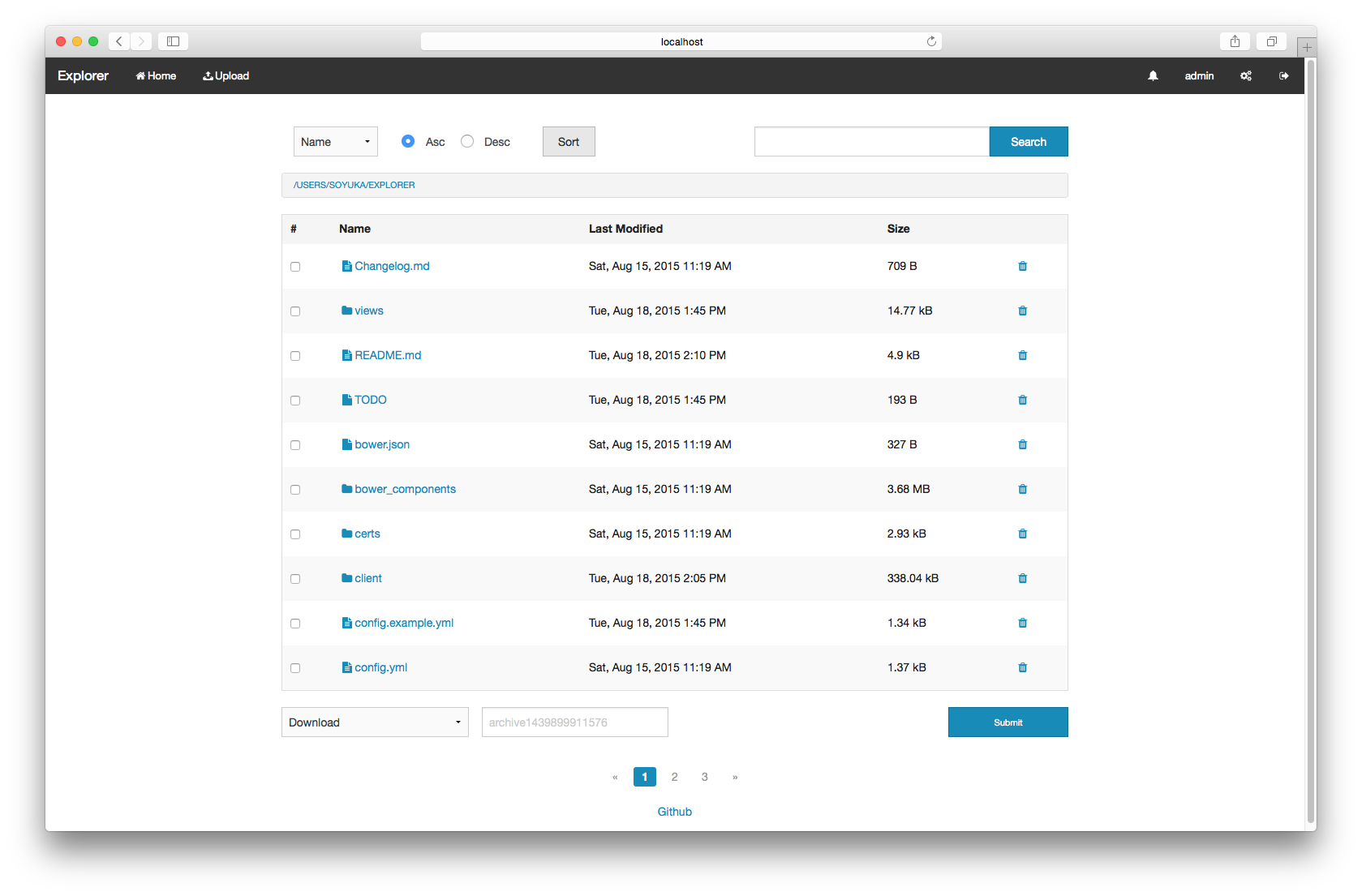
Explore and share. Highly-configurable directory listing made with nodejs.
- Requirements
- Install
- Configuration
- Update
- More installation methods
- Plugins
- Development
- Performances
- Why
Requirements
- nodejs (v4 with harmony support)
0.12 and iojs are no longer supported as of v3.0.0
Installing nodejs with nvm
curl -o- https://raw.githubusercontent.com/creationix/nvm/v0.25.4/install.sh | bash
nvm install 4 #nvm ls-remote to see available versions
nvm alias default 4
nvm use default
Install
npm install pm2 -g
pm2 install xplorer
Go to IP:4859, login with admin:admin Don't forget to change the password.
With pm2 configuration file is located in ~/.config/explorer
You may want to create your own HTTPS certs or disable it (see below).
Configuration
---
search:
  # Available: pt, ack, find, mdfind, custom, native
  method: 'native'
  # Custom search command (${search} will be replaced by the string)
  command: "pt --nocolor --nogroup -l -i '${search}' ." # not used by native
  maxDepth: 10 # Default 10
  concurrency: 100 # Default 100 (only used with native search)
  # String match score (only used with native search)
  maxScore: 0.65
pagination:
  # Maximum number of items per page
  limit: 10 # Default 100
# Be careful with this next section as it will have an impact on performances
tree:
  # When calculating directory size we stop at the max_depth
  maxDepth: 10 #Default 10
  concurrency: 100 #Default 100
  cache: true # set to false to disable size caching
  cacheTTL: 86400 # dir size cache duration in second
remove:
  # 'mv' will move files to a trash directory
  # 'rm' will delete files
  # empty to disable deletion
  method: 'mv' # default is to mv (move instead of remove)
  path: './trash'
# disable with:
# archive: false
archive:
  path: './tmp'
# disable with:
# upload: false
upload:
  path: './upload'
  concurrency: 10
  maxSize: '50mb' # default to 50mb see https://github.com/expressjs/body-parser#limit
  maxCount: 10 # max number of files
# note that path values will be overridden by the user path if set
# path will be created if non-existant
database: './data/users' # don't touch if you don't know what you're doing
app_root: '/' # app root for client ressources
session_secret: 'Some string here' #Change this
port: 4859
https:
  port: 6859
  enabled: true # default option!
  key: './certs/key.pem' # change those are dummies
  cert: './certs/cert.pem'
plugins: # those are enable by default, use below options to disable them
  upload: {}
  archive: {}
cache: 'memory' # redis is available too
redis:
  host: 'redis://127.0.0.1:6379'
  # host: 'somesocket.sock'
dev: false # more verbose error (stack)
The config.yml will be searched in:
~/.config/explorer/config.yml./config/explorer/config.yml(relative to the script directory!)
To reload the configuration you'll need to restart the script pm2 restart xplorer!
Search
Search accepts globs and filters:
somefile -exact # should match exactly, alias -e
somedir -e -dir # exact and a directory, -d or -directory
* -video # every video files
-audio # every audio files
* -video --no-recursive # search in the current path only
--directory --atime=1h # directory accessed in the last hour
*.js --mtime=>2015-10-13 --mtime=<2015-10-14 # get all javascript files modified between dates
HTTP(S)
Nginx
upstream explorer {
  server localhost:4859 #port can be changed in the config.yml
}

server {
  listen 80;

  location / { #if you want to change this, change `app_root` in the config.yml
    proxy_pass http://explorer/
  }
}
Apache
<VirtualHost *:80>
    ServerAdmin [email protected]
    ServerName explorer.com

    ProxyRequests off

    <Proxy *>
        Order deny,allow
        Allow from all
    </Proxy>

    <Location />
        ProxyPass http://localhost:4859/
        ProxyPassReverse http://localhost:4859/
    </Location>
</VirtualHost>
Certs
You can either change the paths in the config.yml, or replace those located in your configuration path (see Configuration).
Rss
By calling your tree url or a search path (localhost:4859/search?search=*.mkv&key=my-key), set the Accept header to application/rss+xml:
http GET localhost:4859/?key=get-your-key-from-settings Accept:application/rss+xml
Update
From 1.x to 2.x see configuration migration.
As a pm2 module
pm2 install xplorer
From tarball
cd /path/to/your/explorer
curl -L https://github.com/soyuka/explorer/archive/vx.x.x.tar.gz | tar xz --strip-components 1
npm rebuild
More installation methods
Docker
git clone https://github.com/soyuka/explorer.git
cd explorer
docker build -t explorer .
# you have to mount the configuration to /opt/explorer (see EXPLORER_CONFIG env)
docker run -p 8080:4859 -d -v $(pwd)/doc/examples:/opt/explorer --name explorer explorer
Use a mounted volume with data by changing your home in the Explorer admin panel.
Here we forward 8080 to 4859, where 4859 is the default http port.
Tarball package
Download latest release, unpack, configure, launch :
cp doc/examples/config.yml config.yml #copy default configuration
cp -r doc/examples/data data #copy default database
cp -r doc/examples/certs certs #copy default certificates for https
npm rebuild
Git
git clone https://github.com/soyuka/explorer.git
cd explorer
cp doc/examples/config.yml config.yml #copy default configuration
cp -r doc/examples/data data #copy default database
cp -r doc/examples/certs certs #copy default certificates for https
npm install #install packages
Then run gulp to compile minified resources
npm install gulp bower -g
bower install
gulp
Beta/master installation
After using the default method (i.e. pm2 install xplorer):
cd ~/.pm2/node_modules
npm install gulp bower -g
npm install git://github.com/soyuka/explorer
cd xplorer
bower install
gulp
pm2 restart xplorer
Run
Installed as a pm2 module explorer will already be daemonized.
Development
DEBUG="explorer:*" node --harmony index.js
Daemonize with pm2
npm i pm2 -g
pm2 start --node-args="--harmony" --name explorer index.js
Plugins
Install a plugin:
explorer plugin install [plugin-name]
See explorer --help for more commands.
Configure
In the config.yml:
plugins:
  name:
    module: 'npm-package-name'
  local-name: {} # located in path/to/explorer/plugins/local-name
Available plugins:
plugins:
  unrar:
    module: 'explorer-unrar'
plugins:
  cksfv
    module: 'explorer-cksfv'
plugins:
  unrar:
    module: 'explorer-m3u'
Development
Development
Clone see From git
DEBUG="explorer:*" node --harmony index.js -c config.example.dev.yml
Sass is compiled with gulp:
gulp watch
To get stack traces from errors use dev: true in your configuration file.
Tests
Tests are using their own configuration file test/fixtures/config.yml:
mocha --harmony
Api docs
Generated with apidocjs (available here):
apidoc -i routes -o doc/api
Performances
We use Bluebird with concurrency, for your information you may speed things up:
$ sync && echo 3 > /proc/sys/vm/drop_caches
$ node test.js 1
reading files 35ms
$ sync && echo 3 > /proc/sys/vm/drop_caches
$ node test.js Infinity
reading files: 9ms
See bluebird docs, tree.concurrency and search.concurrency configuration options.
In the configuration there is a tree.maxDepth parameter. It's used when estimating the size of a directory, we'll stop recursivity when depth is more than 10.
10 is a lot actually, to improve performances you should lower the number. To get a more precise number increase it.
The search.maxDepth indicates wether to search in the directory or not if it's too deep. Search will go faster but you'll get less results.
Why?
I did this because I could not find a light file explorer. It had to be simple, easy to install and fast. I tried pydio but it's heavy and long to install. I also tried h5ai but it does not have user support and has a lot of client-side javascript. I also have the feeling that it's slow.
KISS.
Tag summary
Content type
Image
Digest
Size
282.8 MB
Last updated
over 10 years ago
docker pull cloneme/explorer