cloudecho/zipkin
Zipkin is a distributed tracing system
118
cloudecho/zipkin repository overview
What is zipkin



Zipkin is a distributed tracing system. It helps gather timing data needed to troubleshoot latency problems in service architectures. Features include both the collection and lookup of this data.
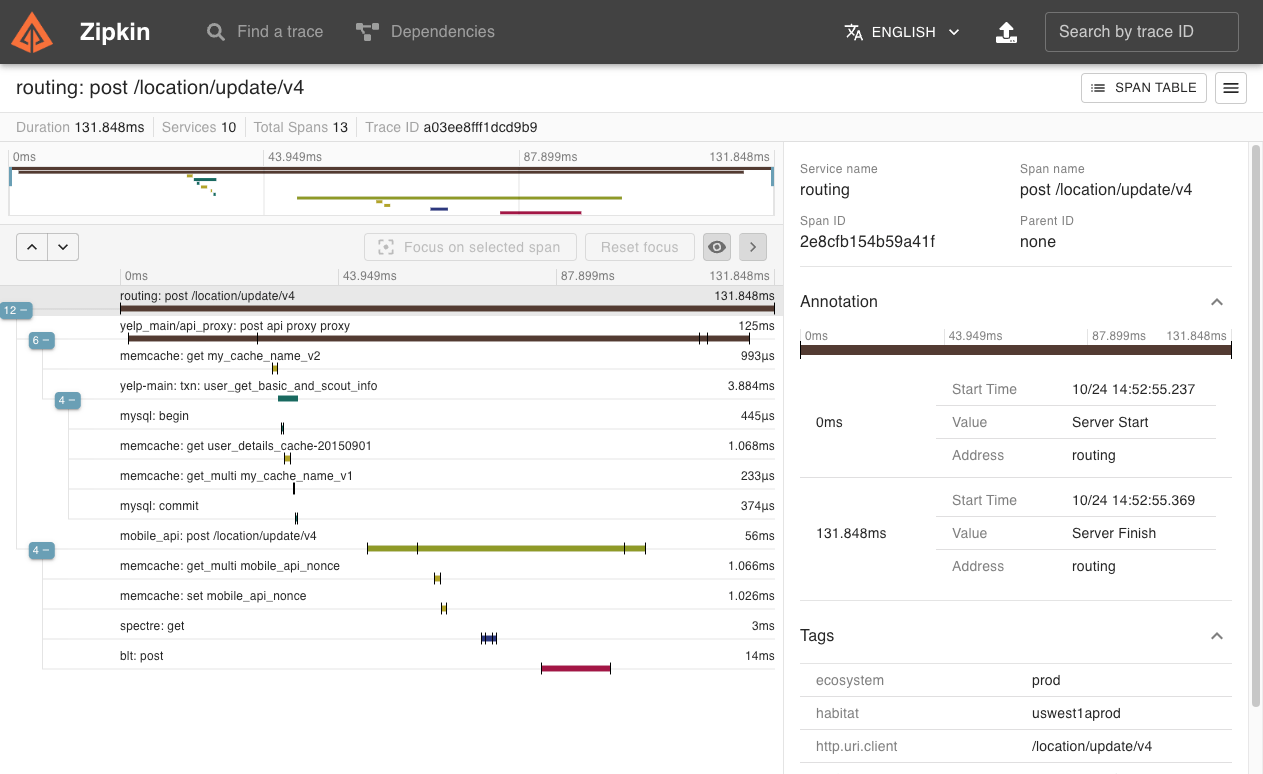
If you have a trace ID in a log file, you can jump directly to it. Otherwise, you can query based on attributes such as service, operation name, tags and duration. Some interesting data will be summarized for you, such as the percentage of time spent in a service, and whether or not operations failed.
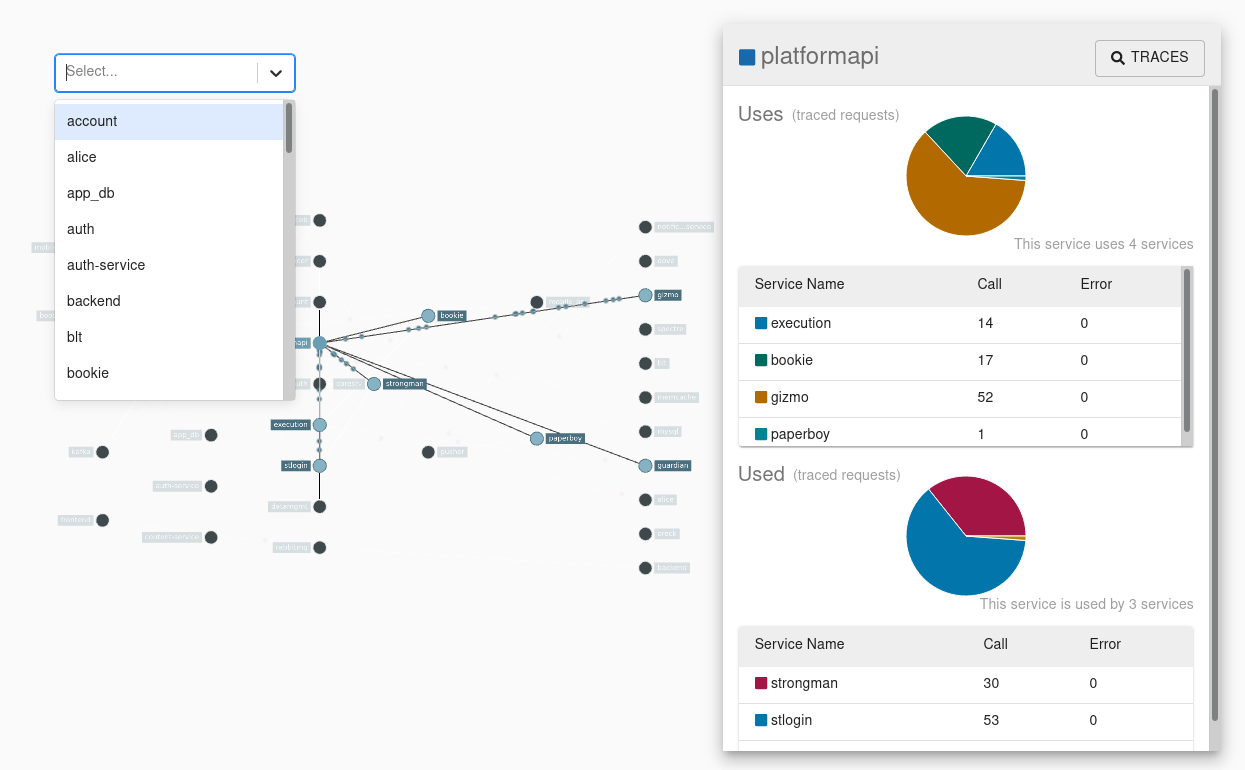
The Zipkin UI also presents a dependency diagram showing how many traced requests went through each application. This can be helpful for identifying aggregate behavior including error paths or calls to deprecated services.
Application’s need to be “instrumented” to report trace data to Zipkin. This usually means configuration of a tracer or instrumentation library. The most popular ways to report data to Zipkin are via http or Kafka, though many other options exist, such as Apache ActiveMQ, gRPC and RabbitMQ. The data served to the UI is stored in-memory, or persistently with a supported backend such as Apache Cassandra or Elasticsearch.
NOTE:
It requires a spark job to aggregate dependency links.
How to use this image
e.g. zikpkin+kafka+elasticsearch
version: "3.7"

services:
  zipkin:
    depends_on:
      - kafka
      - elasticsearch
    image: cloudecho/zipkin:2.23.16
    networks:
      - net
    ports:
      - '9411:9411'
    environment:
      - JAVA_OPTS=-Xms512m -Xmx512m -XX:+ExitOnOutOfMemoryError
      - KAFKA_BOOTSTRAP_SERVERS=kafka:9092
      - STORAGE_TYPE=elasticsearch
      - ES_HOSTS=elasticsearch:9200

  elasticsearch:
    image: bitnami/elasticsearch:7
    networks:
      - net
    volumes:
      - elastic-data:/bitnami/elasticsearch/data
    environment:
      - ELASTICSEARCH_HEAP_SIZE=1024m

  zookeeper:
    image: bitnami/zookeeper:3.6
    networks:
      - net
    volumes:
      - zook-data:/bitnami/zookeeper
    environment:
      - ZOO_SERVER_ID=1
      - ALLOW_ANONYMOUS_LOGIN=yes

  kafka:
    depends_on:
      - zookeeper
    image: bitnami/kafka:3
    networks:
      - net
    volumes:
      - kafka-data:/bitnami/kafka
    environment:
      - KAFKA_BROKER_ID=1
      - ALLOW_PLAINTEXT_LISTENER=yes
      - KAFKA_CFG_ZOOKEEPER_CONNECT=zookeeper:2181/kafka

networks:
  net:
    driver: overlay

volumes:
  elastic-data:
  kafka-data:
  zook-data:
zipkin-dependencies
It requires a spark job to aggregate dependency links.
e.g.
version: "3.7"

services:
  #  ... zikpkin+kafka+elasticsearch servies ...

  zipkin-dependencies:
    depends_on:
      - elasticsearch
      - spark-worker
    image: openzipkin/zipkin-dependencies:2.6.4
    networks:
      - net
    environment:
      - JAVA_OPTS=-Xms1g -Xmx1g -XX:+ExitOnOutOfMemoryError
      - STORAGE_TYPE=elasticsearch
      - ES_HOSTS=elasticsearch:9200
      - SPARK_MASTER=spark://spark:7077
      - SPARK_CONF=spark.driver.host=zipkin-dependencies,spark.driver.bindAddress=0.0.0.0,spark.driver.cores=1,spark.driver.memory=1g

  spark:
    image: bitnami/spark:2.4.6
    environment:
      - SPARK_MODE=master
      - SPARK_RPC_AUTHENTICATION_ENABLED=no
      - SPARK_RPC_ENCRYPTION_ENABLED=no
      - SPARK_LOCAL_STORAGE_ENCRYPTION_ENABLED=no
      - SPARK_SSL_ENABLED=no
    ports:
      - '8080:8080'
    networks:
      - net
    volumes:
      - spark-jars:/opt/bitnami/spark/jars

  spark-worker:
    depends_on:
      - spark
    image: bitnami/spark:2.4.6
    environment:
      - SPARK_MODE=worker
      - SPARK_MASTER_URL=spark://spark:7077
      - SPARK_WORKER_MEMORY=4G
      - SPARK_WORKER_CORES=4
      - SPARK_RPC_AUTHENTICATION_ENABLED=no
      - SPARK_RPC_ENCRYPTION_ENABLED=no
      - SPARK_LOCAL_STORAGE_ENCRYPTION_ENABLED=no
      - SPARK_SSL_ENABLED=no
    ports:
      - '8081:8081'
    networks:
      - net
    volumes:
      - spark-jars:/opt/bitnami/spark/jars

networks:
  net:
    driver: overlay

volumes:
  # Spark uber jar should be placed under this folder
  spark-jars:
Reference
Tag summary
Content type
Image
Digest
Size
212.5 MB
Last updated
almost 5 years ago
docker pull cloudecho/zipkin:2.23.16