cltr/apache2-revproxy
Apache2 Reverse Proxy for SSL termination inside a Docker container
843
cltr/apache2-revproxy repository overview
Apache2 Reverse Proxy
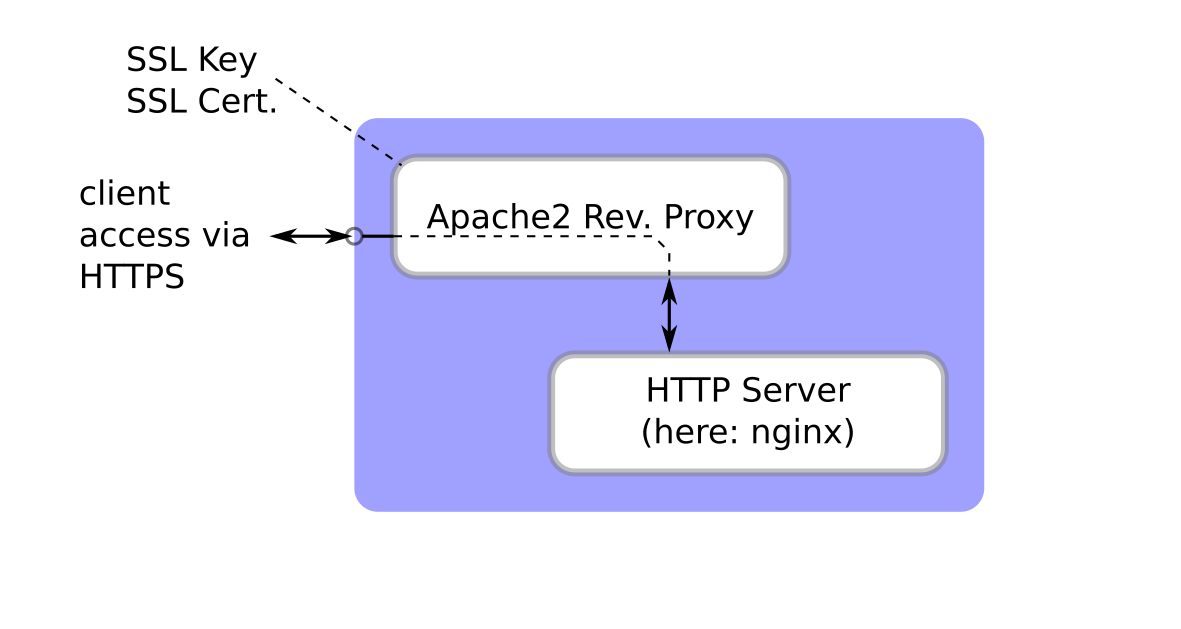
Apache2 Reverse Proxy for SSL termination inside a Docker container.
URL of git repository with documentation: https://github.com/christoph-lechner/apache2_revproxy
Demo using "docker compose"
This demo serves a demo page that comes with the NGINX Docker container via HTTPS on port 8443. To access the page, the reverse proxy asks for credentials, currently hard-coded in the container image (will change in the future) are username: demo, password: abc.
For a full description see here: https://github.com/christoph-lechner/apache2_revproxy/tree/master/doc/demo_dockerhub
Generate Self-signed Certificate
First of all, the key and the self-signed certificate need to be prepared.
In the directory where all files will be stored, place the passphrase into the file ssl.pwd (ensure mode 0600!) and make sure that the file demo.env (ensure mode 0600!) assigns the same passphrase to the environment variable A2_PASSPHRASE, for example:
A2_PASSPHRASE=passw0rd
Then create a new directory 'ssl/' and generate the actual key material:
$ mkdir ssl
$ cd ssl
$ openssl req -new -newkey rsa:2048 -passout file:../ssl.pwd -subj "/CN=snakeoil.localnet/" -keyout ssl.key -out ssl.csr
$ openssl x509 -req -days 365 -in ssl.csr -passin file:../ssl.pwd -signkey ssl.key -out ssl.crt

Certificate request self-signature ok
subject=CN = snakeoil.localnet
$
This is the docker-compose.yaml file:
services:
  revproxy:
    image: cltr/apache2-revproxy:latest
    # restart: on-failure
    environment:
      - A2_PROXYREMOTE=webserver:80
    # FOR DEMONSTRATION PURPOSES, storing passphrase for SSL key in env_file.
    env_file:
      - demo.env
    ports:
      - "8443:443"
    # demo: load SSL key/cert from directory
    volumes:
      - ./ssl:/ssl
  webserver:
    image: nginx
    # restart: on-failure
Then launch it using
docker compose up
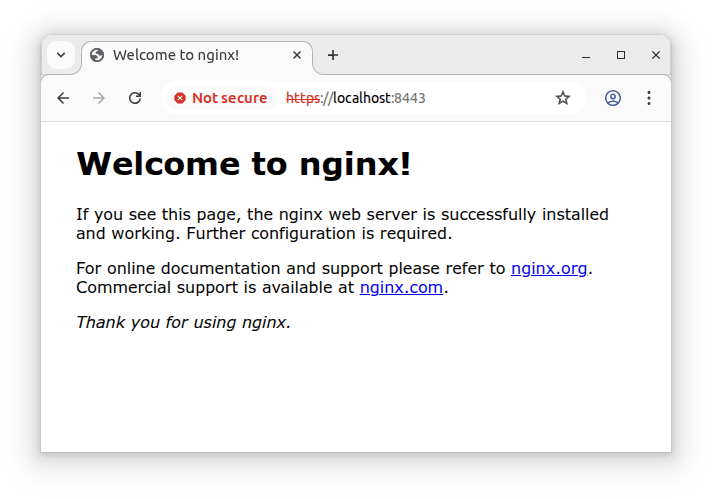
When connecting to the server on https://localhost:8443/, you will first see a warning related to the self-signed certificate. Then after logging in with the credentials (username: demo, password: abc), you should see:
Tag summary
Content type
Image
Digest
sha256:aa6ef2913…
Size
52.8 MB
Last updated
9 months ago
docker pull cltr/apache2-revproxy