codeboxindia/quick-mongo
Read-only MongoDB web UI in plain PHP, the phpMyAdmin way. Browse databases, collections, GridFS.
337
codeboxindia/quick-mongo repository overview
Quick Mongo
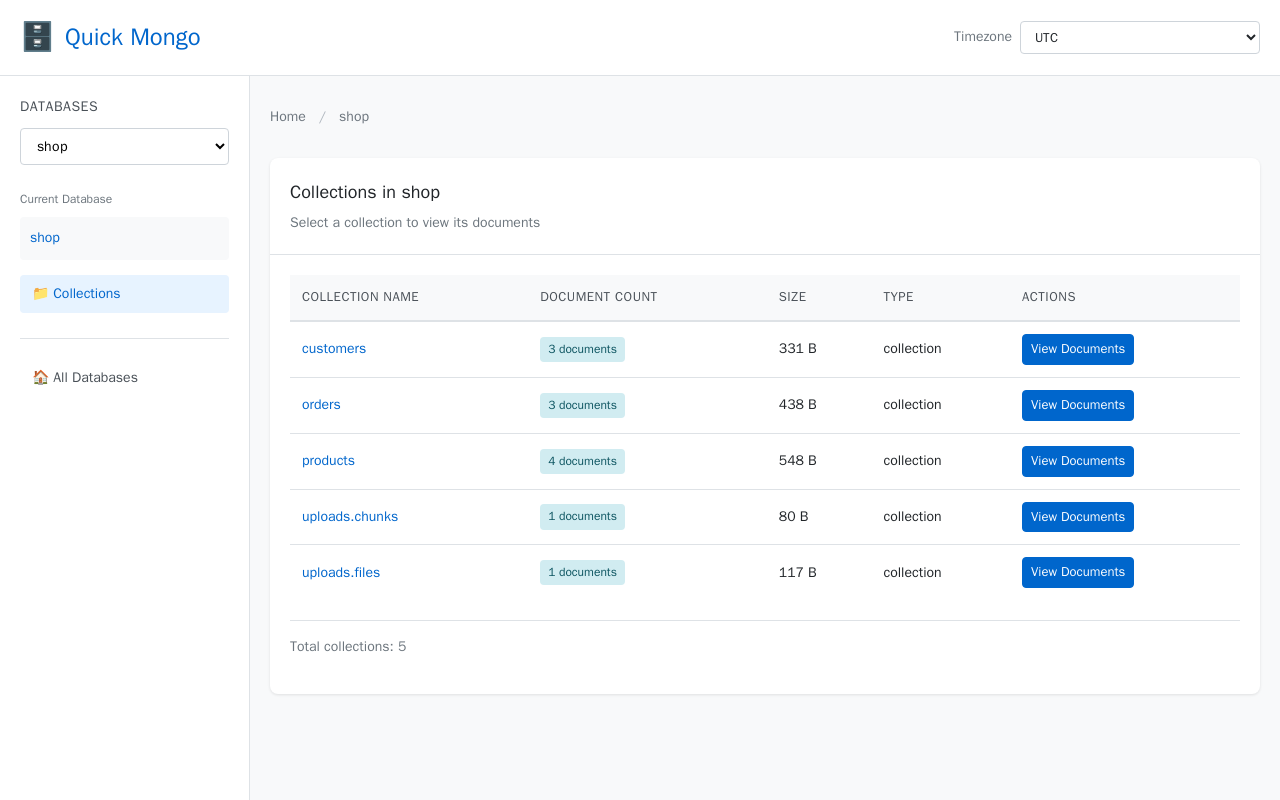
A read-only MongoDB browser in a single PHP folder. No Composer, no build step.
Usage
Add it as one more service next to your Mongo service:
services:
  mongo:
    image: mongo:7

  quick-mongo:
    image: codeboxindia/quick-mongo
    ports:
      - "8081:80"
    environment:
      MONGO_URI: mongodb://mongo:27017
Then open http://localhost:8081.
For a Mongo running on the host itself:
docker run --rm -p 8081:80 -e MONGO_URI=mongodb://host.docker.internal:27017 codeboxindia/quick-mongo
On Linux add --add-host=host.docker.internal:host-gateway so that hostname resolves.
Configuration
| Variable | Default | Meaning |
|---|---|---|
MONGO_URI | mongodb://localhost:27017 | Connection string |
APP_DEBUG | false | Show exception details on error pages, keep it false anywhere shared |
What it does
- Lists databases with their size on disk
- Lists collections with document count and data size
- Pages through the documents of any collection, sorted by
_id - Shows a document as highlighted JSON or as a collapsible tree
- Downloads files from any GridFS bucket
Platforms
linux/amd64 and linux/arm64.
Security
Read-only by design: the code issues only list, find, count and collStats commands. There is no write, update or delete path. There is no authentication built in, so put it behind HTTP basic auth, a VPN or a firewall before exposing anything other than a local development database.
Source
https://github.com/yashdesai87/quick-mongo
Apache License 2.0.
Tag summary
Content type
Image
Digest
sha256:81c045762…
Size
188.2 MB
Last updated
about 1 month ago
docker pull codeboxindia/quick-mongo