compgenlabub/ppaxe-app
PPaxe-app is a web service for protein-protein interaction extraction from scientific literature.
278
compgenlabub/ppaxe-app repository overview
What is PPaxe-app?
PPaxe is an easy to use Python app that scans MEDLINE records from PUBMED
and PMC , to extract sentences describing protein-protein interactions. Upon a list of PUBMED identifiers obtained by a keyword search at NCBI-Entrez (e.g. a set of gene names or a disease), it provides with a summary of putative protein-protein interactions and the sentences of the PUBMED records that describe them. Now implements a job id to retrieve results from long searches despite disconnecting from server. You have a demo server available from https://compgen.bio.ub.edu/PPaxe.
This docker container provides all the tools and libraries required by PPaxe to run the PPaxe-app web service out of the box; just follow these simple steps:
1.- get the container image:
docker pull compgenlabub/ppaxe-app
2.- start the web service container. Just remind to set the proper email settings for the environment variables, as then it can contact via email when large sets of identifiers are submitted.
docker run -d -ti --net=host \
            --env PPAXE_EUSER="your.email.user" \
            --env PPAXE_EPASSW="your.email.passwd" \
            --env PPAXE_EMAIL="[email protected]" \
            compgenlabub/ppaxe-app
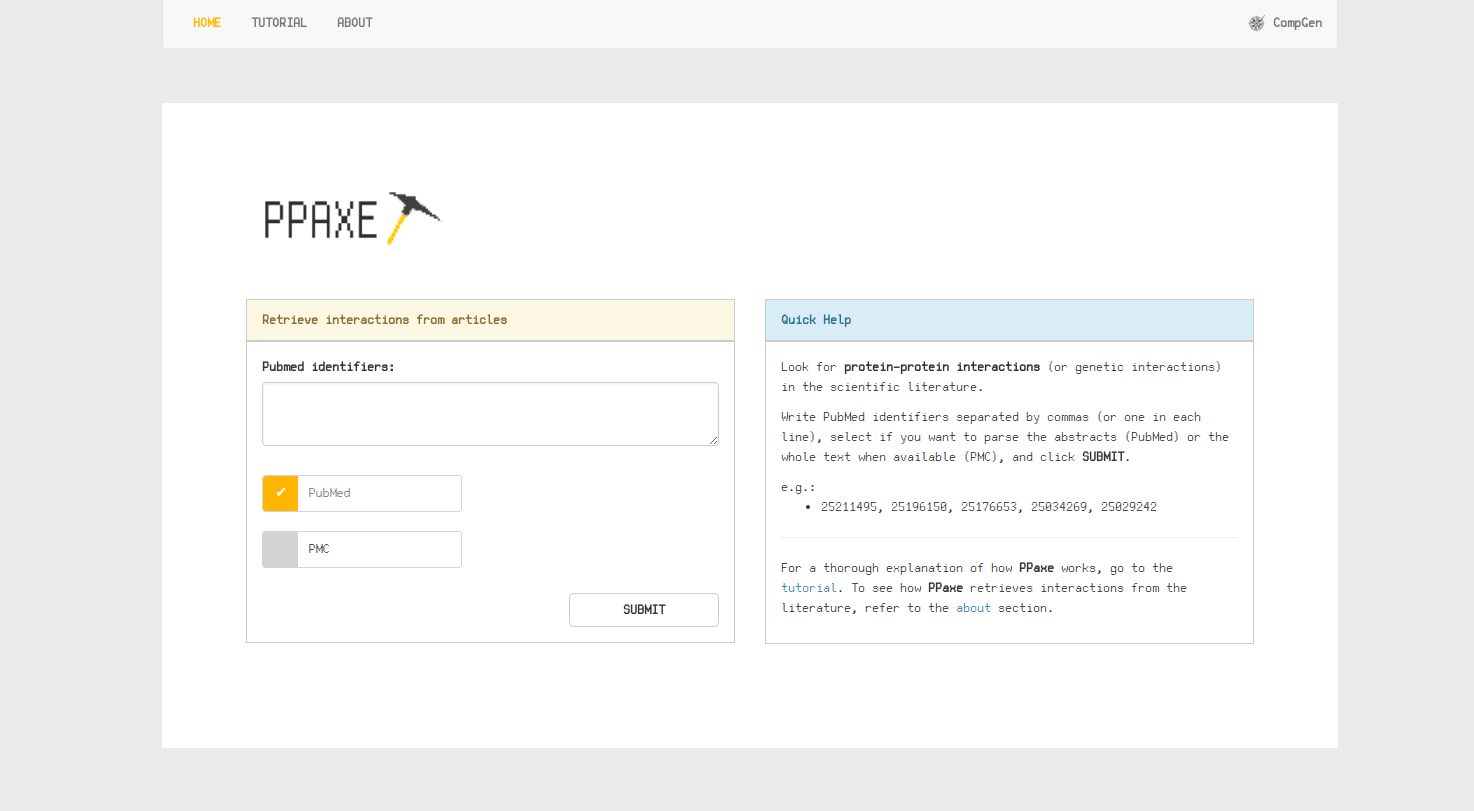
The above command will start an Stanford-CoreNLP service inside the container and a Flask + Gunicorn web application to produce a simple web interface to the PPaxe libraries. You can access using a web browser on your local host by pointing the URL to http://127.0.0.1:5000/. If everything is working you should get a home page similar to the one shown in the figure below. You have some help tips available on that web form.
Environment variables
Here you can find a short description of the available customizable environment vars to fit PPaxe-app to your system:
GUNICORN_THREADS: number of threads/cores for theGunicornweb server (defaults to 4).GUNICORN_TIMEOUT:gunicornweb server time out delay (defaults to 600 seconds).CORENLP_THREADS: set up the number of threads for theStanford-CoreNLPannotator (defaults to 4).CORENLP_MAXMEM: set up the maximum amount of system memory for theStanford-CoreNLPannotator (defaults to 4g).URL_BASE: if you want to define a different URL base instead ofhttp://127.0.0.1:5000, to get proper href text urls when running behind a proxy server for instance (the corresponding links will be pointing to the right url anyway).PPAXE_EUSER: your email user for sending reports (defaults to "www")·PPAXE_EPASSW: password to connect to the email server for the previous user (defaults to "blabla").PPAXE_EMAIL: user's email account for sending reports (defaults to "www@localhost").
Just remember to set up the proper DNS addresses for the container; for instance, by running the following command before launching the container (or by providing those parameters to the container command-line):
export DOCKER_OPTS="--dns primary.dns.server.ip --dns secondary.dns.server.ip";
On the other hand, we provide a new parameter for debugging the execution of this app:
PPAXE_DEBUG: running all commands in verbose mode when set to 1. Moreover, standard output and error channels are stored in a*.logand a*.errfiles respectively, for bothStanford-CoreNLPannotator andGunicorn(running thePPaxe-app), into the container/ppaxe/logsfolder. That folder can be accessed by mounting a volume, for instance:
docker run -d -ti --net=host \
            --env PPAXE_DEBUG=1 \
            --volume /your/path/to/ppaxe/logs:/ppaxe/logs \
            --env PPAXE_EUSER="your.email.user" \
            --env PPAXE_EPASSW="your.email.passwd" \
            --env PPAXE_EMAIL="[email protected]" \
            compgenlabub/ppaxe-app

ls -alFhrt /your/path/to/ppaxe/logs
# -rw-r--r-- 1 root   root     0 May 11 14:18 gunicorn.log
# -rw-r--r-- 1 root   root   43K May 11 14:19 core.log
# -rw-r--r-- 1 root   root   21K May 11 14:19 core.err
# -rw-r--r-- 1 root   root   906 May 11 14:19 gunicorn.err
License
PPaxe project as well as the PPaxe-app are licensed under the GNU GPL3 license - see the LICENSE file for details. PPaxe uses Stanford-CoreNLP as POS-tagger (aka Parse-Of-Speech tagger), which is also under the GNU GPL3 license. This software requires Java, we have chosen openjdk provided by the Ubuntu Linux distribution (v16.04) that serves as base of the container. The web applet requires Flask and Gunicorn.
Publications
If you find this software tool useful for your research, we will appreciate if you cite it as follows:
PPaxe: easy extraction of protein occurrence and interactions from the scientific literature.
S. Castillo-Lara, J.F. Abril.
Bioinformatics, AOP November 2018, doi:bty988.
Tag summary
Content type
Image
Digest
Size
2.3 GB
Last updated
over 7 years ago
docker pull compgenlabub/ppaxe-app