czen/docker-partkeepr
Partkeepr inventory management system in docker with apache port set in environment var
967
czen/docker-partkeepr repository overview
partkeepr docker image
This is the source repository for the trusted builds of the mhubig/partkeepr docker image releases. For more information on PartKeepr check out the website.
The most resent version is: 1.4.0-15
To use it, you need to have a working docker installation. Start by running the following command:
export PARTKEEPR_OKTOPART_APIKEY=0123456
docker run -d -p 80:80 -e PARTKEEPR_OKTOPART_APIKEY --name partkeepr mhubig/partkeepr
Or clone the repo and run it together with a MariaDB database container.
git clone https://github.com/mhubig/docker-partkeepr.git
cd docker-partkeepr
export PARTKEEPR_OKTOPART_APIKEY=0123456
docker-compose up
Now go to the partkeepr setup page (e.g.: http://localhost/setup) and follow the directions. To get the authentikation key you can use something like:
docker exec -it partkeepr cat app/authkey.php
or
docker-compose exec partkeepr cat app/authkey.php
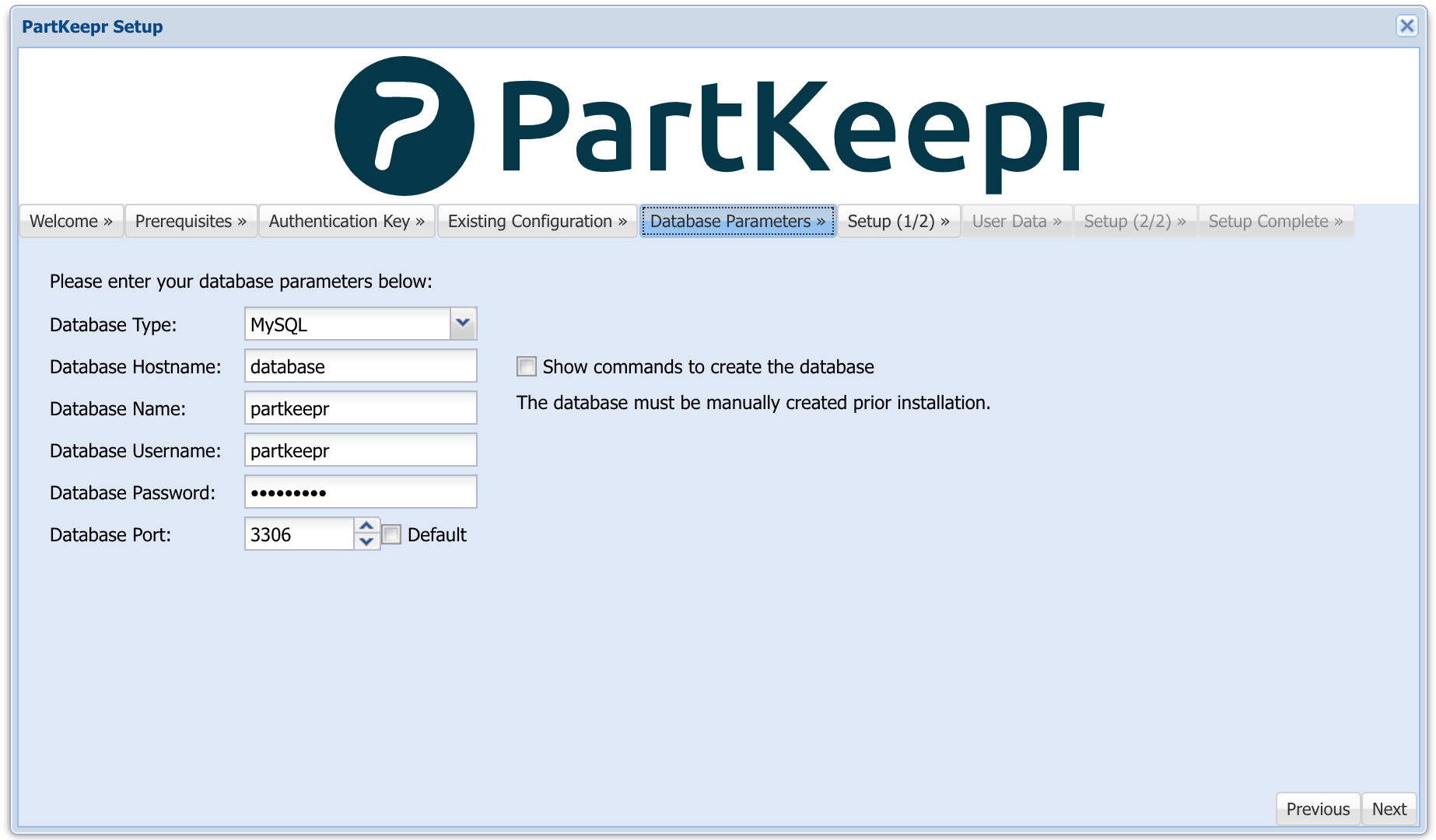
The default database parameters are:
Howto manually build the docker image
docker build -t mhubig/partkeepr:latest --rm .
Howto create a new release
Since I have switched to GitHub Flow, releasing is now quite simple. Ensure you are on master, bump the version number and push:
./bump-version.sh 1.4.0-15
git push && git push --tags
Docker Image CI/CD Pipeline
This git repo is connected to a build Pipeline on https://hub.docker.com. A new Image is build for every Tag pushed to this repo. The images are taged with a version number (e.g. 1.4.0-15) and latest.
Tag summary
Content type
Image
Digest
Size
221.3 MB
Last updated
almost 8 years ago
docker pull czen/docker-partkeepr