dangahagan/shelf
Self-hosted home library catalog — barcode & shelf-photo scanning, metadata, lending, offline PWA
10K+
dangahagan/shelf repository overview
Shelf
A self-hosted home library catalog — scan barcodes or photograph whole shelves, and Shelf fetches metadata and cover art, tracks lending, series and reading, and works offline in a bookstore. Single Docker container, SQLite, no cloud.
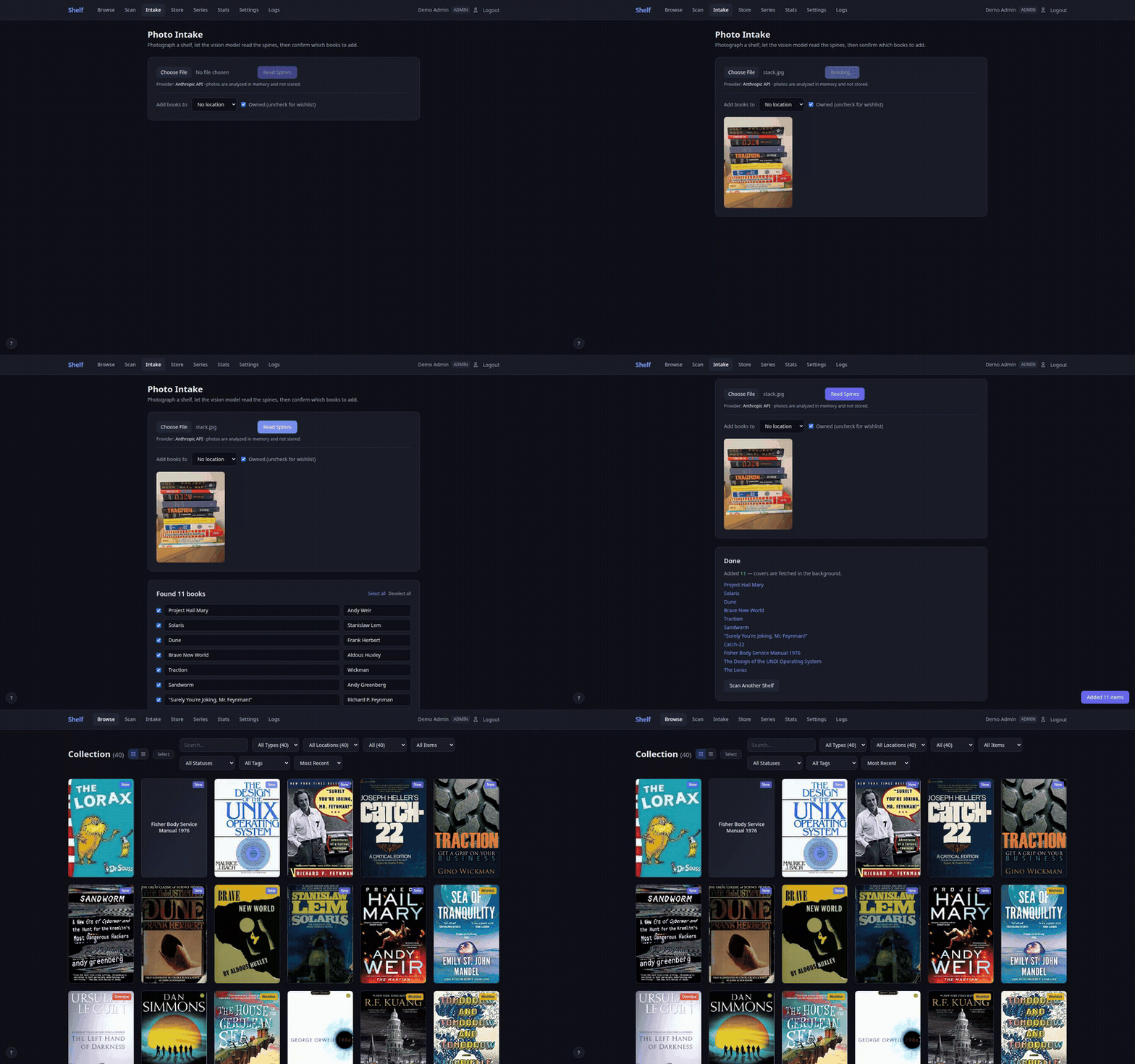
Photo Intake: snap a shelf, AI reads the spines, books land in your library with covers and metadata.
Quick Start
mkdir -p shelf-data
docker run -d \
  --name shelf \
  -p 18888:18888 \
  -v ./shelf-data:/data:z \
  dangahagan/shelf:latest
Open https://localhost:18888 and create your admin account and pick a feature profile via the setup wizard. That's it.
Note: By default Shelf serves HTTPS with a self-signed certificate generated on first run. Your browser will show a certificate warning — this is expected. Click through to proceed. Behind a reverse proxy that terminates TLS, set
SHELF_TLS=offto serve plain HTTP to the proxy instead.
Docker Compose (Recommended)
Create a docker-compose.yml:
services:
  shelf:
    image: dangahagan/shelf:latest
    container_name: shelf
    ports:
      - "18888:18888"
    environment:
      - CERT_SAN=${CERT_SAN:-DNS:shelf,DNS:localhost}
    volumes:
      - ./data:/data:z
    restart: unless-stopped
Then run:
docker compose up -d
Environment Variables
Create a .env file in the same directory as your docker-compose.yml:
# Add your machine's hostname or IP so other devices on your network
# can access Shelf without certificate warnings
CERT_SAN=IP:192.168.1.100,DNS:shelf,DNS:localhost
| Variable | Default | Description |
|---|---|---|
CERT_SAN | DNS:shelf,DNS:localhost | TLS certificate Subject Alternative Names. Add your machine's IP or hostname so other devices can connect |
SECRET_KEY | (auto-generated) | JWT signing key. If unset, generated at data/signing.key (0600) on first start; an existing key from before 0.30 is moved there from the database on the first start after upgrading, so sessions survive. Set it explicitly to run several instances against one database |
SHELF_SESSION_DAYS | 7 | How long a login lasts, in whole days (1–365). A session in use is renewed past half its length. An invalid value logs a warning and uses 7 |
SHELF_ENCRYPTION_KEY | (auto-generated) | Encryption key for stored API credentials. Auto-generated at /data/encryption.key if not set. Set it explicitly (e.g. openssl rand -hex 32) so the data directory alone can't decrypt credentials |
SHELF_TLS | on | on serves HTTPS with a self-signed certificate. off serves plain HTTP for a TLS-terminating reverse proxy — without a proxy, plain HTTP loses the camera scanner and offline Store Mode. Any other value stops the container at startup |
SHELF_TRUST_PROXY | (unset) | The reverse proxy's address as Shelf sees it: comma-separated IPs or CIDRs (e.g. 127.0.0.1 for a same-host proxy, 172.17.0.1 under docker run -p). Forwarded headers are honoured only from these peers. The legacy 1 means 127.0.0.1 and prints a startup warning. Leave unset without a proxy |
Persistent Data
All data is stored in a single volume mounted at /data:
data/
  shelf.db        — SQLite database (your entire catalog)
  covers/         — cached cover images
  certs/          — auto-generated TLS certificates
  encryption.key  — key for API credentials stored in the DB
                    (unless SHELF_ENCRYPTION_KEY is set)
  signing.key     — signs login sessions (unless SECRET_KEY is set)
Keep both key files out of anything you share. The database itself holds no key material.
Backups: Copy the data/ directory, or use the built-in backup/restore feature in Settings — with an optional passphrase, backup downloads are AES-encrypted and safe to store off-site.
Screenshots
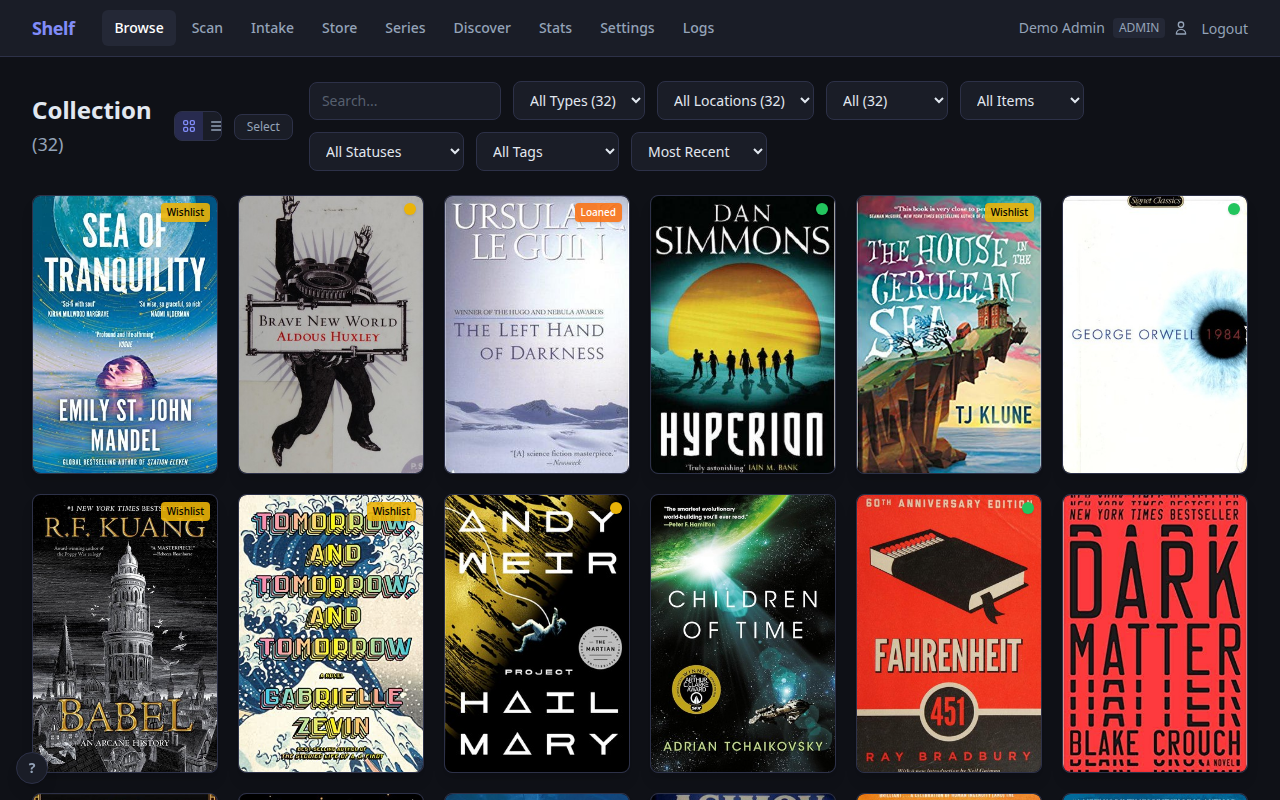
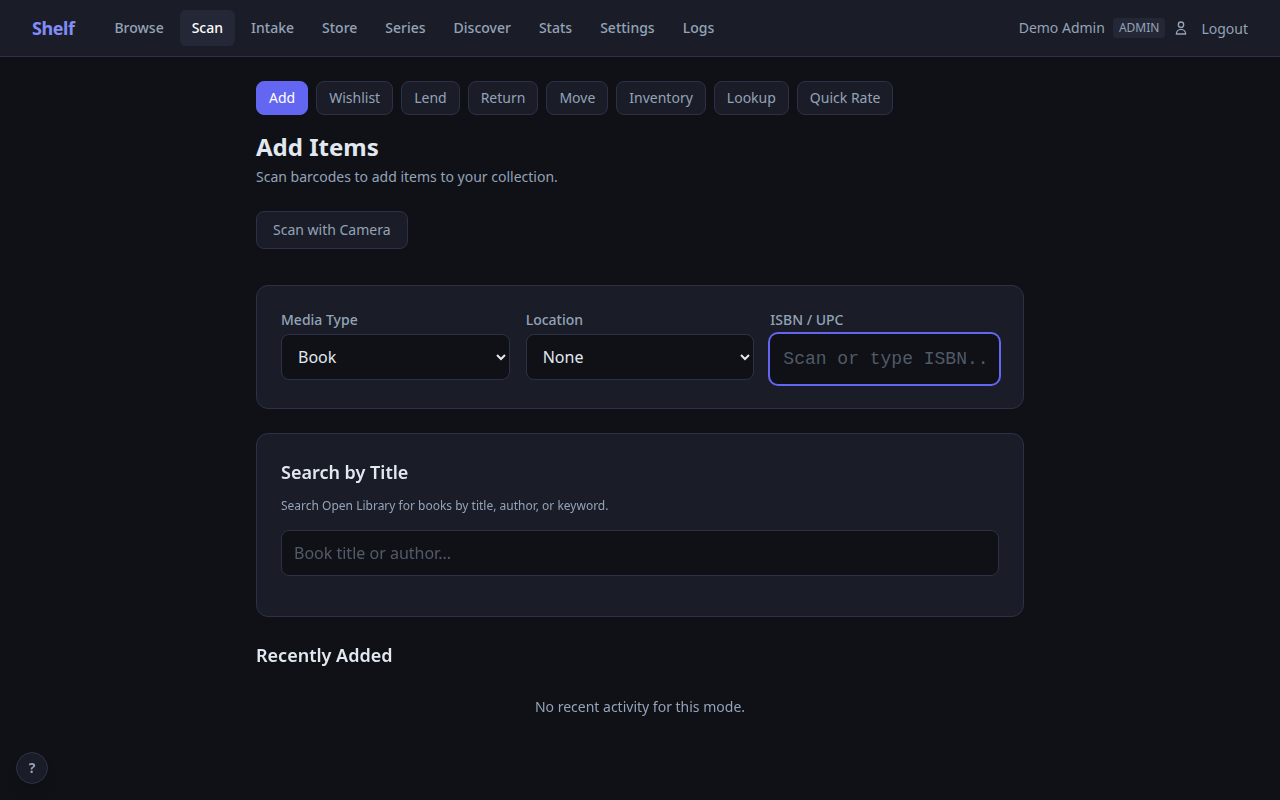
| Browse | Scan (Add Mode) |
|---|---|
 |  |
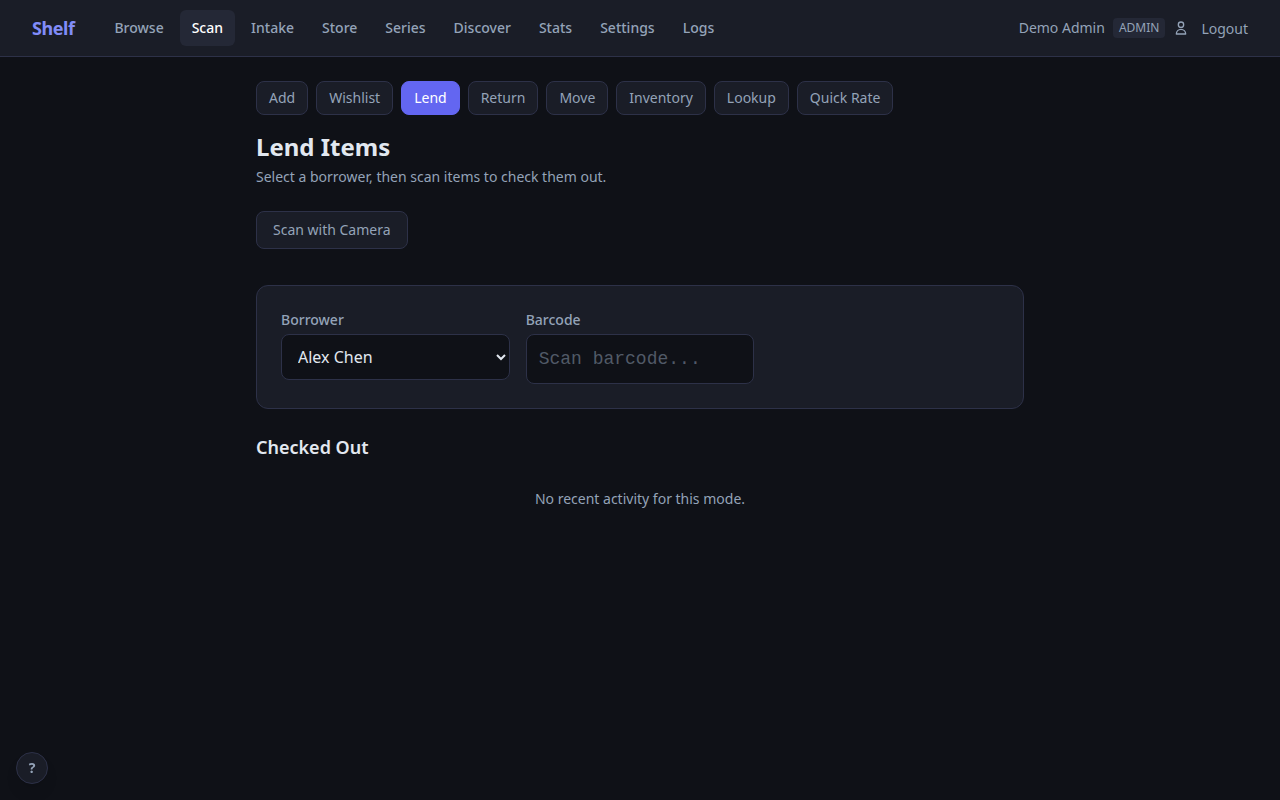
| Scan (Lend Mode) | Item Detail |
|---|---|
 | 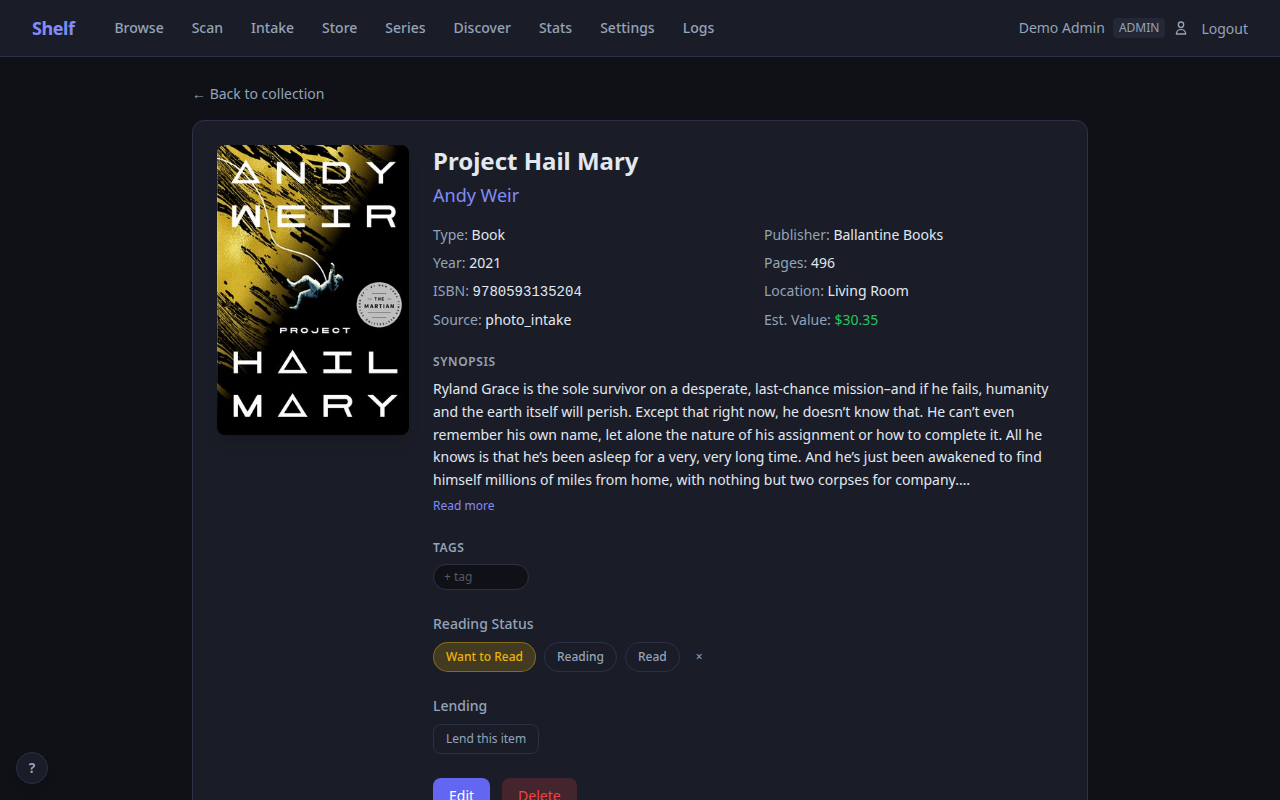 |
| Stats | Admin Logs |
|---|---|
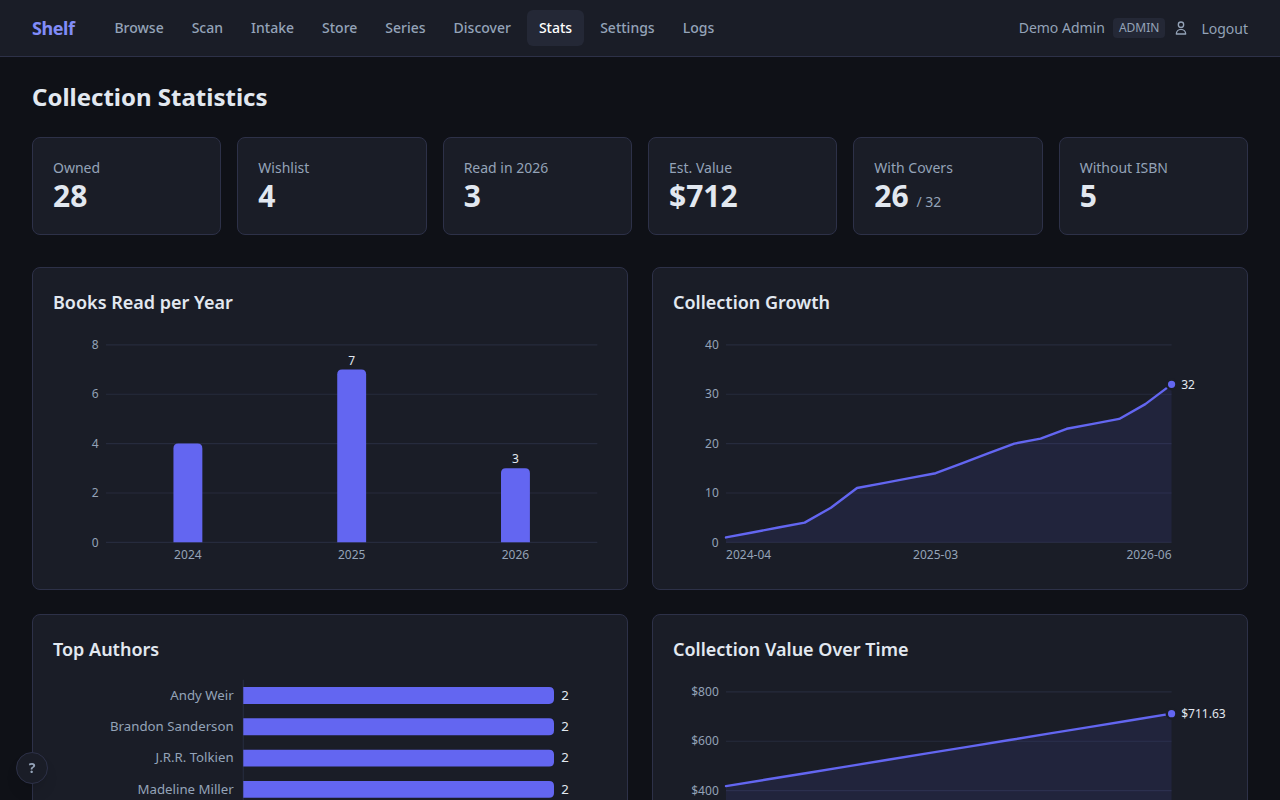 | 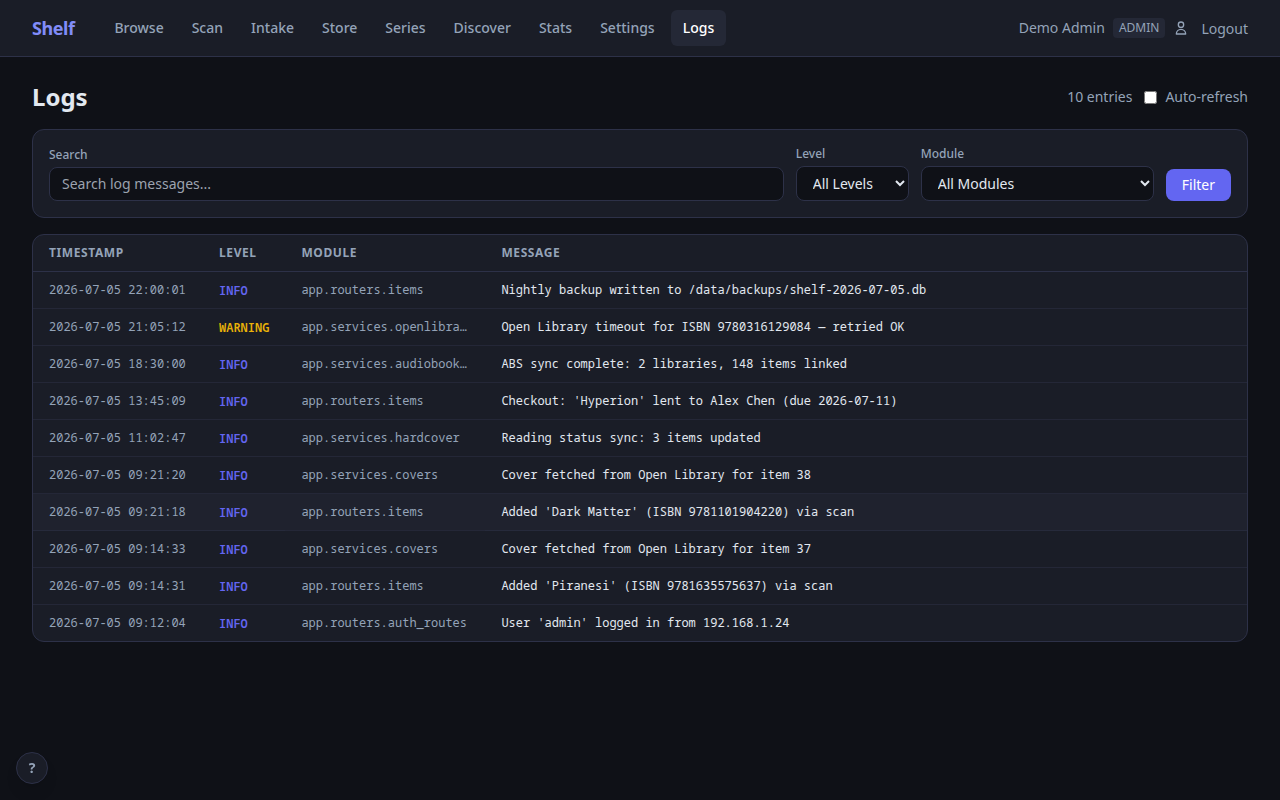 |
| Valuation Report | Browse (Tag Filter) |
|---|---|
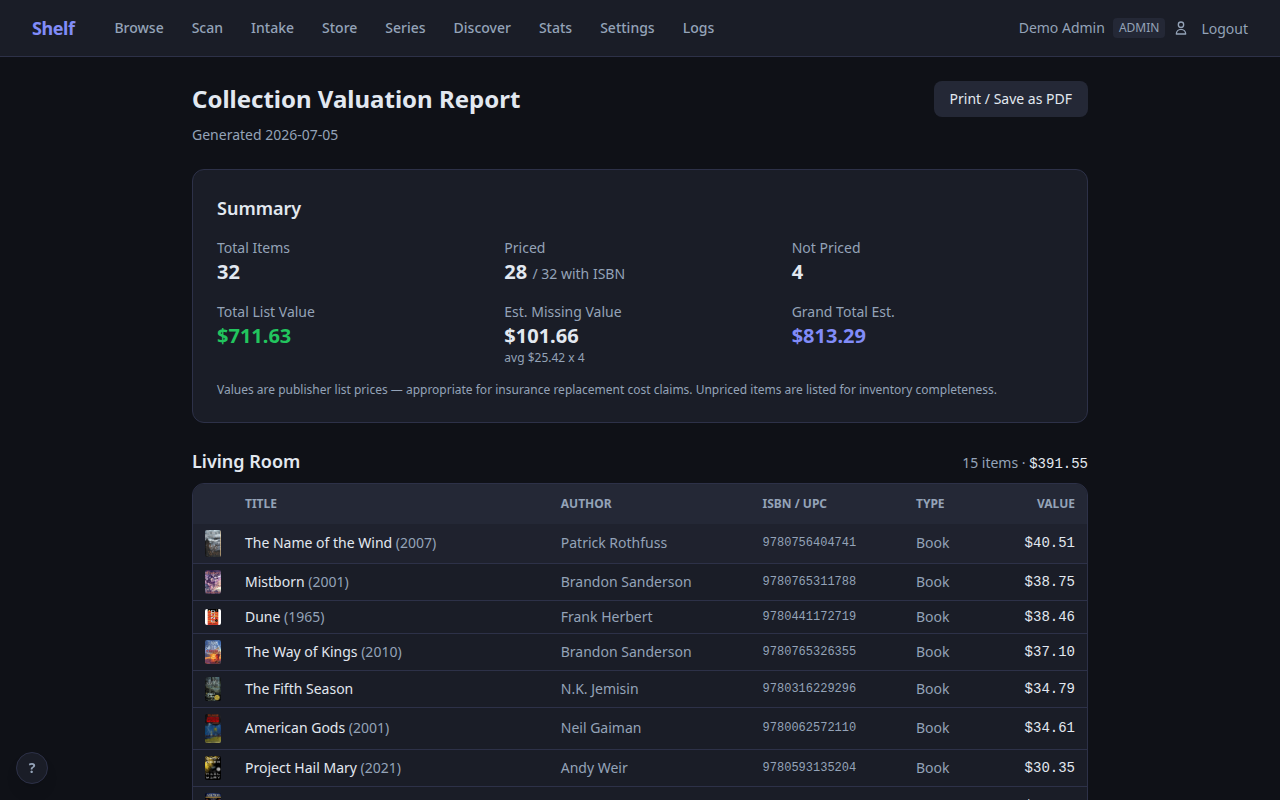 | 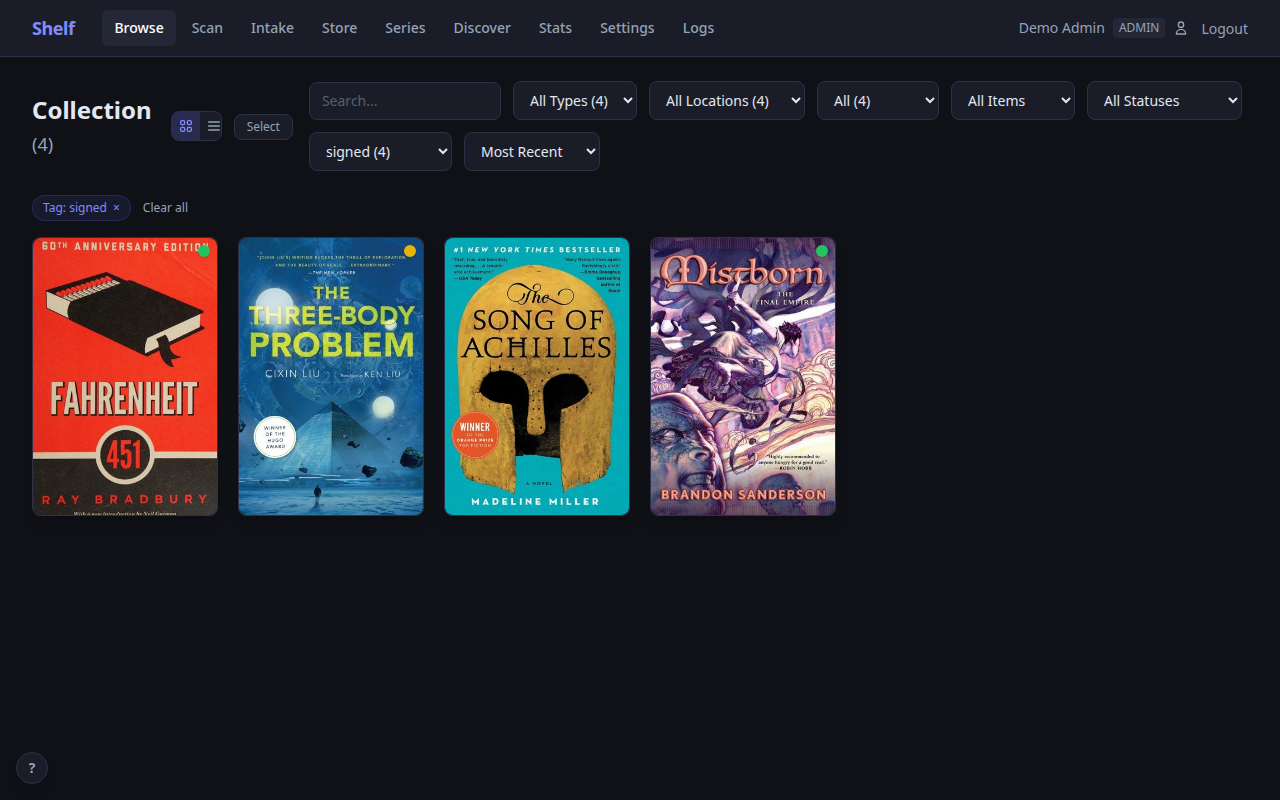 |
Features
Scanning and Cataloging
- Camera barcode scanning on mobile — tap to scan ISBNs and UPCs, on iPhone and iPad as well as Android (EAN-13, EAN-8, UPC-A, UPC-E). Also available from an item's edit form, for correcting a single wrong ISBN
- USB/Bluetooth scanner support — works with any scanner that sends Enter after the barcode
- Photo intake — bulk-add from a photo of your shelves; a vision model (Anthropic API, any OpenAI-compatible endpoint, or fully local Ollama) reads the spines and you confirm before import. Rows typed DVD or Video Game are looked up on TMDb or IGDB at confirm, on an exact title match
- Title search — search Open Library, TMDb, or IGDB by title when you don't have a barcode
- Add by hand — a title is the only field required, for anything no lookup can find: a self-published book, a burned CD, a niche import, something you made yourself. Every media type, no barcode needed, and reachable from Home, from an empty title search, from a mistyped barcode, and from any item's page
- Cascading metadata lookup — Open Library, Hardcover, Google Books, and more
- Cover art pipeline — automatically fetches covers from multiple sources, with manual upload or a pasted image URL as a fallback, plus a cover review queue for everything the automatic sweep cannot reach (discs, games, music) with a remembered "not available" verdict
- Store Mode (offline PWA) — scan in a bookstore with no signal and get an instant Owned / On wishlist / Not in library verdict; unknown books queue on-device and land on your wishlist when back online
8 Scan Modes
| Mode | What it does |
|---|---|
| Add | Scan barcodes to add items with full metadata lookup |
| Wishlist | Scan at a bookstore to save items you want |
| Lend | Select a borrower, then scan items to check them out |
| Return | Scan items to check them back in |
| Move | Select a target location, then batch-scan items to relocate them |
| Inventory | Select a location, scan everything there, then check for missing items. Counts physical copies, so a book with copies in two rooms is expected in both; a scan that cannot say which copy reports instead of moving one |
| Lookup | Scan to check if an item is in your collection — no changes made |
| Quick Rate | Scan to mark items read, watched or played |
Media Types
- Books, audiobooks, eBooks, magazines, DVDs, Blu-rays, vinyl, cassettes, CDs, digital music, comics, manga, and video games
- Music by release, not by title — search MusicBrainz by title, artist, barcode or catalogue number and catalogue the exact pressing: country, date, label, catalogue number, packaging, and real track lists across multiple discs. Two pressings of one album stay distinct and link to each other. Artwork is shown square and uncropped
- Periodicals as publication plus issue — a magazine run is one publication with many issues; a 977 barcode resolves it from its ISSN
- Link physical and digital formats together, and connect a novel to its audiobook or its film adaptation as a related-media group — the whole group shows on every item in it, and you build it by hand rather than having Shelf guess
- Video game support with IGDB metadata and 30+ platforms (Atari 2600 to PS5)
Collection Management
- Choose your features — pick Minimal, Standard or Everything in the setup wizard, then turn any optional part (Lending, Sharing, Valuation, Price alerts, the integrations, …) on or off in Settings → Features; data is kept while a feature is off
- Home overview — totals, what is lent out, missing covers, a media-type breakdown and recent additions, with Browse kept for searching and bulk editing
- Filter and search by media type, location, status (read, watched, played), ownership, lending status, source (which sync, provider or import an item arrived from), custom tags, and author — every author on an item page is a link to everything by that person, co-authors and translators each counted on their own
- Shelf Fill — keep one shelf selected and scan item after item onto it; Arrange drags the copies on a shelf into the order they really sit in, or sorts them by title, creator, series, release or issue
- Physical copies — own two of something and track them apart: add a copy on the item page, give each its own location, condition, acquired date, source, price, provenance and barcode, and remove one when it goes. Removing the copy marked primary promotes the next one and the item's location follows it
- Trash — deleting an item or removing a copy moves it to Trash with its tags, loans, copies and history intact; editors restore, admins empty it, prompted once rows pass a retention window (180 days by default)
- Reading tracking — want-to-read, reading, and read with start/finish dates, and a default status for a scanning session
- Series tracking — grouped by series with position numbers, gap detection, and one-click "add missing volumes to wishlist" via Hardcover; series synopses, plus rename/merge/disband from the series card
- Stats dashboard — books read per year, collection growth, top authors, and value-over-time charts
- Locations — organize by room, shelf, or any system you like, and nest them: a shelf inside a bookcase inside a room
- Checkout system — lend to borrowers and track who has what, with overdue badges and an optional daily reminder digest (ntfy/webhook)
- Wishlist — a list of what you want, alongside your catalog; an item can also be neither owned nor wished for, keeping its reading history
- Public share links — read-only wishlist or collection pages for gift ideas, revocable anytime
- Goodreads, StoryGraph, LibraryThing & Libib import — upload your export as-is (LibraryThing and Libib in beta); format auto-detected, covers fetched automatically
- Custom tags — free-form tags (
signed,first-edition, …) on the item and edit pages or applied in bulk from Browse, with a tag filter and an optional Tags column on Browse, a tag manager in Settings (rename, scope, delete, counts), and default tags for a scanning session on Scan, Shelf Fill or Photo Intake - Bulk editing — select items in Browse to move them, change type or status, add to or remove from the wishlist, set and clear series, or add and remove a tag in one go
- Valuation report — location-grouped, print-ready collection value report for insurance (via ISBNdb)
- Price alerts — Shelf checks the list price of wishlisted books nightly through ISBNdb and sends a digest when one drops past your threshold; list price, not used-market price
- Display currency — 20 currencies for every value surface (formatting, not conversion)
- CSV import/export, plus a portable archive — export the whole collection as one zip including physical copies and cover art and merge it into any Shelf instance without refetching a cover
Multi-User
- Admin — full control: settings, users, locations, tag rename/scope/delete, sync, bulk ops, logs, delete permanently / empty Trash
- Editor — add/edit items, delete to Trash and restore, scan, manage covers, apply tags, checkout/checkin
- Viewer — browse, search, set status (read, watched, played), export, view stats
Optional Integrations
Shelf works fully out of the box with no API keys. These optional integrations add extra features — configure them in the Settings page after setup:
| Service | What it adds | Free? |
|---|---|---|
| Hardcover | Reading status sync, richer metadata, series gap checks, Discover page | Yes |
| Audiobookshelf | Sync selected audiobook libraries, link physical + digital formats | Yes |
| IGDB (Twitch) | Video game metadata, cover art, platform info — on UPC scan, title search, and Photo Intake confirm | Yes |
| RomM | Sync a self-hosted RomM server's digital game library | Yes |
| Komga | Sync a self-hosted Komga server's digital comics and manga | Yes |
| TMDb | DVD/Blu-ray metadata — from UPC barcodes, title search, and Photo Intake confirm | Yes |
| ISBNdb | Collection valuation with market prices; wishlist price alerts | Paid |
| Anthropic | Photo Intake spine recognition (best accuracy) | Pay-per-use |
| OpenAI-compatible | Photo Intake via any OpenAI Chat Completions endpoint (OpenAI, OpenRouter, vLLM, LM Studio…) | Pay-per-use / free |
| Ollama | Photo Intake with a fully local vision model | Free |
Updating
docker compose pull
docker compose up -d
Or with docker run:
docker pull dangahagan/shelf:latest
docker stop shelf && docker rm shelf
docker run -d --name shelf -p 18888:18888 -v ./shelf-data:/data:z dangahagan/shelf:latest
Your data in the /data volume is preserved across updates.
Tags
| Tag | Description |
|---|---|
latest | Latest stable release |
beta | Latest beta — may have rough edges |
x.y | Latest patch of a minor line (e.g., 0.10) |
x.y.z | Specific version (e.g., 0.10.1) |
Tech Stack
| Layer | Technology |
|---|---|
| Backend | Python 3.12, FastAPI, SQLite (WAL mode) |
| Frontend | Jinja2, HTMX, Alpine.js, Tailwind CSS |
| Auth | bcrypt, JWT in HTTP-only cookies, Secure whenever the browser connects over HTTPS |
| Container | Non-root user, self-signed HTTPS |
Links
- Source code: github.com/dgahagan/shelf
- Issues: github.com/dgahagan/shelf/issues
Tag summary
Content type
Image
Digest
sha256:ac216d9dc…
Size
86.8 MB
Last updated
3 days ago
docker pull dangahagan/shelf