deijany/searxng-ai-summary
AI summaries for SearXNG results via a small proxy. Any OpenAI-compatible model. Survives updates.
Image
1
808
deijany/searxng-ai-summary repository overview
searxng-ai-summary
AI summaries on top of your SearXNG results, from any OpenAI-compatible endpoint: LiteLLM, OpenAI, Anthropic, DeepSeek, Kimi, llama.cpp, LM Studio, vLLM, Ollama.
- Summary box above the results, streamed as it's written, with clickable
[n]citations - Dropdown to switch models (choice remembered per browser)
- No SearXNG changes: runs as a small proxy in front of it, survives SearXNG updates
- Uses the results already on the page (title, URL, snippet), so no extra searches
- Summaries cached per browser tab, so going back doesn't call the model again
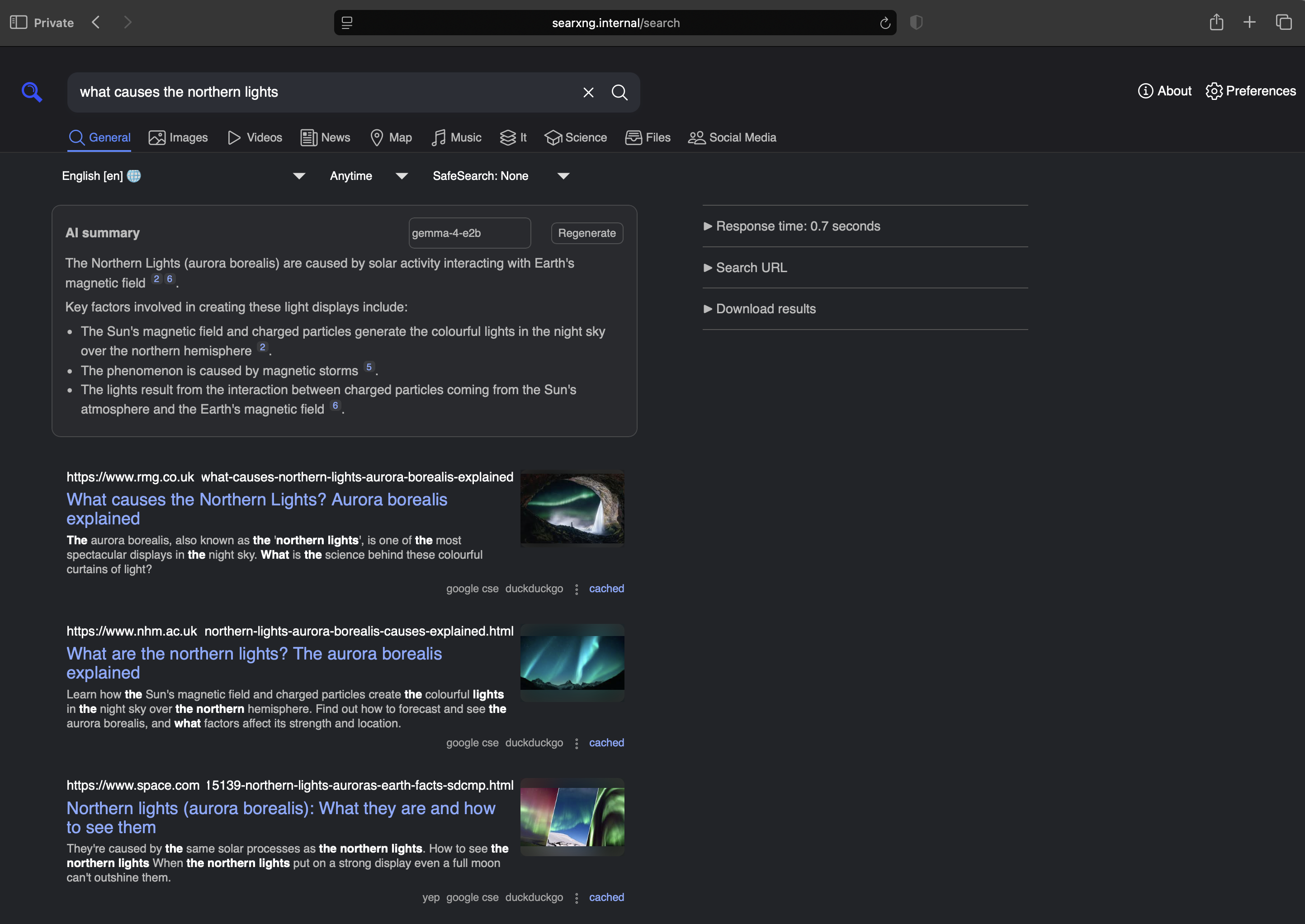
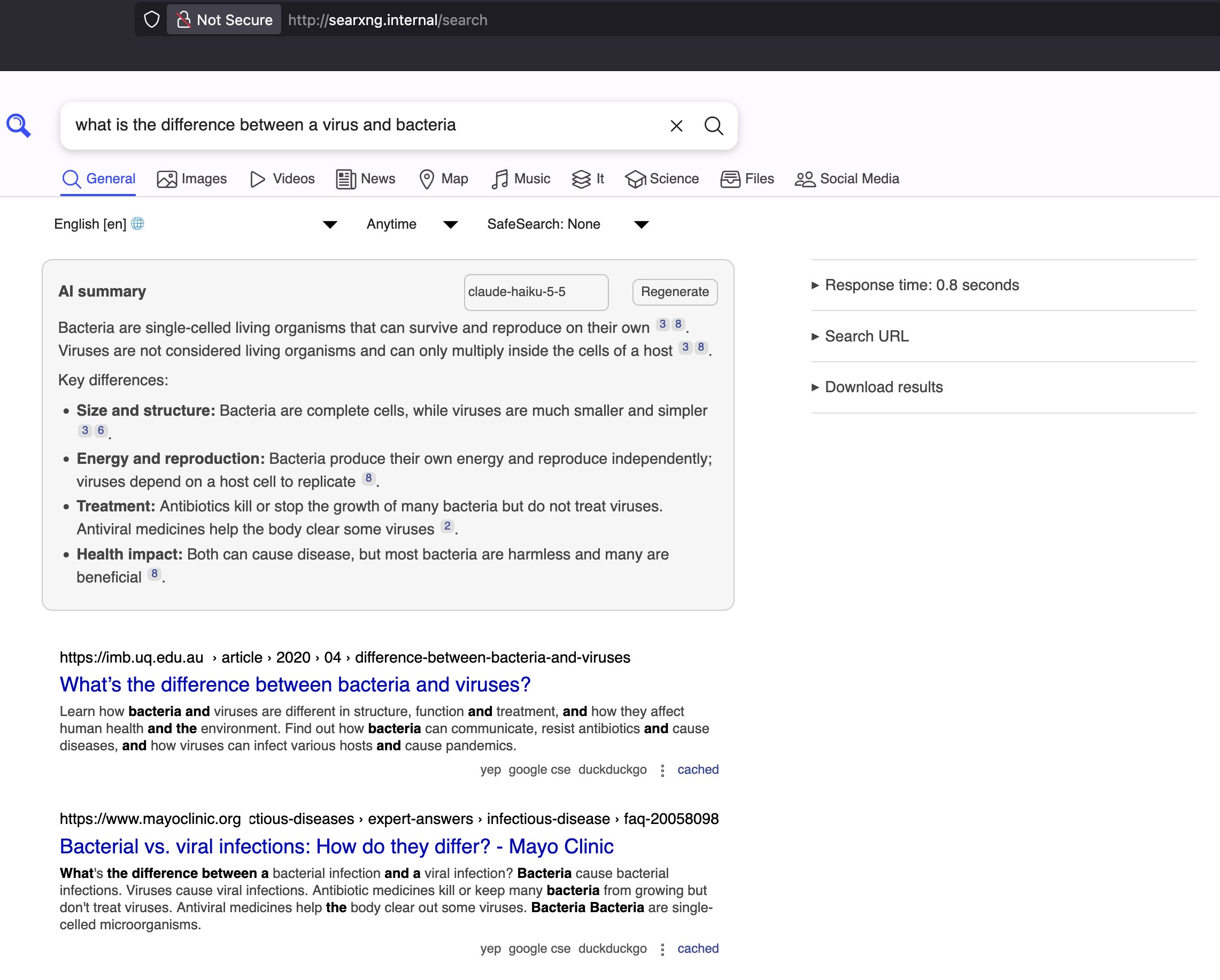
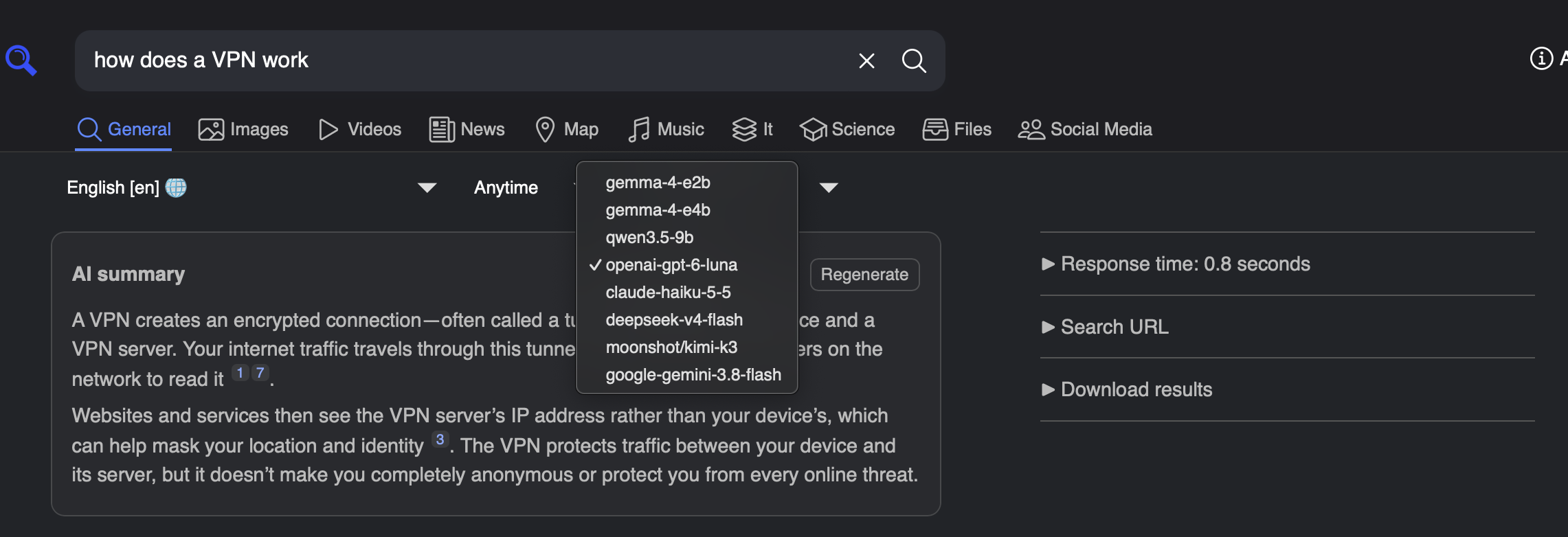
How it works
browser --> searxng-ai-summary --> SearXNG
                   |
                   └-------------> your LLM (summary)
searxng-ai-summary proxies every request to SearXNG and adds one script and one stylesheet to HTML pages. The script reads the top results from the page and asks /_ai/summarize for a summary.
Quick start
- Copy
docker-compose.example.ymltodocker-compose.ymland edit it. - Remove
ports:from your SearXNG service; searxng-ai-summary takes over that port. docker compose up -d
Check: curl http://localhost:8888/_ai/config lists your models.
Configuration
You need four settings to get started:
LLM_URL: the address of your model server, ending in/v1. For LiteLLM this is usuallyhttp://litellm:4000/v1.LLM_KEY: the API key for that server. Leave it out if your server doesn't need one.MODELS: the models to show in the dropdown, separated by commas. The first one is used by default. You can give a model a friendlier name withName=model, for exampleLocal=qwen3-8b.UPSTREAM: where to find SearXNG. Defaulthttp://searxng:8080. Change it only if your SearXNG container has a different name, e.g.http://my-searxng:8080. Keep port8080even if you mapped SearXNG to another port on your host.
Everything else is optional:
AUTO_SUMMARIZE: set tofalseto only summarize when you click the button. Defaulttrue.MAX_RESULTS: how many results are sent to the model. Default8.MAX_TOKENS: maximum length of the summary. Default1200.RATE_LIMIT_PER_MIN: summaries allowed per user per minute. Default20.LLM_TIMEOUT: seconds to wait for the model before giving up. Default120.SYSTEM_PROMPT: replace the built-in instructions sent to the model.
Notes
- Exposing it publicly. Anyone who can open the instance can spend your LLM credits. Keep it behind a VPN or auth, or point it only at a local model.
- SearXNG limiter. If enabled, requests now come from the searxng-ai-summary container. The real client IP is sent in
X-Forwarded-For/X-Real-IP; add the Docker network to the limiter's trusted proxies. - Unstyled page after upgrading. Your browser may still have a broken stylesheet cached from an older version: do a hard reload or clear the site's cache.
Build locally
docker build -t searxng-ai-summary .
Tag summary
Content type
Image
Digest
sha256:17654a0c6…
Size
56.6 MB
Last updated
9 days ago
docker pull deijany/searxng-ai-summary