devprincekumar/edgeshell
Self-hosted fleet management for Raspberry Pi and edge devices. amd64 + arm64.
5.0K
devprincekumar/edgeshell repository overview
EdgeShell
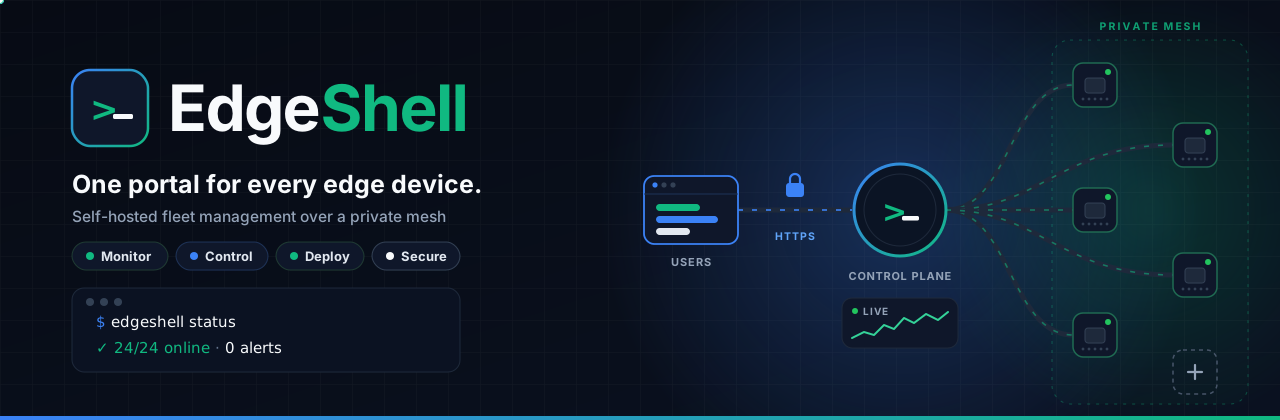






Self-hosted fleet management for Raspberry Pi and edge devices. One secure web portal to monitor, control and deploy to your whole fleet over SSH and Ansible: live metrics, web terminal, file deployment, log browser, remote desktop, Node-RED access, bulk onboarding and role-based access.
| Platforms | linux/amd64, linux/arm64: x86 clouds, AWS Graviton, Ampere Altra, Raspberry Pi 4/5. Docker picks the right one |
| Source, docs, issues | https://github.com/855princekumar/edgeshell |
| Runs as | non-root user uid 10001, read-only application code, no secrets baked in |
| Ships with | SBOM and build provenance attestations |
| License | MIT |
Production setup (recommended)
EdgeShell behind nginx, with MariaDB,
privacyIDEA for mandatory two-factor authentication
and certbot for Let's Encrypt, in one Compose file. nginx is the only container
with published ports; everything else is on internal Docker networks. All state
lives in a ./data folder on the host, so backups, upgrades and moving to
another server are a folder copy.
You need: a Linux host with Docker and the Compose plugin, and port 80 open to the internet (plus 443 once you add a domain).
mkdir -p edgeshell/nginx && cd edgeshell
base=https://raw.githubusercontent.com/855princekumar/edgeshell/main/docker
curl -fsSLO $base/compose.yaml
curl -fsSLo nginx/entrypoint.sh $base/nginx/entrypoint.sh
curl -fsSLo nginx/certbot.sh $base/nginx/certbot.sh
curl -fsSLO $base/lake-init.sh
curl -fsSLo .env $base/.env.example && chmod 600 .env

# Generate the eight secrets
for k in SECRET_KEY CREDENTIAL_KEY DB_PASSWORD DB_ROOT_PASSWORD MFA_ADMIN_PASSWORD MFA_PEPPER MFA_DB_PASSWORD MFA_SECRET_KEY; do
  sed -i "s|^$k=.*|$k=$(openssl rand -hex 32)|" .env
done

docker compose up -d
Open http://<server IP> and sign in as admin / admin123. Before
anything else you set up two-factor authentication (scan the QR code with any
authenticator app and save the 10 backup codes), your personal email (where
password reset links go) and a new password.
MQTT heartbeat (optional): set HEARTBEAT_MASTER_KEY and SENSEHIVE_API_TOKEN
in .env (openssl rand -hex 32 each). Then install the heartbeat agent from
Fleet Setup: nodes send encrypted heartbeats over a public broker to SenseHive
(in the stack), so a VPN glitch is not counted as downtime. See
docs/HEARTBEAT.md.
Email (optional): set PUBLIC_URL and the SMTP_* values in .env (any
SMTP server; free options such as Resend, Brevo, useSend or Gmail are explained in docs/EMAIL.md). Every user then confirms
their email with a link, anyone can reset their password by email (2FA stays
on), and ticket notifications are mailed. Without them, administrators recover
with a backup code, and other users ask an administrator.
Adding a domain (HTTPS): point its DNS A record at the server, open port
443, then set in .env:
EDGESHELL_DOMAIN=fleet.yourdomain.com
[email protected]
SESSION_COOKIE_SECURE=true
PUBLIC_URL=https://fleet.yourdomain.com
and run docker compose up -d. certbot gets the certificate within a minute
and nginx switches to HTTPS by itself (HTTP and the bare IP then redirect to
the domain). Renewal is automatic and all data in ./data is kept.
HTTPS without a domain: use the server's public IPv4 address as
EDGESHELL_DOMAIN (with SESSION_COOKIE_SECURE=true and
PUBLIC_URL=https://<ip>). Let's Encrypt issues free short-lived certificates
for IP addresses (about 6 days); certbot renews them automatically. Use a
static address (an Elastic IP on AWS), since the certificate names the IP.
Harden the host (fail2ban for SSH and the web, key-only SSH, log rotation, automatic security updates):
curl -fsSLO $base/host-hardening.sh
sudo bash host-hardening.sh --admin-ip <your public IP>   # never ban yourself
Keep your SSH session open and test a new login before closing it.
Live VPN status: with Tailscale on the host, the admin panel's VPN page
shows the tailnet live through the host's tailscaled socket (read-only).
What you get
| Service | Role | Exposed |
|---|---|---|
nginx | Reverse proxy and the only public entry point: TLS, HTTP→HTTPS redirect, HSTS and security headers, rate limit on sign-in and recovery forms, client IP forwarding that cannot be spoofed | 80, 443 |
certbot | Let's Encrypt certificates and renewal, idle until a domain is set | nothing |
edgeshell | The application | only to nginx |
privacyidea | Checks every 2FA code (privacyIDEA 3.13, non-root). Token secrets stay here, encrypted with its own key | nothing |
mariadb | Database (MariaDB 11.4) for EdgeShell and privacyIDEA, on an internal network with no internet access | nothing |
init-data, mfa-db-init | One-shot: prepare the host data folders and privacyIDEA's database | nothing |
Containers start in order and only when the one before is healthy, and all restart automatically after a crash or a host reboot.
Where your data lives
edgeshell/
├── compose.yaml
├── nginx/               entrypoint.sh (generates the site config), certbot.sh
├── .env                 settings and secrets (chmod 600)
└── data/
    ├── mariadb/         database
    ├── instance/        app state
    ├── uploads/         files staged for deployment
    ├── privacyidea/     2FA encryption key and audit keys (back up with .env)
    ├── letsencrypt/     TLS certificates and keys
    └── certbot-www/     ACME challenge files
Back up
.envwithdata/.CREDENTIAL_KEYdecrypts the stored node SSH passwords; without it a restored database cannot use them.
Configuration (.env)
| Variable | Required | Default | Purpose |
|---|---|---|---|
EDGESHELL_DOMAIN | no | empty | Public hostname. Empty: plain HTTP on the server's IP. Set: certbot gets a certificate and nginx serves HTTPS |
ACME_EMAIL | no | Let's Encrypt expiry notices | |
SESSION_COOKIE_SECURE | no | false | Set true together with a domain |
SECRET_KEY | yes | Session signing key | |
CREDENTIAL_KEY | yes | Encrypts node passwords and API keys | |
DB_PASSWORD, DB_ROOT_PASSWORD | yes | MariaDB passwords (hex, so they are URL-safe) | |
MFA_ADMIN_PASSWORD, MFA_PEPPER, MFA_DB_PASSWORD | yes | privacyIDEA service account, password pepper and database user | |
PUBLIC_URL + SMTP_HOST, SMTP_PORT, SMTP_USER, SMTP_PASSWORD, SMTP_FROM, SMTP_SECURITY | no | Email verification, reset links for every user, ticket mail. PUBLIC_URL is the address users open, e.g. https://fleet.yourdomain.com | |
COLLECTOR_INTERVAL / COLLECTOR_WORKERS | no | 30 / 48 | Seconds between fleet metric passes, and nodes polled at once |
IDLE_MINUTES / IDLE_WARNING_MINUTES | no | 10 / 5 | "Still there?" prompt after this much inactivity, then sign-out (0 turns it off) |
SIGNUP_ENABLED | no | true | Let people request an account (an admin approves it with a role) |
EDGESHELL_TAG | no | 1.17.0 | Image version |
DISPLAY_TZ | no | UTC | Time zone shown in the UI (the database stores UTC) |
SESSION_HOURS | no | 8 | Idle session lifetime |
SINGLE_SESSION | no | true | Enforce each user's device limit (1 by default, up to 4 per user) |
MAX_FAILED_LOGINS / LOCKOUT_MINUTES | no | 5 / 15 | Account lockout policy |
LOGIN_PAUSE_AFTER_FAILURES | no | 2 | Password failures before automatic logins to a node pause |
LOGIN_RECHECK_MINUTES | no | 30 | How often paused nodes are re-checked (banner only; one canary login for Tailscale SSH) |
API_ALLOW_COMMANDS | no | false | Allow shell commands through the API (operators, blocklist applies) |
API_RATE_LIMIT_MONITOR / _OPERATOR / _ADMIN | no | 300 / 600 / 1200 per minute | Per-credential API limits by role |
API_SESSION_IDLE_MINUTES / API_SESSION_MAX_HOURS | no | 60 / 12 | API session lifetime |
LAKE_DATABASE_URL | no | set by compose | The data lake replica; history reads use it, hot purges skip it |
EVENT_RETENTION_DAYS | no | 90 | Event feed kept on the hot database |
METRICS_RETENTION_DAYS | no | 14 | Per-minute samples kept (hourly rollups for the stats export are kept for good) |
The app refuses to start if any required value is missing.
Operate
| Task | Command |
|---|---|
| Status | docker compose ps |
| Logs | docker compose logs -f edgeshell |
| Upgrade | set EDGESHELL_TAG in .env, then docker compose pull && docker compose up -d |
| Back up the databases | docker compose exec mariadb sh -c 'mariadb-dump -uroot -p"$MARIADB_ROOT_PASSWORD" --single-transaction --databases edgeshell privacyidea' | gzip > edgeshell-$(date +%F).sql.gz (keep data/privacyidea too: it holds the key for the 2FA secrets) |
| Back up everything | docker compose stop && tar czf edgeshell-backup.tgz .env data && docker compose start |
| Restore the databases | gunzip -c edgeshell-YYYY-MM-DD.sql.gz | docker compose exec -T mariadb sh -c 'mariadb -uroot -p"$MARIADB_ROOT_PASSWORD"' |
| Stop | docker compose down (data in ./data is kept) |
Upgrading from 1.2.x or 1.3.x
1.3.0 added the privacyidea and mfa-db-init services and replaced Caddy
with nginx and certbot; 1.3.2 adds MFA_SECRET_KEY. Fetch the current files,
add any missing secrets to your existing .env (the loop below only adds what
is missing), then start as usual. Users, nodes, passwords and 2FA enrollments
are kept; coming from 1.2.x, everyone sets up 2FA at their next sign-in:
base=https://raw.githubusercontent.com/855princekumar/edgeshell/main/docker
mkdir -p nginx
curl -fsSLO $base/compose.yaml
curl -fsSLO $base/host-hardening.sh
curl -fsSLo nginx/entrypoint.sh $base/nginx/entrypoint.sh
curl -fsSLo nginx/certbot.sh $base/nginx/certbot.sh
curl -fsSLO $base/lake-init.sh
sed -i 's|^EDGESHELL_DOMAIN=:80$|EDGESHELL_DOMAIN=|' .env    # IP mode is now an empty value
for k in MFA_ADMIN_PASSWORD MFA_PEPPER MFA_DB_PASSWORD MFA_SECRET_KEY; do
  grep -q "^$k=" .env || echo "$k=$(openssl rand -hex 32)" >> .env
done
sed -i 's|^EDGESHELL_TAG=.*|EDGESHELL_TAG=1.17.0|' .env
docker compose pull && docker compose up -d --remove-orphans   # removes the old caddy container
With a domain already set, certbot requests a new certificate on the first start (Caddy's certificates are not reused); keep port 80 open.
Reaching your fleet
EdgeShell connects to nodes over SSH. Run your mesh VPN
(Tailscale or WireGuard) on the host: containers
reach tailnet addresses through the host. Nodes published on the host itself
are reachable as host.docker.internal.
Quick try (single container)
docker run -d --name edgeshell -p 5000:5000 \
  -e SECRET_KEY="$(openssl rand -hex 32)" \
  -e CREDENTIAL_KEY="$(openssl rand -hex 32)" \
  -e SESSION_COOKIE_SECURE=false \
  -v edgeshell_instance:/app/instance -v edgeshell_uploads:/app/uploads \
  devprincekumar/edgeshell:latest
Open http://localhost:5000. This uses SQLite and plain HTTP: fine for a test on
your machine, not for production. Note the CREDENTIAL_KEY you used if you
keep the volumes.
Try it against a simulated fleet
Pi Fleet Emulator spawns Raspberry Pi-like nodes with real SSH and Node-RED (32/64-bit, Buster to Bookworm). Export its fleet as JSON and import it in EdgeShell under Nodes → Import.
Security
- Required secrets, or the container will not start
- Login lockout, rate limiting, identical errors for unknown users
- One device per user by default (admins can allow up to 4); password resets and "sign out everywhere" end sessions immediately
- CSRF protection on every change; Secure, HttpOnly, SameSite cookies behind HTTPS
- Every release is published by CI only after unit tests, a secret scan, an image audit and an end-to-end run against an emulated fleet pass on both amd64 and arm64
Report vulnerabilities privately: see SECURITY.md.
Tags
| Tag | Meaning |
|---|---|
latest | Newest release |
1.17.0, 1.17, 1 | Specific versions; pin one in production |
Tag summary
Content type
Image
Digest
sha256:4b734d82b…
Size
100.7 MB
Last updated
about 2 hours ago
docker pull devprincekumar/edgeshell