devzwf/partscout
Search electronic parts across several suppliers at once. Personal, non-commercial use.
63
devzwf/partscout repository overview
PartScout
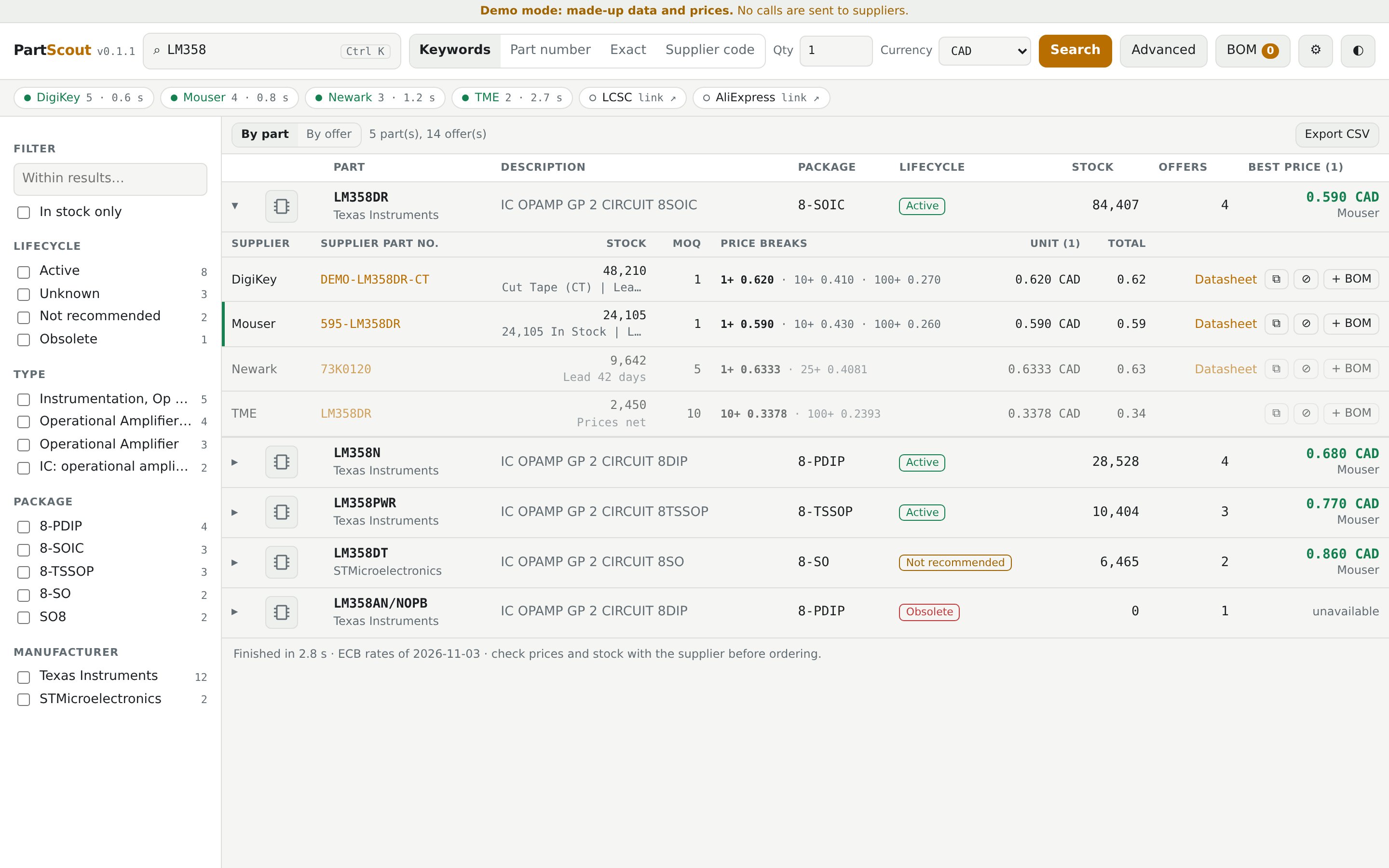
Search for an electronic part at several suppliers at once (DigiKey, Mouser, element14, TME), and compare stock, prices, price breaks, MOQ, lifecycle and datasheets. A web app in English and French, with several users and private BOMs.
For personal, non-commercial use. Derived from Win-PartsFinder, © 2026 Ian Johnston. Terms: LICENSE and NOTICE.md.
Source, documentation and issues: https://github.com/devzwf/partscout
Tags
| Tag | Description |
|---|---|
latest | Latest release |
0.1.5 | A specific release (see the changelog) |
Architecture: linux/amd64 only for now.
Quick start with Compose
mkdir partscout && cd partscout
curl -fsSLO https://raw.githubusercontent.com/devzwf/partscout/main/docker-compose.yml
curl -fsSL -o .env https://raw.githubusercontent.com/devzwf/partscout/main/.env.example
chmod 600 .env    # then replace both change-me values: openssl rand -base64 32
docker compose up -d    # http://host:5070
Quick start with docker run
The container runs as uid 1654, so a host folder must belong to that user before the first start. Otherwise the container exits with unable to open database file.
mkdir -p /path/to/partscout/data
sudo chown -R 1654:1654 /path/to/partscout/data

docker run -d --name partscout --restart unless-stopped \
  -p 5070:8080 \
  -v /path/to/partscout/data:/data \
  -e PARTSCOUT_MASTER_KEY="$(openssl rand -base64 32)" \
  -e PARTSCOUT_SETUP_TOKEN="$(openssl rand -base64 32)" \
  --read-only --tmpfs /tmp --cap-drop=ALL --security-opt=no-new-privileges \
  devzwf/partscout:latest
Generating the master key this way is only a quick example: save its value (docker inspect partscout) outside the data folder, because it must stay the same when the container is recreated.
First use
On first access, the app asks for the setup token and has you choose a password. Then add your API keys in Settings. Each supplier has its own developer portal, and each user needs their own keys, so do not share an instance publicly on yours. A supplier without a key stays available as a link to its website.
Configuration
| Variable | Required | Description |
|---|---|---|
PARTSCOUT_MASTER_KEY | Yes | Encrypts the stored API keys. If you lose it, you have to enter your API keys again. |
PARTSCOUT_SETUP_TOKEN | Yes | Asked for once, when the first password is created. |
PARTSCOUT_TRUSTED_PROXY | No | IP address of your reverse proxy, the only source trusted for X-Forwarded-*. |
| Path or port | Description |
|---|---|
/data | Database, settings and daily backups. Back it up, along with the master key. |
8080/tcp | Web interface. On the host, avoid ports 5060 and 5061: browsers block them. |
Security
PartScout is meant for a home network or a private VPN, not for the Internet. Use HTTPS through a reverse proxy as soon as several people sign in; otherwise passwords and API keys travel in clear text. See SECURITY.md.
Built with AI
Most of PartScout's code, tests and documentation were written by an AI assistant (Claude, by Anthropic), under my direction. I decided what to build, reviewed the results, and tested the app against the real supplier APIs before publishing it. If AI-assisted software is not for you, that is perfectly fine. Bug reports are welcome either way.


Tag summary
Content type
Image
Digest
sha256:dfd6aae0c…
Size
71.3 MB
Last updated
about 24 hours ago
docker pull devzwf/partscout