dfface/epub-browser
Read EPUB & PDF in one web library: static site or private multi-user service.
10K+
dfface/epub-browser repository overview
EPUB Browser
Read EPUB and PDF in one polished web library—either as a self-contained static site or as a private, multi-user reading service.
README: English | 简体中文 | 繁體中文 | 日本語 | 한국어 | Español | Deutsch | Français | Русский | Italiano | Português (Brasil) | العربية | Bahasa Indonesia | हिन्दी | Tiếng Việt | ไทย | Bahasa Melayu
Interface languages (17): English, 简体中文, 繁體中文, 日本語, 한국어, Español, Deutsch, Français, Русский, Italiano, Português (Brasil), العربية, Bahasa Indonesia, हिन्दी, Tiếng Việt, ไทย, and Bahasa Melayu.



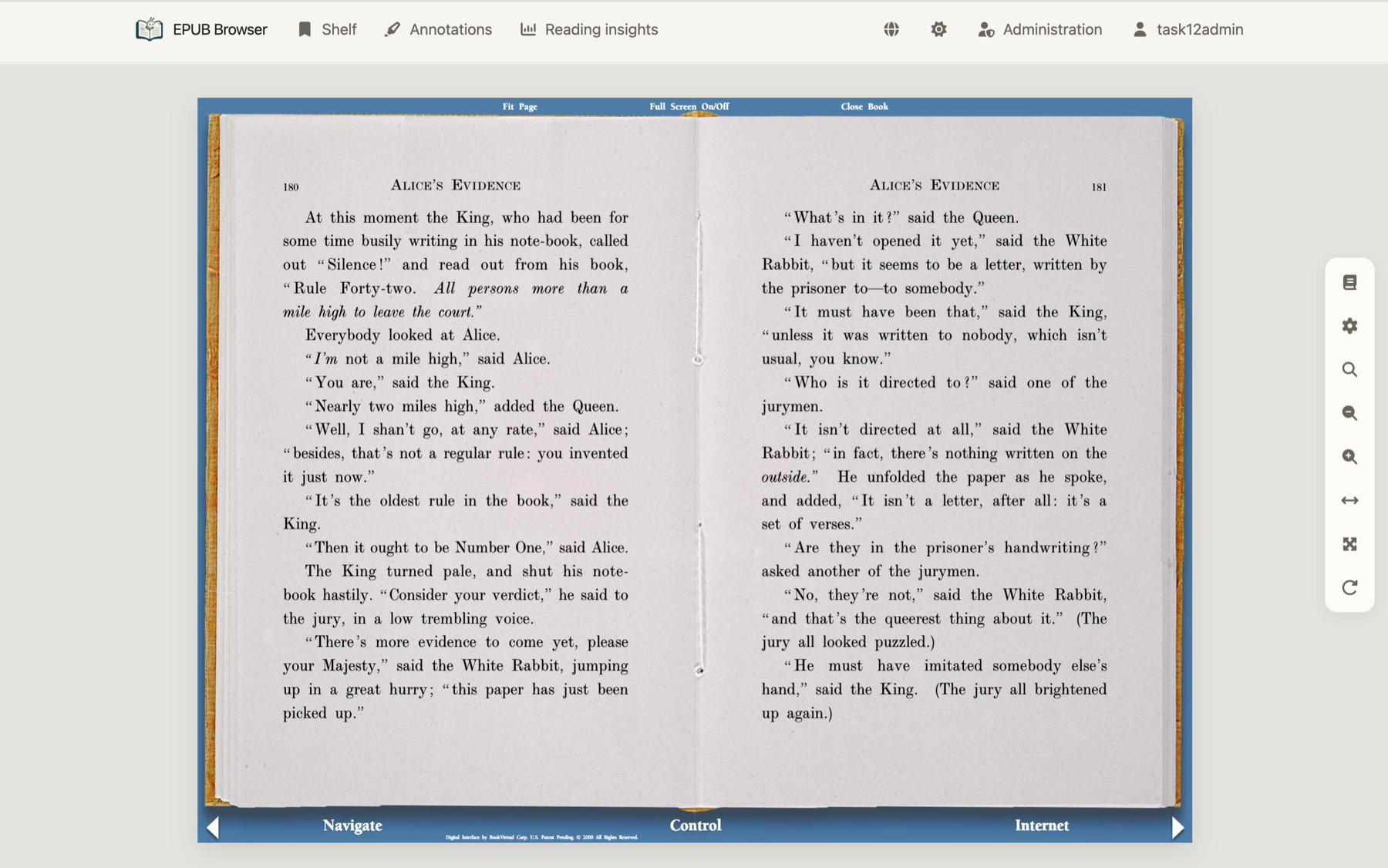
EPUB Browser accepts .epub and .pdf books. It gives both formats the same
Library, book page, table of contents, reading modes, themes, progress tracking,
and annotation workflow. PDF is not opened in a separate download or browser
preview: every PDF page becomes a reader chapter, rendered locally by PDF.js
inside the existing reading experience.
Project overview
Why EPUB Browser
- EPUB and PDF, one reader: EPUB chapters and PDF pages use the same navigation, responsive layout, themes, fullscreen mode, search, bookshelf, progress, reading time, and book-detail surfaces.
- Three reading behaviors: Scroll one chapter at a time, read continuously with a bounded rendering window, or turn pages. PDF adds fit-width, fit-page, and arbitrary zoom without leaving the reading stage.
- AI-native reading, grounded in the text: In Server mode, chapter guides, evidence-linked explanations, vocabulary help, mind maps, reflection prompts, and private Ask AI conversations stay beside the EPUB text—not in a detached generic summary.
- Annotations where you read: Highlight text, add notes, browse or export annotations, and use Dictionary or Encyclopedia actions. Text-based PDFs reuse the same selection popup; image-only PDFs degrade explicitly.
- Private reading insights: See active reading time, activity calendars, trends, sessions, and most-read books. Server mode keeps every insight private to the signed-in account.
- A real personal library: Covers, metadata, tags, ratings, reviews, nested shelves, search, and reading history stay connected by a stable book ID—even when a Server source temporarily leaves a watched folder.
- A private, governable Server: Accounts, book permissions, per-member AI access, synchronized reading data, administration, OpenAPI, and WebHooks are available when a persistent service is wanted.
- Self-contained at runtime: Application assets, fonts, icons, PDF.js, and rich-text renderers are served locally. Reading never depends on a CDN.
- 17 interface languages: English, 简体中文, 繁體中文, 日本語, 한국어, Español, Deutsch, Français, Русский, Italiano, Português (Brasil), العربية, Bahasa Indonesia, हिन्दी, Tiếng Việt, ไทย, and Bahasa Melayu.
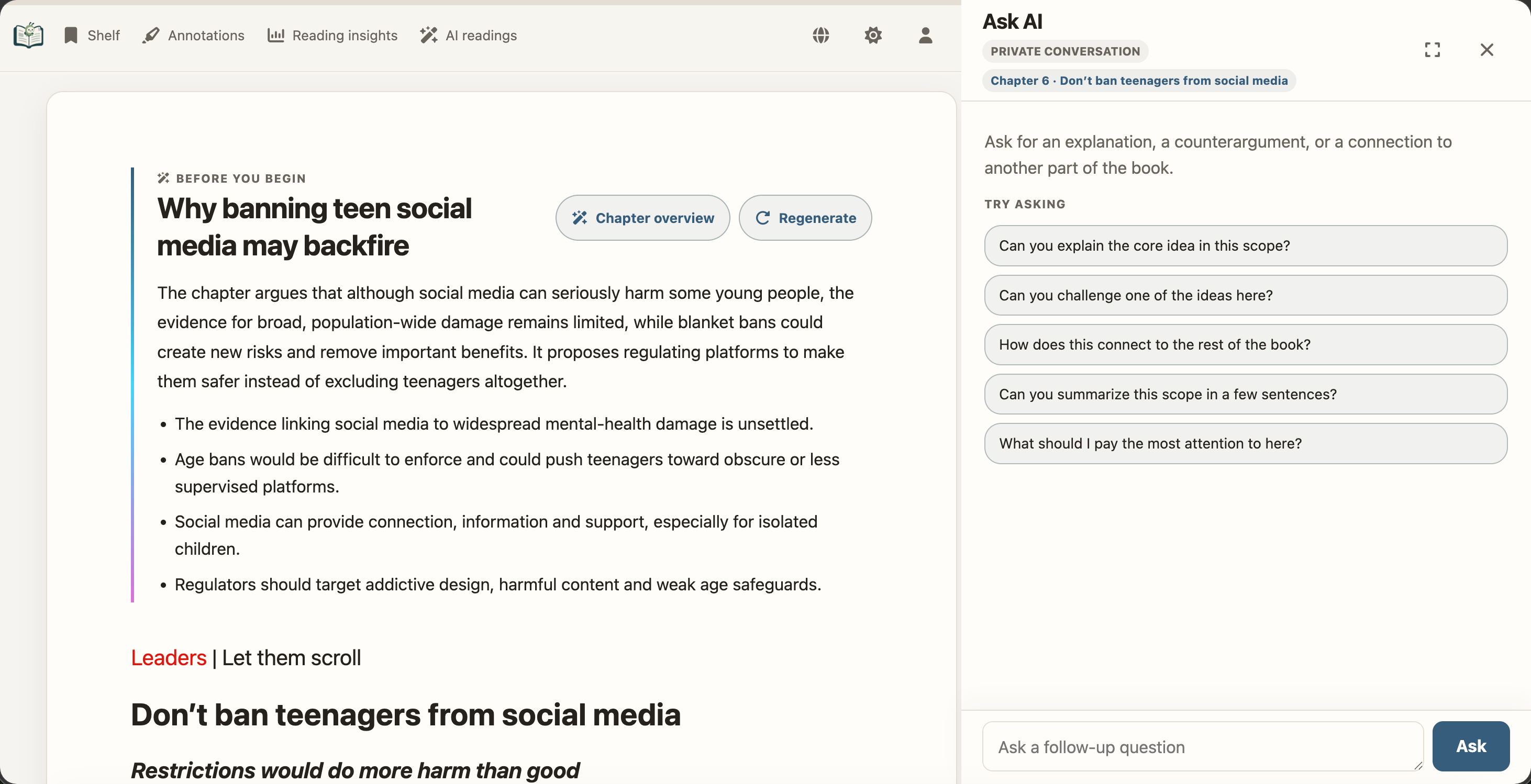
AI-native guidance and private questions stay anchored to the original book.
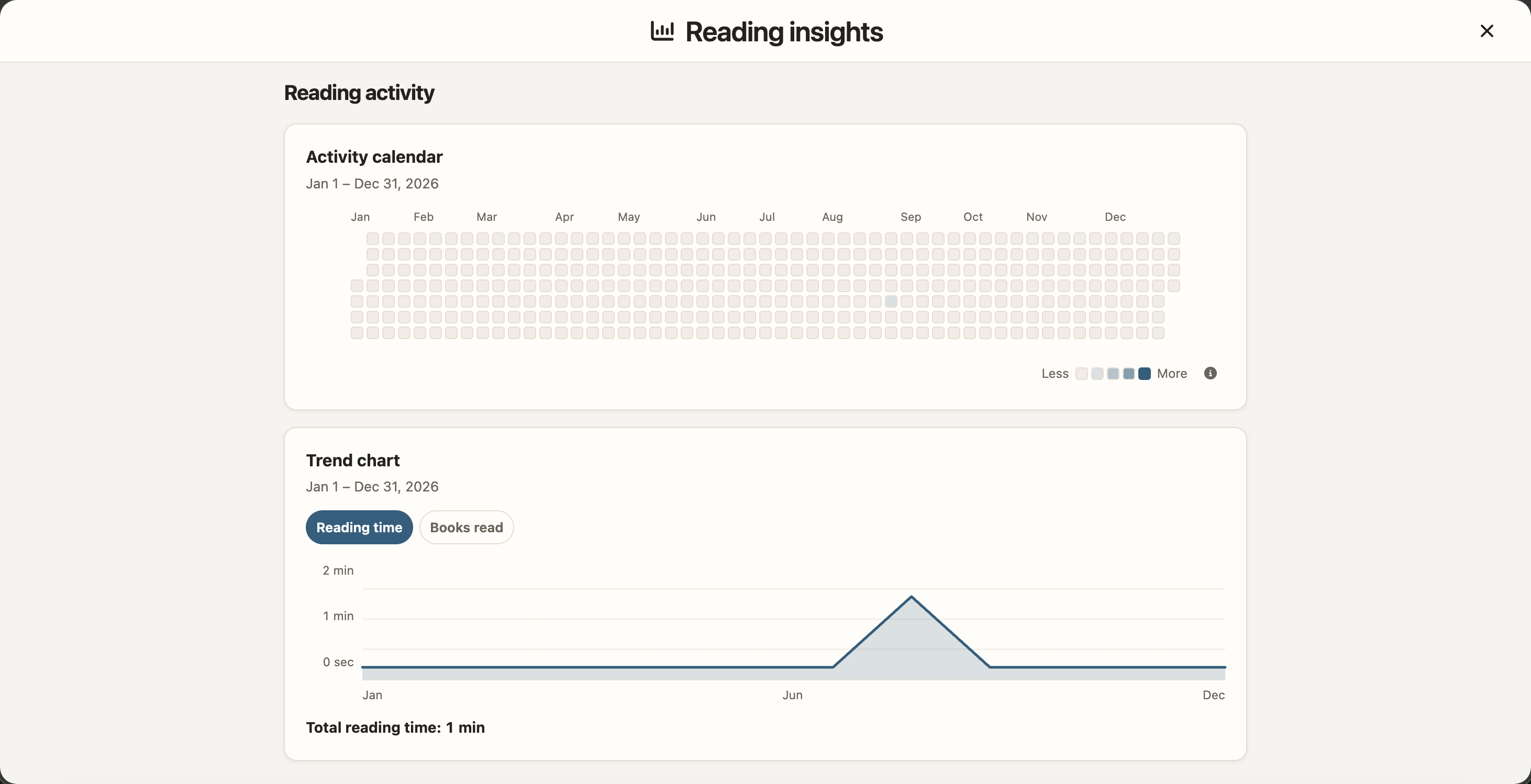
Reading insights turn active reading into a private history you can understand.
Technology stack
EPUB Browser deliberately uses a small, server-rendered web stack. The installed application has no SPA framework and does not require a Node.js runtime:
| Layer | Technology | Role |
|---|---|---|
| Frontend | Semantic HTML, CSS, Vanilla JavaScript with ES modules and browser APIs | One shared responsive UI for SSG and Server |
| CLI and Server | Python 3.9+, Starlette, Uvicorn | Conversion commands, authenticated pages, APIs, and background work |
| Data | SQLite plus rebuildable JSON content caches | User state remains separate from derived EPUB/PDF content |
| Book formats | Project EPUB pipeline, pypdf, pypdfium2, PDF.js | EPUB extraction, PDF metadata/covers, and local browser rendering |
| Offline and assets | Service Worker, hashed immutable assets, locked vendored dependencies | Self-contained delivery without a runtime CDN |
| Distribution | PyPI, Docker, ordinary static hosting | The same codebase ships as SSG or a persistent Server |
| Optional AI | OpenAI-compatible APIs with locally rendered Markdown, KaTeX, and Mermaid | EPUB learning layers in Server mode only |
Node.js is used only by maintainers for browser-side tests; it is not part of the reader's production runtime.
Choose SSG or Server
The same source processing and page templates power two explicit deployment modes. Choose by where reading data should live, not by book format:
| Capability | ssg | server |
|---|---|---|
| EPUB and PDF | Yes | Yes |
| Delivery | Atomic static HTML/assets for Pages, object storage, or Nginx | Dynamic authenticated pages backed by a replaceable content cache |
| Accounts and access control | None | Administrator/member accounts, restricted-book grants, sessions, and CSRF protection |
| Progress, annotations, shelf | Stored in the current browser | Synchronized per authenticated account in SQLite |
| Ratings, reviews, reading sessions | Not emitted | Private per-account records and reading insights |
| Source updates | Run ssg again | Restart, rescan, or use --watch |
| Administration, tags, OpenAPI, WebHooks | Not included | Included |
| AI reading and Ask AI | Not included | Available for EPUB when configured and explicitly permitted; hidden for PDF |
| Runtime database | None | Required for persistent mode |
| Best fit | Public/static hosting, offline bundles, simple personal publishing | A private library, multiple devices or readers, automation, and managed access |
Use ssg when the result must be ordinary static files. Use server when readers need accounts, cross-device data, access control, or automatic source reconciliation.
Live demos
- SSG mode: epub-browser-test.yuhan.tech
- Server mode: epub.yuhan.tech — sign in with username
demoand passworddemo.
AI-native reading (Server only)
For EPUB books, Server mode can add chapter guides, evidence-linked explanations, mind maps, reflective questions, and a private Ask AI drawer without taking the reader away from the original text. Results remain governed by book permissions; members must be explicitly authorized, and SSG contains none of the AI controls, jobs, account data, or provider configuration. PDF intentionally hides AI reading and Ask AI.
See the AI-native reading guide for the complete interaction model and the local rich-text renderer notes for the rendering and network-safety boundary.
Get started
Docker (Server)
The published dfface/epub-browser
image runs Server mode and does not require Python on the host:
docker pull dfface/epub-browser:latest
Use latest to evaluate the current release; pin a numbered release tag for a
repeatable production deployment. See Docker for the required book
and state mounts, a Compose quick start, first-run setup, and network guidance.
Deployment
LAN and reverse proxy
Server binds to 127.0.0.1:8000 by default. For a trusted LAN:
epub-browser server /path/to/books \
  --server-dir /path/to/state \
  --watch \
  --host 0.0.0.0 \
  --port 8080 \
  --no-browser
Do not expose the built-in HTTP server directly to the public internet. Terminate TLS at a reverse proxy, apply network controls, and enable secure cookies.
To record real client IPs in active sessions and login-rate limits behind a reverse proxy, configure its direct socket network (not public client ranges):
epub-browser server /path/to/books \
  --server-dir /path/to/state \
  --watch \
  --host 0.0.0.0 \
  --trusted-proxy-cidr 172.32.11.1/32 \
  --trusted-proxy-cidr 10.42.0.0/16 \
  --cookie-secure \
  --no-browser
Repeat --trusted-proxy-cidr once for each direct proxy address or network. Only requests whose direct peer belongs to one of these CIDRs can supply X-Forwarded-For; all other peers record only their direct address. Uvicorn forwarded-address processing is disabled, so Forwarded and FORWARDED_ALLOW_IPS cannot expand this trust boundary. Use --cookie-secure only when the browser reaches the service through HTTPS.
Docker
The image runs persistent Server mode with these defaults:
/app/Libraryas the source/app/EpubBrowserFilesas persistent state--watch--no-browser--host 0.0.0.0 --port 80--book-id-storage embedded
Because embedded identity may rewrite an EPUB, mount the library read-write. Mount Server state read-write and keep it across container replacement:
docker run -d \
  --name epub-browser \
  -p 127.0.0.1:8080:80 \
  -v /path/to/books:/app/Library:rw \
  -v /path/to/epub-browser-state:/app/EpubBrowserFiles \
  dfface/epub-browser:latest
Visit http://127.0.0.1:8080/setup before changing the port binding or proxy rules.
Docker Compose
The repository includes a docker-compose.yml for users who prefer Compose. From a checkout, create Library/, put EPUB or PDF books there, then run:
docker compose up -d --build
It publishes only 127.0.0.1:8080, keeps source EPUB/PDF books in ./Library, and persists Server state in ./EpubBrowserFiles. The complete Server command is intentionally visible in the file, so deployment-specific flags can be added without replacing an implicit image default. Complete the one-time setup at http://127.0.0.1:8080/setup. For remote access, keep this loopback binding and place an authenticated TLS reverse proxy in front of it.
For unattended setup:
docker run -d \
  --name epub-browser \
  -p 127.0.0.1:8080:80 \
  -v /path/to/books:/app/Library:rw \
  -v /path/to/epub-browser-state:/app/EpubBrowserFiles \
  -e EPUB_BROWSER_ADMIN_USERNAME=admin \
  -e EPUB_BROWSER_ADMIN_PASSWORD_FILE=/run/secrets/epub-browser-admin-password \
  --mount type=bind,src=/path/to/admin-password,dst=/run/secrets/epub-browser-admin-password,readonly \
  dfface/epub-browser:latest
After the first successful start, the one-time secret mount may be removed. A read-only library works only when every EPUB already contains a matching valid embedded ID. Existing sidecars are retained when their IDs are embedded.
Mount /app/SyncData:ro only while importing legacy bookshelf JSON:
-v /path/to/legacy-sync:/app/SyncData:ro
The loopback published port in the examples keeps the container behind the host boundary. For remote access, use a TLS reverse proxy, configure its actual container-network CIDR, and add --cookie-secure.
Tag summary
Content type
Image
Digest
sha256:c0d052c27…
Size
50.6 MB
Last updated
1 day ago
docker pull dfface/epub-browser