dhlavaty/httpshere
Small docker image with HTTPS server based on Alpine linux.
212
dhlavaty/httpshere repository overview
HTTPS server Docker Image
Description
Small docker image with HTTPS server based on Alpine linux.
Uses Nginx - proper server (reverse-proxy) with a self-signed certificate. The cert wouldn’t be trusted in browsers, but the communication is encrypted and great for many debugging situations.
When this Docker image is launched, a new key and certificate are generated before Nginx starts automatically.
This image was inspired by great Docker for Pentesters article.
Usage
To serve files from your current directory with https server run:
$ docker run --rm -it -p 80:80 -p 443:443 -v "${PWD}:/srv/data" dhlavaty/httpshere
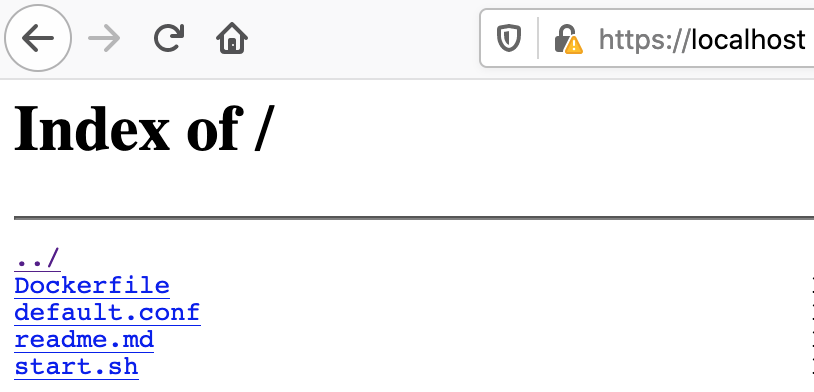
...and now you can browse the contents of your dir with a browser
Convenient usage using alias
Use httpshere alias (in your zsh.rc for example):
alias httpshere='docker run --rm -it -p 80:80 -p 443:443 -v "${PWD}:/srv/data" dhlavaty/httpshere'
And now it couldn't be simpler:
$ cd /Users/myname/subdir
$ httpshere

# done
You may not need https
You not always need proper https server. Many times simple http static server does the job perfectly. And you even don't need Docker at all. Here are different options you may use:
# With Node.js and npm installed, use
$ npx http-server
# or
$ npx serve

# If you have Python 2
$ python -m SimpleHTTPServer 8080

# For Pyhton 3
$ python -m http.server 8080

# PHP
$ php -S localhost:8080

# With Ruby 1.9.2+
$ ruby -run -e httpd
Docker build
Build multi-arch image:
$ docker buildx create --name mybuilder
$ docker buildx use mybuilder

# (Optional) check your builder
$ docker buildx inspect

$ docker buildx build --platform linux/amd64,linux/arm64 --tag dhlavaty/httpshere . --push

# (Optional) Inspect your image
$ docker buildx imagetools inspect dhlavaty/httpshere
Lint dockerfile:
$ docker run --rm -i hadolint/hadolint < Dockerfile
License
This project is licensed under MIT - http://opensource.org/licenses/MIT
Tag summary
Content type
Image
Digest
sha256:0fb1027fb…
Size
10 MB
Last updated
almost 4 years ago
docker pull dhlavaty/httpshere