dhpradeep/aegis
Turn your Claude subscription into a multi-tenant agent API, with an admin dashboard.
576
dhpradeep/aegis repository overview

Aegis
Turn your Claude subscription into a multi-tenant agent API — with a dashboard.
Aegis is a self-hostable server that exposes the Claude Agent SDK
over your Claude Max/subscription login (via the bundled claude CLI) instead of an
ANTHROPIC_API_KEY. It adds per-tenant API keys, rate limiting, cost tracking,
isolated session workspaces, autonomous objective loops, MCP servers, an
OpenAI-compatible chat endpoint, and a full admin console on top of the SDK — so
several tenants can safely share one subscription-backed agent runtime.





Important
**Auth model — read before deploying.** Aegis drives Claude by shelling out to a `claude` CLI logged into a personal/Team **subscription**, not by billing an Anthropic API key. Anthropic's terms discourage reselling or provisioning subscription access to third parties. This project is intended for **personal, internal, or trusted-team** use of your own subscription. To run it as a commercial multi-tenant service, switch billing to API keys — that's a config change in the runtime layer, not a rearchitecture.
Features
- Runs on your subscription — no API key; the Claude CLI is bundled with the SDK, so there's nothing extra to install.
- Multi-tenant — tenants, scoped API keys, per-key rate limits (RPM) and daily cost caps.
- Agents — configurable model, reasoning effort, allowed tools, MCP servers, permission mode, and autonomous bypass.
- Sessions — stateful chats with isolated workspaces, file upload/download, and a live streaming chat UI.
- Objectives — autonomous goal-driven loops graded by a separate LLM evaluator until success or budget.
- MCP servers — register HTTP/stdio MCP servers and attach them to agents.
- OpenAI- and Anthropic-compatible — drop-in
POST /v1/chat/completionsandPOST /v1/messageswith client-side tool calling, so opencode, Claude Code, and other agent CLIs run against it. - Usage & billing — per-tenant token/cost metering plus your live Claude plan quota (session + weekly limits).
- Admin dashboard — dark/light, responsive, with setup, health, and everything above.
Quick start (Docker Hub)
One command to run it:
docker run -d --name aegis -p 8000:8000 \
  -v aegis-data:/data -v claude-config:/root/.claude \
  -e ADMIN_PASSWORD=change-me -e SESSION_SECRET=change-me-too \
  dhpradeep/aegis:latest
Dashboard: http://localhost:8000/admin (password: your ADMIN_PASSWORD).
The two volumes keep your data and Claude login across container updates.
Use a different host port with -p 9000:8000.
Quick start (build from source)
git clone https://github.com/dhpradeep/aegis.git && cd aegis
cp .env.example .env          # then edit ADMIN_PASSWORD and SESSION_SECRET
docker compose up -d --build
Open the dashboard at http://localhost:8000/admin (password: ADMIN_PASSWORD, default changeme).
Sign in to Claude (one time). Agent runs need a signed-in CLI. In the dashboard, go to System and click Sign in from here — open the link, authorize, and paste the code back. Or from a terminal:
docker exec -it aegis claude auth login
The login is stored in the claude-config volume, so it survives restarts and
rebuilds. Then mint an API key under Access → API Keys and you're ready.
Quick start (local)
Requires Python 3.12+ and uv.
git clone https://github.com/dhpradeep/aegis.git && cd aegis
uv sync
cp .env.example .env          # edit as needed

# Sign in to Claude once (uses the bundled CLI shipped with the SDK):
uv run claude auth login

# Start the server (migrations run automatically on boot):
uv run aegis
Dashboard: http://localhost:8000/admin · API docs: http://localhost:8000/docs
Override host/port/reload with env vars: PORT=9000 RELOAD=1 uv run aegis. The DB
directory is created for you on first run.
Screenshots
| Streaming chat sessions | Live usage & plan quota |
|---|---|
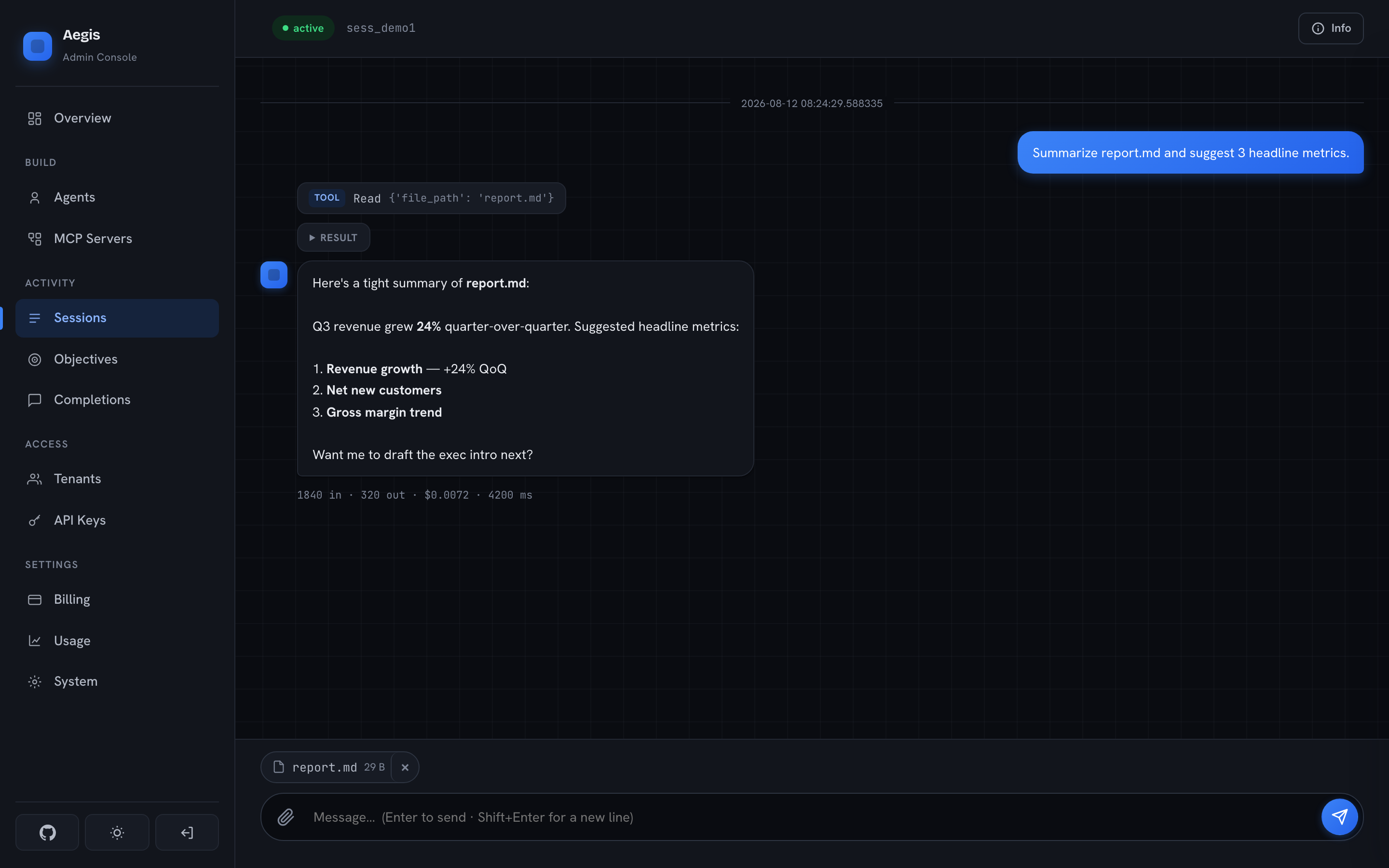 | 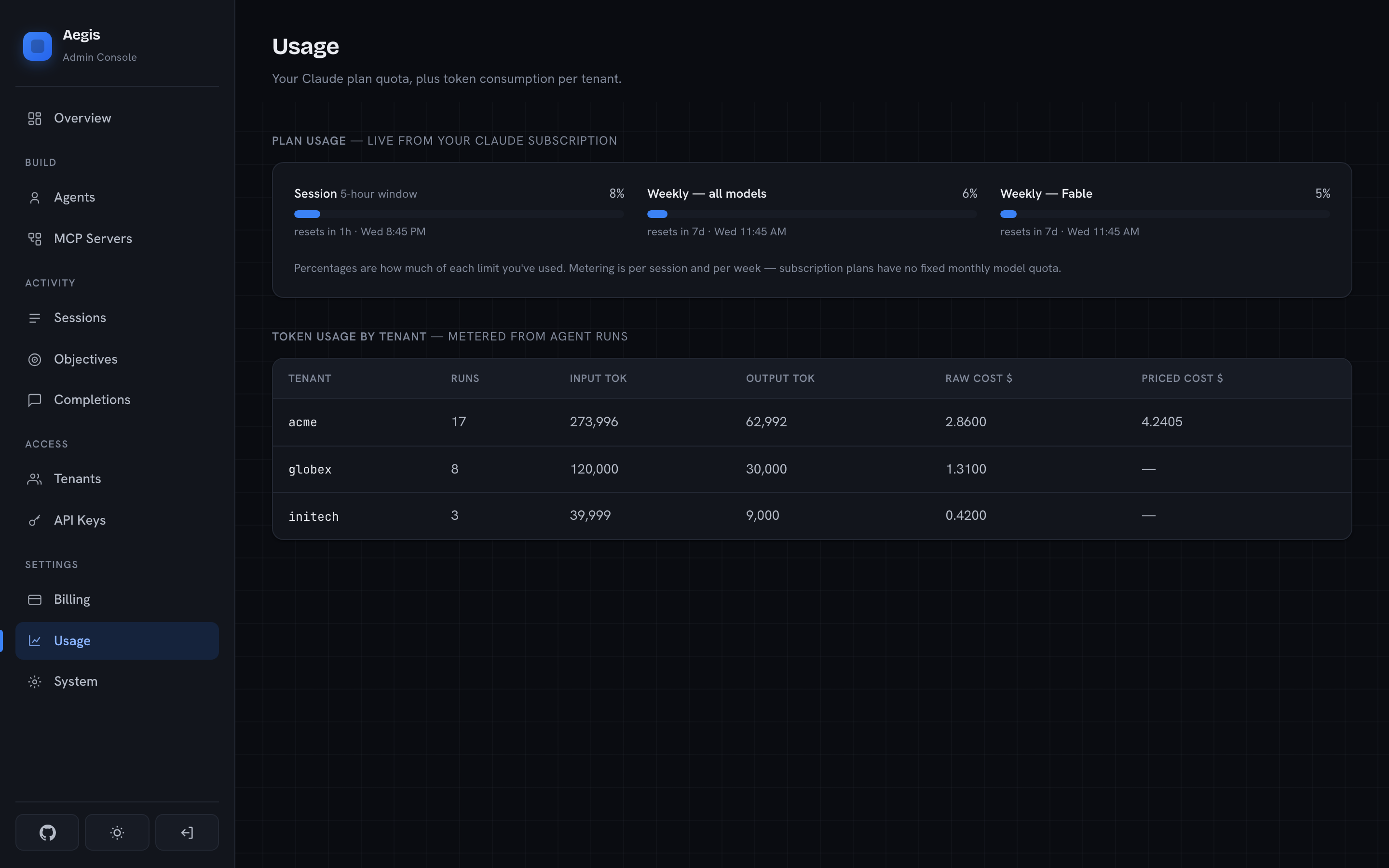 |
| Configurable agents | System & setup |
|---|---|
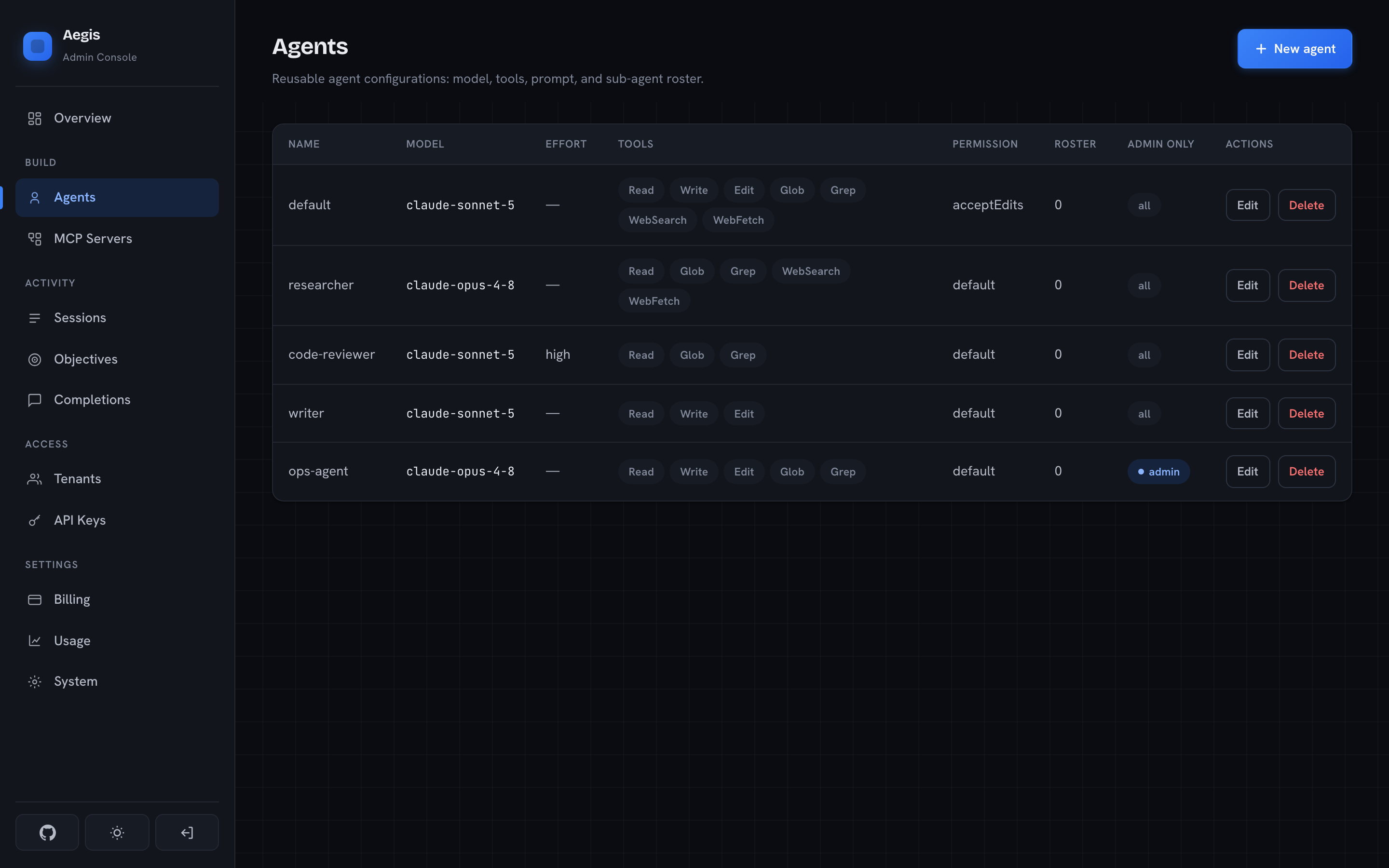 | 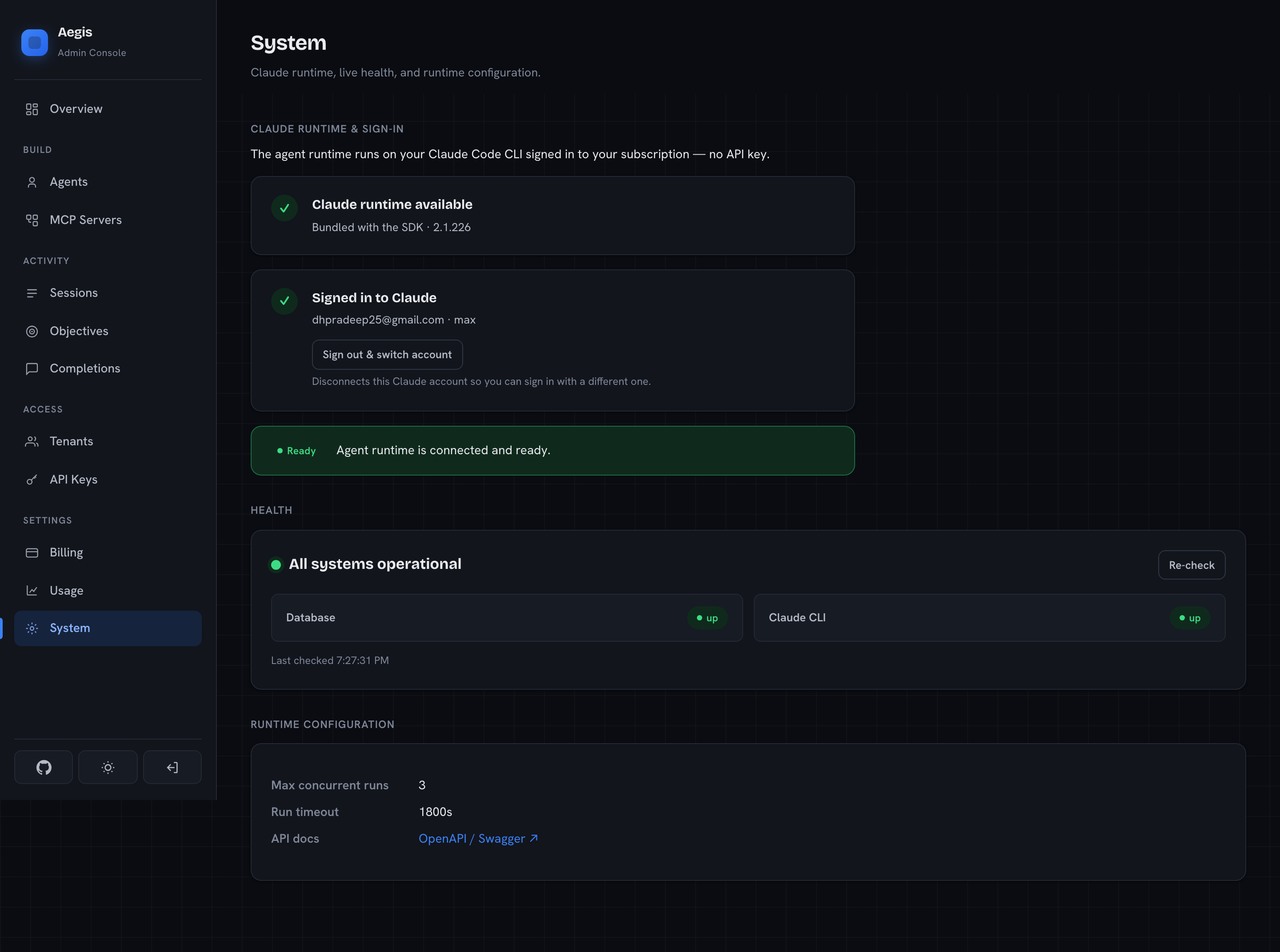 |
Using the API
Authenticate every request with a tenant API key (minted in the dashboard):
export AEGIS=http://localhost:8000
export KEY=cak_...       # from Access → API Keys
Create a session and send a message:
SID=$(curl -s $AEGIS/v1/sessions -H "Authorization: Bearer $KEY" \
  -H 'Content-Type: application/json' \
  -d '{"agent": "default", "title": "My first session"}' | jq -r .session_id)

curl -s $AEGIS/v1/sessions/$SID/messages -H "Authorization: Bearer $KEY" \
  -H 'Content-Type: application/json' \
  -d '{"prompt": "List the files here and summarize them.", "stream": false}'
OpenAI-compatible chat (drop-in):
curl -s $AEGIS/v1/chat/completions -H "Authorization: Bearer $KEY" \
  -H 'Content-Type: application/json' \
  -d '{"model": "claude-sonnet-5", "messages": [{"role": "user", "content": "Hello!"}]}'
The endpoint speaks the full OpenAI chat protocol, including client-side
tool calling: requests that carry tools get tool_calls back
(finish_reason: "tool_calls"), so agent CLIs execute their own tools locally
and loop. model: "default" resolves to the tenant (or global) default model.
Agentic conversations (requests with tools) are routed into a Session:
Aegis recognizes each follow-up by its transcript prefix, resumes the same
SDK session, and sends only the new turns — so a whole opencode or Claude
Code chat shows up as one session under Sessions, with per-turn events and
usage, instead of one stateless completion per request. Plain chat requests
(no tools) stay stateless and are listed under Completions.
Use with opencode (or any OpenAI-compatible CLI agent) — point a provider
at Aegis in ~/.config/opencode/opencode.json:
{
  "provider": {
    "aegis": {
      "npm": "@ai-sdk/openai-compatible",
      "name": "Aegis",
      "options": {
        "baseURL": "http://localhost:8000/v1",
        "apiKey": "cak_..."
      },
      "models": { "default": { "name": "Aegis default" } }
    }
  }
}
Then opencode -m aegis/default. Any model id from GET /v1/models works in
place of default.
Use with Claude Code — Aegis also speaks the Anthropic Messages API
(POST /v1/messages), so the claude CLI can run against it on any machine:
export ANTHROPIC_BASE_URL=http://localhost:8000
export ANTHROPIC_AUTH_TOKEN=cak_...     # your Aegis key
claude                                  # or: claude --model sonnet -p "hello"
Claude Code executes its own tools locally; only the model calls go through
Aegis. x-api-key auth (ANTHROPIC_API_KEY=cak_...) works too.
To make it stick without env vars, put the same values in a Claude Code
settings file — per project in .claude/settings.local.json (recommended;
~/.claude/settings.json would route every session through Aegis):
{
  "env": {
    "ANTHROPIC_BASE_URL": "http://localhost:8000",
    "ANTHROPIC_AUTH_TOKEN": "cak_...",
    "ANTHROPIC_MODEL": "sonnet"
  }
}
Usage — per-tenant tokens and your live Claude plan quota:
curl -s $AEGIS/v1/usage      -H "Authorization: Bearer $KEY"   # tenant token usage
curl -s $AEGIS/v1/usage/plan -H "Authorization: Bearer $KEY"   # subscription quota
Other endpoints: /v1/objectives, /v1/mcp-servers, /v1/sessions/{id}/files,
/v1/jobs/{id}. See the interactive docs at /docs.
Configuration
Set via environment or .env (see .env.example):
| Variable | Default | Purpose |
|---|---|---|
ADMIN_PASSWORD | changeme | Dashboard login — change it. |
SESSION_SECRET | — | Cookie signing secret — change it. |
DATABASE_URL | sqlite+aiosqlite:///./data/aegis.db | Database (SQLite by default). |
WORKSPACE_ROOT | ~/.aegis/workspaces | Where agent workspaces live (keep outside any git repo). |
MAX_CONCURRENT_RUNS | 3 | Parallel agent-run cap. |
RUN_TIMEOUT_S | 1800 | Per-run timeout. |
DEFAULT_RPM | 30 | Default per-key requests/minute. |
DEFAULT_DAILY_COST_USD | 10.0 | Default per-key daily cost cap. |
DEFAULT_MODEL | claude-sonnet-5 | Fallback model for the OpenAI endpoint. |
MODELS_LIVE_FETCH | true | Fetch the model catalog live from Anthropic. |
RUN_MIGRATIONS_ON_STARTUP | true | Apply Alembic migrations on boot. |
Security
- Change
ADMIN_PASSWORDandSESSION_SECRETbefore exposing the dashboard — the defaults are placeholders. - The admin login is brute-force throttled per real client IP: repeated failures lock that IP out with an escalating cooldown.
- The session cookie is
httponly+samesite=lax. Put the app behind HTTPS (a reverse proxy) for any non-local use. - Tenant API keys are shown once at creation and stored only as hashes.
Architecture
Layered, FastAPI:
app/
├── core/       config, security, errors, logging
├── db/         SQLAlchemy models, engine, migrations runner
├── schemas/    Pydantic request/response models
├── services/   business logic (agents, sessions, objectives, billing, MCP, CLI, usage)
└── api/
    ├── v1/     the public JSON API
    ├── compat/ OpenAI-compatible shim
    └── admin/  dashboard UI + admin API
The agent runtime shells out to the bundled Claude CLI with ANTHROPIC_API_KEY
stripped from the environment, so it always authenticates via the subscription
login — never an API key.
Development
uv sync
uv run pytest           # full test suite
Data is SQLite + on-disk workspaces under WORKSPACE_ROOT; nothing external is
required to run the tests.
Contributing
Contributions are welcome via fork and pull request — fork the repo, branch
off main, keep the tests green, and open a PR. See
CONTRIBUTING.md for the full workflow and dev setup.
License
Apache License 2.0. Built on the Claude Agent SDK and Claude Code CLI, distributed by Anthropic under their own terms.
Tag summary
Content type
Image
Digest
sha256:57b35d087…
Size
203.1 MB
Last updated
25 days ago
docker pull dhpradeep/aegis