dirathea/mongoku repository overview
Mongoku
MongoDB client for the web. Query your data directly from your browser. You can host it locally, or anywhere else, for you and your team.
It scales with your data (at Hugging Face we use it on a 1TB+ cluster) and is blazing fast for all operations, including sort/skip/limit. Built on TypeScript/Node.js/Angular.
Demo
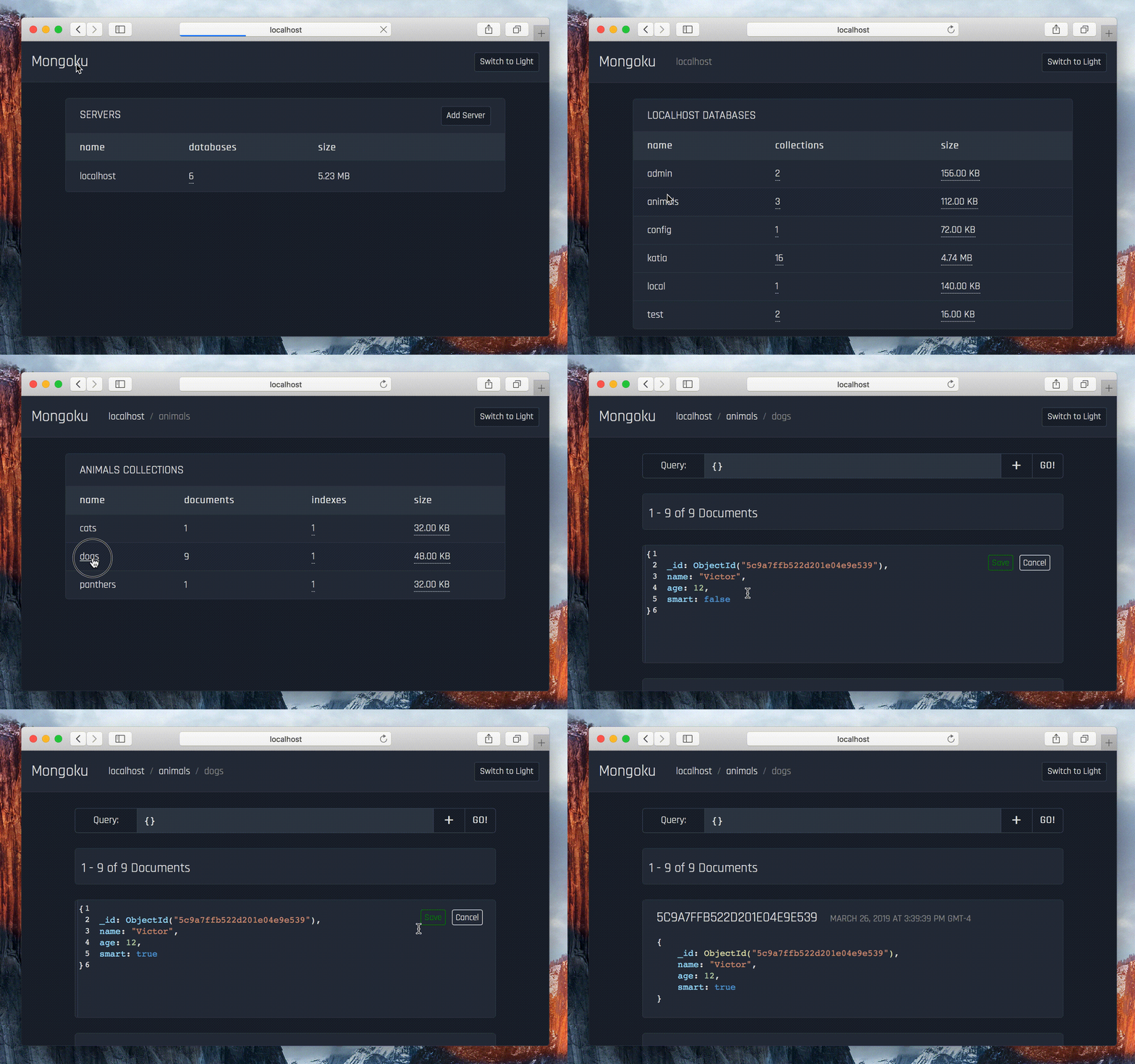
Install & Run
This is the easy and recommended way of installing and running Mongoku.
# Install
npm install -g mongoku

# Run from your current terminal
mongoku start
You can also run Mongoku as a daemon, using either PM2 or Forever.
mongoku start --pm2
# or
mongoku start --forever
Docker
Using the Docker HUB image
docker run -d --name mongoku -p 3100:3100 huggingface/mongoku

# Run with customized default hosts
docker run -d --name mongoku -p 3100:3100 --env MONGOKU_DEFAULT_HOST="mongodb://user:[email protected]:8888" huggingface/mongoku
Build your own image
If you want to build your own docker image, just clone this repository and run the following:
# Build
docker build -t yournamehere/mongoku .

# Run
docker run -d --name mongoku -p 3100:3100 yournamehere/mongoku
Manual Build
If you want to manually build and run mongoku, just clone this repository and run the following:
# Install the angular cli if you don't have it already
npm install -g typescript @angular/cli
npm install

# Build the front
cd app
npm install
ng build

# And the back
cd ..
tsc

# Run
node dist/server.js
Configuration
You can also specify a few things using environment variables:
# Use some customized default hosts (Default = localhost:27017)
MONGOKU_DEFAULT_HOST="mongodb://user:password@localhost:27017;localhost:27017"

# Use another port. (Default = 3100)
MONGOKU_SERVER_PORT=8000

# Use a specific file to store hosts (Default = $HOME/.mongoku.db)
MONGOKU_DATABASE_FILE="/tmp/mongoku.db"

# Timeout before falling back to estimated documents count in ms (Default = 5000)
MONGOKU_COUNT_TIMEOUT=1000

# The following options is to enable TLS
MONGOKU_CA_FILE=/etc/ssl/test/ca.pem
MONGOKU_CERT_FILE=/etc/ssl/test/client.pem
MONGOKU_KEY_FILE=/etc/ssl/test/client.pem

# To protect your instance, we could add basic auth
MONGOKU_BASIC_AUTH_USERNAME=admin
MONGOKU_BASIC_AUTH_PASSWORD=password
Tag summary
Content type
Image
Digest
Size
521.7 MB
Last updated
over 5 years ago
docker pull dirathea/mongoku