djonasdev/synology-radicale-server
Docker image for Radicale Server. You can configure the User/Group ID of the docker container!
4.9K
djonasdev/synology-radicale-server repository overview
Radicale Server Docker image






Dockerised Radicale Server built from source
Introduction
The special feature of this container is to configure the User and Group ID of the running docker container. So you can use the existing user permissions of a Synology. This Docker image is also extremly lightweight with ~66MB (InfCloud web interface is not included! But who needs that?!).
Quickstart
- [OPTIONAL] Create a group for all Docker users in Control Panel: G-Docker
- [OPTIONAL] Create a user to run the Docker image: Docker-Radicale
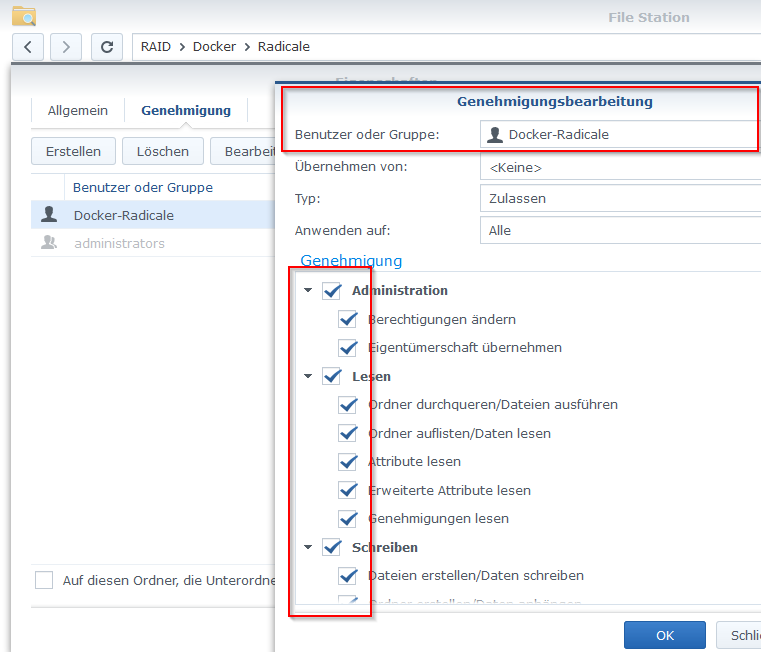
- [OPTIONAL] Adjust folder permissions to the new user
- Use
Puttyto connect toSynology - Find
IDof the user (step 2)
id -u Docker-Radicale
1001
- [OPTIONAL -> see Screenshots] Start container once from the
Console. This will be deposited in the Docker app on theSynology(under the tab Image). It is important to use theID(step 5) because of folder permissions.
docker run -p SynoPort5232:5232 -e UID='1001' -e GID='1001' -v /your/custom/path/on/Synology:/data/ djonasdev/synology-radicale-server
- A new container has now been created on
Synologyin the Docker app. This can now be renamed and modified. - You're done! The container is now always started with the previously used User and Group ID.
This image will automatically create a configuration file for Radicale Server.
Screenshots
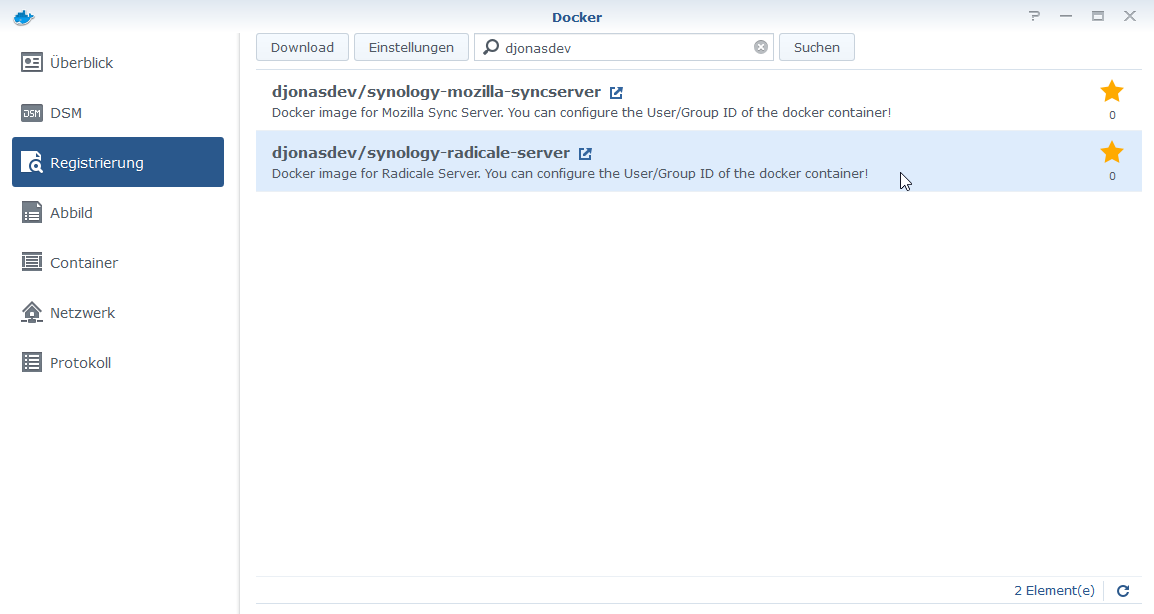
Download container
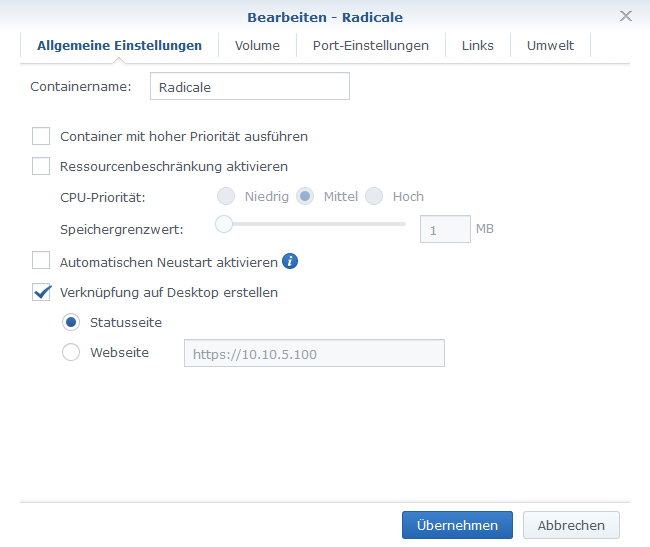
Setup #1 - General
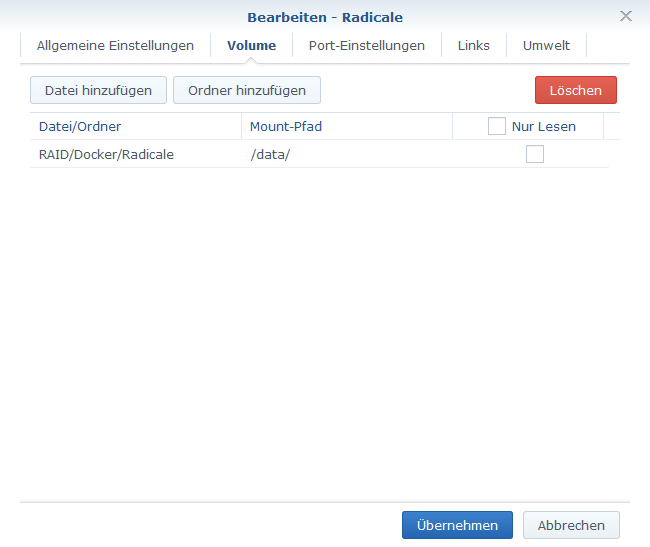
Setup #2 - Volumes
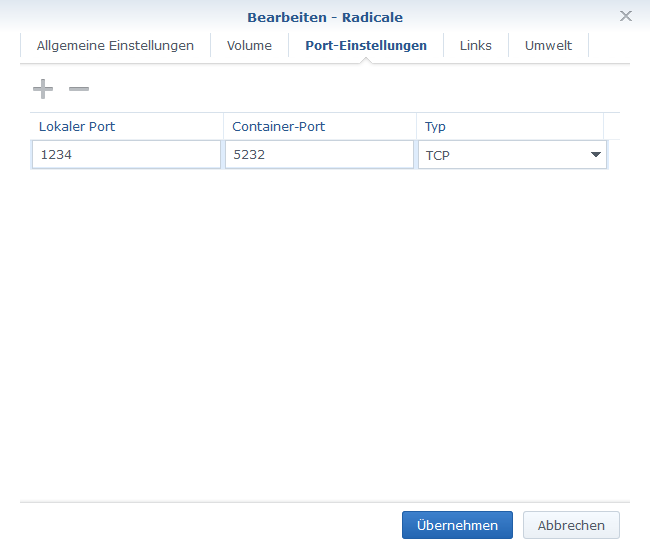
Setup #3 - Ports
Setup #4 - User/Group ID
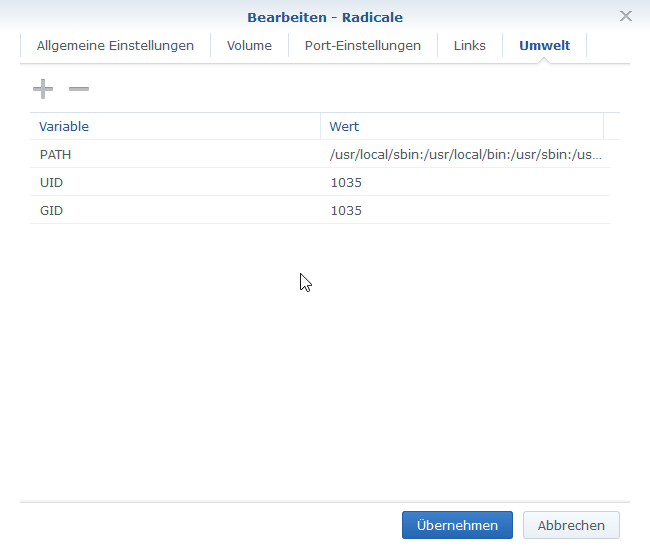
Setup #5 - Folder Permission
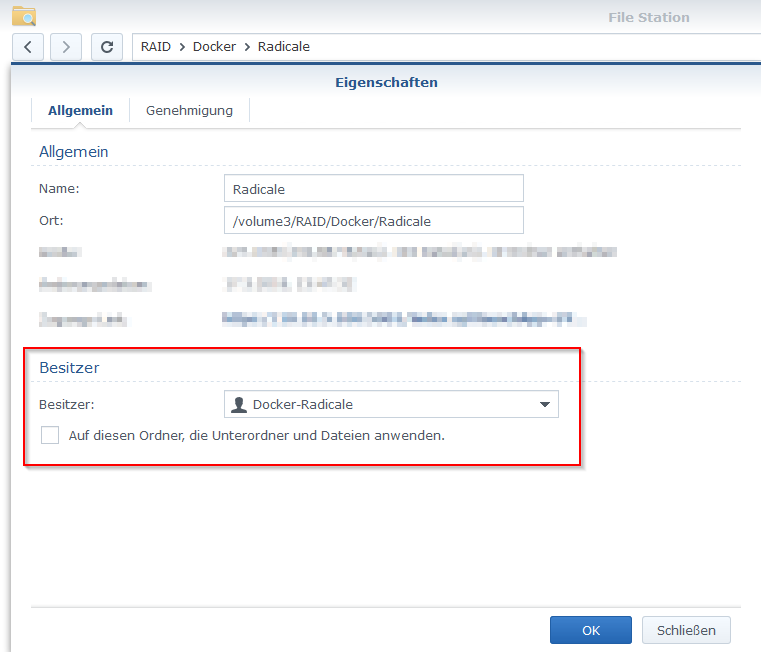
Setup #6 - Folder Permission
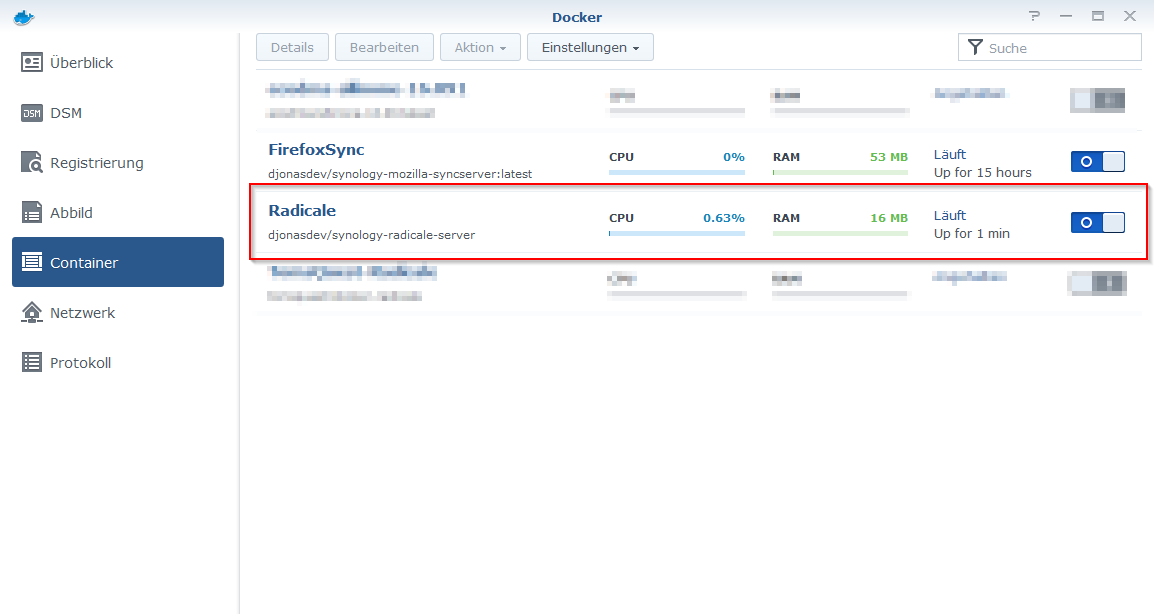
Start Container
Detailed description of image and containers
Used ports
This image uses 1 tcp ports:
- 5232 - Standart port of Radicale Server
Volume
This image uses one volume with internal path /data. It will create a subfolder config and store configuration file (automatically created if not exist) there.
Radicale configuration
To customize Radicale configuration, either:
- Use this repository preconfigured configuration file,
- Use a custom configuration file from Radicale repository
- Have a look at Radicale Documentation
License
This Dockerfile and scripts are released under MIT License.
Radicale Server has its own license.
Tag summary
Content type
Image
Digest
Size
21.4 MB
Last updated
over 7 years ago
docker pull djonasdev/synology-radicale-server