djovaneli/llmxray
Local LLM Observatory — See what your AI is actually doing, token by token.
6.3K
djovaneli/llmxray repository overview
LLMxRay
If LLMxRay helps you understand your AI better, consider giving it a star on GitHub.
Local LLM Observatory — See what your AI is actually doing, token by token, layer by layer.
No cloud. No API keys. No cost. Everything runs on your hardware.
Quick Start
docker run -p 5174:5174 -p 11435:11435 djovaneli/llmxray
Open http://localhost:5174 in your browser. Make sure Ollama is running on your machine.
The second port is the Live page's observe port: point any other tool (VS Code Copilot, Open WebUI, Continue, n8n, your own scripts) at http://localhost:11435 instead of Ollama and its traffic shows up on the Live page. Leave the mapping out if you do not need it. A published port is reachable from other machines on your network, so the Live page can run full-screen on a second screen while the agents work; bind it to 127.0.0.1:5174:5174 if you do not want that.
An agent that sends its calls through 11435 can also ask LLMxRay what went wrong with them: the image ships llmxray-mcp, a read-only MCP server (docker exec -i <container> node bin/mcp.mjs, or npx -y -p llmxray llmxray-mcp on the host with LLMXRAY_URL pointing at this container). See "For agents" in the main README.
Configuration
| Variable | Default | Description |
|---|---|---|
OLLAMA_URL | http://host.docker.internal:11434 | Ollama instance URL |
PORT | 5174 | Port to serve on |
OBSERVE_PORT | 11435 | Port other tools point at to appear on the Live page |
OBSERVE | 1 | Set to 0 to not open the observe port |
Custom Ollama URL
docker run -p 5174:5174 -e OLLAMA_URL=http://192.168.1.50:11434 djovaneli/llmxray
Custom port
docker run -p 3000:3000 -e PORT=3000 djovaneli/llmxray
Docker Compose
Standalone (Ollama running on your host)
services:
  llmxray:
    image: djovaneli/llmxray
    ports:
      - "5174:5174"
      - "11435:11435"
    environment:
      - OLLAMA_URL=http://host.docker.internal:11434
With Ollama as a sibling container
services:
  ollama:
    image: ollama/ollama
    ports:
      - "11434:11434"
    volumes:
      - ollama-data:/root/.ollama

  llmxray:
    image: djovaneli/llmxray
    ports:
      - "5174:5174"
      - "11435:11435"
    environment:
      - OLLAMA_URL=http://ollama:11434
    depends_on:
      - ollama

volumes:
  ollama-data:
Linux Note
On Linux, host.docker.internal may not resolve by default. Either:
- Use the Docker Compose example above with Ollama as a sibling container
- Add
--add-host=host.docker.internal:host-gatewayto yourdocker runcommand
What you get
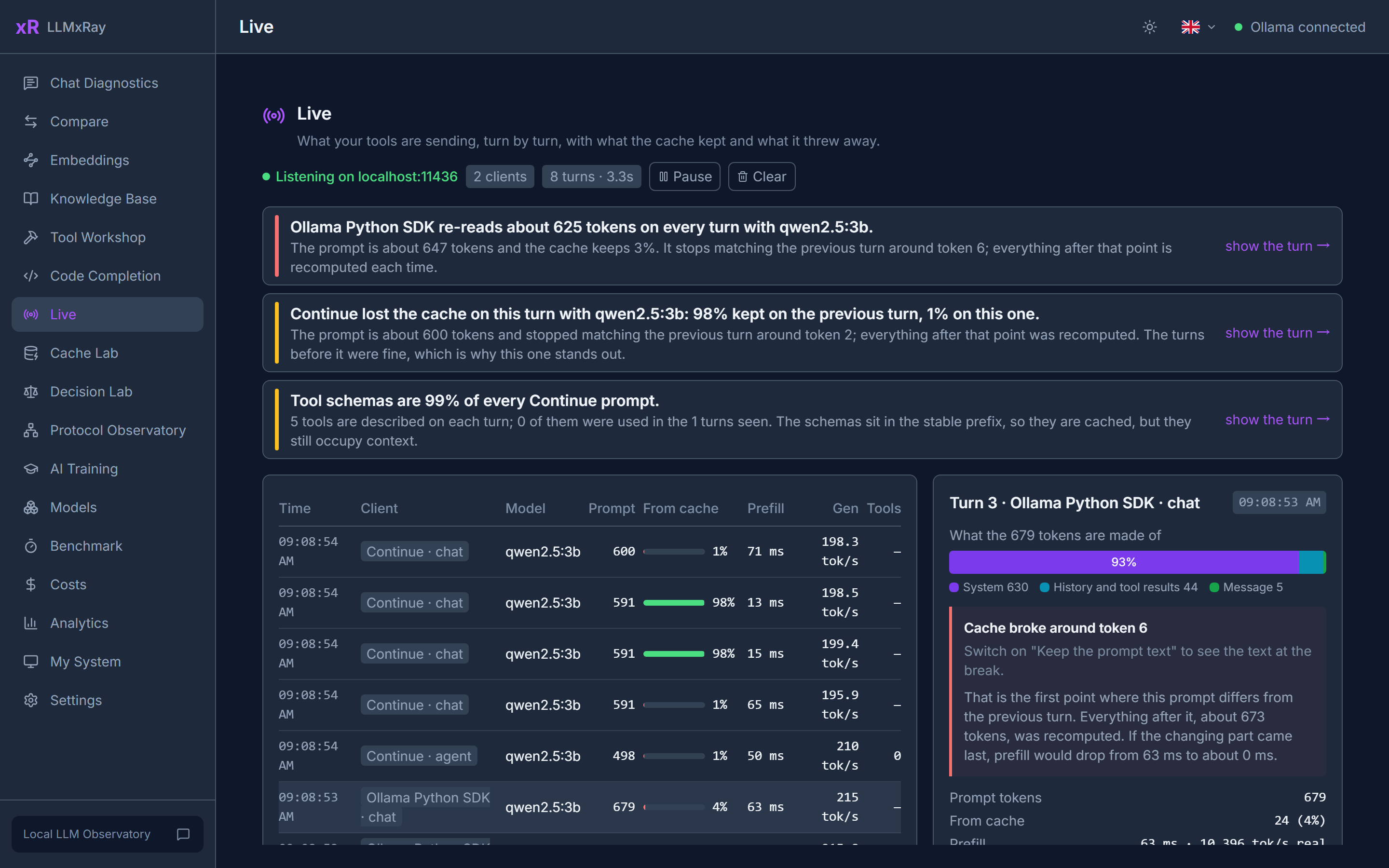
- Prompt X-ray: each turn's prompt drawn to scale, showing what was already cached, what was read again, and what Ollama silently cut when the prompt outgrew the context, system prompt included
- Runs: one tool's calls to the model, end to end, as a waterfall: waiting, loading, reading the prompt and writing the answer for each call, tool time between calls, and what every call sent and got back
- Shared box: why Ollama is slow right now and which tool did it, in seconds, with the setting to change (a
keep_alive: 0that unloads the model after every run, a 128K context on 4K prompts) - GPU map: what is in video memory, model by model, and which pulled models would fit
- Tool calls: thirteen request shapes agents send, scored per model on what the daemon returned
- Live: what your other tools send to Ollama, turn by turn, and where their prompts break the cache
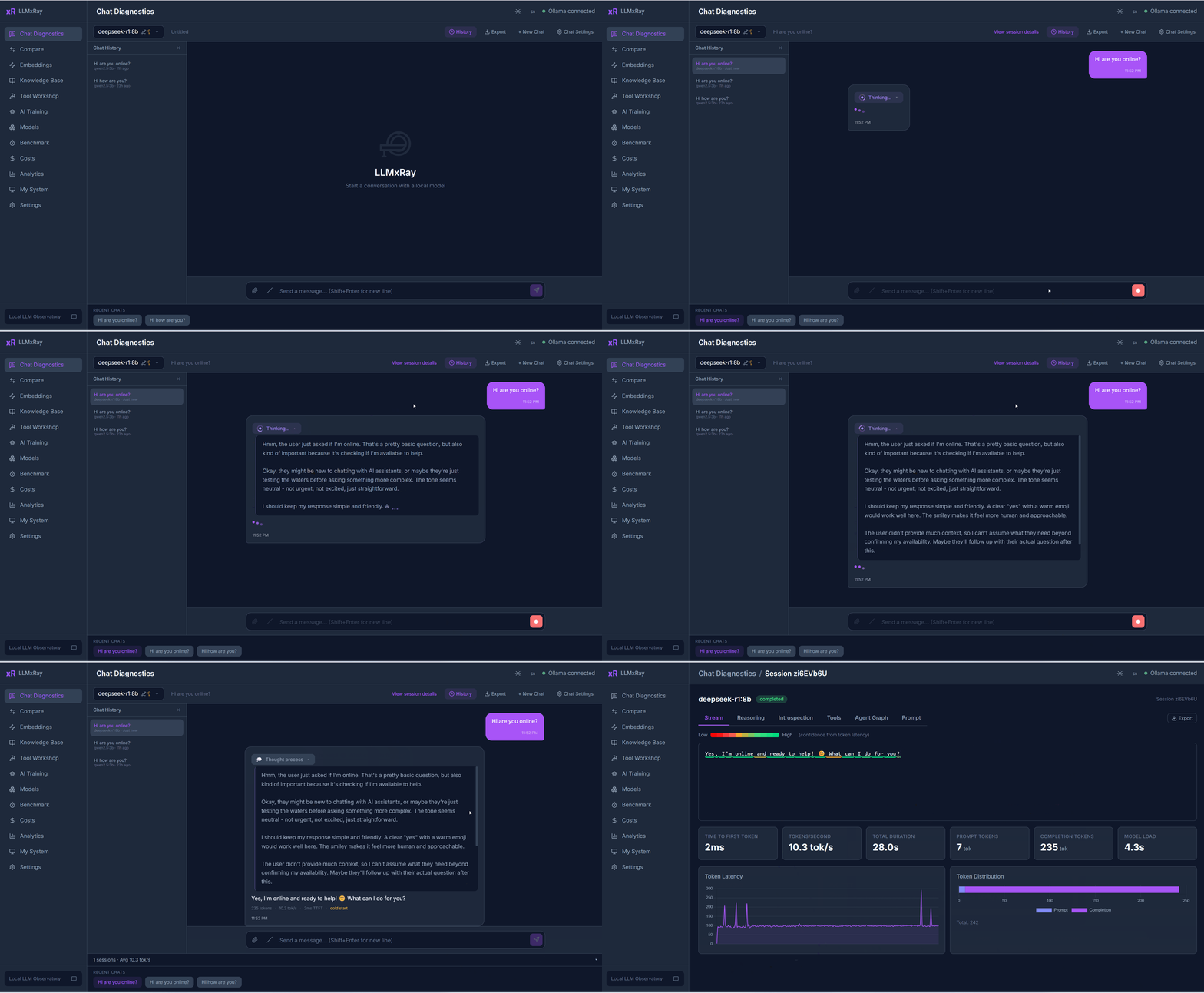
- Chat rendered as Markdown while it streams, every token coloured by confidence
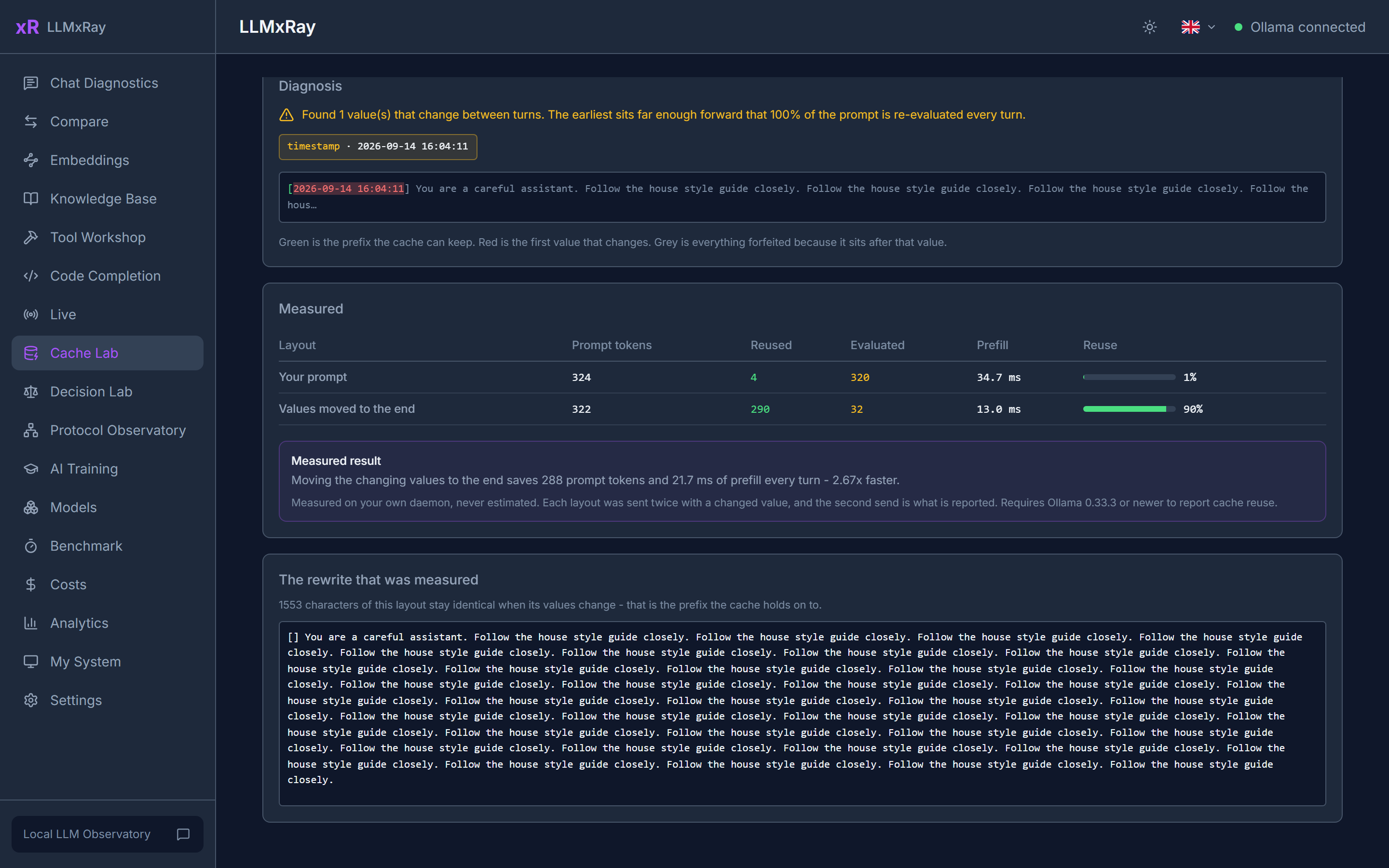
- Cache Lab: find the value that defeats the prompt cache and measure the fix on your own daemon
- Compare: up to four slots side by side, with a word-level diff
- Surgical Benchmark on real token logprobs
- Decision Lab for Ollama's decision models, probabilities drawn as bars
- Protocol Observatory: native, OpenAI-compatible and Anthropic-compatible paths side by side, reasoning included
- Knowledge Base and embeddings, all in the browser's IndexedDB
- Code Completion, Tool Workshop, costs, analytics, system monitor
- Five languages, dark and light mode
Links
- Website: lognebudo.github.io/llmxray
- Documentation: lognebudo.github.io/llmxray/docs/en/
- GitHub: github.com/LogneBudo/llmxray
- npm: npmjs.com/package/llmxray
License
Apache 2.0 — Copyright 2026 Ivan Stankovic (LogneBudo)
Tag summary
Content type
Image
Digest
sha256:7491ed5b3…
Size
69.2 MB
Last updated
3 days ago
docker pull djovaneli/llmxray