dkackman/diffusers-workflow
Diffusers based image and video generation
72
dkackman/diffusers-workflow repository overview
diffusers-workflow
Your GPU, as something an agent can drive. This image runs the diffusers-workflow server: Hugging Face Diffusers image, video and audio generation as jobs, with a web UI and an MCP endpoint that Claude Code (or any MCP client) uses to pick a workflow, quote its cost, run it and look at the result.
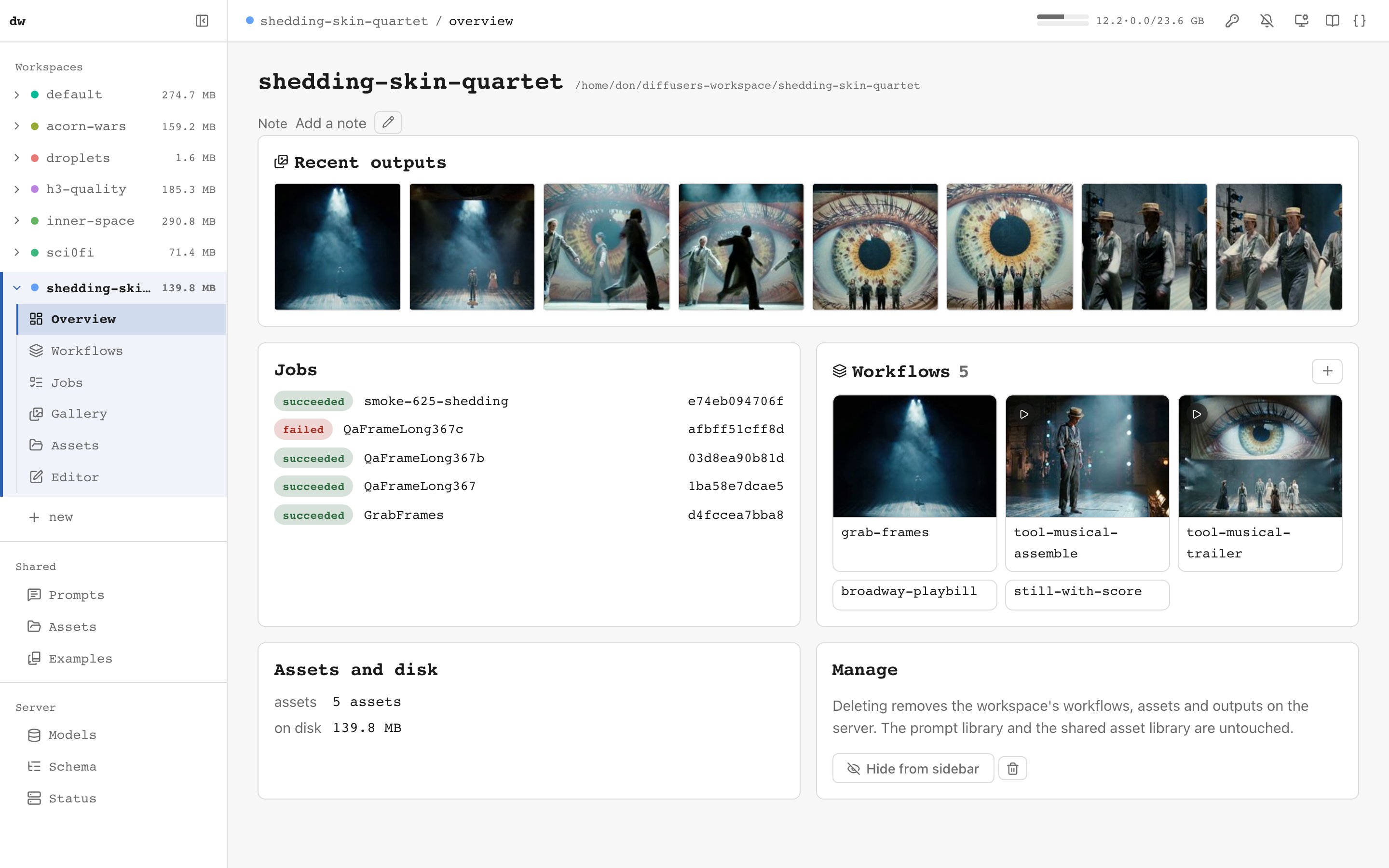
What's inside
Python, torch (CUDA 13), the engine, the web UI and the MCP server. diffusers lives on the data volume so it can follow GitHub main, where new model pipelines land first. It is installed on first start and updated only when you ask.
Requirements
- Linux with an NVIDIA GPU, Turing or newer (RTX 20-series and up)
- NVIDIA driver 580 or newer
- NVIDIA Container Toolkit
macOS is not supported: Docker on a Mac has no access to the GPU. Use the native install there.
Quick start
docker run -d --name dw --gpus all --shm-size 16g \
  -p 127.0.0.1:8765:8765 -v dw-data:/data \
  dkackman/diffusers-workflow:latest

docker logs -f dw                                         # first start installs diffusers
docker exec dw python /opt/dw/entrypoint.py login-url     # prints the login link
Open the link to sign in to the web UI. The server always requires a token. It
is generated on first start and never written to the log. Pass -e HF_TOKEN=...
for gated models such as Flux, LTX and MiniMax.
Connect Claude Code:
claude mcp add --transport http dw http://<host>:8765/mcp \
  --header "Authorization: Bearer <token>"
To reach it from your LAN, publish on 0.0.0.0:8765:8765 instead.
With a native install on the same box
The repo's docker/compose.yaml mounts the workspace, the Hugging Face cache
and the compile caches at their host paths. A container and a native server can
then share models, outputs and job history. Setup, diffusers pinning and options
are in docs/DOCKER.md.
Tags
latest and one tag per release from 0.18.0 on.
Links
Tag summary
Content type
Image
Digest
sha256:fe14e0f8d…
Size
3.6 GB
Last updated
1 day ago
docker pull dkackman/diffusers-workflow