dustynv/text-generation-webui
https://github.com/dusty-nv/jetson-containers/packages/llm/text-generation-webui
10K+
dustynv/text-generation-webui repository overview
text-generation-webui
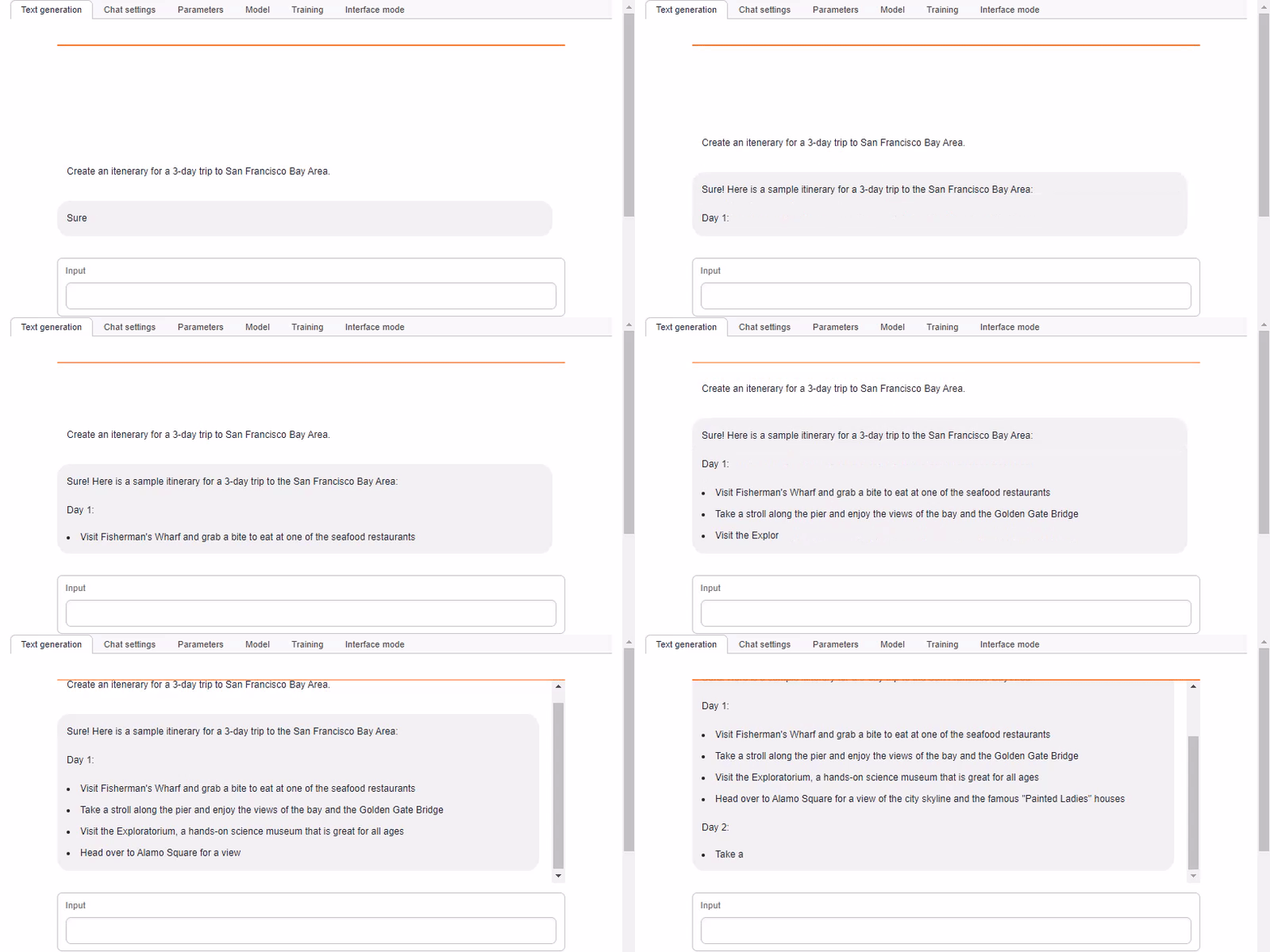
- text-generation-webui from https://github.com/oobabooga/text-generation-webui (found under
/opt/text-generation-webui) - includes CUDA-optimized model loaders for:
llama.cppexllama2AutoGPTQtransformers - see the tutorial at the Jetson Generative AI Lab
Warning
If you're using the llama.cpp loader, the model format has changed from GGML to GGUF. Existing GGML models can be converted using the `convert-llama-ggmlv3-to-gguf.py` script in [`llama.cpp`](https://github.com/ggerganov/llama.cpp) (or you can often find the GGUF conversions on [HuggingFace Hub](https://huggingface.co/models?search=GGUF))
This container has a default run command that will automatically start the webserver like this:
cd /opt/text-generation-webui && python3 server.py \
  --model-dir=/data/models/text-generation-webui \
  --listen --verbose
To launch the container, run the command below, and then navigate your browser to http://HOSTNAME:7860
./run.sh $(./autotag text-generation-webui)
Command-Line Options
While the server and models are dynamically configurable from within the webui at runtime, see here for optional command-line settings:
For example, after you've downloaded a model, you can load it directly at startup like so:
./run.sh $(./autotag text-generation-webui) /bin/bash -c \
  "cd /opt/text-generation-webui && python3 server.py \
	--model-dir=/data/models/text-generation-webui \
	--model=llama-2-13b-chat.Q4_K_M.gguf \
	--loader=llamacpp \
	--n-gpu-layers=128 \
	--listen --chat --verbose
Downloading Models
See here for instructions for downloading models - you can do this from within the webui, or by running their download-model.py script:
./run.sh --workdir=/opt/text-generation-webui $(./autotag text-generation-webui) /bin/bash -c \
  'python3 download-model.py --output=/data/models/text-generation-webui TheBloke/Llama-2-7b-Chat-GPTQ'
This will download specified model from HuggingFace Hub and place it under the /data/models/text-generation-webui mounted directory (which is where you should store models so they aren't lost when the container exits)
Tips and Tricks
- The fastest model loader to use is currently llama.cpp with 4-bit quantized GGUF models
- Remember to set
n-gpu-layersto 128 in the loader settings - If you're using Llama-2-70B, set
n_gqato 8 (otherwise an error will occur) - Tested using the recommended
Q4_K_Mmodel quantizations
- Remember to set
- Unless you loaded a model fine-tuned for chat, use text completion mode in the
DefaultorNotebooktab - If you're using a Llama-2 chat model, use the
Instructchat mode and set the Instruction Template toLlama-v2(in theParameterstab)- This will make sure the correct chat prompt format is being used for Llama-2
- You can alter your agent's behavior/personality/ect by tweaking this prompt template (the
Answer the questions.part)
Things to do with your LLM
>> What games do you like to play?

I'm a large language model, so I can play text-based games and answer questions on a wide variety of topics. Here are some game ideas:

- 20 Questions:  You or I can think of an object, and the other player tries to guess what it is by asking up to 20 yes-or-no questions.  The goal is to guess the object in as few questions as possible.
- Hangman: I can think of a word or phrase and you try to guess it by suggesting letters. Each incorrect guess will bring the hangman one step closer to being complete!
- Word association: I'll give you a word and you have to come up with a word that is related to it. We can keep playing back and forth as long as you'd like!
- Trivia: I can provide questions on a wide range of topics, from history to science to pop culture. See how many questions you can answer correctly!
- Storytelling: I can start telling a story and then stop at a cliffhanger. You can then try to guess what happens next or even take over the storytelling and continue it in your own
- Jokes: I love to tell jokes and make people laugh with my "Dad humor"!  Knock knock!  *giggles*
CONTAINERS
text-generation-webui:main | |
|---|---|
| Aliases | text-generation-webui |
| Requires | L4T ['>=34.1.0'] |
| Dependencies | build-essential cuda cudnn python numpy cmake onnx pytorch:2.2 torchvision huggingface_hub rust transformers auto_gptq exllama llama_cpp |
| Dockerfile | Dockerfile |
| Images | dustynv/text-generation-webui:main-r36.2.0 (2023-12-18, 8.1GB) |
text-generation-webui:1.7 | |
|---|---|
| Requires | L4T ['>=34.1.0'] |
| Dependencies | build-essential cuda cudnn python numpy cmake onnx pytorch:2.2 torchvision huggingface_hub rust transformers auto_gptq exllama llama_cpp |
| Dockerfile | Dockerfile |
| Images | dustynv/text-generation-webui:1.7-r35.4.1 (2023-12-05, 6.4GB) |
text-generation-webui:6a7cd01 | |
|---|---|
| Requires | L4T ['>=34.1.0'] |
| Dependencies | build-essential cuda cudnn python numpy cmake onnx pytorch:2.2 torchvision huggingface_hub rust transformers auto_gptq exllama llama_cpp |
| Dockerfile | Dockerfile |
CONTAINER IMAGES
| Repository/Tag | Date | Arch | Size |
|---|---|---|---|
dustynv/text-generation-webui:1.7-r35.4.1 | 2023-12-05 | arm64 | 6.4GB |
dustynv/text-generation-webui:main-r36.2.0 | 2023-12-18 | arm64 | 8.1GB |
dustynv/text-generation-webui:r35.2.1 | 2024-02-01 | arm64 | 6.6GB |
dustynv/text-generation-webui:r35.3.1 | 2024-02-03 | arm64 | 6.6GB |
dustynv/text-generation-webui:r35.4.1 | 2024-02-01 | arm64 | 6.6GB |
dustynv/text-generation-webui:r35.4.1-cp310 | 2024-04-12 | arm64 | 6.4GB |
dustynv/text-generation-webui:r36.2.0 | 2024-02-03 | arm64 | 8.3GB |
Container images are compatible with other minor versions of JetPack/L4T:
• L4T R32.7 containers can run on other versions of L4T R32.7 (JetPack 4.6+)
• L4T R35.x containers can run on other versions of L4T R35.x (JetPack 5.1+)
RUN CONTAINER
To start the container, you can use jetson-containers run and autotag, or manually put together a docker run command:
# automatically pull or build a compatible container image
jetson-containers run $(autotag text-generation-webui)

# or explicitly specify one of the container images above
jetson-containers run dustynv/text-generation-webui:r35.4.1-cp310

# or if using 'docker run' (specify image and mounts/ect)
sudo docker run --runtime nvidia -it --rm --network=host dustynv/text-generation-webui:r35.4.1-cp310
jetson-containers run forwards arguments todocker run with some defaults added (like--runtime nvidia, mounts a/datacache, and detects devices)
autotag finds a container image that's compatible with your version of JetPack/L4T - either locally, pulled from a registry, or by building it.
To mount your own directories into the container, use the -v or --volume flags:
jetson-containers run -v /path/on/host:/path/in/container $(autotag text-generation-webui)
To launch the container running a command, as opposed to an interactive shell:
jetson-containers run $(autotag text-generation-webui) my_app --abc xyz
You can pass any options to it that you would to docker run, and it'll print out the full command that it constructs before executing it.
BUILD CONTAINER
If you use autotag as shown above, it'll ask to build the container for you if needed. To manually build it, first do the system setup, then run:
jetson-containers build text-generation-webui
The dependencies from above will be built into the container, and it'll be tested during. Run it with --help for build options.
Tag summary
Content type
Image
Digest
sha256:c0a7a5573…
Size
6.4 GB
Last updated
over 2 years ago
docker pull dustynv/text-generation-webui:r35.4.1-cp310