eason02/elasticsearch repository overview
elasticstack
ELK : elasticsearch + logstash + kibana
- Version : 5.0.1
- Version : 5.3.1 + docker-compose.yml for linux, docker-compose.yml for docker_for_mac
- Version : 5.6.3 + docker-compose.yml for linux, docker-compose.yml for docker_for_mac
- Version : 6.0.0 + docker-compose.yml for linux, docker-compose.yml for docker_for_mac
- Version : 6.1.2 + docker-compose.yml for linux, docker-compose.yml for docker_for_mac
Forwarder : filebeat port 5044
Prerequisite
- OS : Centos 7.x
- Docker engine > 1.12.x
- Docker-compose > 1.11.x
Clone GIT folder under your user home
cd ~
git clone https://github.com/easonlau02/elasticstack.git
Now support 4 version for you to choose below way to up service
5.3.1/5.6.3/6.0.0/6.1.2
below take version 6.1.2 for example.
The Simplest way to start all component:
- Usage
cd ~/elasticstack/
chmod +x auto_up_elk_service.sh
./auto_up_elk_service.sh
usage: ./up_service.sh <linux|mac>  <5.3.1 5.6.3 6.0.1 6.1.2> <your_hostname>
- For linux user
./auto_up_elk_service.sh linux 6.1.2
- For Mac user
./auto_up_elk_service.sh mac 6.1.2 <your_hostname>
The second way to start all component by version folder
- Change config if you are using docker-for-mac under MAC
- Replace <your_es_host> with your running host for below config
~/elasticstack/6.1.2/docker-compose.yml.docker_for_mac
- Startup ELK service at one machine
- For linux user
cd ~/elaticstack/6.1.2
docker-compose -f docker-compose.yml.linux up -d
- For Mac user
cd ~/elasticstack/6.1.2
docker-compose -f docker-compose.yml.docker_for_mac up -d
- Access kibana via
<kibanahost>:5601, you can see below screenshot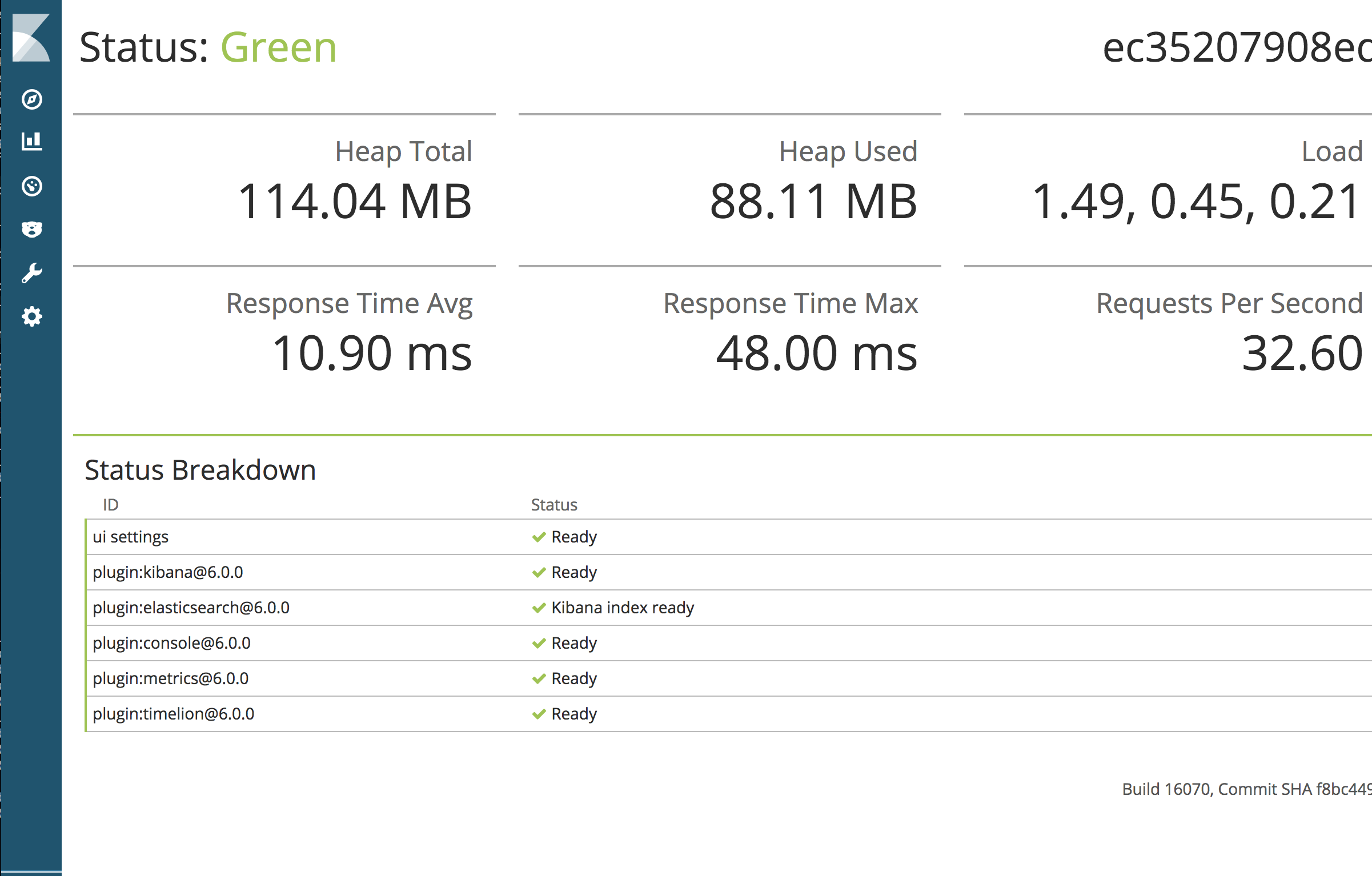
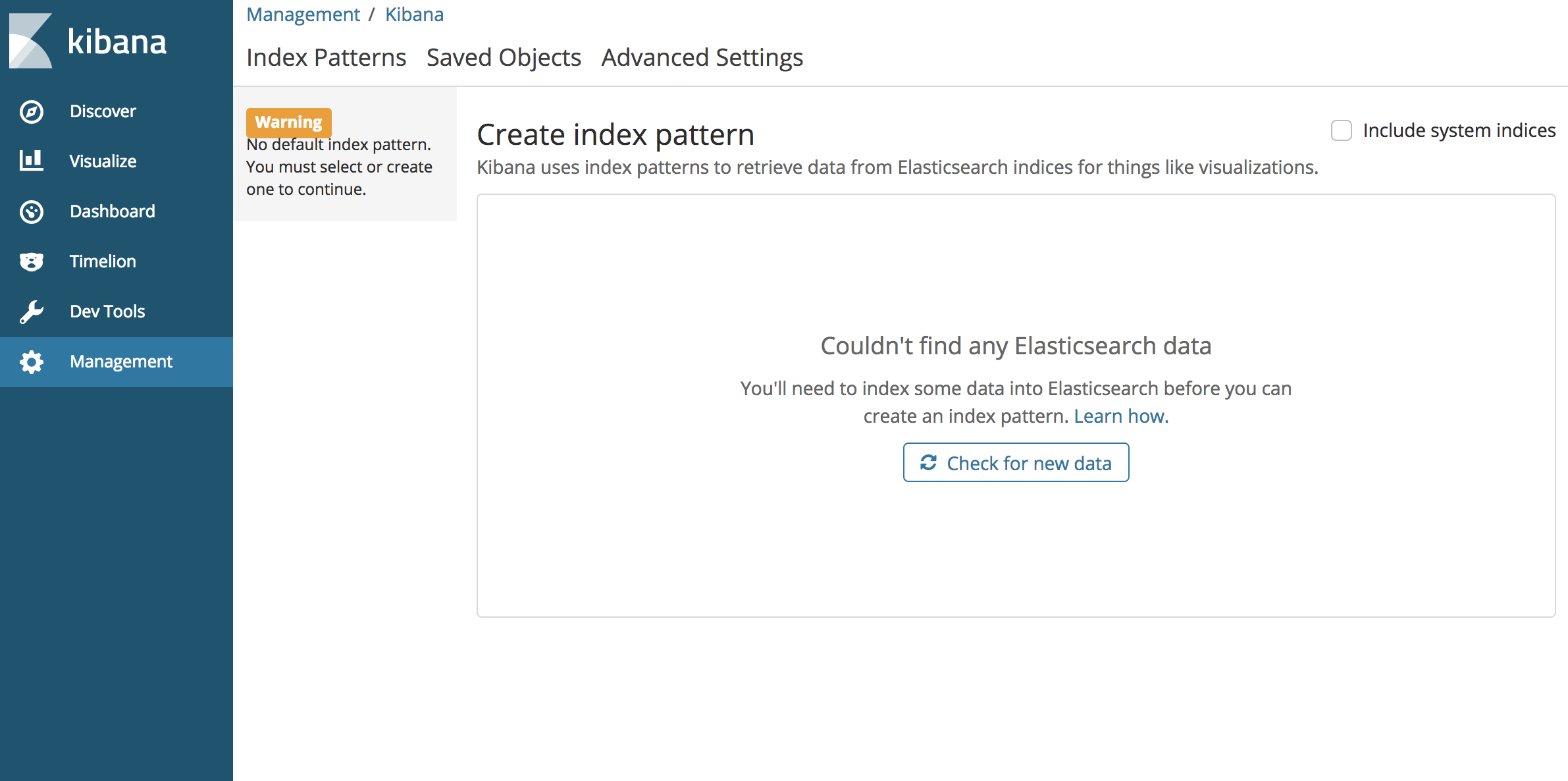
You can see Unable to fetch mapping. Do you have indices match..., caused by no log feed.
HERE IS IMPORTANT!!!!
We managed all config file in images eason02/elk-data-volume:6.1.2, so if you need to change/add config for below folder.
~/elasticstack/6.1.2/elasticsearch/config/
~/elasticstack/6.1.2/logstash/config/
~/elasticstack/6.1.2/kibana/config/
And then run below related scripts to build new config image eason02/elk-data-volume:6.1.2.
cd ~/elasticstack/6.1.2/
chmod +x build_data_volumes_for_elk.sh
./build_data_volumes_for_elk.sh
Restart elk service to take effect.
- For linux user:
cd ~/elasticstack/6.1.2/
docker-compose -f docker-compose.yml.linux restart
- For Mac user:
cd ~/elasticstack/6.1.2/
docker-compose -f docker-compose.yml.docker_for_mac restart
Feedback and new requirement
- Fork it (https://github.com/easonlau02/elasticstack/fork)
- Comment below/requirement or raise issue
Tag summary
Content type
Image
Digest
Size
527.7 MB
Last updated
over 8 years ago
docker pull eason02/elasticsearch