egreen/docker-api
Simple Api for access docker from outside
1.0K
egreen/docker-api repository overview


Docker UI
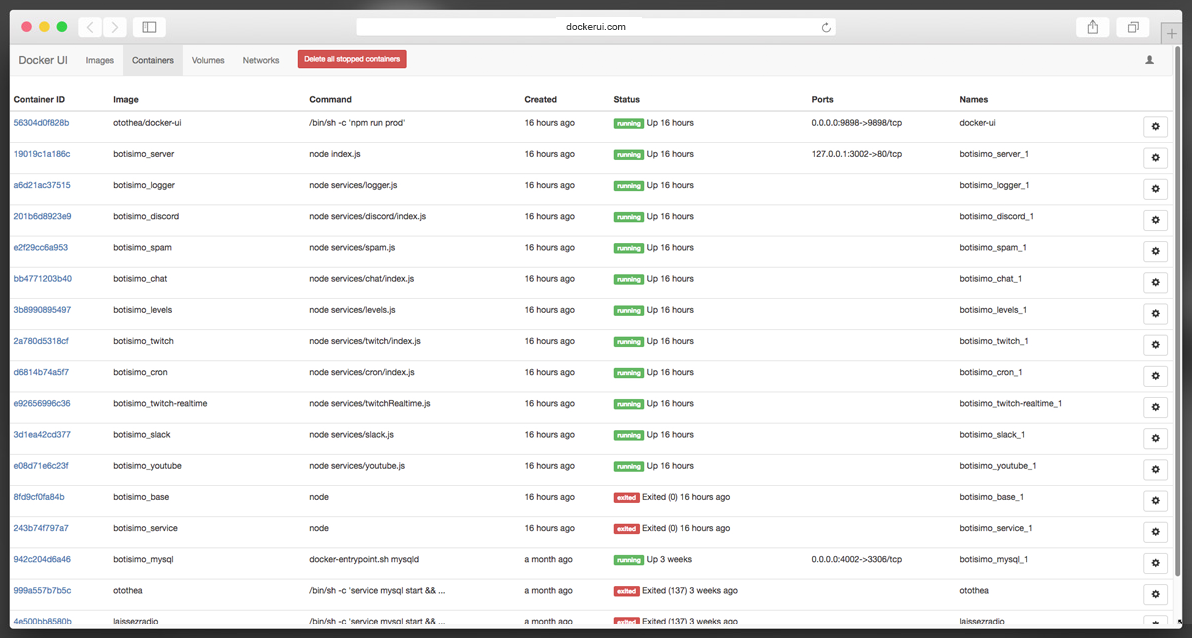
Docker UI is a web app for viewing and managing Docker images, containers, volumes, etc in a web browser.
This project is also meant to serve as a working example of how to build a full-stack web app using:
- NodeJS
- ExpressJS
- ReactJS
- MobX
- FuseBox
Usage
Production (Docker)
Pull the image
docker pull otothea/docker-ui
Run it
docker run -d -p 9898:9898 \
  -v /var/run/docker.sock:/var/run/docker.sock \
  --name docker-api \
  egreen/docker-api
Run it with authentication (see environment variables)
docker run -d -p 9898:9898 \
  -v /var/run/docker.sock:/var/run/docker.sock \
  --name docker-ui \
  -e DOCKER_UI_HTTPS=1 \
  -e DOCKER_UI_USER=username \
  -e DOCKER_UI_PASS=password \
  -e DOCKER_UI_SECRET=supersecretsessionkey \
  egreen/docker-api
Production (Node)
Clone the repository
git clone https://github.com/otothea/docker-ui.git
Change to the repository directory
cd docker-ui
Install the production dependencies
npm install --prod
Copy the config and adjust as needed (see config options)
cp config.example.js config.js
Start the server
npm run prod
Development
Clone the repository
git clone https://github.com/otothea/docker-ui.git
Change to the repository directory
cd docker-ui
Install the dependencies
npm install
Copy the config and adjust as needed (see config options)
cp config.example.js config.js
Start the client
npm run watch
Start the server
npm start
Config Options
- host
string- the hostname the API listens on - port
number- the port the API listens on - [debugger]
number- the port the debugger listens on (required if dev) - [https]
boolean- force https - [httpsProto]
boolean- trustx-forwarded-protoheader (only set totrueif you know you need this) - [user]
string- the username to access the UI - [pass]
string- the password to access the UI (required ifuseris set) - [secret]
string- the express session key (required ifuseris set)
Environment Variables
- DOCKER_UI_HOST - override config.host
- DOCKER_UI_PORT - override config.port
- DOCKER_UI_DEBUGGER - override config.debugger
- DOCKER_UI_HTTPS - override config.https
- DOCKER_UI_HTTPS_PROTO - override config.httpsProto
- DOCKER_UI_USER - override config.user
- DOCKER_UI_PASS - override config.pass
- DOCKER_UI_SECRET - override config.secret
Testing
There are currently no tests.
Contributing
Pull requests are welcome.
Tag summary
Content type
Image
Digest
Size
280.3 MB
Last updated
over 9 years ago
docker pull egreen/docker-api