eliasbiondo/antirion
The fastest open-source AI gateway. One Rust binary with the console built in.
170
eliasbiondo/antirion repository overview

Antirion
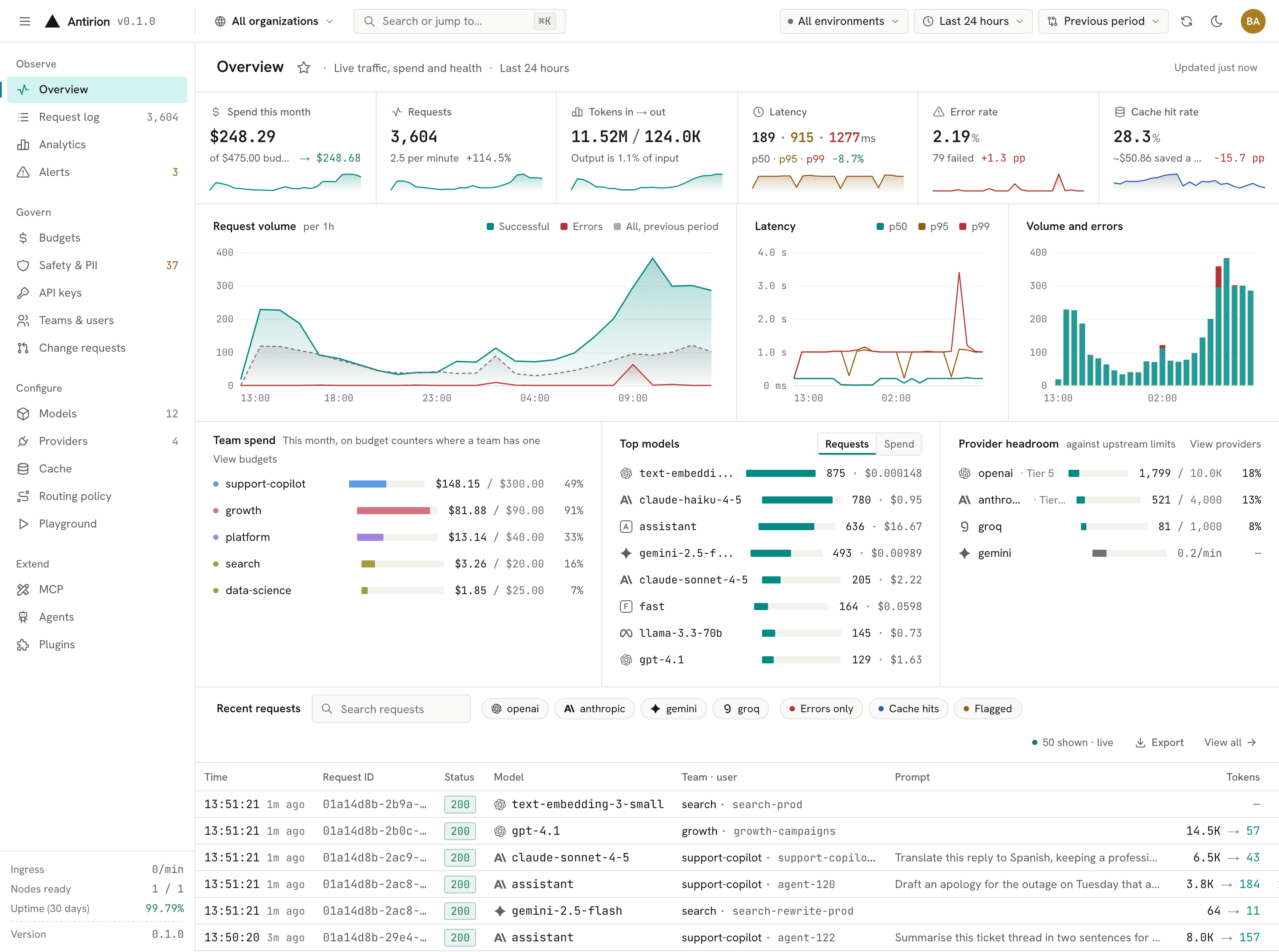
The fastest open-source AI gateway. One Rust binary, with the admin console built in, between your apps and every model provider.
GitHub · Getting started · Benchmarks · Releases
Quick start
docker run -p 8080:8080 -p 8081:8081 -v antirion-data:/var/lib/antirion eliasbiondo/antirion
No config file is needed. The first start prints the console's address and an admin token, shown that once:
  Console      http://localhost:8081/ui/
  Admin token  ak-antirion-…
               Shown on this first start only; it is kept in
               /var/lib/antirion/data/bootstrap-token
  Data plane   http://localhost:8080/v1
- Open http://localhost:8081/ui/ and sign in with the admin token.
- Add a provider (paste its API key), a model and an API key for your app.
- Point any OpenAI- or Anthropic-compatible SDK at
http://localhost:8080/v1with that key.
curl http://localhost:8080/v1/chat/completions \
  -H "Authorization: Bearer $ANTIRION_KEY" -H "Content-Type: application/json" \
  -d '{"model": "<your model>", "messages": [{"role": "user", "content": "Hello"}]}'
Lost the token? It is kept in the volume:
docker cp <container>:/var/lib/antirion/data/bootstrap-token - | tar -xO.
What it does
- Fast. Sub-millisecond overhead at thousands of requests per second on 4 vCPUs, with an idle footprint of about 40 MiB. Rust, no garbage collector, one data thread per CPU (benchmarks).
- Every major provider behind one API. OpenAI, Azure OpenAI, Anthropic, Amazon Bedrock, Google Vertex AI, Gemini, Mistral, Cohere, Groq, Together, Fireworks, DeepSeek, xAI, Cerebras, DeepInfra, Perplexity, and any OpenAI- or Anthropic-compatible server such as vLLM. Clients speak OpenAI, Anthropic, Gemini or Bedrock; Antirion translates between them.
- Routing that keeps you up. Fallback chains, weighted splits, least cost, least latency, retries, hedging and circuit breakers, decided per request and recorded in the request log.
- Spend under control. Rate limits and budgets in dollars or tokens per organization, team, project and key, with a cost ledger and alerts before a budget runs out.
- Safety at the edge. Guardrails for personal data, secrets, keywords, regexes, JSON schemas, topics, moderation and prompt injection, on requests, responses and streams.
- Ready for production. Exact and semantic caching, MCP and agent gateways, SSO with OIDC, SAML and SCIM, an audit log with change requests, and a standalone node or a cluster on PostgreSQL and Valkey.
Tags
| Tag | What it is |
|---|---|
latest | The latest release |
X.Y.Z | A release, such as 0.1.1 |
Images are multi-arch (linux/amd64, linux/arm64), distroless, run as UID 65532 with no shell,
and are also published as ghcr.io/eliasbiondo/antirion:vX.Y.Z. Each release image is signed
with Sigstore (keyless, bound to the release workflow) and carries an SBOM and SLSA provenance:
cosign verify eliasbiondo/antirion:0.1.1 \
  --certificate-identity-regexp '^https://github.com/eliasbiondo/antirion/.github/workflows/' \
  --certificate-oidc-issuer https://token.actions.githubusercontent.com
Configuration
| Port | Serves |
|---|---|
8080 | The data plane: the /v1 API your apps call |
8081 | The admin plane: the Admin API and the web console |
| Variable | Purpose |
|---|---|
ANTIRION_BOOTSTRAP_TOKEN | Your own admin token instead of a generated one |
ANTIRION_ENCRYPTION_KEY | Your own key (base64 of 32 bytes) for the provider keys it stores |
ANTIRION_PUBLIC_ORIGIN | The console's address when it is not http://localhost:8081 |
ANTIRION_DATA_PLANE_URL | The data plane's address shown in the console, when not http://localhost:8080 |
Data lives in the volume /var/lib/antirion; name it (as above) so a new container keeps the same
gateway. docker run --rm eliasbiondo/antirion serve --help lists every flag.
To run from a config file, mount it and pass serve --config:
docker run -d --name antirion --read-only -p 8080:8080 -p 8081:8081 \
  -e ANTIRION_BOOTSTRAP_TOKEN -e ANTIRION_ENCRYPTION_KEY \
  -v "$PWD/antirion.yaml:/etc/antirion/antirion.yaml:ro" -v antirion-data:/var/lib/antirion \
  eliasbiondo/antirion serve --config /etc/antirion/antirion.yaml
The configuration reference, Docker Compose (with a two-node cluster on PostgreSQL and Valkey) and the Helm chart for Kubernetes are in the repository.
License
Apache-2.0. Source, issues and contributions: https://github.com/eliasbiondo/antirion.
Tag summary
Content type
Image
Digest
sha256:d4617950b…
Size
123.1 MB
Last updated
about 12 hours ago
docker pull eliasbiondo/antirion