elsvital/minix
Create a virtual machine to run MINIX 3.1.2a and access it with VNC client.
Image
0
138
elsvital/minix repository overview
Access through VNC. The system is not installed. To install on a Linux desktop, a graphical interface is needed.
docker run -p 5900:5900 --name minix312a elsvital/minix:3.1.2a
VNC Connect REAL VNC
connect to the container using a VNC client pointing:
localhost:5900
Installing Guide
Running the Setup script
When the login prompt appears, login as root. Press Enter when prompted for a password.
To start the installation of MINIX on the hard disk, type
setup
After this and all other commands, be sure to type ENTER (RETURN). When the installation script ends a screen with a colon, hit ENTER to continue. At the end of the installation:
shutdown
...
fd0> boot d0p0
Startup bug fixes
If the system crashes (does not respond) when the reboot or shutdown commands are triggered:
- Identify the container:
docker container list
0f509b958ff5   elsvital/minix:3.1.2a   "qemu-system-x86_64 …"   2 minutes ago   Up 2 minutes   0.0.0.0:5900->5900/tcp, :::5900->5900/tcp   minix312a
- Stop the container:
docker container stop 0f509b958ff5
- Restart the container:
docker container start 0f509b958ff5
- Access again through VNC on port 5900
SSH version. The System installed. To install on a Linux desktop, a graphical interface is needed.
- RUN
docker run -e DISPLAY=$DISPLAY -v /tmp/.X11-unix:/tmp/.X11-unix:ro --privileged -p 5900:5900 --name minix312a-ssh elsvital/minix:3.1.2a-ssh
-
When the image appears type yes and then click on the OK button
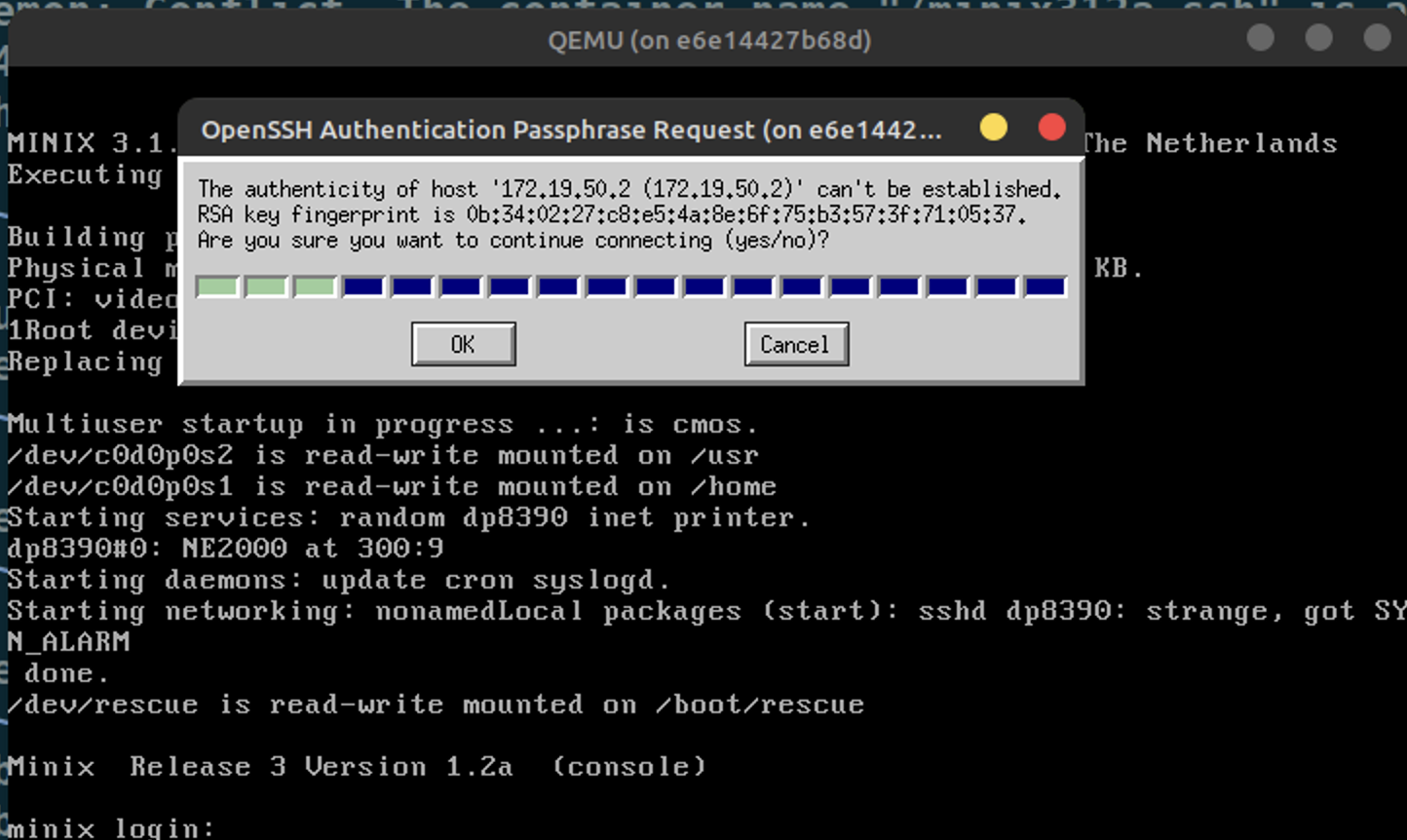
-
List Container
docker container ls
e6e14427b68d   elsvital/minix:3.1.2a-ssh   "/bin/sh -c ./launch…"   9 minutes ago   Up 9 minutes   22/tcp, 0.0.0.0:5900->5900/tcp, :::5900->5900/tcp   minix312a-ssh
- Access the container (e6e14427b68d) console and then access Minix via ssh. Within the SSH console, it is possible to copy and paste code directly into the VIM and EMACS editors. To install a package, type 'packman' and select the package number.
docker exec -it e6e14427b68d bash
root@e6e14427b68d:/# ssh [email protected]
- After executing a shutdown, the container needs to be restarted. After that, repeat step 4, to access the MINIX console via SSH.
docker container e6e14427b68d start
Migrate Docker Container to another Machine
- On the source machine
docker commit <name-or-id-container> <export-image-name>
docker save <export-image-name> > export-image-name.tar
- On the destination machine
docker load < export-image-name.tar
docker run -d -p 5900:5900 --name local-image-name  export-image-name
Tag summary
Content type
Image
Digest
sha256:702892a2a…
Size
422.3 MB
Last updated
over 3 years ago
docker pull elsvital/minix:3.1.2a-ssh