eodia/basedb
Self-hosted collaborative database where every table is a real PostgreSQL table
2.0K
eodia/basedb repository overview
basedb
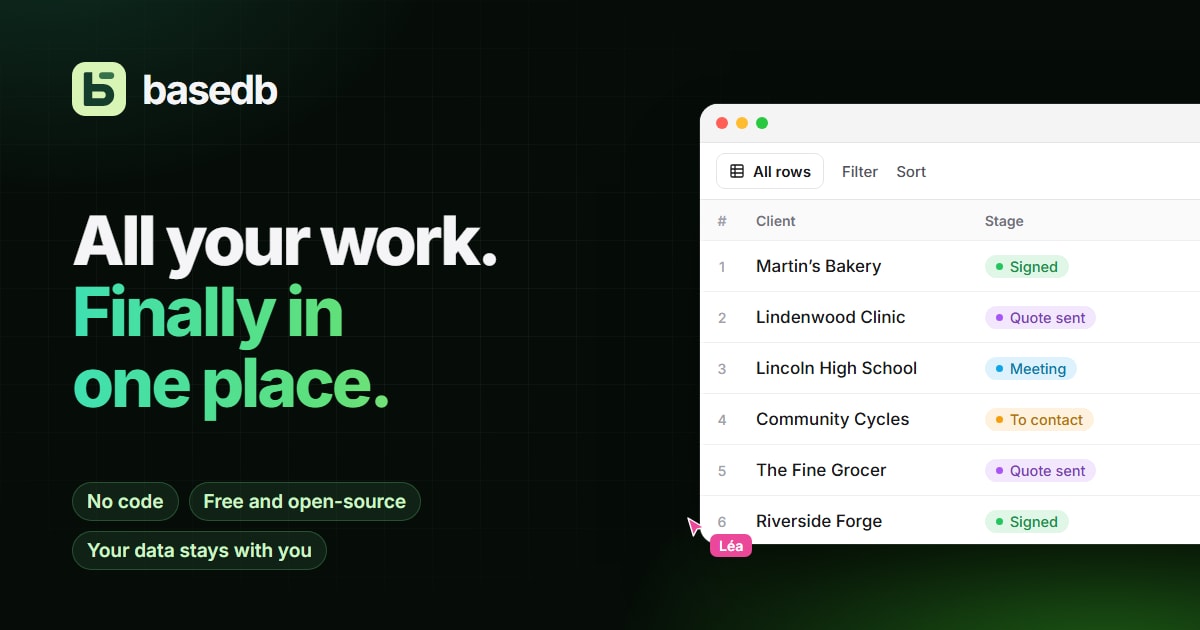
The collaborative database where every table is a real PostgreSQL table. Grids, ten kinds
of views, forms, formulas, automations, PDF documents and dashboards for your team — on typed
tables with readable names that psql, your BI tools and your AI agents read directly. One
image and a PostgreSQL: everything else is configured in the interface.
This image holds every part of basedb, served on a single port, 3000:
- the interface: bases, tables, views, forms, dashboards, automations and all of the administration;
- the REST API, under
/api: data, sign-in, and the API documentation generated for each base; - the MCP server, under
/mcp, for AI agents.
Alongside it, it needs PostgreSQL 16 or later, which holds both basedb's catalog and your data — as plain schemas, tables and columns.
🧪 Live demo · 📖 Documentation · 💻 Source code · ⚖️ License AGPL-3.0-or-later
The interface speaks twenty languages.
What it does
- Real PostgreSQL tables. A base is a schema, a table is a table, a field is a typed column
with a readable name: a "Due date" field is a
due_date datecolumn, a "Client" link aclients_id uuidcolumn and itsFOREIGN KEY, a formula aSTOREDgenerated column. Your scripts andpsqlread the same rows — and write to them: constraints hold, and even direct SQL is recorded in the history. - Typed fields: currency, duration, rating, email, person, autonumber, files, single and multiple links, formulas computed by PostgreSQL, lookups and rollups across links.
- Ten views on the same rows: grid, kanban, calendar, timeline, gallery, list, map, form, survey and quiz — shared or personal.
- Sharing: a form that takes answers without an account, a read-only view to embed in a website, a calendar to subscribe to.
- Collaboration: comments and mentions, notifications, other people's edits in real time, and an undo that refuses rather than overwrite someone else's work.
- Automations: when a row changes, on a schedule or on a click — update, create, notify, wait, loop, call an API or a webhook, post to Slack, send a PDF — with every run traced.
- PDF documents: invoices, quotes, record sheets and certificates in your colors, with linked rows and totals.
- Dashboards: questions asked with the mouse or in SQL, fifteen chart types, shared filters, public or members-only links.
- SQL for everyone, with their own rights: saved queries and real PostgreSQL views. PostgreSQL itself keeps each person to their tables and fields.
- Permissions by group, on a project, a base or a table, down to the field; a history of every write, wherever it came from; environments — production, staging — that you compare and migrate.
- Integrations: a REST API (OpenAPI 3.1) with a TypeScript SDK, an MCP server, webhooks and n8n nodes, behind the same permission check. An AI agent reads and writes within its token's rights; it does not change the structure, it proposes changes.
- Optional AI (OpenAI, Anthropic, Mistral or any compatible server): fields filled by a model, a copilot, a whole base described in one sentence. Without a key, nothing leaves.
- Accounts: password, or your company's identity provider (OpenID Connect: Google, Microsoft Entra ID, GitLab, Keycloak…).
Try it in two minutes
All you need is Docker with Compose v2. In an empty folder, create this docker-compose.yml:
name: basedb-trial

services:
  db:
    image: postgres:16-alpine
    environment:
      POSTGRES_USER: basedb
      POSTGRES_PASSWORD: basedb
      POSTGRES_DB: basedb
    volumes:
      - db-data:/var/lib/postgresql/data
    healthcheck:
      test: ["CMD-SHELL", "pg_isready -h 127.0.0.1 -U basedb -d basedb"]
      interval: 5s
      timeout: 3s
      retries: 30

  basedb:
    image: eodia/basedb:${BASEDB_VERSION:-latest}
    init: true
    depends_on:
      db: { condition: service_healthy }
    environment:
      DATABASE_URL: postgres://basedb:basedb@db:5432/basedb
      BASEDB_ENCRYPTION_KEY: ${BASEDB_ENCRYPTION_KEY:?set BASEDB_ENCRYPTION_KEY in .env}
      # Optional: without them, AI is turned off (it can also be set up in the interface).
      BASEDB_AI_PROVIDER: ${BASEDB_AI_PROVIDER:-}
      BASEDB_AI_MODEL: ${BASEDB_AI_MODEL:-}
      ANTHROPIC_API_KEY: ${ANTHROPIC_API_KEY:-}
    volumes:
      - files:/data
    ports:
      - "127.0.0.1:3000:3000"

volumes:
  db-data:
  files:
Then:
echo "BASEDB_ENCRYPTION_KEY=$(openssl rand -base64 32)" > .env
docker compose up -d
Open http://localhost:3000: the first page creates the administrator account. Then, in the
empty project, open the demo base (see
Getting started). PostgreSQL is not
published by this file: add ports: ["127.0.0.1:5432:5432"] to db to read your tables with
psql.
To turn AI on, add a provider, a model and a key, then restart:
cat >> .env <<EOF
BASEDB_AI_PROVIDER=anthropic
BASEDB_AI_MODEL=claude-sonnet-5
ANTHROPIC_API_KEY=…
EOF
docker compose up -d
This file publishes basedb on
127.0.0.1, over HTTP, with a fixed database password: it is meant for trying things out. For people coming from elsewhere, see In production.
With demo data
The live demo signs you in with one click, in your browser's
language: a small agency with its clients, projects, tasks, invoices and reviews — formulas,
every kind of view, a dashboard and automations. Creating and deleting are turned off there, so
is AI, and the base goes back to its initial state every night. On your own instance, every
empty project offers the same demo base; BASEDB_DEMO=1 turns an instance into a public demo
(see Environment variables).
The image
| Architectures | linux/amd64, linux/arm64 |
| Port | 3000: the interface, /api and /mcp, behind a router inside the container |
| Volume | /data: the files of File and Image fields (or an S3-compatible bucket instead) |
| Command | none: the API, the MCP server and the interface together |
| User | node, unprivileged |
| Health check | GET /healthz, on the API then through the router |
| Base | Node 22, Debian Bookworm slim |
| Path | What answers |
|---|---|
/api/*, /auth/*, /healthz | the REST API, sign-in, background work |
/mcp | the MCP server (Streamable HTTP), for agents |
everything else — /, /f/…, /v/… | the interface, shared forms and views included |
On startup, the API goes first: on an empty database, it applies the catalog and prepares the first administrator; afterwards, it applies, in order and each in its own transaction, the catalog migrations it is missing — your data stays in place. The MCP server starts as soon as the API answers. If any of the processes stops, the whole container stops, and the restart policy brings it back.
Tags
| Tag | Tracks |
|---|---|
0.6.1 | exactly this version |
0.6 | the latest release in the 0.6 series |
latest | the latest release |
A prerelease (0.7.0-rc.1) is published under its exact tag only. In production, pin an exact
version rather than following latest.
Environment variables
An empty value counts as unset.
Required
| Variable | Purpose |
|---|---|
DATABASE_URL | the PostgreSQL 16+ database: a role that owns it, the pg_trgm and unaccent extensions available |
BASEDB_ENCRYPTION_KEY | the instance key: signs sessions and encrypts stored secrets (AI keys, webhook secrets, form links): openssl rand -base64 32. Keep it: changing it signs everyone out, and a backup without it cannot restore those secrets |
BASEDB_PUBLIC_URL | in production, the public address: the return of an OIDC sign-in, the links in emails |
Optional
| Variable | Purpose |
|---|---|
BASEDB_ADMIN_EMAIL, BASEDB_ADMIN_PASSWORD | create the first administrator at startup (unattended installs); without a password, it is generated and printed once in the logs |
BASEDB_BASE_PATH | serve basedb under a path behind a gateway, /basedb for https://gateway.example.com/basedb/ (otherwise the path of BASEDB_PUBLIC_URL) |
BASEDB_OIDC_PROVIDERS | sign-in providers, google,microsoft, each with its BASEDB_OIDC_<NAME>_CLIENT_ID and _CLIENT_SECRET |
BASEDB_SMTP_HOST, BASEDB_SMTP_PORT, BASEDB_SMTP_USER, BASEDB_SMTP_PASSWORD, BASEDB_MAIL_FROM | outgoing email: notifications, automations, password resets |
BASEDB_S3_BUCKET, BASEDB_S3_ENDPOINT, BASEDB_S3_REGION, BASEDB_S3_ACCESS_KEY_ID, BASEDB_S3_SECRET_ACCESS_KEY | store files in an S3-compatible bucket rather than /data |
BASEDB_FILES_MAX_MB | maximum size of a file (25) |
BASEDB_AI_PROVIDER, BASEDB_AI_MODEL, BASEDB_AI_API_KEY | AI for the instance: openai, anthropic, mistral or openai_compatible; the key can also come from OPENAI_API_KEY, ANTHROPIC_API_KEY or MISTRAL_API_KEY |
BASEDB_AI_BASE_URL, BASEDB_AI_HEADERS | another address (Azure, a gateway, a local model) and the headers it asks for |
BASEDB_WEBHOOK_ALLOW | servers of your own network that webhooks and automations may reach: *.intra.example.com, 10.12.0.0/16 |
BASEDB_GEOCODER_URL, BASEDB_MAP_TILES | your own address search and map tiles; off keeps addresses on the instance |
BASEDB_TEMPLATES_URL | where the template gallery is read from; off for none |
BASEDB_MIGRATE | 0: this instance does not update the catalog, it only checks it |
The full list, with defaults: Environment variables.
In production
The repository's docker-compose.yml — PostgreSQL, basedb and, with the https profile,
Caddy for the certificates — needs no clone. You need a server and a domain name pointing to
it, ports 80 and 443 open:
mkdir /opt/basedb && cd /opt/basedb
curl -fsSLO https://raw.githubusercontent.com/eodia/basedb/main/docker-compose.yml

cat > .env <<EOF
BASEDB_VERSION=0.6.1
BASEDB_DOMAIN=basedb.example.com
BASEDB_PUBLIC_URL=https://basedb.example.com
POSTGRES_PASSWORD=$(openssl rand -hex 16)
BASEDB_ENCRYPTION_KEY=$(openssl rand -base64 32)
EOF

docker compose --profile https up -d
Every other variable is described in
.env.example.
Good to know, for this layout or your own:
-
Create the administrator first. As long as none exists, the first person who opens the interface creates one: do it before the instance is reachable by others, or name it with
BASEDB_ADMIN_EMAIL. -
HTTPS is required away from
localhost: session cookies areSecureand prefixed with__Host-. -
Send all of the domain's traffic to port 3000, without response buffering: the MCP server and real-time updates stream their answers.
-
Replace
X-Forwarded-Forin your proxy rather than appending to it: rate limits (sign-in, shared forms) count per visitor. -
Your own PostgreSQL: set
DATABASE_URL, and the image alone is enough:docker run -d --name basedb -p 127.0.0.1:3000:3000 -v basedb-files:/data \ -e DATABASE_URL=postgres://basedb:[email protected]:5432/basedb \ -e BASEDB_ENCRYPTION_KEY="…" \ eodia/basedb:0.6.1
To upgrade, back up first, then:
docker compose pull && docker compose --profile https up -d # migrations are applied on startup
You can skip versions. There is no going back: an older version refuses to start on a catalog a newer one has updated — restore the backup made before the upgrade instead.
Back up the PostgreSQL database (pg_dump is enough), the /data volume and
BASEDB_ENCRYPTION_KEY: that is all there is.
Backups and updates has the
details.
License
Open-source software by Eodia, released under the GNU Affero General Public License v3.0 or any later version. If you modify it and offer it as a network service, you must publish your modified source.
Tag summary
Content type
Image
Digest
sha256:1e31a9a69…
Size
169.2 MB
Last updated
about 10 hours ago
docker pull eodia/basedb