eodia/messagerie
Self-hosted customer messaging with a first-line AI agent and a copilot for your support team.
884
eodia/messagerie repository overview
Messagerie
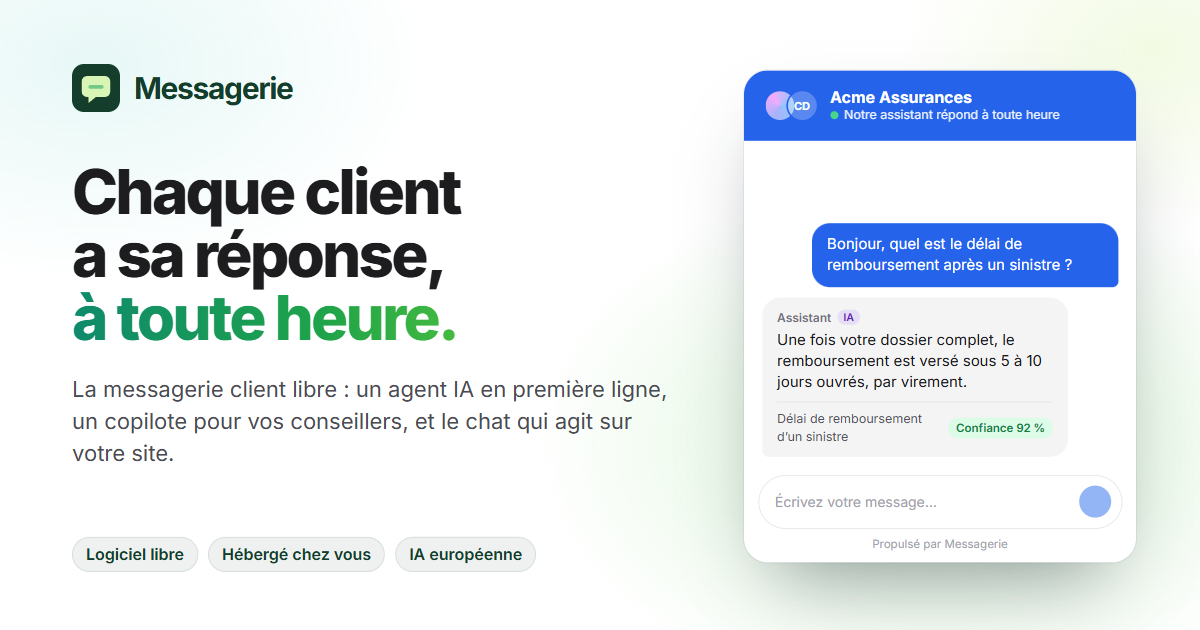
Open-source customer messaging, with an AI agent on the front line and a copilot for your agents. One container, one PostgreSQL: everything else is configured in the inbox.
This image runs both halves of Messagerie:
- the inbox for your agents, on port
3210: conversations, the copilot and all of the administration; - the server, on port
8810: the API, sign-in, real time, the widget script (/widget.js), the REST API and the MCP server.
Alongside it, all it needs is PostgreSQL 16 with pgvector. No Redis, no message queue: real time and background jobs go through PostgreSQL itself.
📖 Documentation (in French) · 💻 Source code · ⚖️ License AGPL-3.0-or-later
The user interface is in French.
What it does
- The widget, one script to paste into your website. The AI agent answers from your knowledge base and cites its sources; it calls your tools (an API, an MCP server, the visitor's record) and hands over to a human agent, with a summary, as soon as it is unsure.
- The inbox: inboxes, teams, transfers, tags, canned replies, a Ctrl+K command palette, attachments read by the AI on request, desktop and mobile notifications.
- The copilot drafts a reply for the agent; the agent's verdict (accepted, edited, rejected) feeds the evaluation set.
- Channels: the widget, e-mail (IMAP and SMTP), SMS and RCS (Twilio, SMS Mode).
- Automations: a trigger, conditions and steps — assign, tag, reply, notify, call a URL, ask the AI, wait.
- Integrations: REST API
/api/v1, MCP server/mcp, signed webhooks, a JavaScript API for the widget, and page actions the AI can run with the visitor's consent. - Dashboards: guided questions or SQL, over read-only analytics views.
- Accounts: password, invitation links, or your company's identity provider (OpenID Connect).
- AI: Mistral by default, or OpenAI, Ollama, any OpenAI-compatible server. Personal data is masked before it is sent to an external model. Without a key, conversations go straight to your agents.
Try it in two minutes
All you need is Docker with Compose v2. In an empty folder, create this docker-compose.yml:
name: messagerie-trial

services:
  postgres:
    image: pgvector/pgvector:pg16
    environment:
      POSTGRES_USER: messagerie
      POSTGRES_PASSWORD: messagerie
      POSTGRES_DB: messagerie
    volumes:
      - postgres-data:/var/lib/postgresql/data
    healthcheck:
      test: ["CMD-SHELL", "pg_isready -h 127.0.0.1 -U messagerie -d messagerie"]
      interval: 5s
      timeout: 3s
      retries: 30

  messagerie:
    image: eodia/messagerie:${MESSAGERIE_VERSION:-latest}
    depends_on:
      postgres: { condition: service_healthy }
    environment:
      DATABASE_URL: postgres://messagerie:messagerie@postgres:5432/messagerie
      CHAT_SECRET: ${CHAT_SECRET:?set CHAT_SECRET in .env}
      CHAT_WEB_ORIGIN: http://localhost:3210
      CHAT_PUBLIC_URL: http://localhost:8810
      CHAT_API_URL: http://localhost:8810
      # Optional: without a key, conversations go to your agents.
      CHAT_AI_API_KEY: ${CHAT_AI_API_KEY:-}
    ports:
      - "127.0.0.1:3210:3210"
      - "127.0.0.1:8810:8810"
    volumes:
      - files:/data/files

volumes:
  postgres-data:
  files:
Then:
echo "CHAT_SECRET=$(openssl rand -base64 32)" > .env
docker compose up -d
Open http://localhost:3210: the welcome screen creates the first supervisor. Then set up a site, an inbox and a team under Administration (see Premiers pas).
To let the AI answer, add a Mistral key and restart:
echo "CHAT_AI_API_KEY=…" >> .env
docker compose up -d
This file publishes the ports on
127.0.0.1, over HTTP: it is meant for trying things out. For agents and visitors coming from elsewhere, see Mise en production.
With your own PostgreSQL
docker run -d --name messagerie \
  -p 3210:3210 -p 8810:8810 \
  -v messagerie-files:/data/files \
  -e DATABASE_URL=postgres://messagerie:…@db.example.com:5432/messagerie \
  -e CHAT_SECRET="$(openssl rand -base64 32)" \
  -e CHAT_WEB_ORIGIN=http://localhost:3210 \
  -e CHAT_PUBLIC_URL=http://localhost:8810 \
  -e CHAT_API_URL=http://localhost:8810 \
  eodia/messagerie
The DATABASE_URL user must be able to create the vector extension (or find it already
created). For SQL questions in dashboards, it must also be able to create the chat_analytics
role; without it, only guided questions work.
The image
| Architectures | linux/amd64, linux/arm64 |
| Ports | 3210 the inbox · 8810 the server |
| Volume | /data/files: conversation attachments, never stored in the database |
| Command | none: the server and the inbox · worker: the worker alone |
| User | node, unprivileged |
| Health check | the server (/health) and the inbox respond |
| Base | Node 22, Debian Bookworm slim |
On startup, the server applies the migrations of the chat schema: on an empty database it
creates it; afterwards, it only adds what is missing. If either the server or the inbox stops,
the whole container stops, and the restart policy brings it back.
Tags
| Tag | Tracks |
|---|---|
0.1.0 | exactly this version |
0.1 | the latest release in the 0.1 series |
latest | the latest release |
A prerelease (0.2.0-rc.1) is published under its exact tag only. In production, pin an exact
version rather than following latest.
Environment variables
Required in production
| Variable | Purpose |
|---|---|
NODE_ENV | production: makes CHAT_SECRET mandatory, does not write the demo data into an empty database, removes the /demo page |
CHAT_SECRET | signs visitor tokens and file links, seals webhook secrets. At least 32 characters: openssl rand -base64 32. Keep it: changing it invalidates links already handed out |
DATABASE_URL | PostgreSQL 16 with pgvector |
CHAT_WEB_ORIGIN | the inbox origin, the only one allowed (CORS, WebSocket, widget preview) |
CHAT_PUBLIC_URL | the server's public URL; with https:, the session cookie is Secure |
CHAT_API_URL | the server, as your agents' browsers reach it (read by the inbox) |
CHAT_TRUST_PROXY | 1 behind an HTTPS gateway: the visitor's address is read from X-Forwarded-For |
Optional
| Variable | Purpose |
|---|---|
CHAT_AI_PROVIDER, CHAT_AI_BASE_URL | mistral (default), openai, ollama, or the URL of an OpenAI-compatible server |
CHAT_AI_API_KEY | the AI provider's key; without it, no AI |
CHAT_AI_MODEL, CHAT_AI_EMBEDDING_MODEL | mistral-small-latest and mistral-embed by default |
CHAT_AI_REDACT | 0 to send personal data as is; masked by default for an external model |
CHAT_OIDC_ISSUER, CHAT_OIDC_CLIENT_ID, CHAT_OIDC_CLIENT_SECRET, CHAT_OIDC_NAME | sign-in through an identity provider; callback at {CHAT_PUBLIC_URL}/api/auth/oidc/callback |
CHAT_SMTP_URL, CHAT_MAIL_FROM | e-mails: account links, replies to visitors who have left |
CHAT_WORKER | separate: background jobs run in a second container started with the worker command |
CHAT_WEBHOOK_ALLOW | internal-network destinations allowed for webhooks |
GIPHY_API_KEY | GIFs your agents can send |
The full list, with defaults: Variables d’environnement.
No secrets in the configuration. An AI tool, an MCP server, an SMS number or an e-mail
address names the variable that holds its secret (${WEATHER_TOKEN}), never the value itself:
define that variable in the container's environment.
In production
The same image, behind an HTTPS gateway. The inbox and the server each get their own name,
two subdomains of the same domain (support.example.com and chat.example.com): the
agent's session is a cookie set by the server, which the browser only sends within the same
site.
The Mise en production guide gives
the complete docker-compose.yml — PostgreSQL, Messagerie, the optional worker and Caddy for
certificates — along with backups and upgrades.
To upgrade:
docker compose pull && docker compose up -d # migrations are applied on startup
License
Open-source software by Eodia, released under the GNU Affero General Public License v3.0 or any later version.
Tag summary
Content type
Image
Digest
sha256:f9c2d61b7…
Size
114.5 MB
Last updated
about 1 month ago
docker pull eodia/messagerie