ex0nuss/plex-export-docker
A dockerized version of Dachande663/Plex-Export.
10K+
ex0nuss/plex-export-docker repository overview
Plex-Export-Docker
A dockerized version of Dachande663/Plex-Export with dpDesignz/plex-export-responsive-skin
Dockerhub: https://hub.docker.com/r/ex0nuss/plex-export-docker
Summary
This is a dockerized version of Dachande663/Plex-Export
Plex Export allows you to produce an HTML page with information on the media contained within your Plex library. This page can then be shared publicly without requiring access to the original Plex server.
The container is based on the php:alpine image. A webserver like Nginx or Apache is needed to serve the website (see below for an example with nginx). Having PHP and Nginx in the same container could cause an security risk and is against the microservices approach.
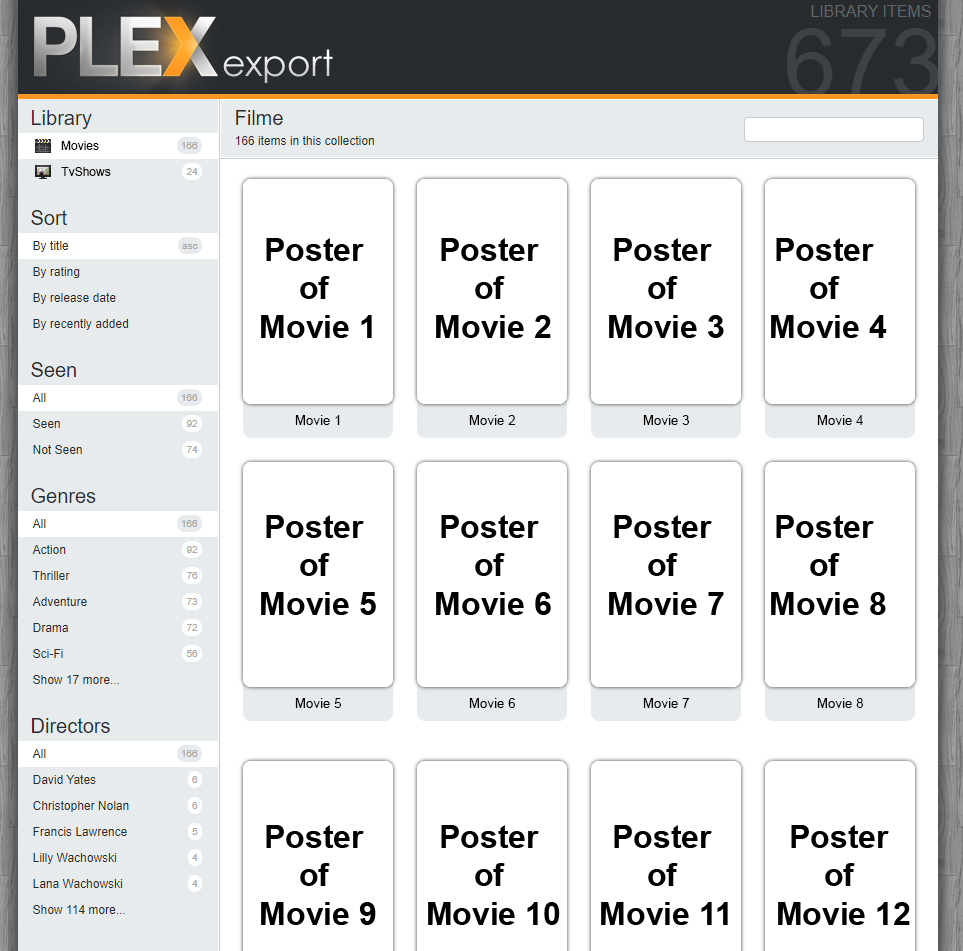
How to use it with Docker-Compose & Nginx
First, pull the image:
$ docker pull ex0nuss/plex-export-docker
Create a nginx config file called default.conf:
server {
    index index.html;
    server_name localhost;
    error_log  /var/log/nginx/error.log;
    access_log /var/log/nginx/access.log;
    root /data/;
}
Create the docker-compose.yml:
version: '3'

services:
  plexexport-php:
    image: ex0nuss/plex-export-docker:latest
    container_name: plexexport-php
    restart: unless-stopped
    volumes:
      - ./data-plexexport:/data
    environment:
      - PLEX_URL=http://YourPlexIP:32400
      - PLEX_TOKEN=YourPlexToken

  plexexport-nginx:
    image: nginx:latest
    container_name: plexexport-nginx
    restart: unless-stopped
    ports:
      - 8080:80
    volumes:
      - ./data-plexexport:/data
      - ./default.conf:/etc/nginx/conf.d/default.conf
    depends_on:
      - plexexport-php
Further environment variables for plex-export-docker:
| Name | Optional | Default value |
|---|---|---|
| PLEX_URL | No | / |
| PLEX_TOKEN | No | / |
| PLEX_SECTIONS | Yes | all |
| PLEX_SORT_SKIP_WORDS | Yes | "" |
| PLEX_INTERVAL | Yes | 60m |
PLEX_URL
It's recommended to use the internal URL in the format: http://Plex_Meida_Server_IP:Port
PLEX_URL=http://192.168.1.100:32400
PLEX_TOKEN
The token to authenticate Plex-Export with your Plex Media Server
PLEX_TOKEN=XXXTo find the token visit https://support.plex.tv/articles/204059436-finding-an-authentication-token-x-plex-token
PLEX_SECTIONS
The Plex-libraries you want to display
E.g.: You have three libraries Movies, Tvshows and Videos, but you only want to display Movies and Tvshows.
PLEX_SECTIONS=Movies,Tvshows
PLEX_SORT_SKIP_WORDS
If you want to leave out certain words like "the" or "a" when sorting the website.
PLEX_SORT_SKIP_WORDS=a,the
PLEX_INTERVAL
Sets the interval on how often the website is refreshed. WARNING: Setting this option on a low value can cause strain on your server!
parameter Explanation Example s seconds 30s m minutes 5m h hours 3h d days 2d
PLEX_INTERVAL=3h
Tag summary
Content type
Image
Digest
sha256:639cf482f…
Size
49.9 MB
Last updated
4 months ago
docker pull ex0nuss/plex-export-docker