fagneftr/phpmyadmin_cyberlab
phpmyadmin to manage multiple databases on the same network
Image
Networking
Security
Developer tools
0
555
fagneftr/phpmyadmin_cyberlab repository overview
phpMyAdmin for Cyber Labs
Quick Start
Using default network drive (bridge) - Recommended to run with Docker Desktop
docker run --name dbadmin -d -p 443:443 fagneftr/phpmyadmin_cyberlab:latest
Using host drive - Recommended to run without Docker Desktop
docker run --name dbadmin --net=host -d fagneftr/phpmyadmin_cyberlab:latest
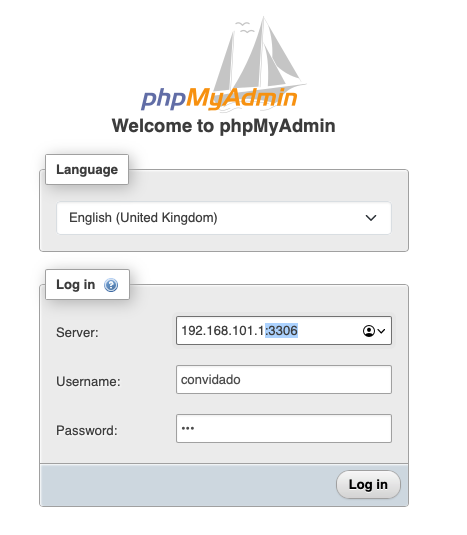
Afterwards, open the login page in the web browser: https://127.0.0.1
You can change the host and port of the server using the <IP_HOST>:<PORT>
- Note: If IP_HOST is set to the local address (127.0.0.1), the container will attempt to connect to itself, if you use a default network drive (bridge). To skip this, use host drive to network (--net=host)
GitHub Repository KeystoneDevBr/phpmyadmin_cyberlab
Cyber Lab Tricks
Accessing Remote Isolated Database
# Kali Linux VM

docker run --name dbadmin --net=host -d fagneftr/phpmyadmin_cyberlab:latest
┌────────────────┐
|192.168.101.100 |
│    VM KALI     │
│                │
│   (Atacante)   │
│                │
│  172.23.10.20  │ ◄── 127.0.0.1:3306
└─────┬──────────┘
      │ SSH Tunnel
      ▼
┌────────────────┐
│ Host Interno   │ # SSH Remote Port Forward
│                │ ssh [email protected] -f -N -R 3306:127.0.0.1:3306
│   Database.    │
│                │ # Isolated Mysql Service (target)
│                │ ◄── 127.0.0.1:3306
└────────────────┘
Tag summary
Content type
Image
Digest
sha256:886bfb22b…
Size
187.4 MB
Last updated
9 months ago
docker pull fagneftr/phpmyadmin_cyberlab