fanss/music-tagger
是一款现代、高性能的音乐库元数据(Tag)自动化刮削与标签管理系统,专
3.5K
fanss/music-tagger repository overview
🎵 Music Tagger - v0.6.0
Music Tagger is a modern, high-performance web application designed for automated music metadata scraping, tag management, and audio library organization. Built for users with large local collections, it provides an effortless information hub natively via Docker.






Note
For the Chinese version of this documentation, please see [README.zh.md](README.zh.md).
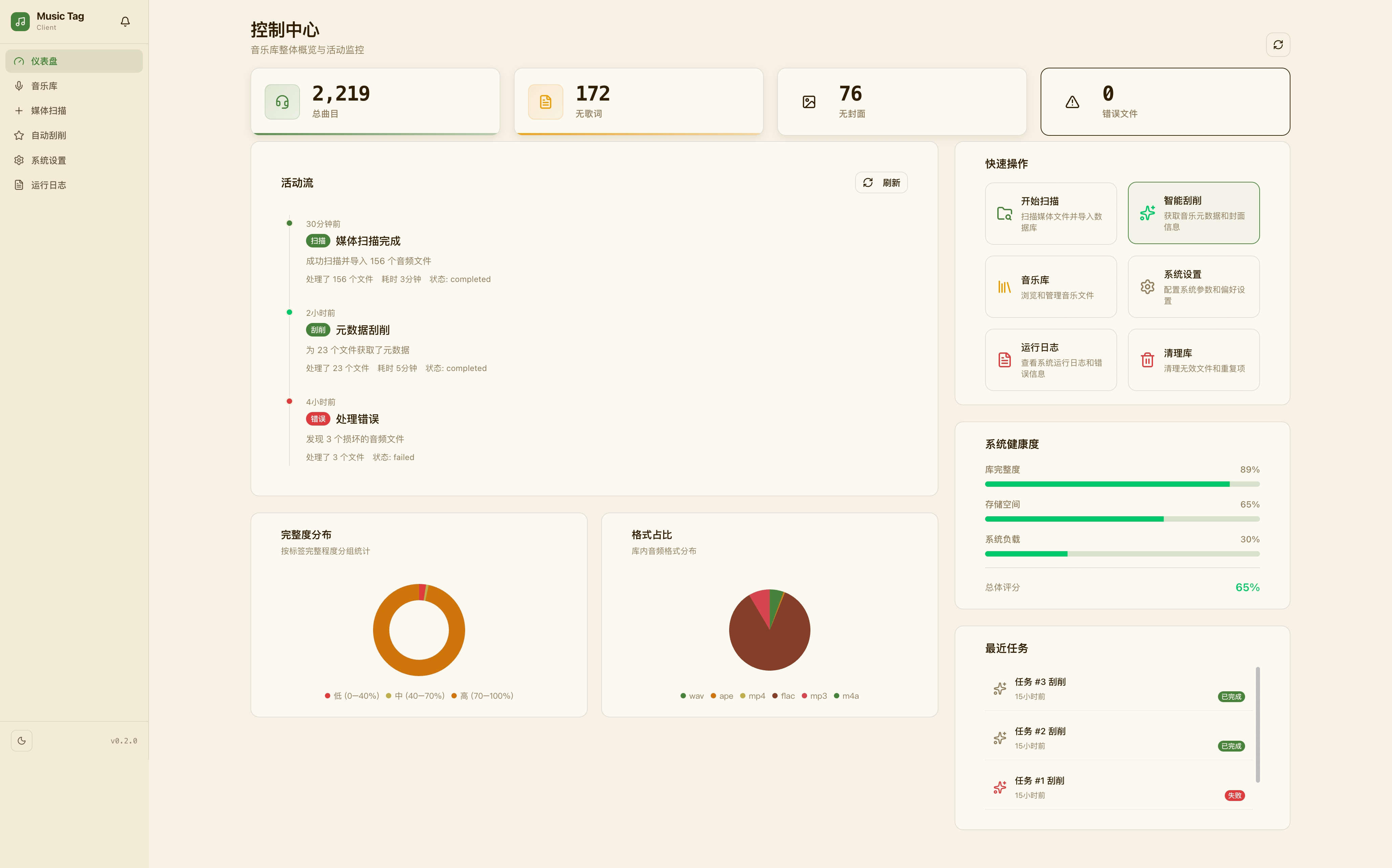
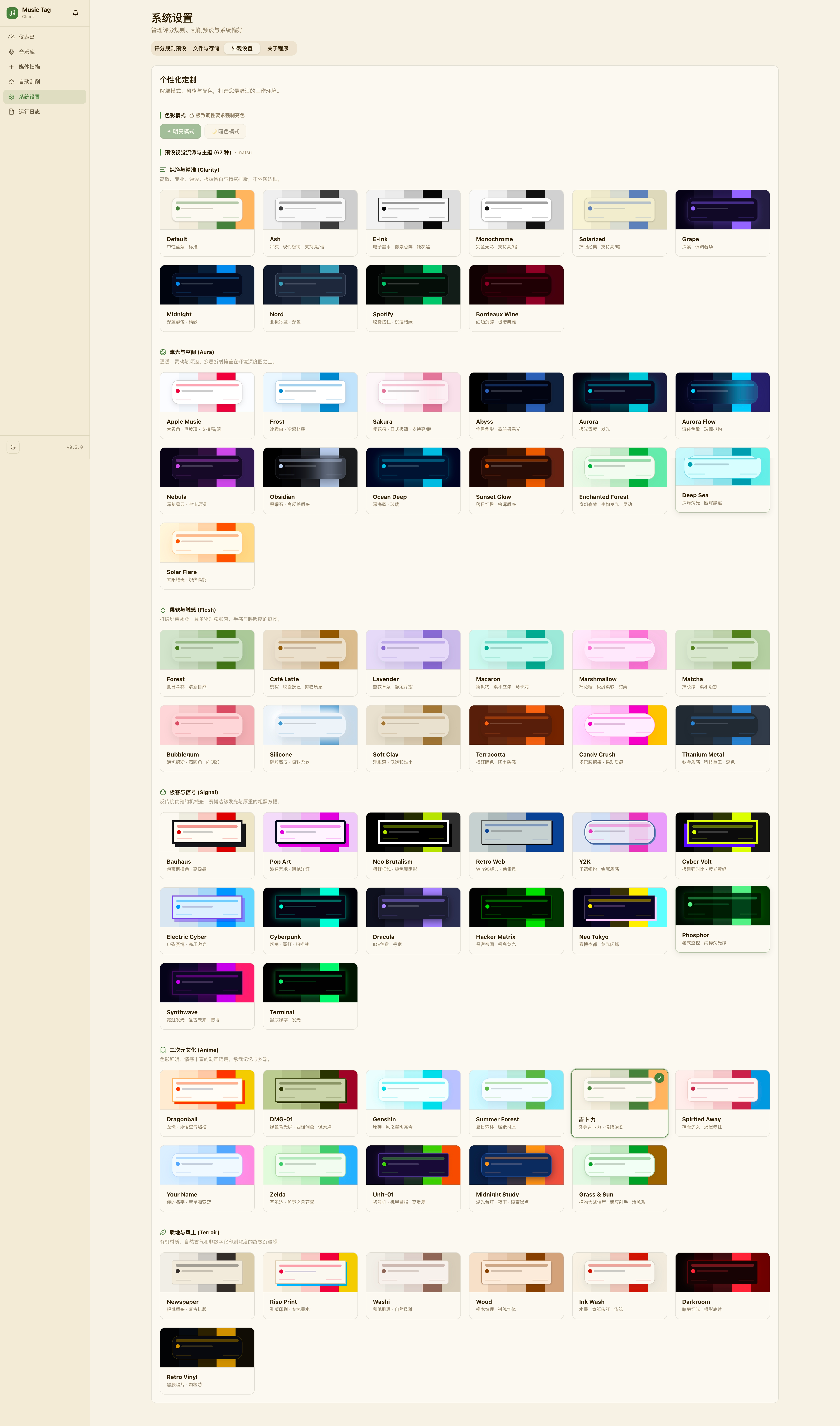
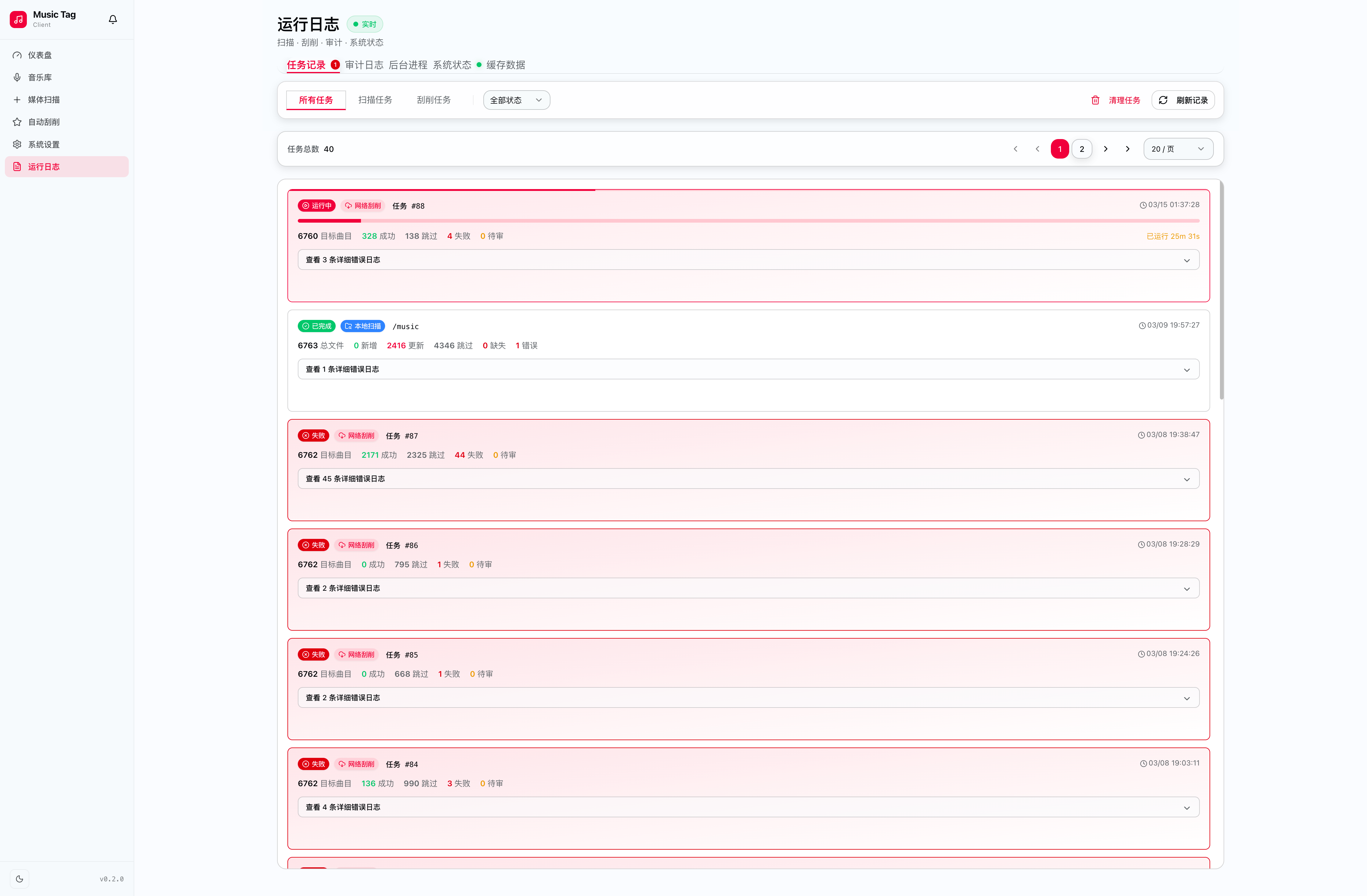
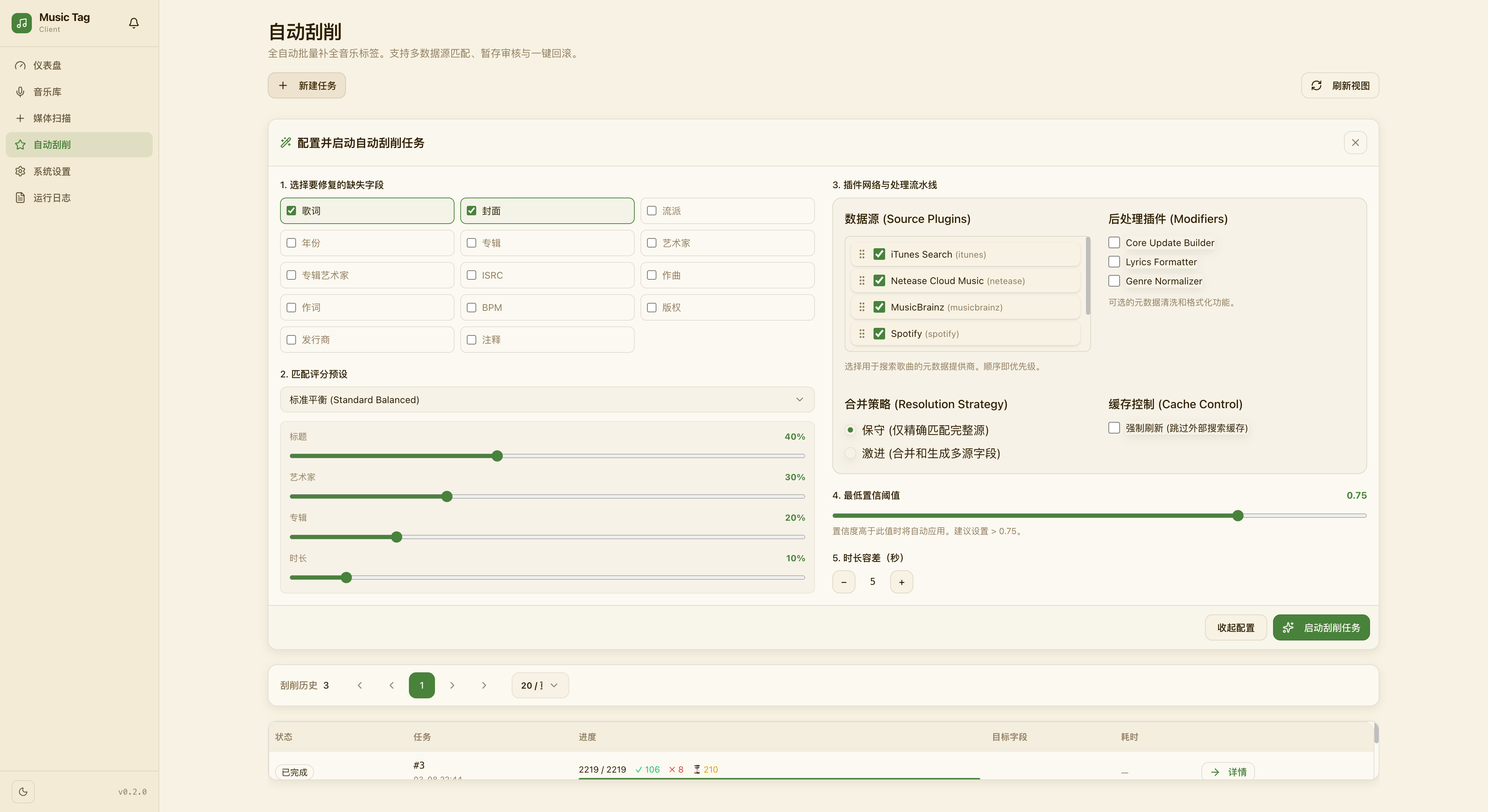
🖼️ Preview
| Dashboard & Themes |
|---|
 |
 |
| Logs & Status | Scraper Pipeline |
|---|---|
 |  |
✨ Key Features
- 🛡️ Privacy First, Fully Self-Hosted: Keep your music library, metadata, and history safely on your own server. Total privacy with no third-party tracking.
- 🚀 Lightning-Fast Management: Enjoy instantaneous response times and seamless browsing, even with tens of thousands of tracks in your collection.
- 🎨 Immersive Visual Experience: A beautifully designed, interactive interface featuring a wide range of themes to suit your style.
- 🔌 Automated Metadata Magic: Automatically identify tracks and fill in missing artist, album, and language details using intelligent scraping pipelines.
- 🐳 Zero-Friction Setup: Get up and running in minutes with a streamlined deployment that handles database and infrastructure automatically.
🔍 Feature Highlights
🎨 Rich Theme Gallery
Music Tagger ships with a broad collection of hand-crafted themes — dark, light, and high-contrast variants — switchable instantly from the sidebar without any page reload.
| Light Themes | Dark Themes |
|---|---|
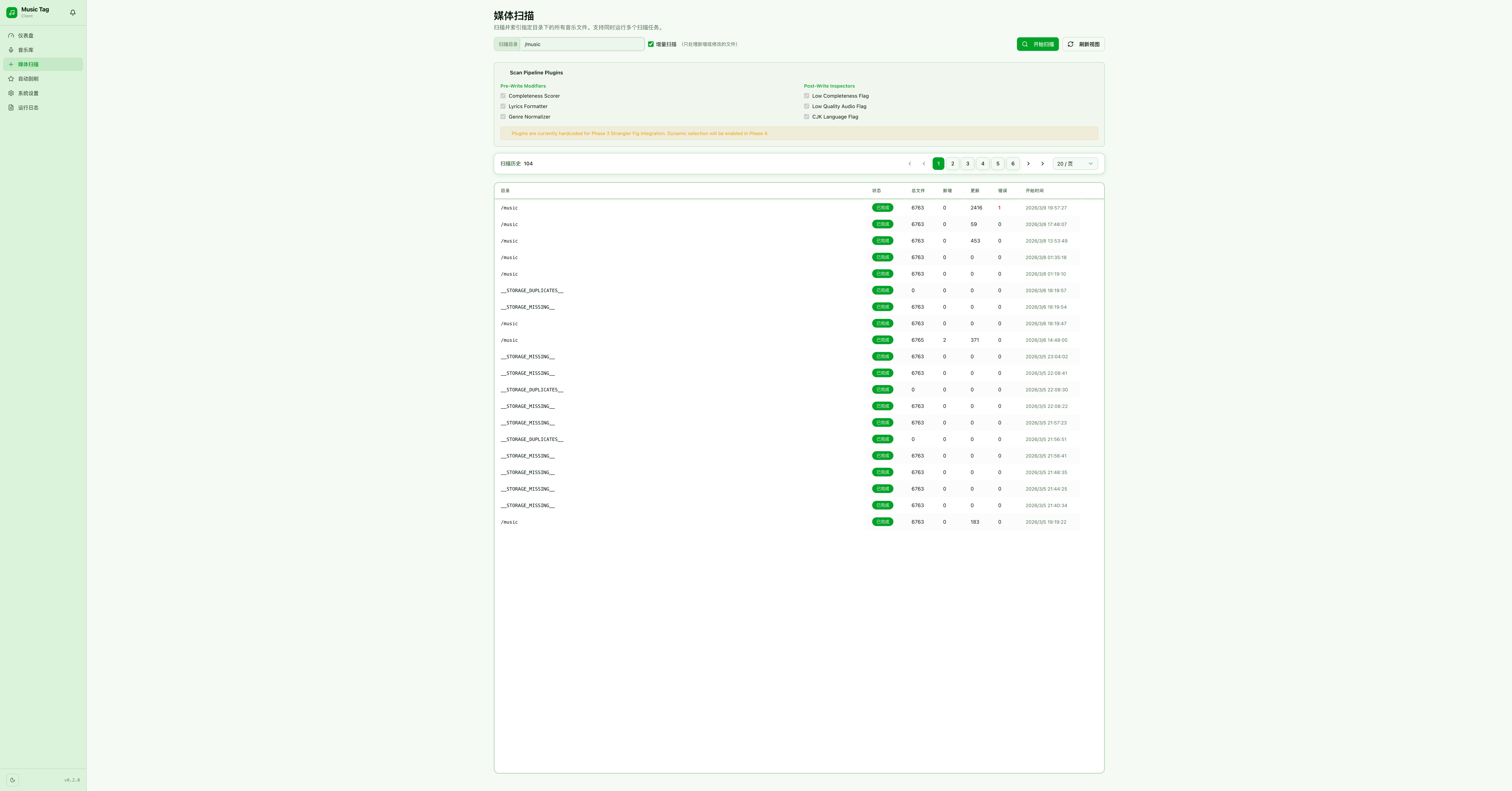 | 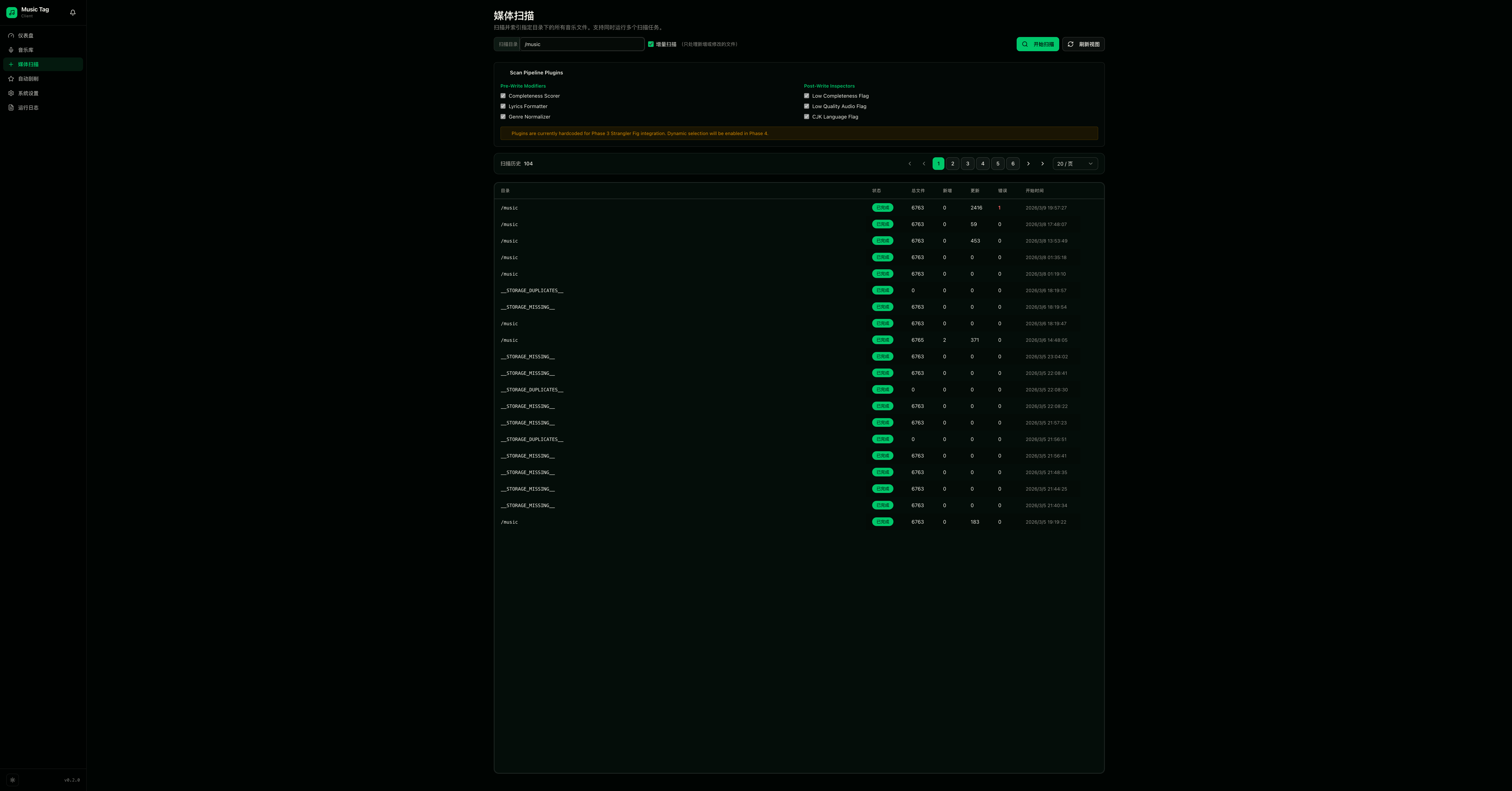 |
📸 [Theme gallery screenshots — coming soon]
⚔️ Dispute Management
When multiple scrapers return conflicting metadata for the same track, Music Tagger surfaces every candidate match and lets you decide field-by-field which value wins. Conflict resolution is tracked per-track so you can revisit past decisions at any time.
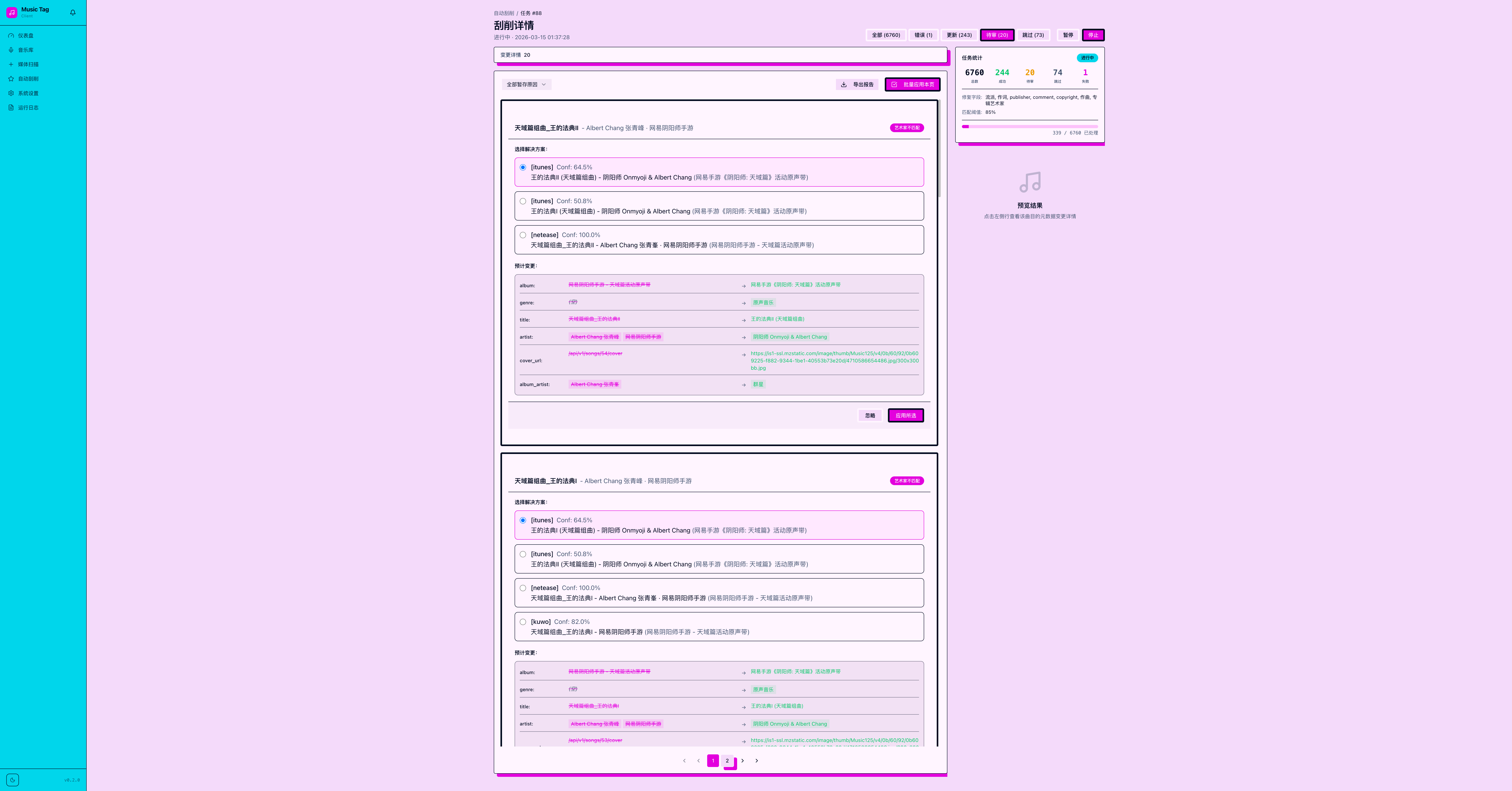
📸 [Dispute manager screenshot — coming soon]
📋 Logs & Cache
Every scraping job, metadata write, and system event is captured in a structured log viewer. The built-in cache browser shows what has been fetched from external sources, lets you inspect individual cache entries, and provides bulk-invalidation controls so stale data never silently persists.
| Operation Logs | Cache Browser |
|---|---|
| 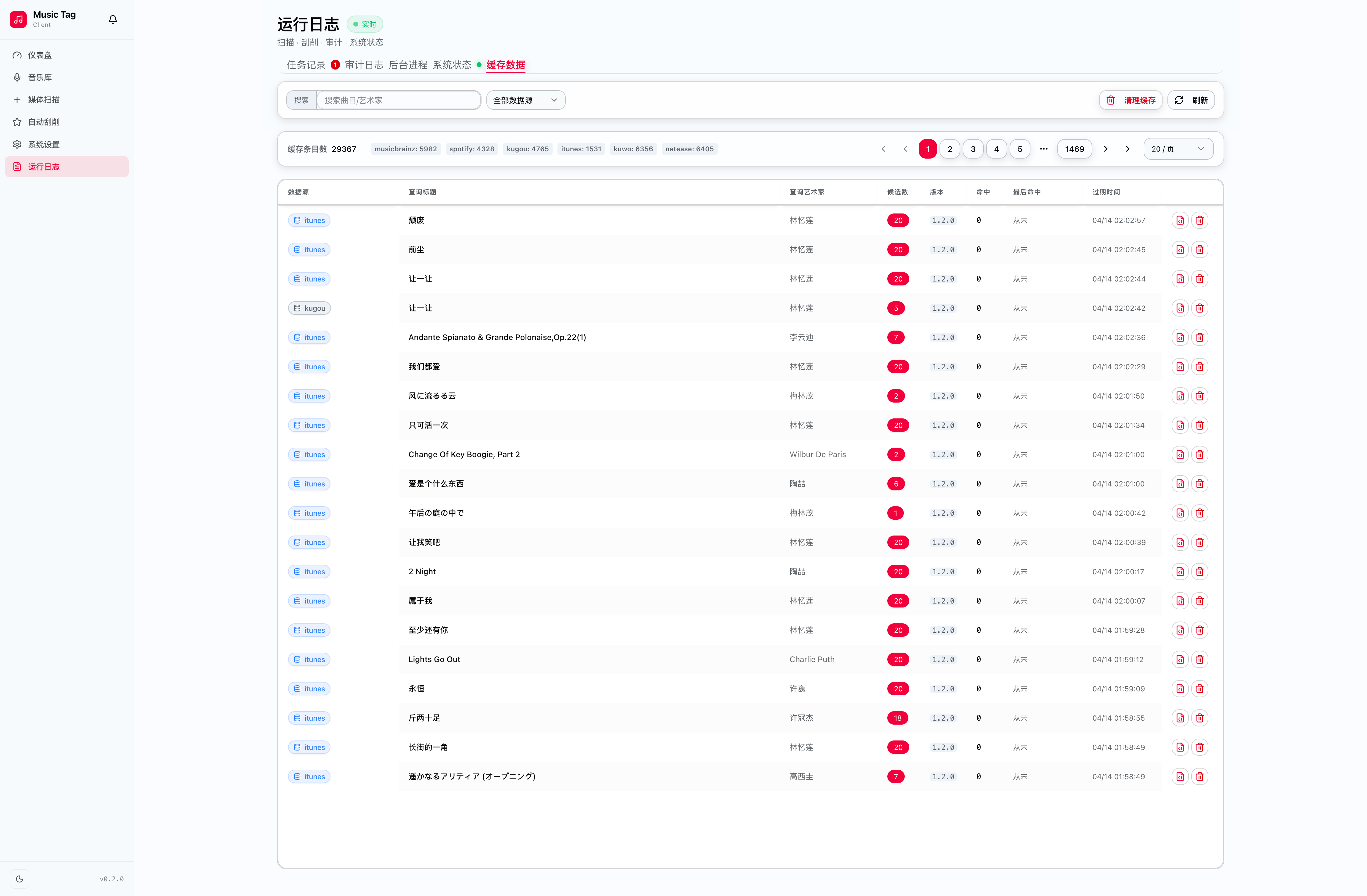 |
📸 [Cache browser screenshot — coming soon]
🎵 Player, Editor & More
A full-featured in-app experience beyond just tagging:
- ▶️ Integrated Player — Preview any track directly without leaving the app.
- ✏️ Metadata Editor — Fine-tune every tag field inline with validation hints.
- 📝 Lyrics Binding — Attach or fetch synced / unsynced LRC lyrics per track.
- 🎬 MV Linking — Associate a music video URL to any track for quick launch.
- ↩️ One-Click Revert — Roll back any metadata change to its previous state.
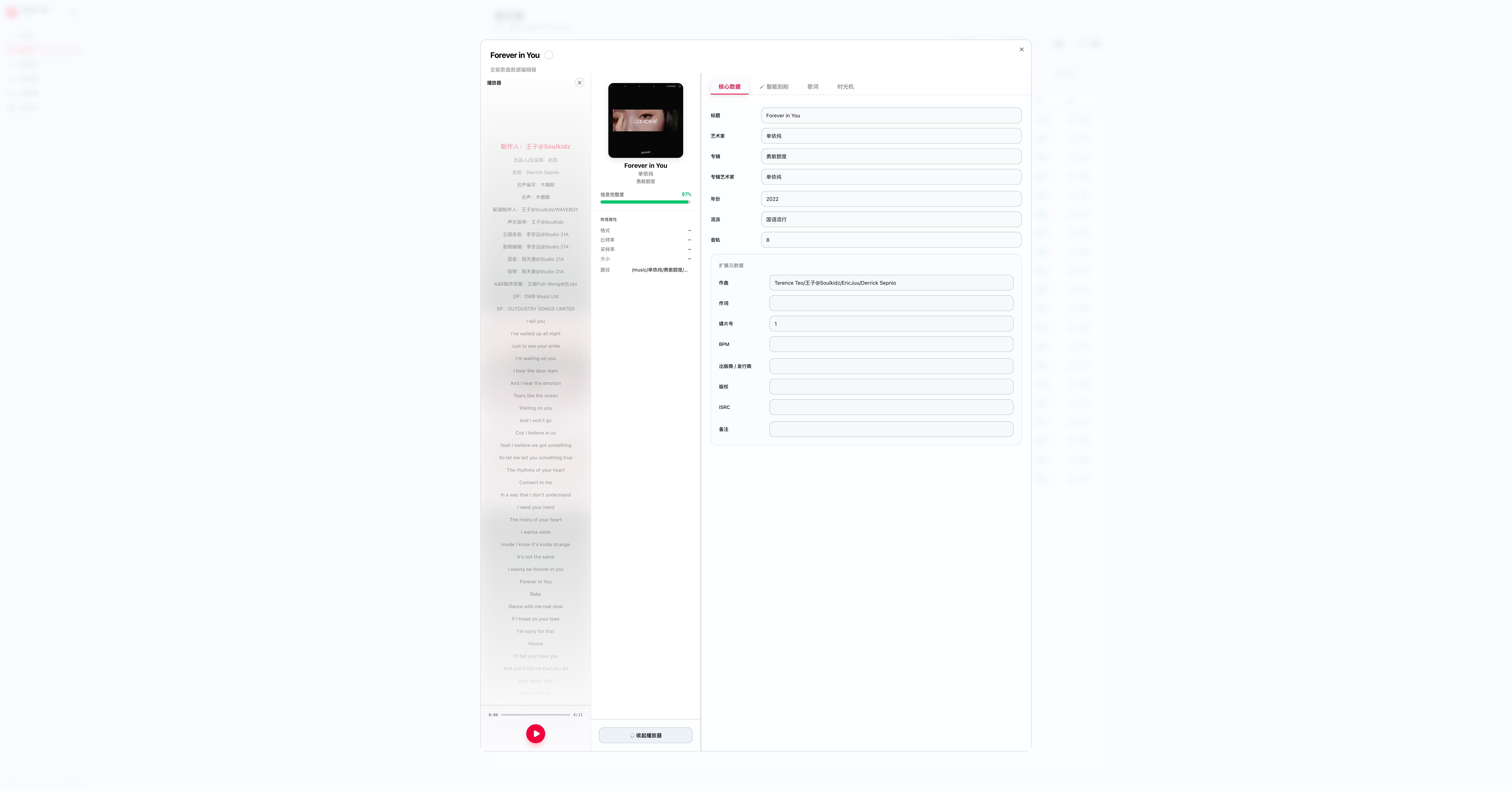
📸 [Player & editor screenshots — coming soon]
🗂️ File Health
Keep your library clean with automated detection tools:
- Missing File Scanner — Identifies tracks in the database whose audio files can no longer be found on disk.
- Duplicate Detector — Finds exact and near-duplicate files based on audio fingerprint or metadata similarity.
- Path Repair — Suggests and applies bulk path corrections after directory reorganisations.
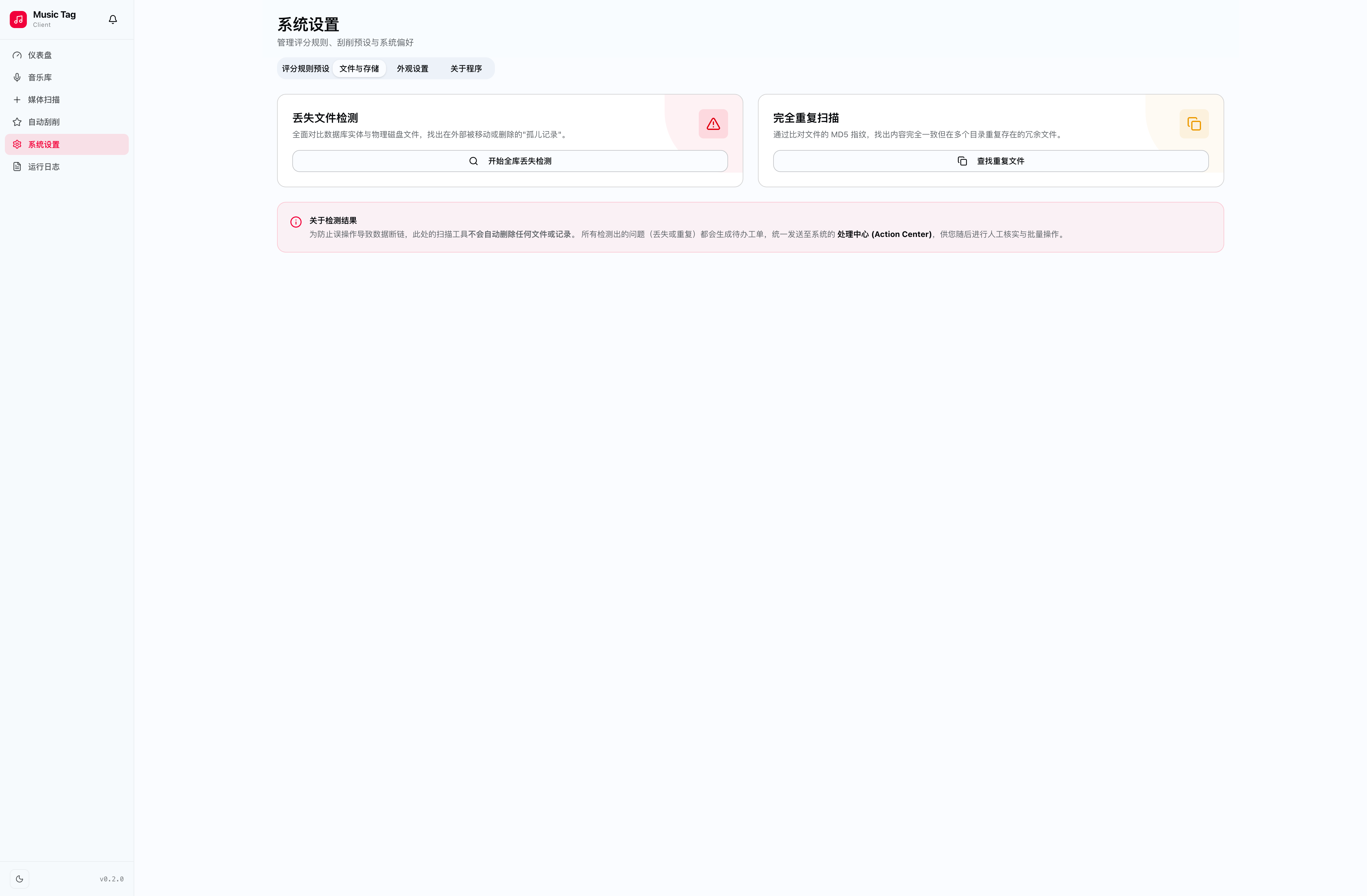
📸 [File health dashboard screenshot — coming soon]
📦 Quick Deployment Guide
1. Prepare Environment Variables
Create a comprehensive .env file in your preferred working directory (e.g., ~/music-tagger):
# ── Database Credentials (Change to strong secure passwords!) ──
POSTGRES_USER=user
POSTGRES_PASSWORD=your_strong_postgres_password
POSTGRES_DB=music_tag_client
DATABASE_URL=postgresql+asyncpg://user:your_strong_postgres_password@db:5432/music_tag_client

# ── Core Services Paths ──────────────────────────────
REDIS_URL=redis://redis:6379/0
CELERY_BROKER_URL=redis://redis:6379/1
CELERY_RESULT_BACKEND=redis://redis:6379/2

# ── Application Runtime Policy ──────────────────────────
DEBUG=false
SECRET_KEY=change-me-to-a-strong-random-secret
ALLOWED_ORIGINS=http://localhost:8000,http://localhost
SCAN_WORKER_THREADS=8

# ── Volume Mount Configurations ─────────────────────────
# IMPORTANT: Provide the ABSOLUTE path to your local music directory!
MUSIC_DIR=/path/to/your/music
Caution
If exposing to the public internet, ensure `POSTGRES_PASSWORD` and `SECRET_KEY` are adequately changed.
2. Create the Docker Compose Config
In the exact same directory, create your docker-compose.yml config:
services:
  db:
    image: postgres:15-alpine
    container_name: music-tag-db
    env_file:
      - .env
    ports:
      - "5432:5432"
    volumes:
      - pgdata:/var/lib/postgresql/data
    restart: unless-stopped
    healthcheck:
      test: ["CMD-SHELL", "pg_isready -U $$POSTGRES_USER -d $$POSTGRES_DB"]
      interval: 10s
      timeout: 5s
      retries: 5

  redis:
    image: redis:7-alpine
    container_name: music-tag-redis
    ports:
      - "6379:6379"
    volumes:
      - redisdata:/data
    restart: unless-stopped
    command: ["redis-server", "--appendonly", "yes"]
    healthcheck:
      test: ["CMD", "redis-cli", "ping"]
      interval: 10s
      timeout: 5s
      retries: 5

  app:
    # Pointing to our bundled production release image
    image: fanss/music-tagger:latest
    container_name: music-tag-app
    depends_on:
      db:
        condition: service_healthy
      redis:
        condition: service_healthy
    ports:
      - "8000:8000"
    env_file:
      - .env
    volumes:
      # Automatically mounts the directory you established inside the .env file
      - ${MUSIC_DIR:-/path/to/your/music}:/music:ro
    restart: unless-stopped

volumes:
  pgdata:
  redisdata:
3. Start The Stack
Run the following command to ignite setup:
docker compose up -d
Once the containers are running and database has initialized, head to http://YOUR_SERVER_IP:8000 to start beautifully managing your audio library!
💬 Contact & Support
| [email protected] | |
| 🐛 Bug Reports & Feedback | GitHub Issues |
| 💡 Feature Requests | GitHub Discussions |
| 📖 Documentation | fanszoro.github.io/music-tagger |
❤️ Support the Project
If Music Tagger has been useful to you, consider sponsoring to help keep the project actively maintained and improved.


Your support helps cover hosting, development time, and keeps the lights on. Thank you! 🙏
📄 License
This project is released under the MIT License.
Tag summary
Content type
Image
Digest
sha256:dc062aa9d…
Size
809.5 MB
Last updated
6 months ago
docker pull fanss/music-tagger