
fardjad/ascaid
Hassle-free documentation generation powered by AsciiDoc
Image
0
7.7K
fardjad/ascaid repository overview
ascaid



Hassle-free documentation generation powered by AsciiDoc
TL;DR
⚡️ Write documents in AsciiDoc format
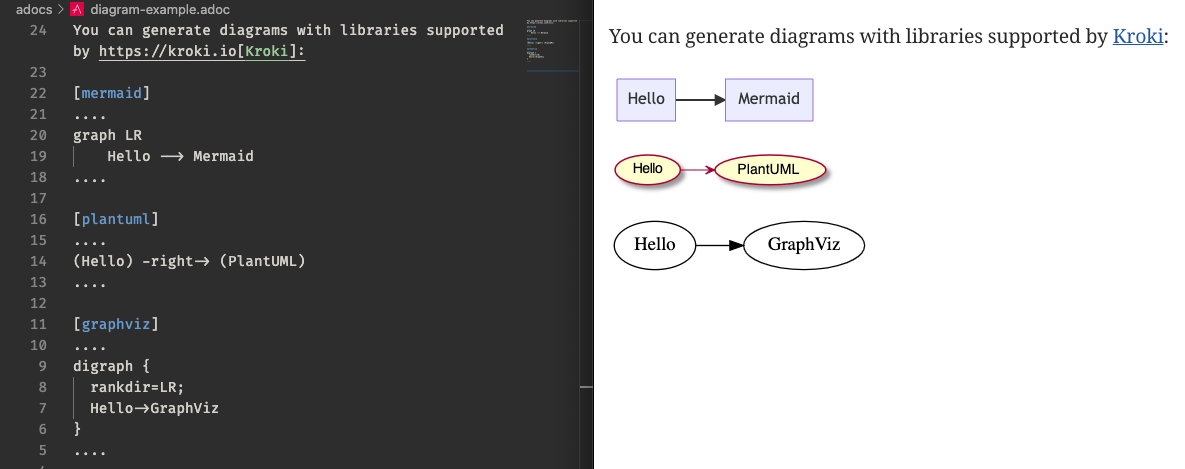
⚡️ Include text-based diagrams in your documents:
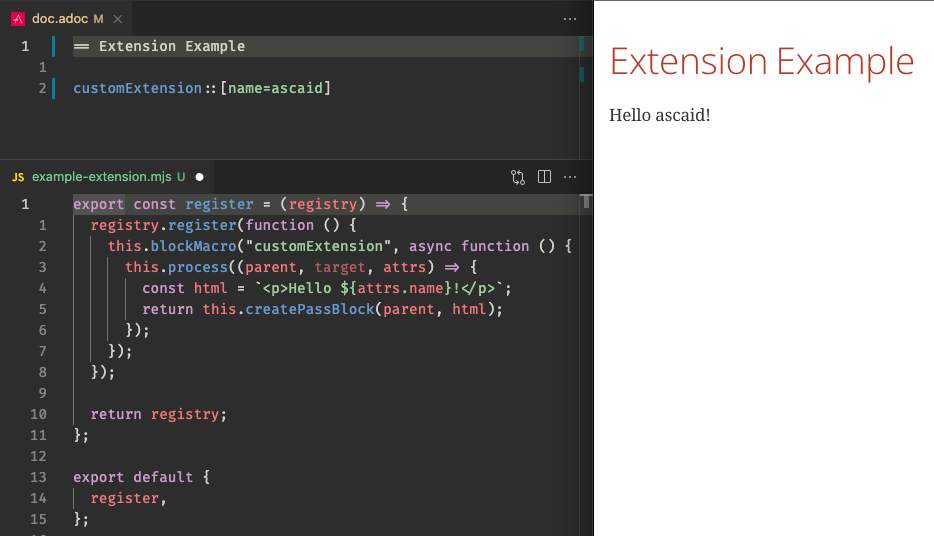
⚡️ Extend AsciiDoc with custom extensions:
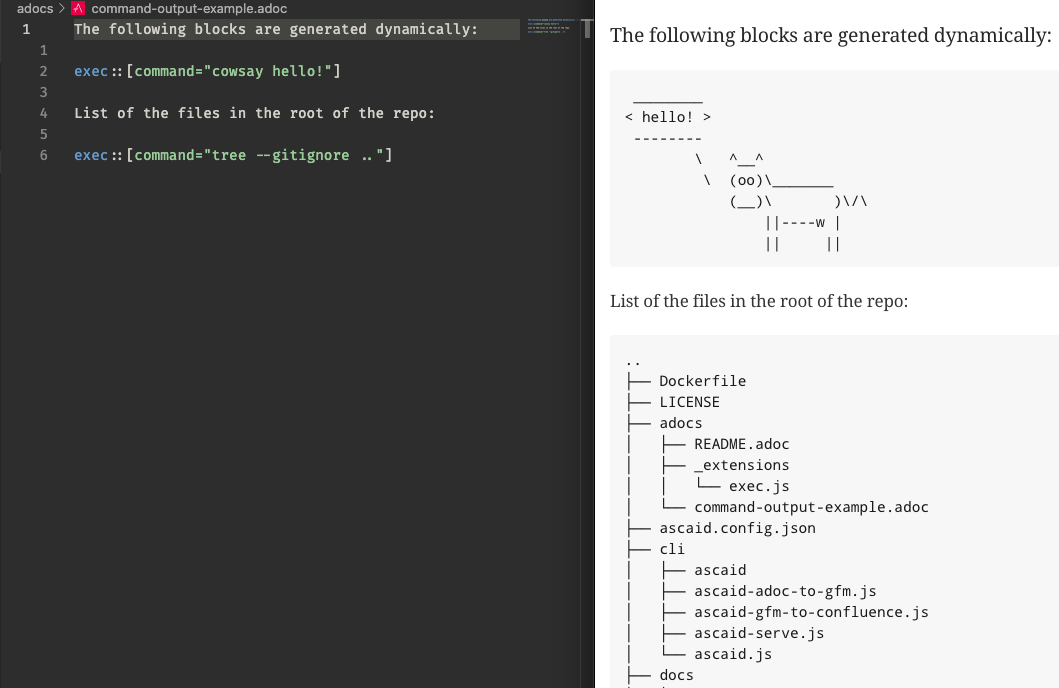
⚡️ Publish your documents to Confluence and code hosting services
Longer Description
ascaid makes it easy to write partially-generated documentation in AsciiDoc format. Generating the documentation can help with reducing documentation CRUFT.
Under the hood, ascaid uses Asciidoctor.js and Pandoc and offers the following main features:
-
It can be configured to load Asciidoctor.js Extensions
-
It includes a live server to help with writing AsciiDoc documents
-
It can convert Asciidoc files to GitHub Flavored Markdown
-
It can publish GitHub Flavored Markdown files to Confluence
The following diagram shows a typical document writing and publishing workflow with ascaid.
Note: This document is generated with ascaid itself. Check out the source here.
Installation
CLI Usage
ascaid help
Usage: ascaid [options] [command]

Hassle-free documentation generation powered by AsciiDoc

Options:
  -V, --version                  output the version number
  -h, --help                     display help for command

Commands:
  serve [directory]              start an AsciiDoc server
  adoc-to-gfm <srcDir> <outDir>  AsciiDoc -> GitHub flavored markdown
  gfm-to-confluence <dir>        Publish a GitHub flavored markdown directory to
                                 Confluence
  help [command]                 display help for command
ascaid serve
Usage: ascaid-serve [options] [rootDir]

Start an AsciiDoc server

Arguments:
  rootDir                         server root directory (default: current
                                  directory)

Options:
  -V, --version                   output the version number
  -c, --config <path>             config file path
  -a, --attribute [key=value...]  set a document attribute. The value given will
                                  override values from the config file. Passing
                                  the key without =value will unset the
                                  attribute (default: [])
  -h, --help                      display help for command
ascaid adoc-to-gfm
Usage: ascaid-adoc-to-gfm [options] <srcDir> <outDir>

Recursively convert AsciiDoc files in a directory to GitHub flavored markdown

Arguments:
  srcDir                          source directory
  outDir                          output directory

Options:
  -V, --version                   output the version number
  --ignore [globPattern...]       glob patterns to ignore (default: ["**/_*"])
  -c, --config <path>             config file path
  -a, --attribute [key=value...]  set a document attribute. The value given will
                                  override values from the config file. Passing
                                  the key without =value will unset the
                                  attribute (default: [])
  -h, --help                      display help for command
ascaid gfm-to-confluence
Usage: ascaid-gfm-to-confluence [options] <dir>

Recursively publish a GitHub flavored markdown directory to Confluence

Arguments:
  dir                                dir to publish to Confluence

Options:
  -V, --version                      output the version number
  --api-base-url [apiBaseUrl]        Confluence API base URL
  --api-username [apiUsername]       Confluence API username
  --api-password [apiPassword]       Confluence API password
  --space-key [spaceKey]             Confluence space key
  --root-page-id [rootPageId]        Confluence root page ID
  --root-page-title [rootPageTitle]  Confluence root page title
  -h, --help                         display help for command
Config File
You can optionally use a config file to register custom extensions and set Asciidoctor.js options. On startup, ascaid looks for a config file named ascaid.config.json or ascaid.config.jsonc in the current working directory. The following block shows an example config file:
{
  // JSON comments will be striped out

  "$schema": "https://raw.githubusercontent.com/fardjad/node-ascaid/master/ascaid.config.schema.json",
  "extensions": [
    // npm i asciidoctor-kroki
    "asciidoctor-kroki",

    "./path/to/extension.js"
  ],

  // https://docs.asciidoctor.org/asciidoctor/latest/api/options/
  "asciidoctorOptions": {
    // https://docs.asciidoctor.org/asciidoc/latest/attributes/document-attributes-ref/
    "attributes": {
      "nofooter": true,
      "kroki-server-url": "http://my-server-url:port"
    }
  }
}
Extensions
ascaid supports Asciidoctor.js Extensions.
An example implementation of a custom extension can be found here.
Publishing Documents to Confluence
In order to publish AsciiDoc documents to Confluence, you should first convert them to GitHub Flavored Markdown (see CLI Usage for more info). Then you’ll need to create an API token and a root page to publish the documents under. An example project with GitHub Actions integration can be found here.
Tag summary
Content type
Image
Digest
sha256:e9cedf96c…
Size
428.1 MB
Last updated
over 1 year ago
docker pull fardjad/ascaid:sha-ec470d5