fchaussin/quizdock
Open-source, self-hosted Kahoot-style live quiz — projector-ready, multi-arch (amd64/arm64).
4.0K
fchaussin/quizdock repository overview
QuizDock
Open-source, self-hosted live quiz platform.
Real-time multiplayer · projector-ready · your data stays on your servers.



Website · Live demo · Self-hosting guide · Releases
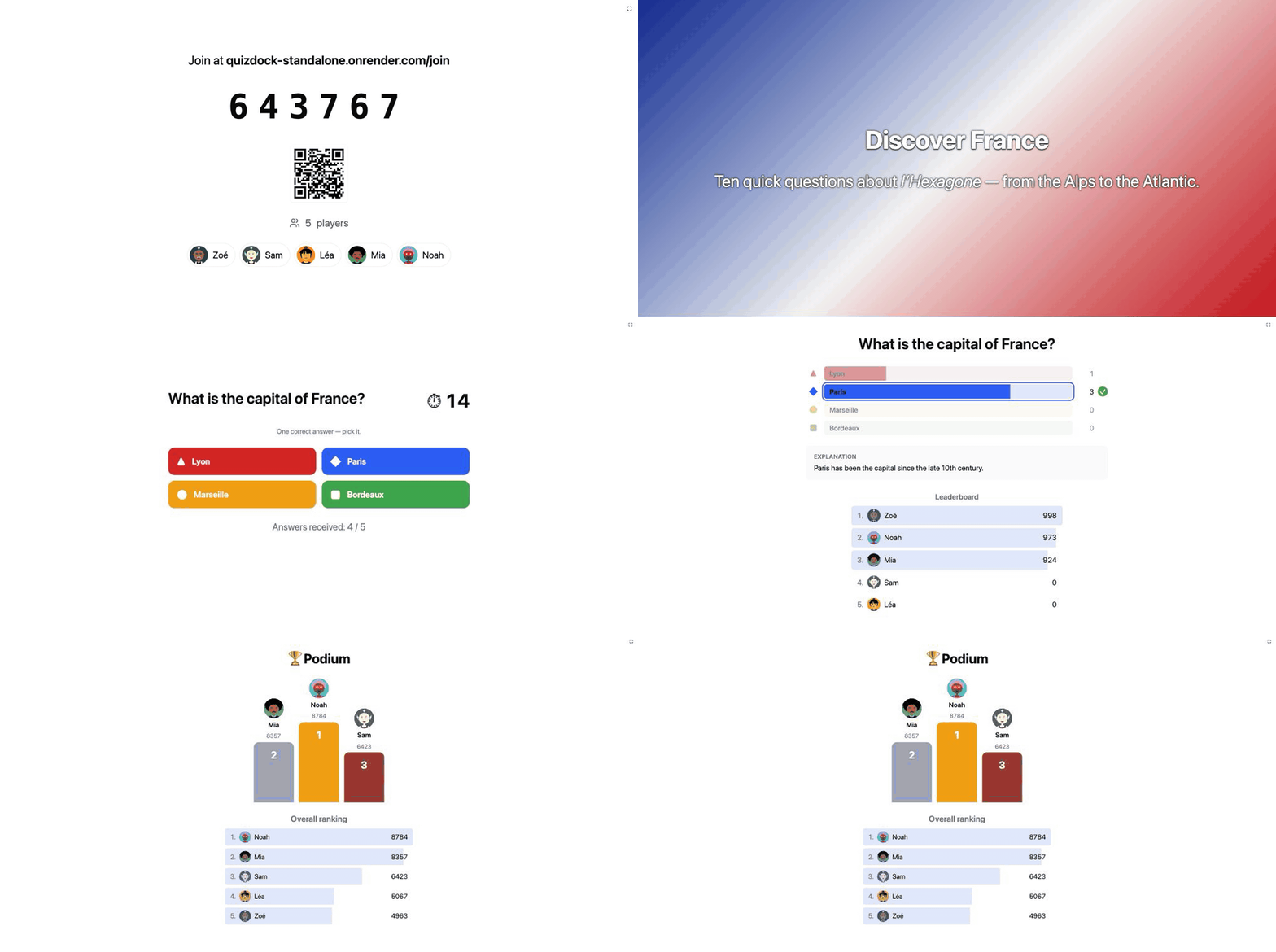
QuizDock is a Kahoot-style live quiz you run yourself. A host presents a quiz, players join from any device with a PIN or QR code (no account), and answers — weighted by speed and correctness — feed a live leaderboard projected on the big screen. Everything runs on your infrastructure as a single Docker image; the questions, the answers and the results never leave your servers.
Note
**New in 0.7 — 🎧 video & sound in questions** *(experimental)*. MP4 videos and MP3 sounds, loudness-matched, with a waveform; played on the projection **and** on the devices of remote participants, started on the same instant everywhere; *listen first* questions open the answers once the media has played. Tested in Chromium browsers, not yet on iPhone — see the [audio & video guide](https://github.com/quizdock/quiz-dock/blob/main/docs/self-hosting/audio-video.md).
🎮 Try it online
https://quizdock-standalone.onrender.com — a public instance in demo mode: enter a name, take the host seat and present one of the sample quizzes; open the join link on your phone to play.
- It sleeps when idle: the first load can take about a minute.
- Shared with strangers: everything is wiped every hour, the host seat lasts 5 minutes at a time (renewable), media uploads are off. Don't put anything you care about in it.
✨ Main features
- ⚡ Live quiz, in real time — players join by 6-digit PIN or QR code from any device, no account; a Socket.IO engine with authoritative server timing keeps everyone in step; each player gets a generated Multiavatar avatar.
- 🖥️ Made for the big screen — bright, high-contrast projection screens, with separate projection and control windows; manual or automatic pacing.
- 🧩 A real quiz builder — seven question types (single/multi choice, true-false, text, numeric, reorder, poll), images with alternative text, Markdown everywhere, content slides between questions, backgrounds, answer explanations at the reveal.
- 🎧 Video & sound — experimental — MP4 videos and MP3 sounds in questions, loudness-matched, drawn as a waveform with a playhead; played on the projection and on the devices of remote participants (who hears what is set per quiz, per question and per session), started on the same instant everywhere, fetched ahead from the lobby, and the room waits a moment for a device still loading. Listen first questions open the answers only once the media has played. Tested in Chromium browsers, not yet on iPhone: audio & video guide.
- 🏆 Scoring that rewards speed — time-weighted points, streak bonuses, leaderboard between questions, final podium; per-question rules (closest answer wins, partial credit, typo-tolerant text, double or fixed points).
- 🏠 Self-hosted and private — one Docker image (
amd64/arm64), no SaaS, no tracking, no ads; interface in English, French, Spanish, Simplified and Traditional Chinese; rebrand name, logo and CSS without a rebuild.
🔑 Two ways to run it
Same image, one switch: AUTH_MODE decides who can host.
Local mode — AUTH_MODE=none (default) | OIDC mode — AUTH_MODE=oidc | |
|---|---|---|
| Made for | a classroom, a meeting room, a trusted network | an organisation with an identity provider |
| Setup | none — start the container and play | point the app at your OpenID Connect provider (Keycloak, Authentik, Entra ID, Google…) |
| Who hosts | one host seat: a host signs in with just a name and takes it; released when done | as many hosts as you like, each signing in through your IdP with their own quizzes |
| Host rights | whoever holds the seat | the host role, granted from the IdP |
| Sample quizzes | included | — |
Players never sign in, in either mode. Details: authentication.
🚀 Quick start (self-host)
QuizDock ships as one image — fchaussin/quizdock
on Docker Hub. NestJS serves the API, the WebSocket and the SPA; PostgreSQL and Redis run
alongside, and a one-shot migrate service applies migrations.
One container — first try, Docker Desktop
App and database in a single image, nothing else to install:
docker run -p 18080:3000 -v quizdock:/data fchaussin/quizdock:standalone
# open http://localhost:18080
Data persists in the quizdock volume. A deployment shortcut, not a different product:
same AUTH_MODE switch as below. For production, prefer a dedicated database.
The quizdock script — recommended
Guided setup, then start, backup, upgrade and admin commands; Docker only:
curl -fsSLO https://raw.githubusercontent.com/quizdock/quiz-dock/main/quizdock && chmod +x quizdock
./quizdock init      # name, language, port, auth mode → .env + docker-compose.prod.yml
./quizdock up        # open http://localhost:18080
./quizdock doctor    # config & connectivity check; later: backup, upgrade <tag>, seat:release…
Every command: docs/self-hosting/cli.md.
Docker Compose by hand
curl -O https://raw.githubusercontent.com/quizdock/quiz-dock/main/docker-compose.prod.yml
docker compose -f docker-compose.prod.yml up -d
# open http://localhost:18080
Pin a version with QUIZDOCK_TAG=0.7.0 docker compose -f docker-compose.prod.yml up -d.
From source: git clone https://github.com/quizdock/quiz-dock.git, then the same command
with --build.
Upgrading
Migrations run automatically on every start: pull the new tag and up again.
Back up PostgreSQL first, and don't roll back an image once its migrations ran —
restore the backup instead. With the script: ./quizdock upgrade 0.7.0 (backup → pull →
restart → doctor). Full procedure:
self-hosting → Upgrading.
⚙️ Configuration
Copy .env.example to .env and adjust. The settings you are most likely to touch:
| Variable | Default | Purpose |
|---|---|---|
APP_NAME | QuizDock | App name shown in the UI (white-label) |
APP_LANG | en | Instance language: en · fr · es · zh · zh-TW |
APP_LOGO_URL | — | Logo served from elsewhere; empty = look in the mounted branding/ folder |
AUTH_MODE | none | none (local mode) or oidc (any OpenID Connect provider) |
HTTP_PORT | 18080 | Host port for the app |
APP_PUBLIC_URL | — | Public address of the instance, offered first as the invitation address (QR code, join link) |
DEMO_MODE | false | Guards for an instance open to strangers: 5-minute host seat, no uploads, hourly wipe |
Rebrand without rebuilding: set APP_NAME / APP_LANG and drop a logo.<svg|avif|webp|png|jpg|jpeg|gif>
override.cssinto the mountedbranding/folder (or pointAPP_LOGO_URLat a logo hosted elsewhere).
📖 Self-hosting guide — every variable, white-labeling and OIDC setup:
docs/self-hosting/.
📸 Screenshots
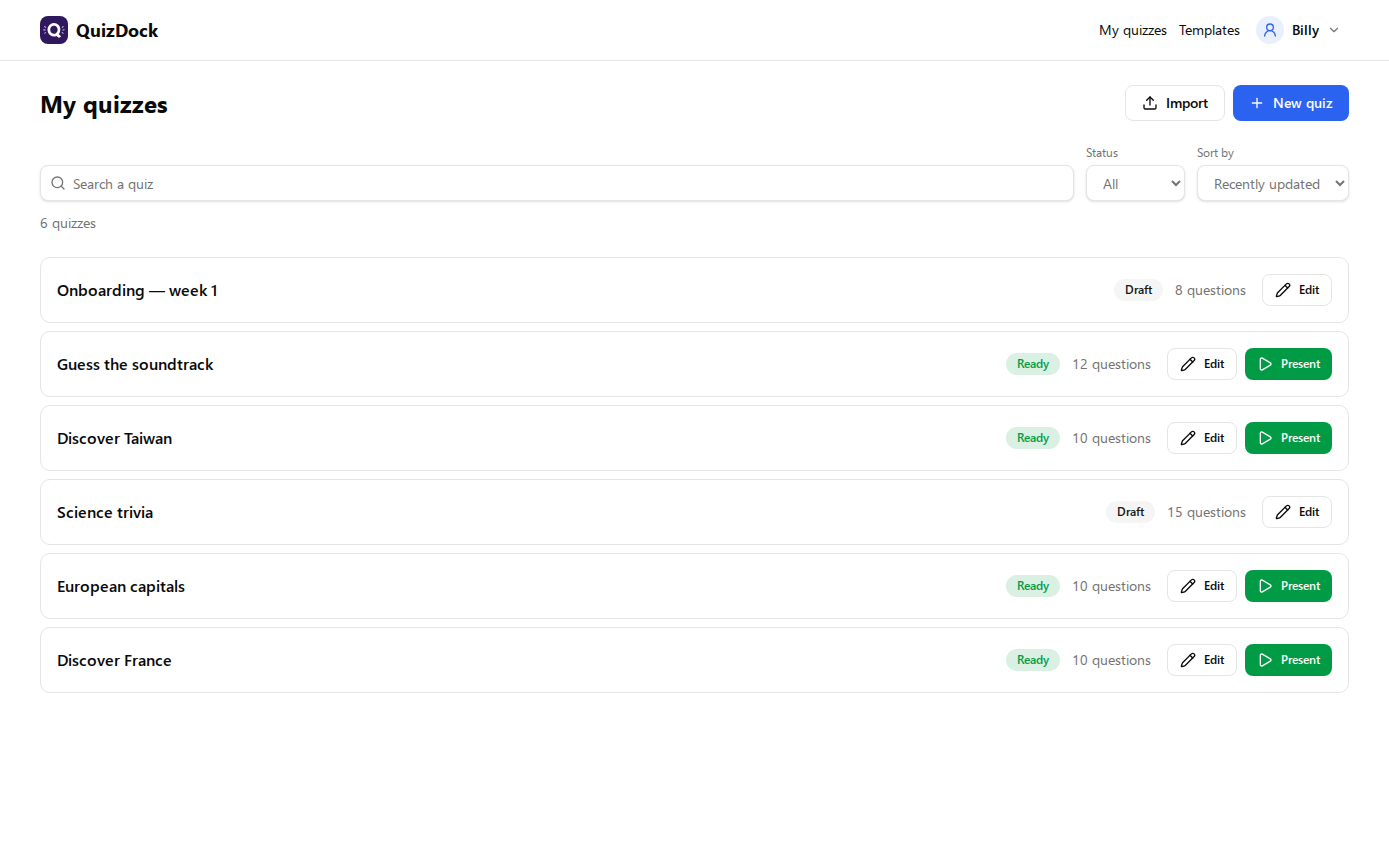 My quizzes — your bank: search, filter, import / export, one click to present | 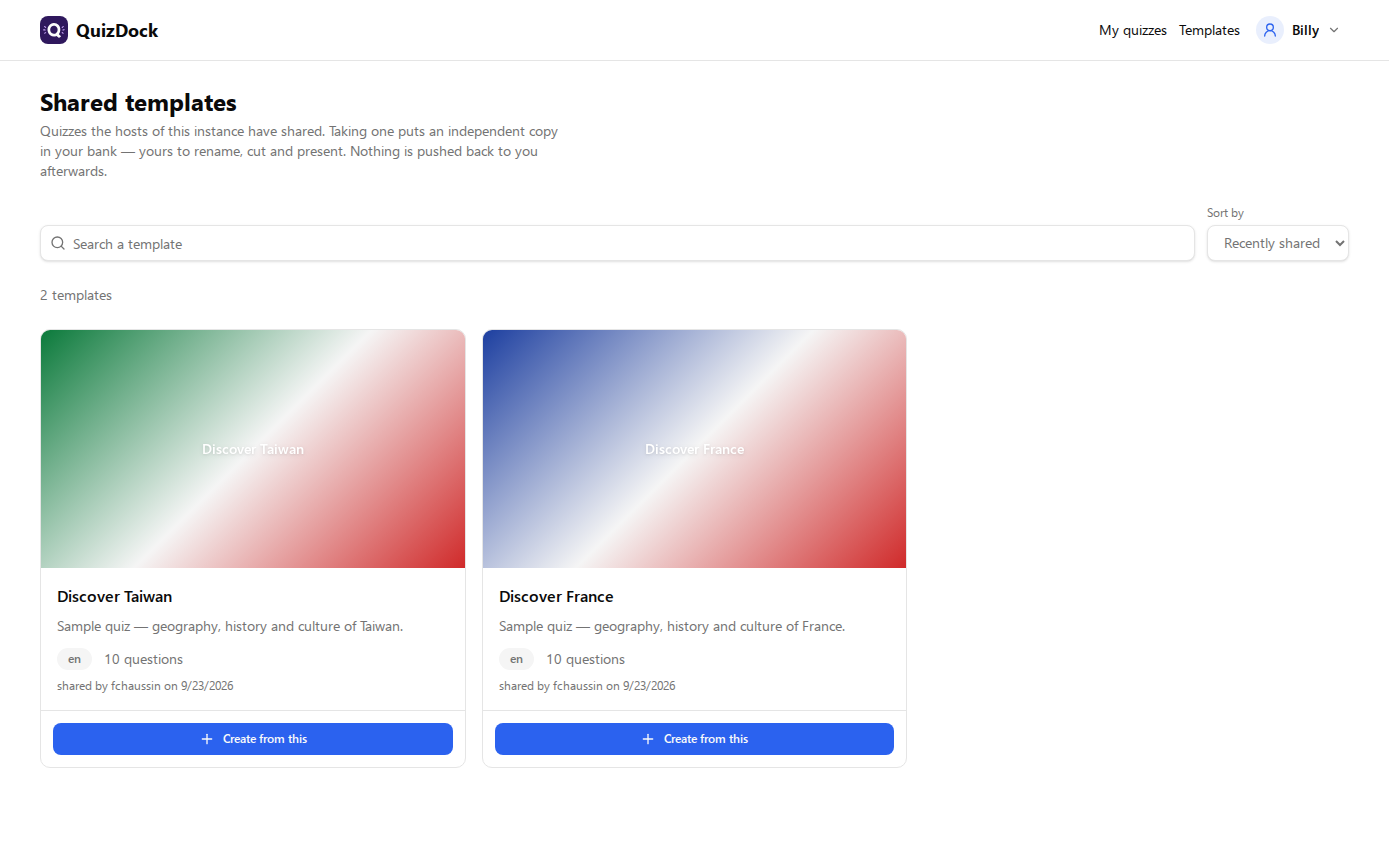 Templates — quizzes shared on the instance; take an independent copy |
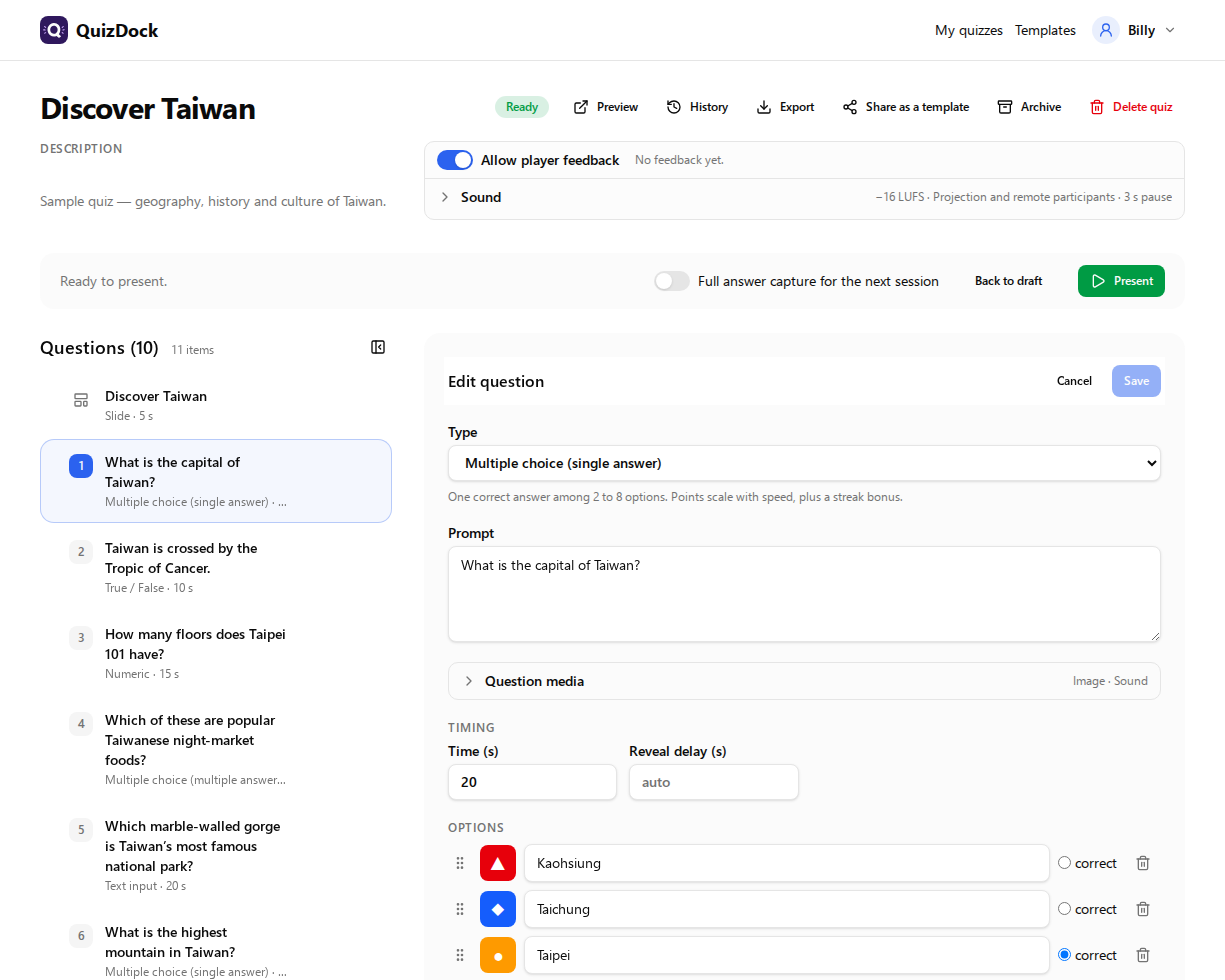 Quiz builder — 7 question types, video & sound, slides, backgrounds, scoring rules | 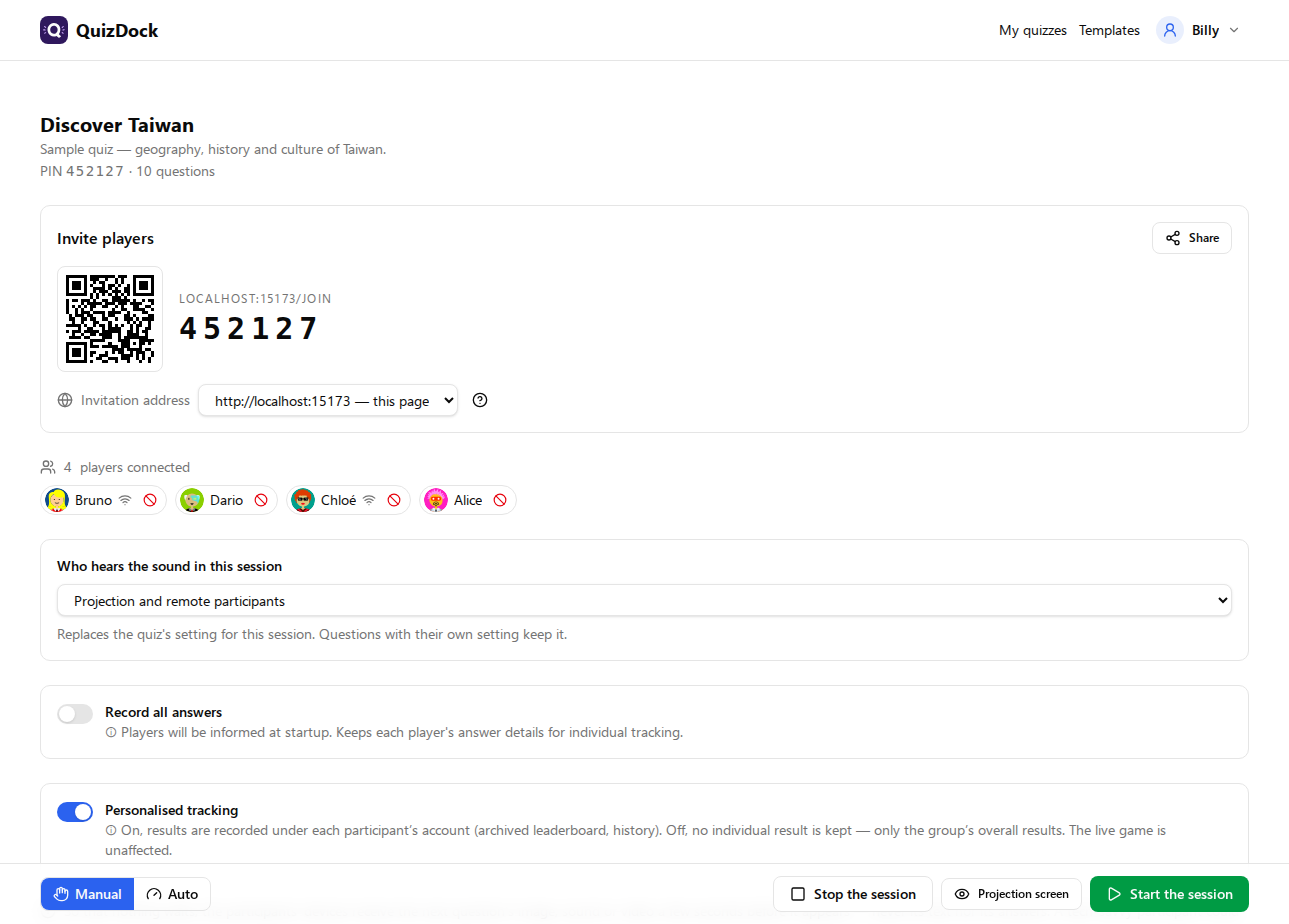 Host console — lobby: PIN, QR code, players in the room or remote, who hears the sound |
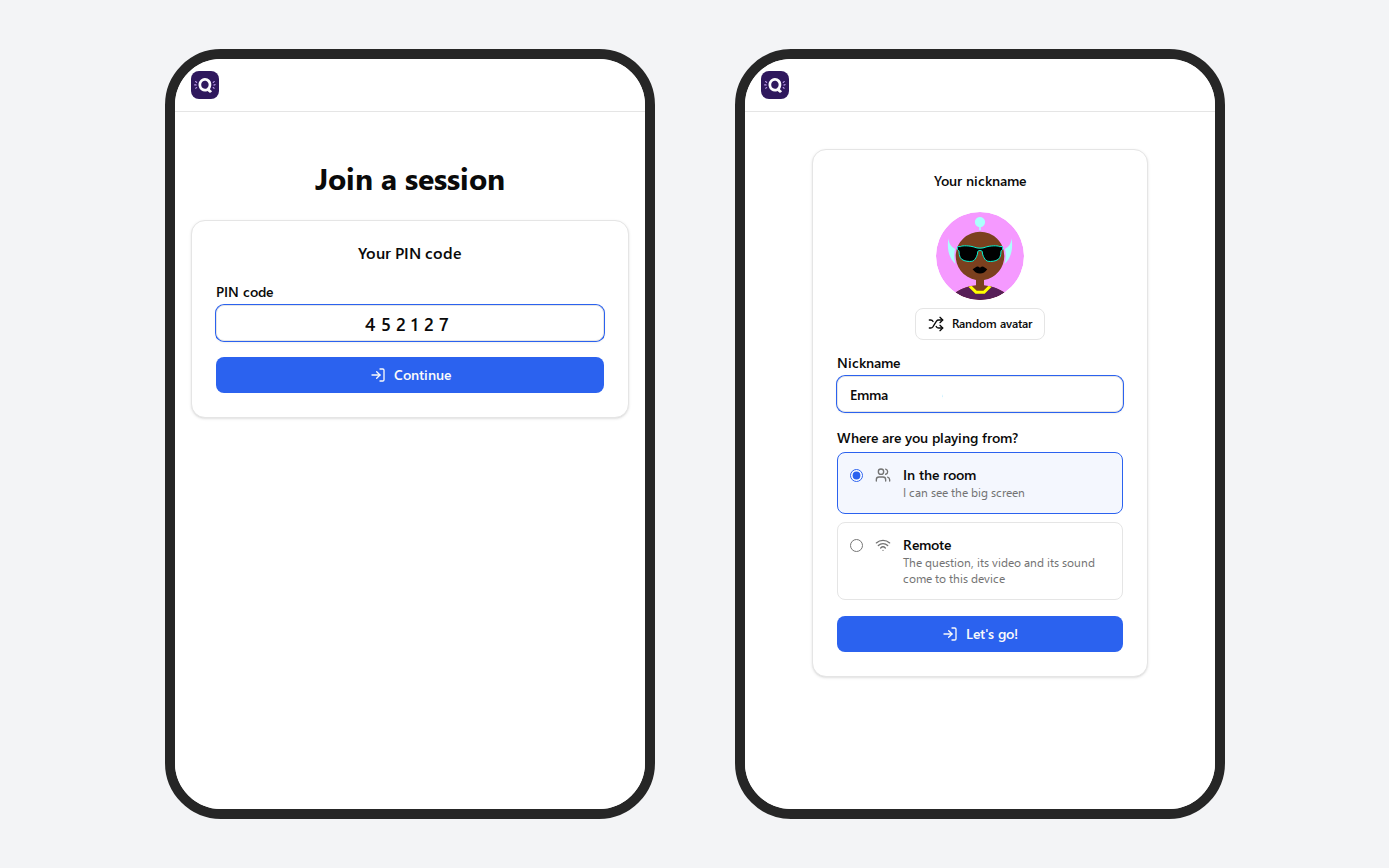 Join — PIN or QR code, nickname & avatar, in the room or remote, no account | 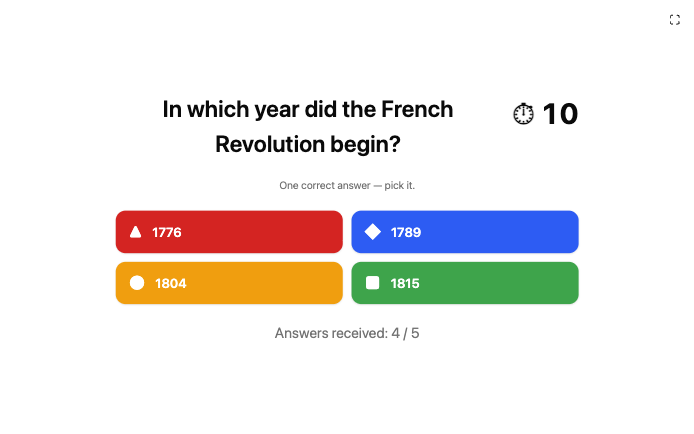 Projection — live question on the big screen |
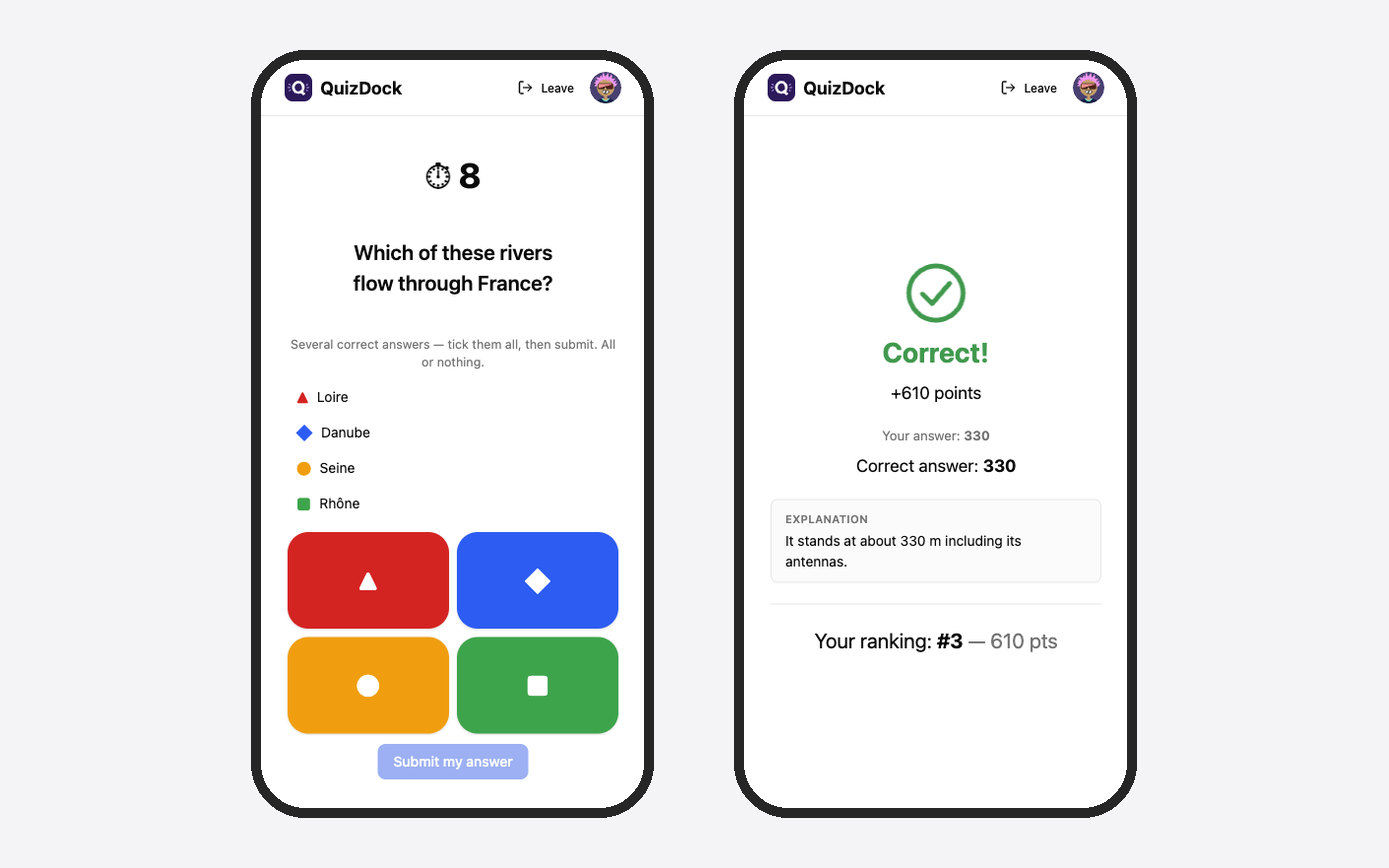 Player — colour tiles to tap, then own result | 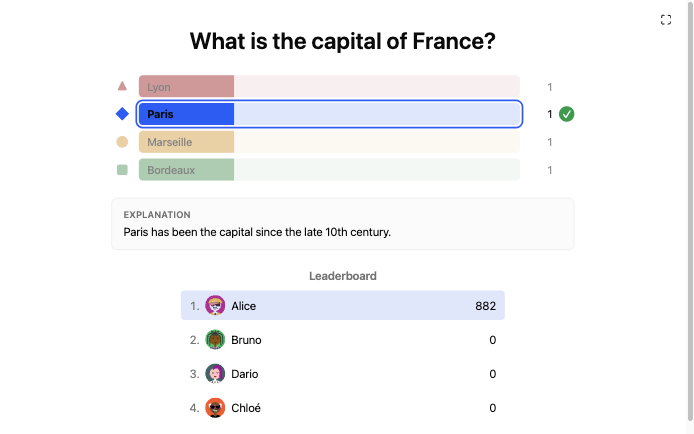 Reveal — distribution, explanation, live leaderboard |
More — content slides, the console during a question and at the reveal, the podium, the player's ordering and feedback screens: full gallery.
📋 More features
Everything else QuizDock does
- 📝 Rich text — prompts, options and descriptions in Markdown with a visual editor (bold, lists, code, inline images).
- 🎞️ Content slides — headings, text, images, 2–3 columns between questions; image or gradient backgrounds for slides and questions, with a faithful 16:9 preview.
- 💡 Answer explanations — shown at the reveal, with a per-question reveal delay in automatic mode.
- 🎛️ Host in control — Console / Projection / Participant views, look back over played questions without replaying anything, layout edits reach a running session at its next step, sessions survive a server restart.
- 🌐 Remote participants (experimental) — a participant following from home says so when joining and gets the whole question on their device, sound and video included; the console shows who is remote and whose media are loaded.
- 📡 Invitation address — the QR code and join link point where participants can actually reach the instance (public URL, LAN IP, or any address), chosen from the console.
- ⭐ Player feedback — players rate the quiz (stars + optional comment) at the end; hosts see the distribution and browse the reviews. Can be switched off per quiz.
- 💾 Answer capture — optionally record every player's individual answers for audit, certification or individual follow-up.
- 🔎 History & exploration — browse archived sessions: per-question success rates, average times, per-player answer sheets.
- 📤 CSV export — overall results and per-player answer sheets.
- 📦 Quiz import / export — a quiz travels as a portable bundle (
quiz.json+media/, zipped): back it up, move it between instances, share it — from the app or the operator CLI. - 🌍 Multilingual — one language per instance; a glossary keeps the wording consistent across the five.
- 🎨 White-label — name, logo and CSS via env + a mounted folder, no rebuild.
- 🔒 Hardened runtime — distroless image, non-root, read-only root FS, all Linux capabilities dropped,
no-new-privileges.
🧱 Tech stack
Backend NestJS + Socket.IO · Prisma 7 / PostgreSQL · Redis (live state) · Frontend React + Vite + shadcn/ui + TanStack · i18next · Packaging single distroless image · Docker Compose. Front/back are kept in sync via an auto-generated OpenAPI client (Orval) and a shared TypeScript WebSocket contract.
🛠️ Development
Dev runs backend (NestJS, hot-reload) and frontend (Vite) as separate services:
pnpm install
docker compose up -d
# Front: http://localhost:15173   ·   API: http://localhost:13000   ·   API docs: http://localhost:13000/api/docs
Design references live in specifications/;
ongoing notes and decisions in docs/
(see the ADRs).
🔒 Security


Dependencies and images are scanned on every push, every PR and weekly
(Security workflow):
pnpm audit gates app CVEs, Trivy scans the filesystem and the published image (results in
the Security tab). Point-in-time audits live in
docs/security/; report a
vulnerability via SECURITY.md.
📄 License
MIT — free to use, modify and redistribute, including for internal self-hosting, provided the copyright notice is kept.
Tag summary
Content type
Image
Digest
sha256:5fc30e57a…
Size
150.4 MB
Last updated
about 5 hours ago
docker pull fchaussin/quizdock