fischermanch/silentmap
Small, easy and silent network monitor application for your home-network
5.8K
fischermanch/silentmap repository overview
SilentMap
Passive discovery, minimal footprint — sees everything, disturbs almost nothing.
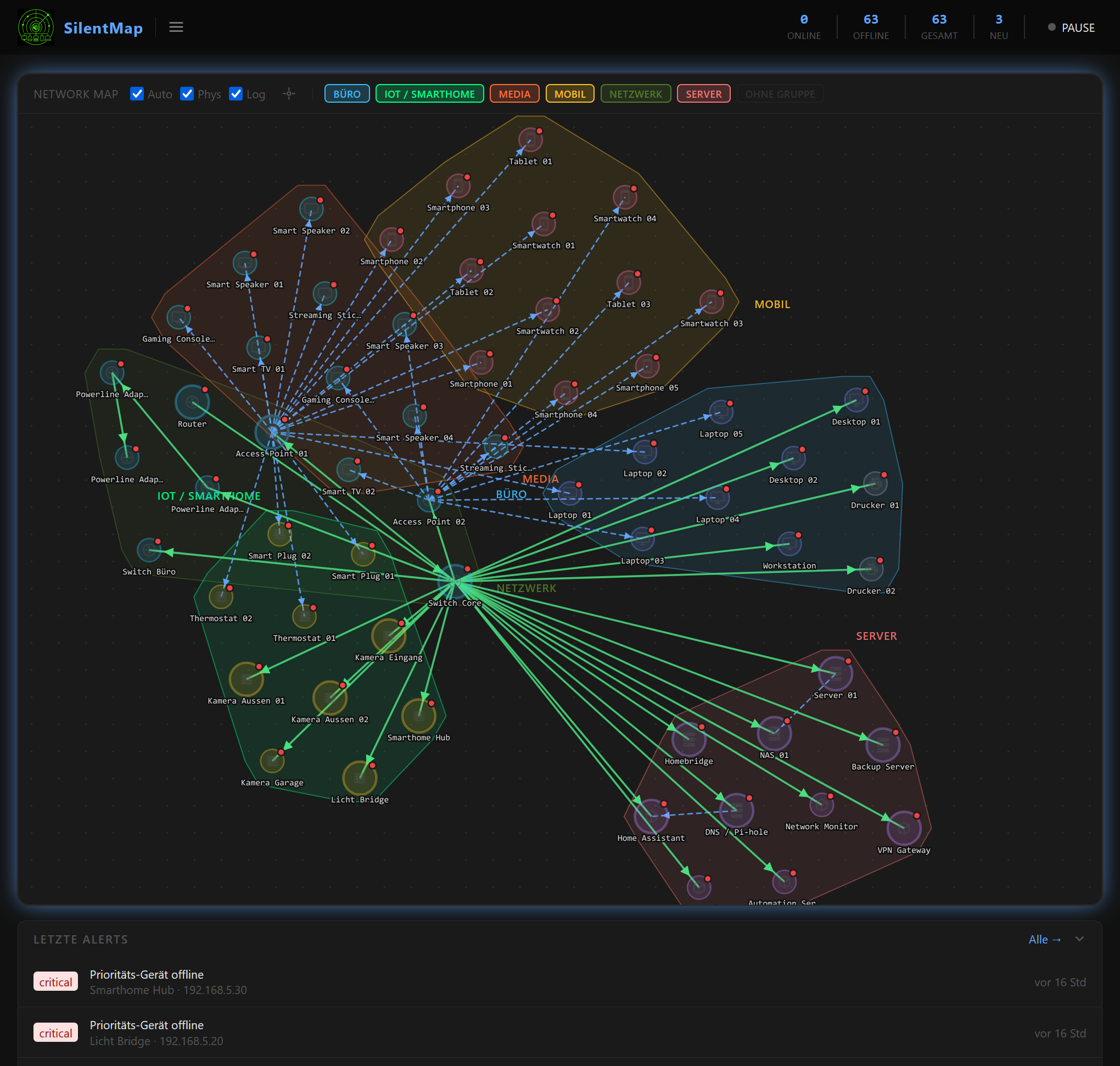
SilentMap discovers devices passively — it listens to the traffic your network already generates (ARP, mDNS, DHCP) and never probes unknown hosts. Once a device is known, it optionally sends lightweight ARP or ICMP requests to track online/offline state. It draws an interactive topology map and alerts you when something unexpected appears or a priority device goes offline.
Passive discovery. No agent to install. Minimal wire footprint.
Single binary · Embedded SQLite · Zero external dependencies · Docker-native
Screenshots
| Devices | Alerts |
|---|---|
 |  |
| Event Log | Settings |
|---|---|
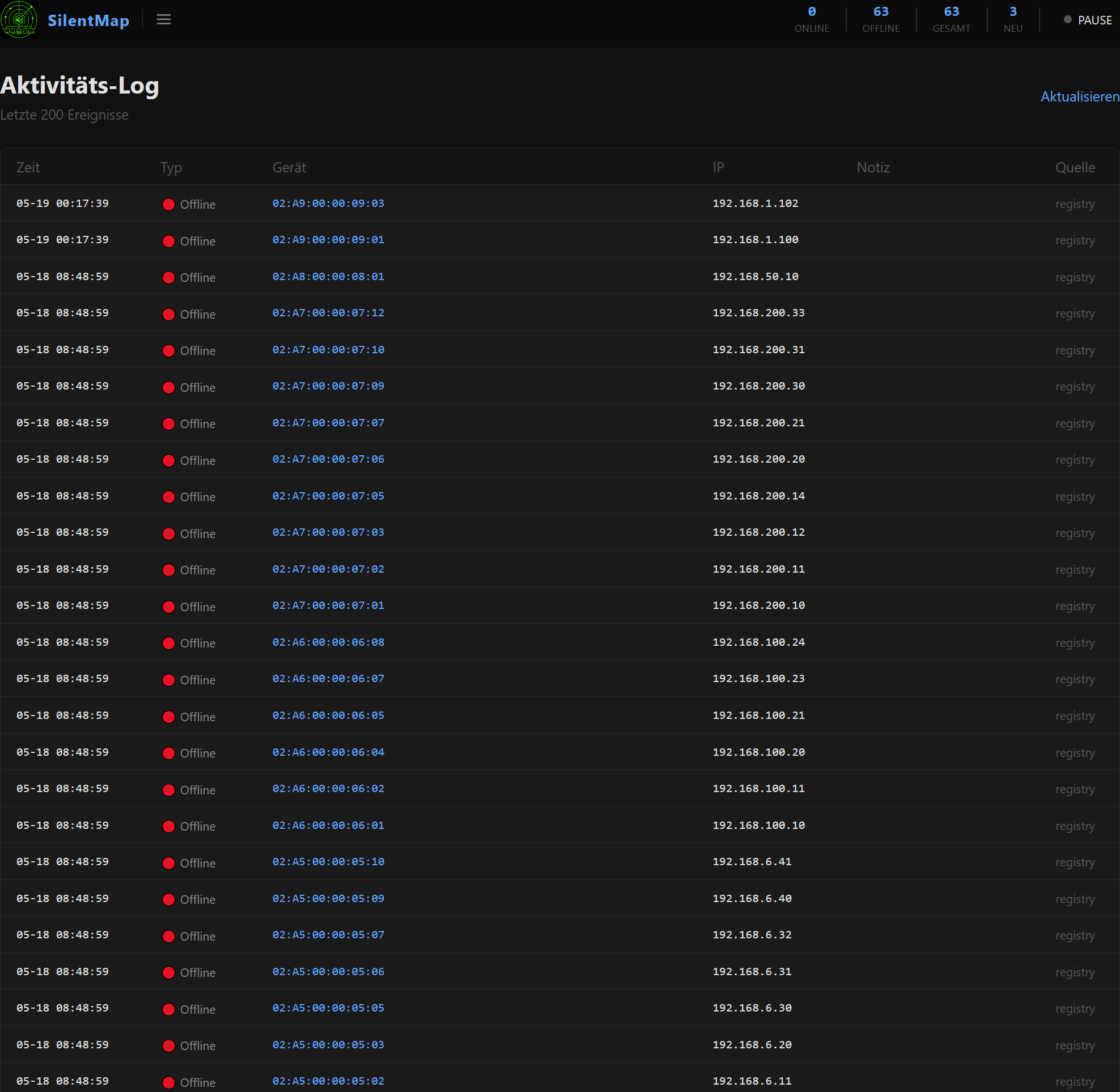 | 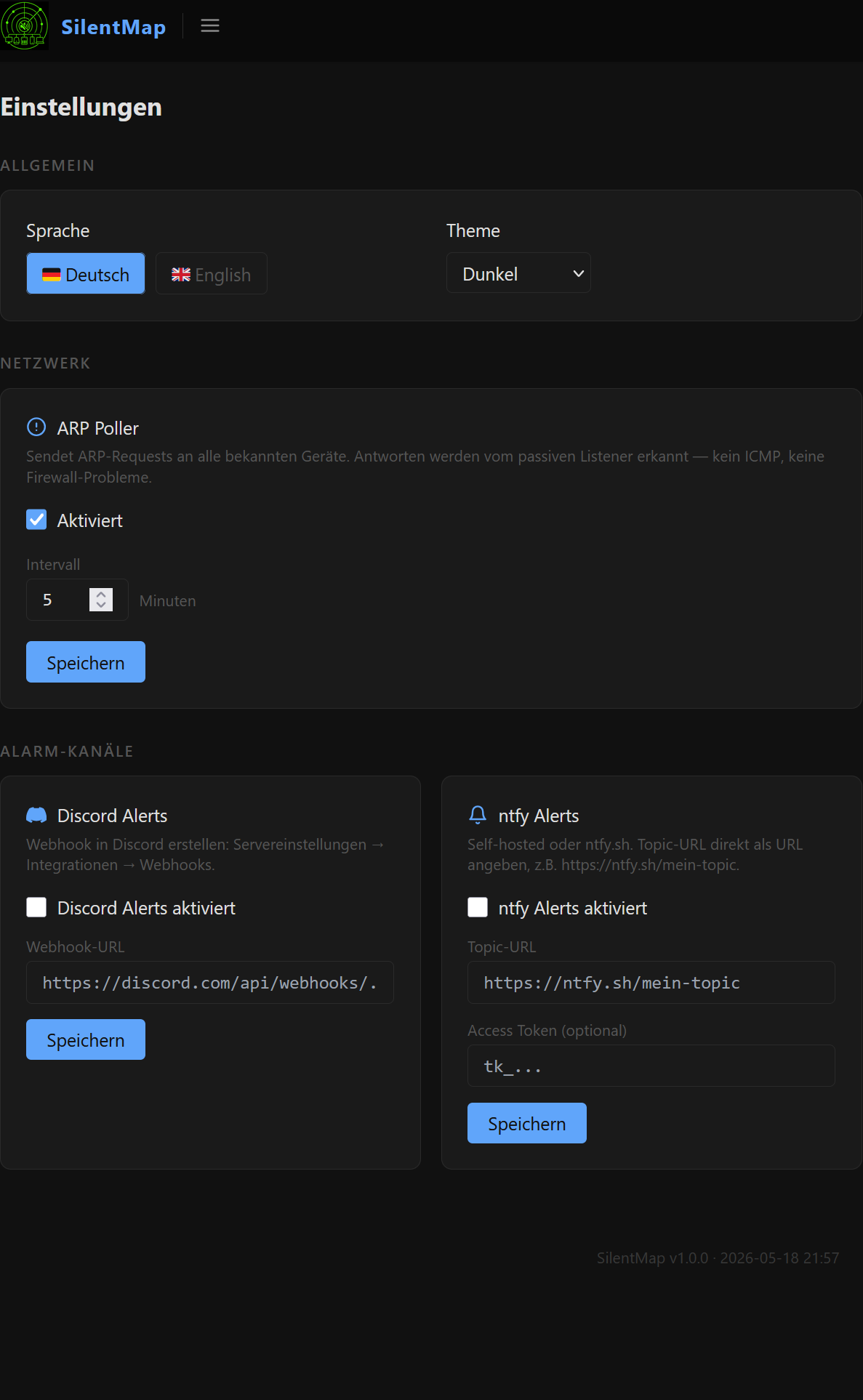 |
Quickstart
docker run -d \
  --name silentmap \
  --network host \
  --cap-add NET_RAW \
  -v silentmap-data:/data \
  -e TZ=Europe/Zurich \
  fischermanch/silentmap:latest
Open http://localhost:8080 — that's it.
Why
--network host? SilentMap needs to see raw ARP, mDNS and DHCP traffic on your LAN segment. Host networking is the only way to get that inside a container.Why
--cap-add NET_RAW? Grants packet-capture capability without running the container as root.
Docker Compose (recommended)
Create a docker-compose.yml file:
services:
  silentmap:
    image: fischermanch/silentmap:latest
    container_name: silentmap
    restart: unless-stopped
    network_mode: host
    cap_add:
      - NET_RAW
    volumes:
      - silentmap-data:/data
    environment:
      - TZ=Europe/Zurich
    healthcheck:
      test: ["CMD", "wget", "-qO-", "http://localhost:8080/health"]
      interval: 30s
      timeout: 5s
      retries: 3

volumes:
  silentmap-data:
Start:
docker compose up -d
Update
docker compose pull
docker compose up -d
Your device inventory, labels, groups and settings are stored in the named volume and survive every update.
Volume & Data
| Path in container | Purpose |
|---|---|
/data | SQLite database, settings, logs |
Mount a named volume (silentmap-data:/data) or a host path (/opt/silentmap/data:/data) — your choice.
Environment variables
| Variable | Default | Description |
|---|---|---|
TZ | UTC | Timezone for timestamps in the UI and logs |
SILENTMAP_INTERFACE | auto | Network interface to listen on |
SILENTMAP_LISTEN | 0.0.0.0:8080 | Web UI bind address |
All settings can also be set in a silentmap.yaml config file placed in the /data volume.
Configuration file (optional)
Place silentmap.yaml in your /data volume to override defaults:
interface: ""           # empty = auto-detect

web:
  listen: "0.0.0.0:8080"

collectors:
  ping:
    enabled: true
    targets: "priority"  # ICMP-ping only devices marked as Priority
    interval: 5m

alerts:
  channels:
    ntfy:
      enabled: true
      url: "https://ntfy.sh/your-topic"
    discord:
      enabled: false
      webhook_url: ""
  routing:
    critical: ["ntfy", "discord"]
    high:     ["ntfy"]
    info:     []
Full configuration reference: silentmap.example.yaml on GitHub
Features
- 100% passive — no ping, no scan, no network noise by default
- Multi-collector — ARP · mDNS · DHCP · optional ICMP ping · on-demand nmap
- OUI vendor lookup — MAC resolved to manufacturer, embedded database
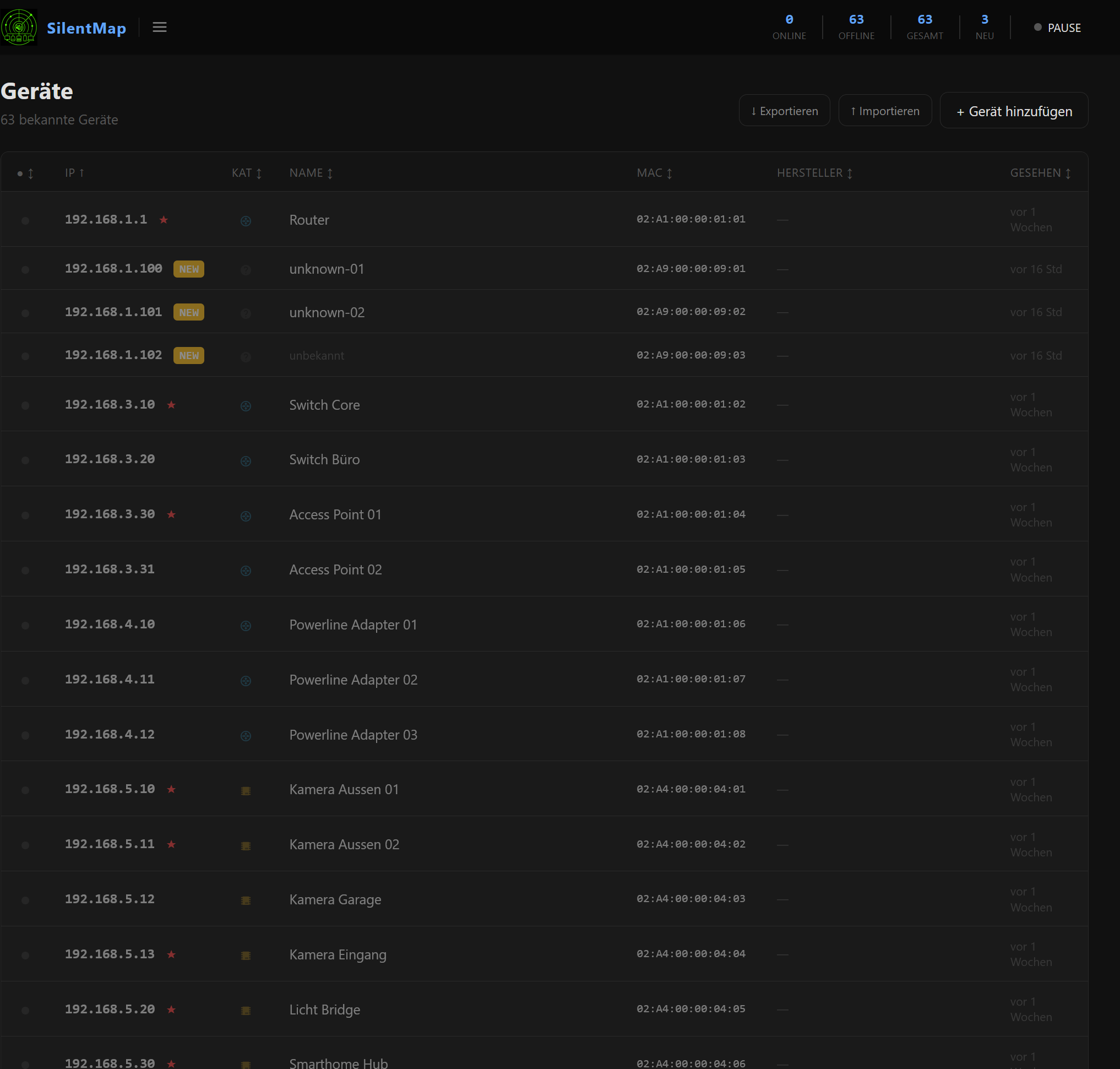
- Device inventory — hostname, label, category, groups, priority flag
- Topology map — interactive D3.js network graph with parent/child relationships
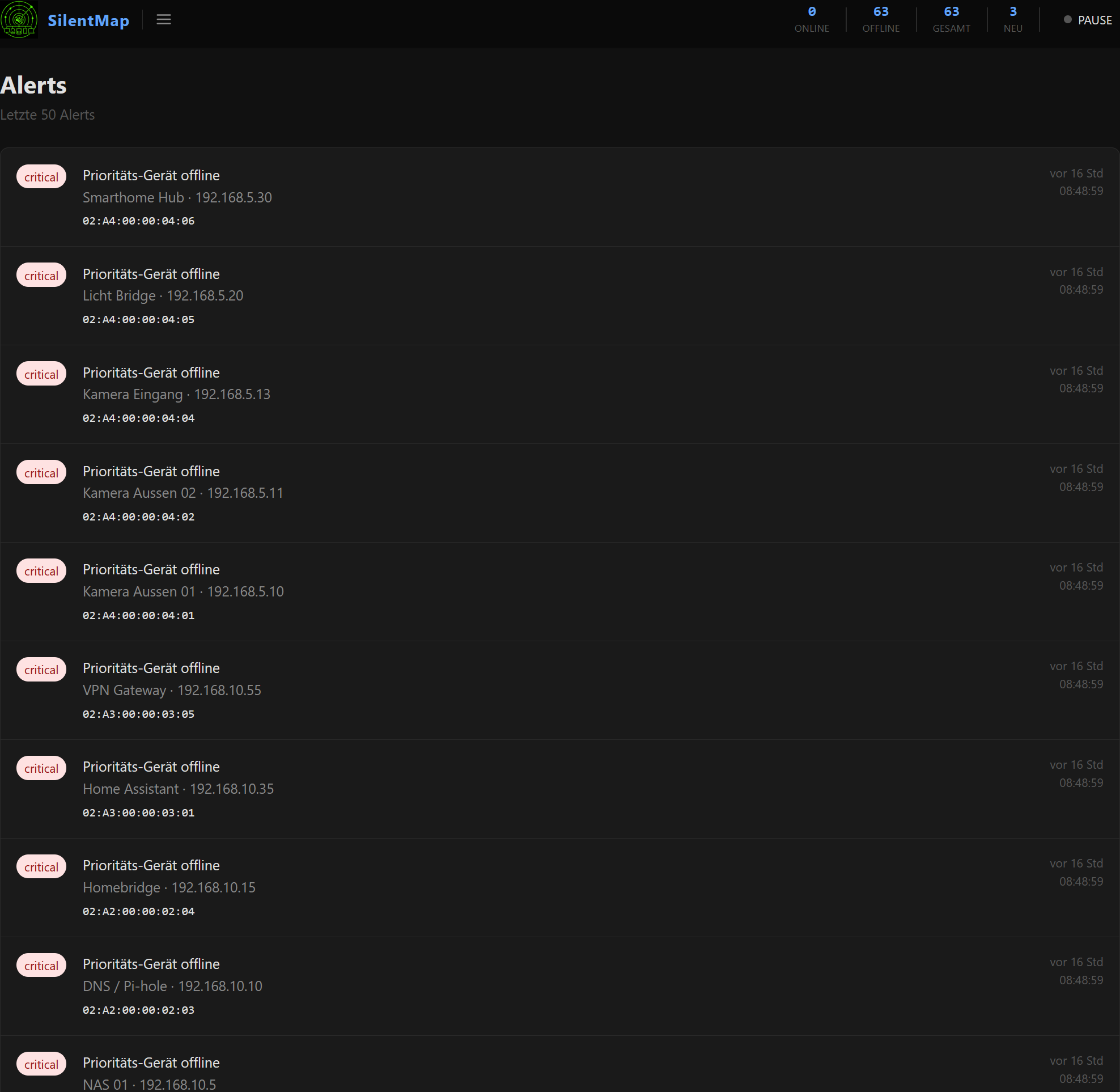
- Alert engine — new device · priority offline · device back online
- ntfy + Discord — push notifications and webhook alerts
- Export / Import — full JSON backup of your entire device inventory
- Themes — dark, light and custom themes, switchable at runtime
- Bilingual — German and English UI, switchable at runtime
- REST API —
/health·/api/stats·/api/topology·/api/export
Links
- GitHub: https://github.com/FischermanCH/silentmap — source code, full documentation, configuration reference, changelog
- Issues / Feature requests: https://github.com/FischermanCH/silentmap/issues
- Product page: https://fischerman.ch/projects/silentmap/
License
MIT — free to use, modify and distribute.
Tag summary
Content type
Image
Digest
sha256:dacaa8e07…
Size
29.2 MB
Last updated
about 2 months ago
docker pull fischermanch/silentmap