fredfeng033/greenfinger-ui
The web console for Greenfinger. One address in front of every crawler node.
173
fredfeng033/greenfinger-ui repository overview
Greenfinger console
One address in front of every crawler node.
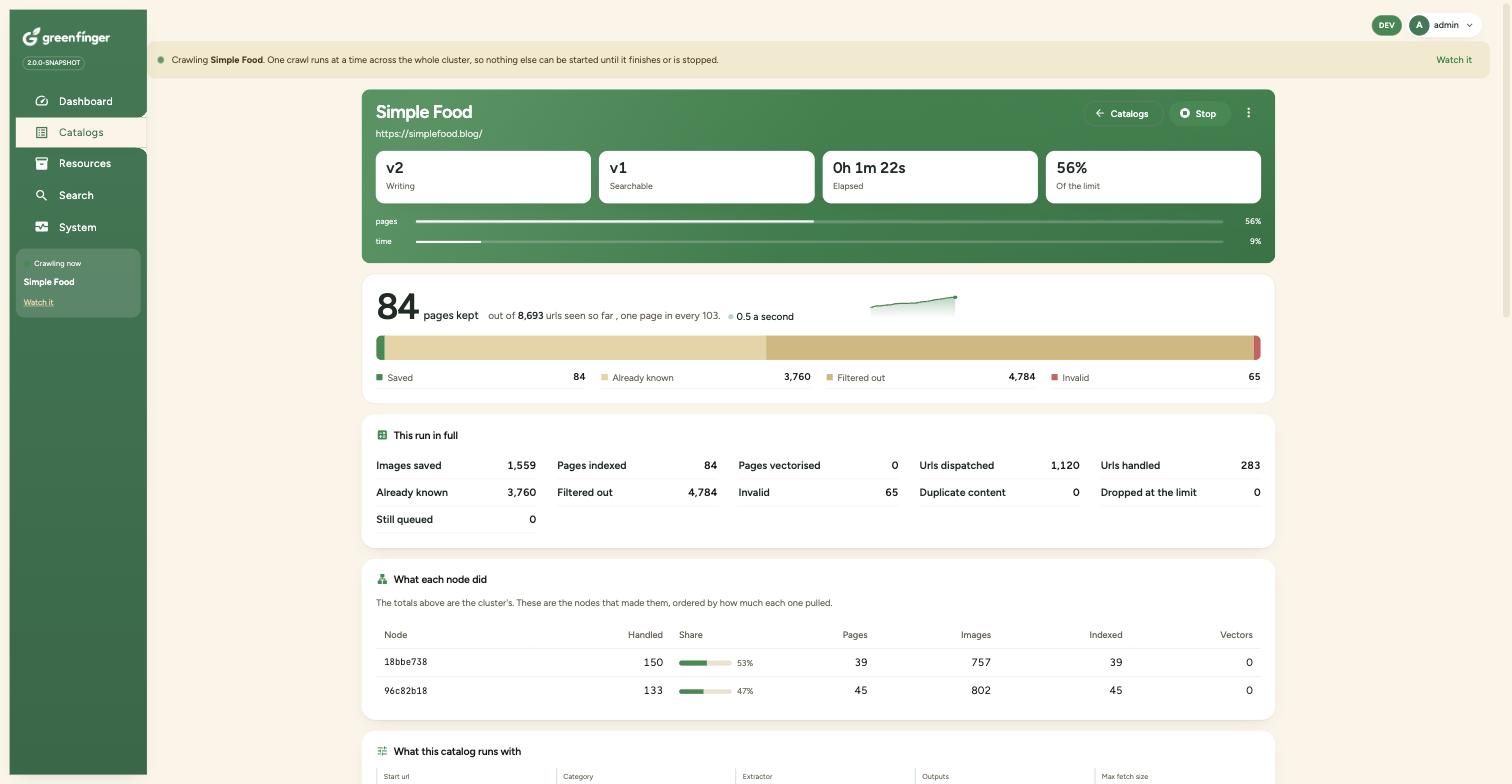
The web console for Greenfinger, a distributed web crawler for the JVM. It serves the Angular build and forwards the api across however many crawler nodes are running, so a browser talks to one place and the request lands on whichever node is free.
This image is the console. For the crawler itself, see fredfeng033/greenfinger-api.
- Source: https://github.com/paganini2008/greenfinger
- Documentation: https://paganini2008.github.io/greenfinger/
- Licence: Apache 2.0
You may not need this
The crawler jar serves these same files itself, which is what makes a single process a complete
installation. Running one node and opening http://localhost:50080 works.
This container is for when there is more than one node. It is the thing that makes three of them look like one site.
Quick start
docker run -d --name greenfinger-ui \
  -e GF_UPSTREAMS=172.28.0.10:50080,172.28.0.11:50080,172.28.0.12:50080 \
  -p 9700:80 \
  fredfeng033/greenfinger-ui:latest
Then open http://localhost:9700. Sign in with admin and admin123.
The container has to be on the same network as the nodes it forwards to, so on its own this is rarely what you want. Three nodes and this console together, which is the shortest way to see it work:
curl -O https://raw.githubusercontent.com/paganini2008/greenfinger/main/backend/greenfinger-docker/docker-compose.yml
echo "GF_TOKEN_SECRET=$(openssl rand -base64 32)" > .env
docker compose up -d
GF_TOKEN_SECRET is what makes this console usable at all against more than one node. Tokens are
signed rather than kept in a session, so a node cannot verify one signed with another node's key.
Without a shared key every node generates its own, this console round robins across them, and a
signed in browser is thrown back to the login page on two requests in three.
Give Docker 6GB for three nodes. One node and this console fit in 2GB, with
docker compose up -d api-1 ui.
What it does
| Serves the app | The Angular build, with a single page fallback so a deep link works on a refresh |
| Forwards the api | /v2 and /actuator go to GF_UPSTREAMS, round robin |
| Survives a node going away | A token is signed and stateless, so any node can verify one. There is no session to pin a browser to a node |
Node rather than nginx, because the api address is a runtime setting and the forwarding is a hundred lines of Node's own http module. No package.json either, so there is no install step, no lockfile to keep current and nothing to audit.
Configuration
| Variable | Default | Description |
|---|---|---|
GF_UPSTREAMS | none | Required. Comma separated host:port of the crawler nodes |
PORT | 80 | The port inside the container |
GF_STATIC | /app/static | Where the built app lives |
The api address the browser uses is a separate thing, and it lives in env.js beside
index.html. It ships empty, which means "the api is on this origin", and that is correct here
because this container forwards /v2 itself. Override it only when the api is somewhere else:
docker run -d \
  -v ./env.js:/app/static/env.js:ro \
  -e GF_UPSTREAMS=... \
  -p 9700:80 \
  fredfeng033/greenfinger-ui:latest
window.__GF__ = { apiBaseUrl: 'https://api.example.com' };
Tags
| Tag | What it is |
|---|---|
latest | The most recent release, pre-releases included |
2.0.0 | An exact version |
2.0 | The latest patch of that minor version |
edge | Built by hand from main, between releases |
Both linux/amd64 and linux/arm64. The same images are on GHCR as
ghcr.io/paganini2008/greenfinger-ui.
Keep the two images on the same tag. The console calls the api the version it was built against, and nothing checks that for you.
Behind nginx or a load balancer
It is a plain http server on one port, so there is nothing special to do. Terminate TLS in front
of it and pass everything through. The app and the api arrive on the same origin either way,
which is why apiBaseUrl can stay empty.
The container runs as a non root user and needs no capabilities.
Apache License 2.0. Issues and pull requests at https://github.com/paganini2008/greenfinger.
Tag summary
Content type
Image
Digest
sha256:8b3bbedfb…
Size
59.4 MB
Last updated
17 days ago
docker pull fredfeng033/greenfinger-ui