fullstackspectrum/gitpulse
GitHub analytics dashboard beyond the default 14-day window.
235
fullstackspectrum/gitpulse repository overview
GitPulse








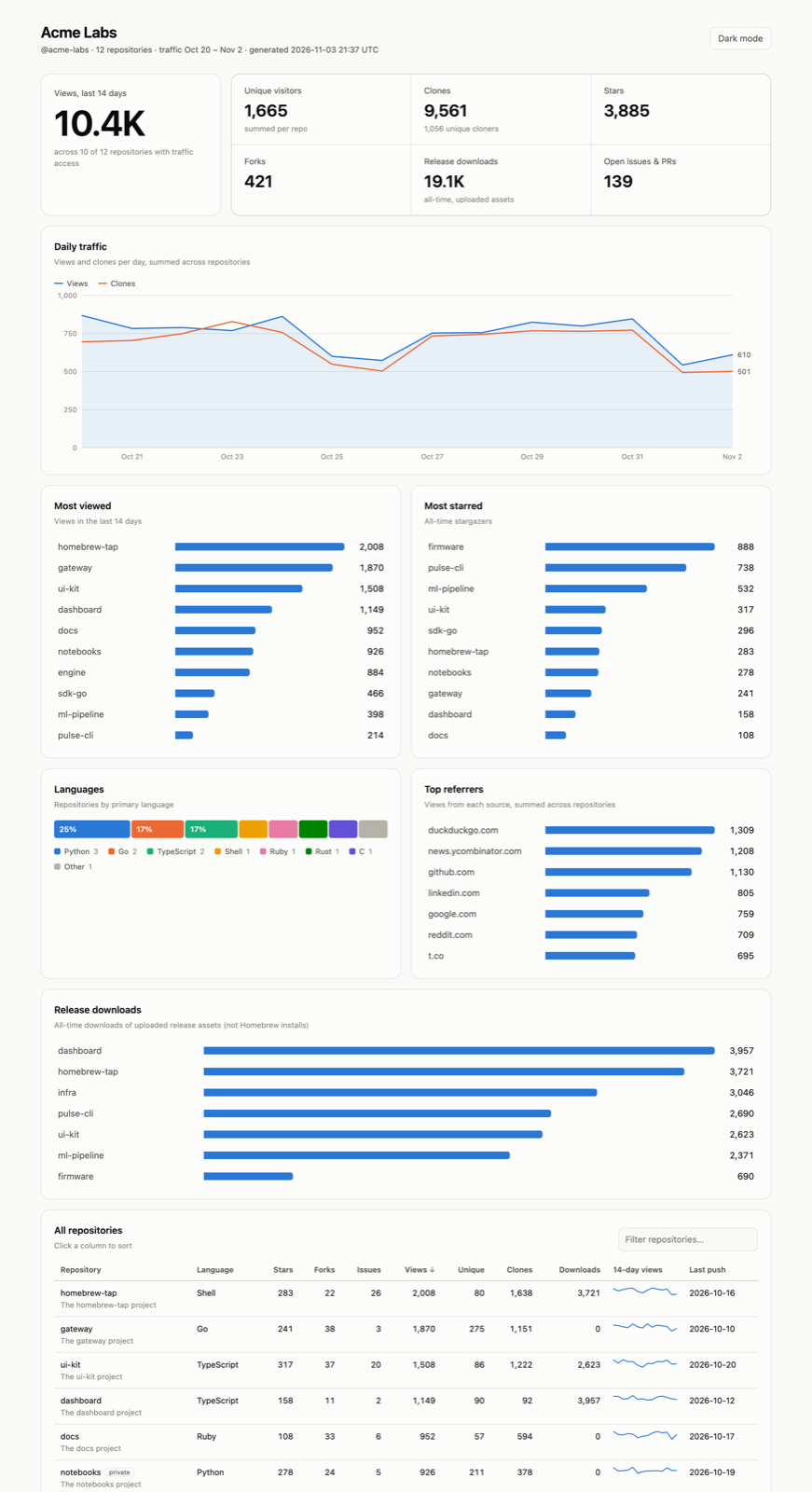
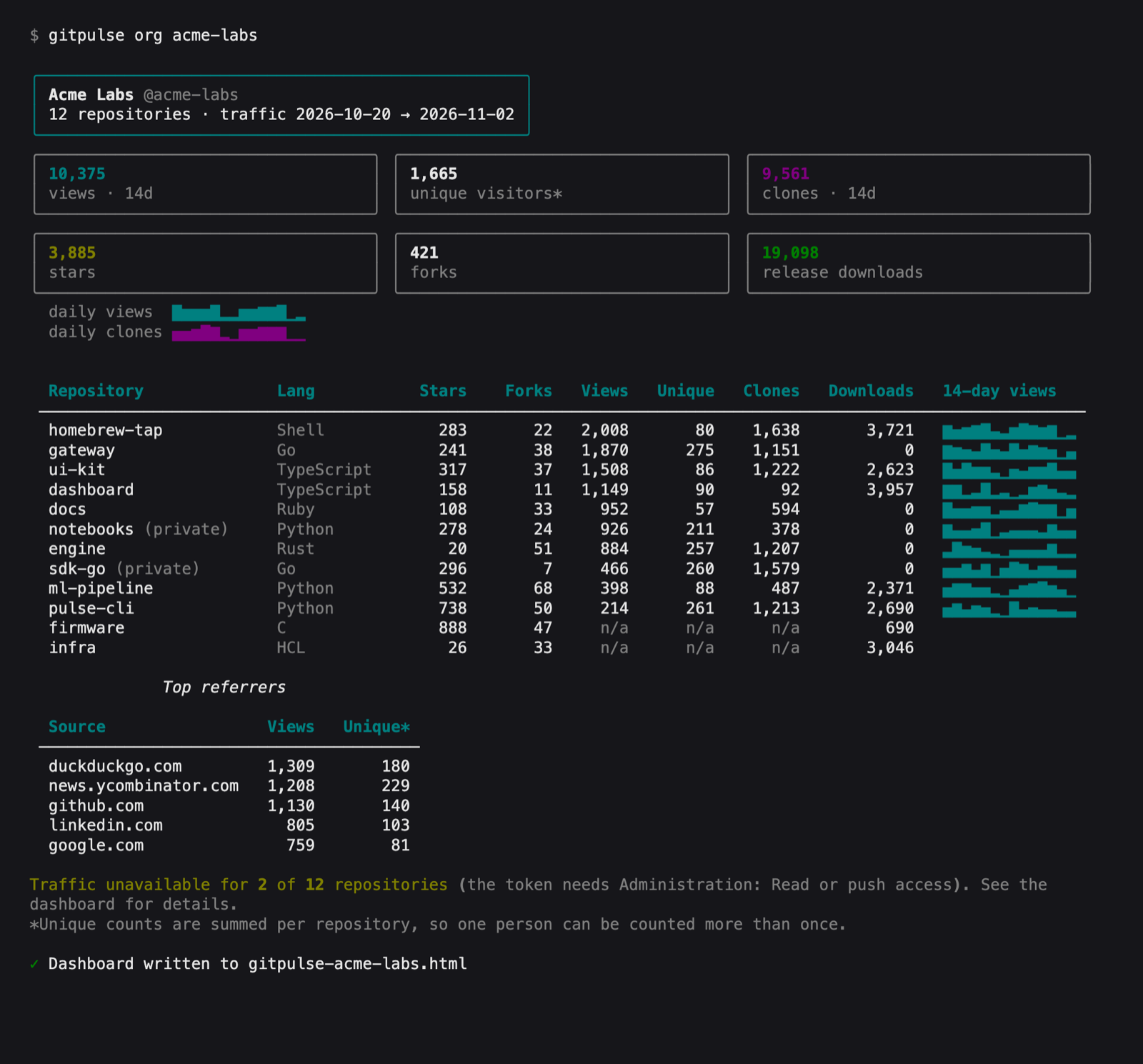
GitHub traffic, clones, referrers, and release downloads in your terminal, plus org-wide HTML dashboards. This is the official container image for GitPulse.
Quick start
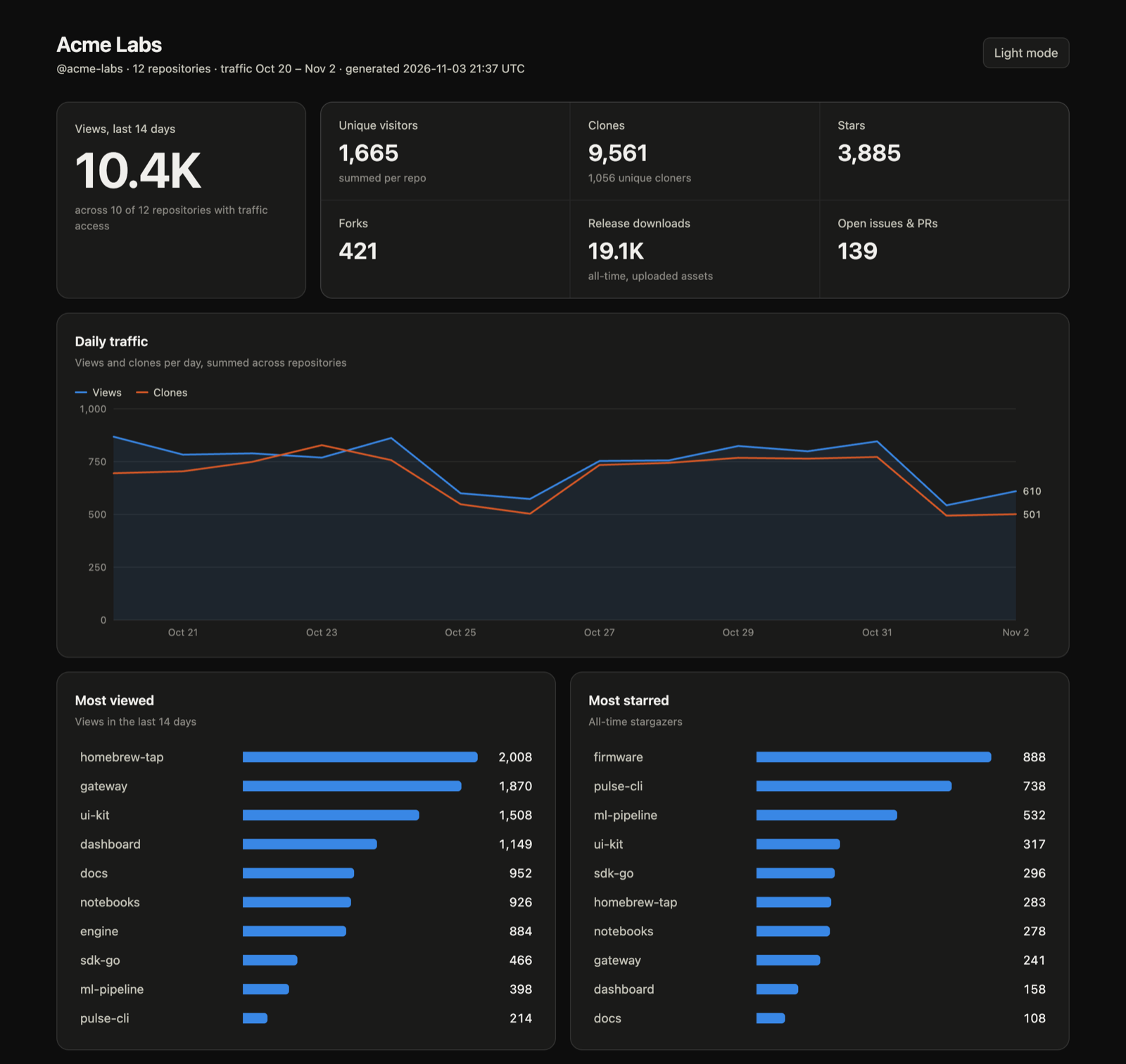
Point GitPulse at an organization or user account and get a self-contained HTML dashboard in the current directory:
export GITHUB_TOKEN="github_pat_..."   # or: export GITHUB_TOKEN="$(gh auth token)"
docker run --rm -t -e GITHUB_TOKEN -v "$PWD:/data" fullstackspectrum/gitpulse org ORG
Open gitpulse-ORG.html in your browser. The -t flag gives you colour and a progress bar in the terminal.
Tags
| Tag | Points to |
|---|---|
latest | The newest stable release |
X.Y (e.g. 0.2) | The newest patch release in that minor series |
X.Y.Z (e.g. 0.2.0) | One exact release |
Every tag is built for linux/amd64 and linux/arm64. Pre-releases are published under their exact version only and never move latest.
Commands
The image's entrypoint is gitpulse, so anything after the image name is a GitPulse command:
# Org-wide dashboard (terminal summary + HTML file)
docker run --rm -t -e GITHUB_TOKEN -v "$PWD:/data" fullstackspectrum/gitpulse org ORG
docker run --rm -t -e GITHUB_TOKEN -v "$PWD:/data" fullstackspectrum/gitpulse org ORG --all --output reports/org.html

# Single repositories
docker run --rm -t -e GITHUB_TOKEN fullstackspectrum/gitpulse repos
docker run --rm -t -e GITHUB_TOKEN fullstackspectrum/gitpulse traffic OWNER/REPO --metric referrers
docker run --rm -t -e GITHUB_TOKEN fullstackspectrum/gitpulse downloads OWNER/REPO

# Help and version
docker run --rm fullstackspectrum/gitpulse --help
docker run --rm fullstackspectrum/gitpulse --version
The --open option of org can't launch a browser from inside a container; open the HTML file from the mounted directory instead.
Keeping history
GitHub only reports the last 14 days of traffic. To keep more, save snapshots on a schedule into a persistent volume:
docker volume create gitpulse-data
docker run --rm -e GITHUB_TOKEN -v gitpulse-data:/data fullstackspectrum/gitpulse org ORG --save
docker run --rm -t -e GITHUB_TOKEN -v gitpulse-data:/data fullstackspectrum/gitpulse history OWNER/REPO
Run the --save command daily, for example from cron, to build up history.
Configuration
| Setting | Purpose |
|---|---|
GITHUB_TOKEN or GH_TOKEN | GitHub token (required). Never written to disk by GitPulse. |
GITPULSE_DB | Snapshot database path. Defaults to /data/gitpulse.sqlite3. |
/data | Working directory and volume. Dashboards and the snapshot database are written here. |
The container runs as the non-root UID 65532. If that UID can't write to a bind-mounted directory (common on Linux), add --user "$(id -u):$(id -g)".
Upgrading from 0.2.0: that version ran as UID 1000, so snapshot history saved with it isn't writable by 0.2.1 (attempt to write a readonly database). Give the files to the new user once; your history is kept:
docker run --rm -v gitpulse-data:/data alpine chown -R 65532:65532 /data
Hardened base
The image is built on the Alpine variant of Docker Hardened Images for Python. The runtime has no shell or package manager, and GitPulse runs from its own virtualenv containing only GitPulse and its dependencies. It's rebuilt on each release to pick up base image patches.
Token permissions
Classic tokens need the repo scope for private repositories. Fine-grained tokens need these repository permissions:
| Permission | Needed for |
|---|---|
| Metadata: read | All commands |
| Contents: read | Release download counts |
| Administration: read | Traffic (views, clones, referrers) |
Traffic data is only available for repositories you have push access to. When a repository's traffic can't be read, its stars, forks, and downloads still appear, and the dashboard lists which repositories are missing traffic and why.
What GitHub can and can't tell you
GitHub reports aggregate daily views and clones, unique counts, referrers, popular paths, and release-asset download totals. It doesn't identify individual visitors or cloners. Unique counts in GitPulse's org totals are summed per repository, so one person who visits two repositories counts twice. Release asset downloads are not Homebrew install counts.
Other ways to install
brew install fullstackspectrum/gitpulse/gitpulse
pipx install gitpulse-analytics
Links
- Source and full documentation: github.com/fullstackspectrum/gitpulse
- Issues: github.com/fullstackspectrum/gitpulse/issues
- PyPI: gitpulse-analytics
- License: MIT
Tag summary
Content type
Image
Digest
sha256:8b9111baf…
Size
22 MB
Last updated
1 day ago
docker pull fullstackspectrum/gitpulse