functions/faas-netes
faas-netes - a K8s backend for FaaS.
50K+
functions/faas-netes repository overview
faas-netes
This is a plugin to enable Kubernetes as a FaaS backend. The existing CLI and UI are fully compatible. It also opens up the possibility for other plugins to be built for orchestation frameworks such as Nomad and Mesos/Marathon.
FaaS is an event-driven serverless framework for containers. Any container for Windows or Linux can be leveraged as a serverless function. FaaS is quick and easy to deploy (less than 60 secs) and lets you avoid writing boiler-plate code.
In this README you'll find a technical overview and instructions for deploying FaaS on a Kubernetes cluster but Docker Swarm is also natively supported.
You can watch my intro from the Dockercon closing keynote with Alexa, Twitter and Github demos or a complete walk-through of FaaS-netes showing Prometheus, auto-scaling, the UI and CLI in action.
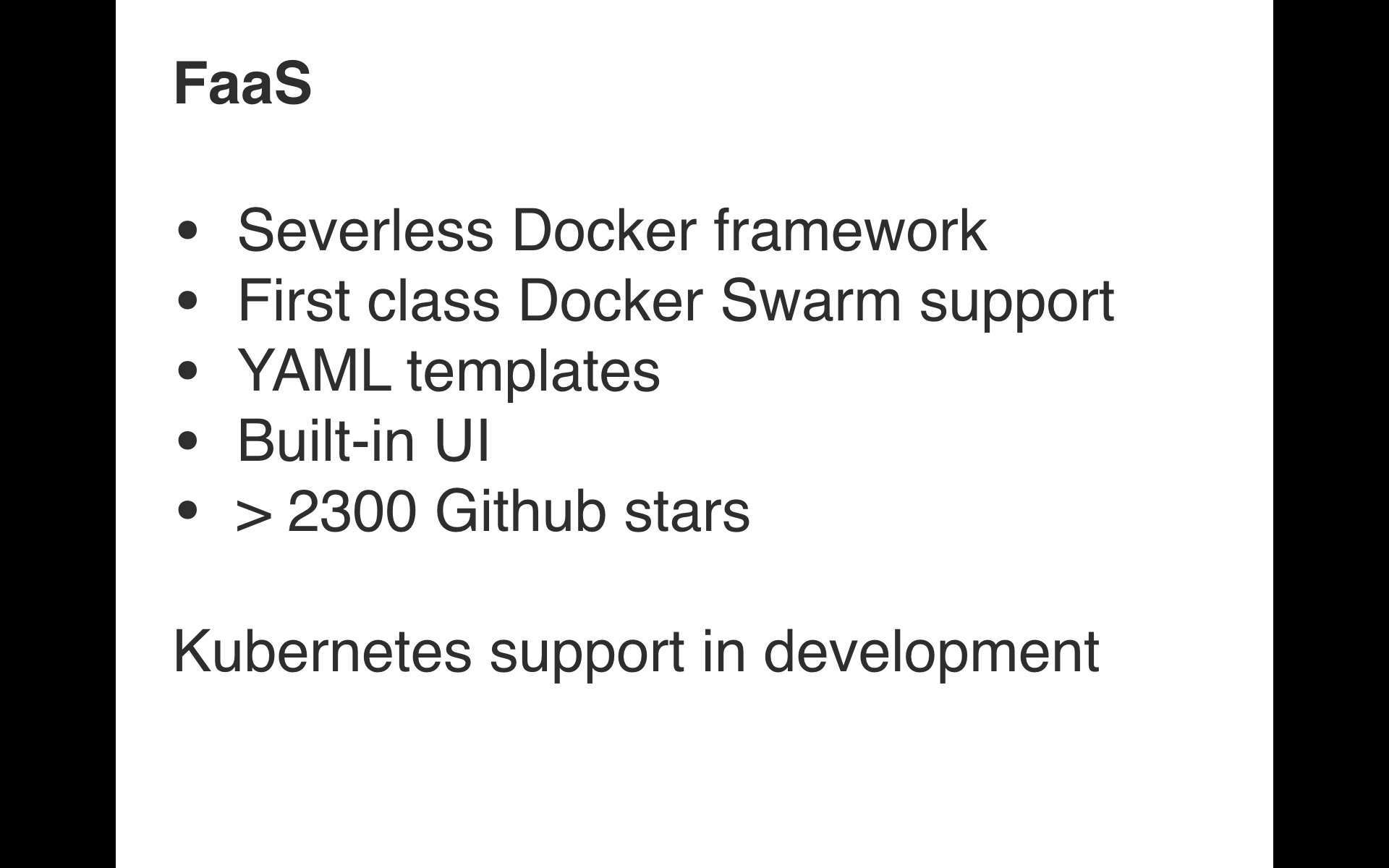
If you'd like to know more about the FaaS project head over to - https://github.com/alexellis/faas
The code in this repository is a daemon or micro-service which can provide the basic functionality the FaaS Gateway requires:
- List functions
- Deploy function
- Delete function
- Invoke function synchronously
Any other metrics or UI components will be maintained separately in the main FaaS project.
Technical overview
Motivation for separate micro-service:
- Kubernetes go-client is 41MB with only a few lines of code
- After including the go-client the code takes > 2mins to compile
So rather than inflating the original project's source-code this micro-service will act as a co-operator or plug-in. Some additional changes will be needed in the main FaaS project to switch between implementations.
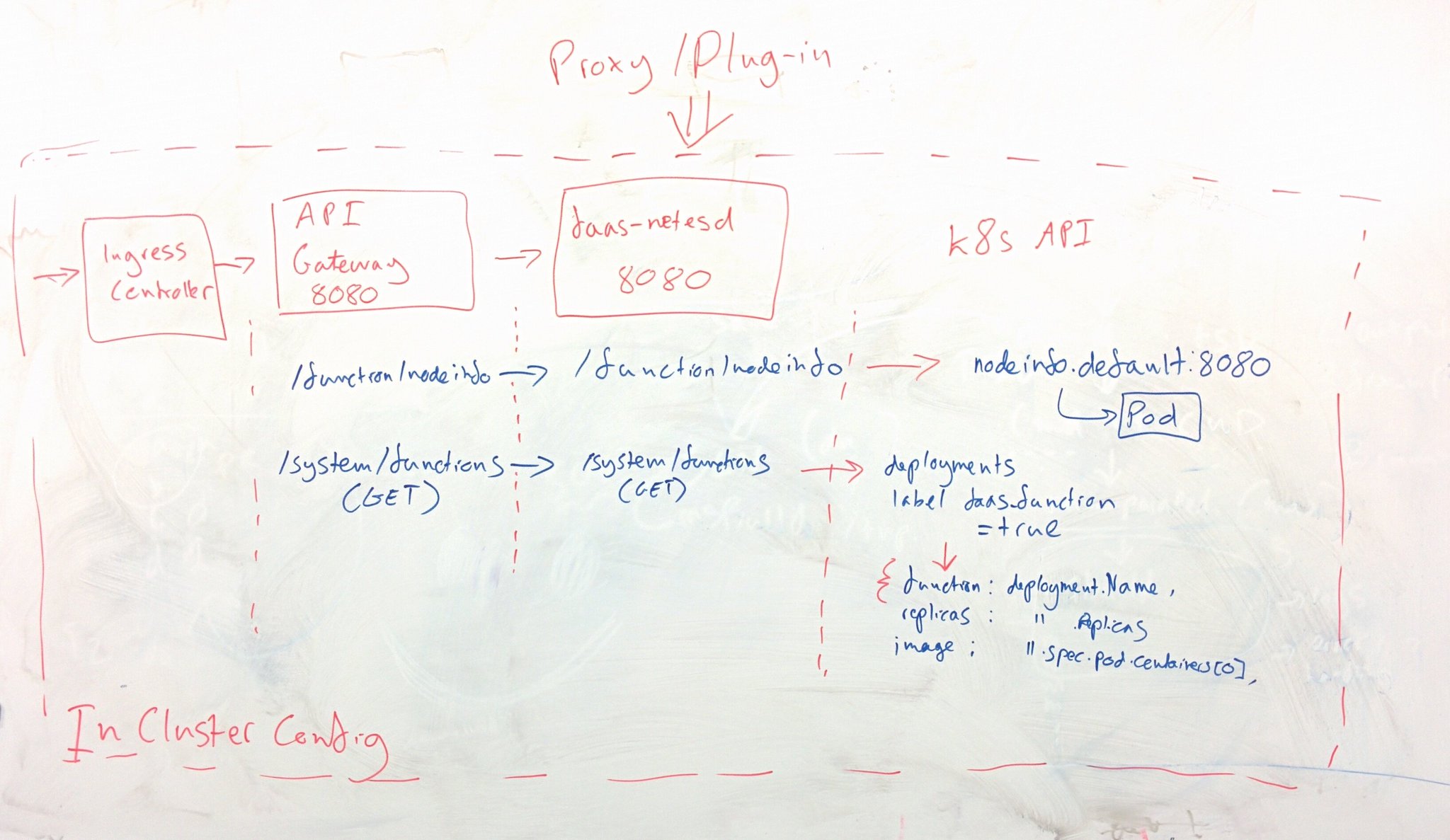
There is no planned support for dual orchestrators - i.e. Swarm and K8s at the same time on the same host/network.
Get started with the code
Let's try it out:
- Create a single-node cluster on our Mac
- Deploy a function manually with
kubectl - Build and deploy the FaaS-netes microservice
- Make calls to list the functions and invoke a function
I'll give instructions for creating your cluster on a Mac with minikube, but you can also use kubeadm on Linux in the cloud by following this tutorial.
Create a cluster on Mac:
$ minikube start --vm-driver=xhyve
You can also omit
--vm-driver=xhyveif you want to use VirtualBox for your local cluster.
Deploy FaaS-netes and the API Gateway
$ kubectl apply -f ./faas.yml,monitoring.yml
The monitoring.yml file provides Prometheus and AlertManager functionality for metrics and auto-scaling behaviour.
If you're using kubeadm and RBAC then you can run in a cluster role for FaaS-netes:
$ kubectl apply -f ./faas-rbac.yml
Deploy a tester function
You have three options for deploying a function:
- Via the FaaS CLI
The CLI can build FaaS functions into Docker images that you can share via the Docker Hub. These can also be deployed through the same tool using a YAML format.
Available at: https://github.com/alexellis/faas-cli
Note: currently Kubernetes FaaS functions can only be named a-zA-Z and dash (-).
- Through the FaaS UI
The FaaS UI is accessible in a web-browser on port 31112 with the IP of your node.
See below for a screenshot.
- Manual deployment + service with a label of "faas_function=<function_name>"
$ kubectl delete deployment/nodeinfo ; \
  kubectl delete service/nodeinfo ; \
  kubectl run --labels="faas_function=nodeinfo" nodeinfo --port 8080 --image functions/nodeinfo:latest ; \
  kubectl expose deployment/nodeinfo
- The label
faas_function=<function_name>marks this as a "function"
Now try it out
Function List
The function list is available on the gateway and is also used by the FaaS UI.
Find the gateway service:
$ kubectl get service gateway
NAME      CLUSTER-IP      EXTERNAL-IP   PORT(S)          AGE
gateway   10.106.11.234   <nodes>       8080:31112/TCP   1h
You can now use the node's IP address and port 31112 or the Cluster IP and port 8080.
Using the internal IP:
$ minikube ssh 'curl -s 10.106.11.234:8080/system/functions'

[{"name":"nodeinfo","image":"functions/nodeinfo:latest","invocationCount":0,"replicas":1}]
Or via the node's IP and NodePort we mapped (31112):
$ curl -s http://$(minikube ip):31112/system/functions

[{"name":"nodeinfo","image":"functions/nodeinfo:latest","invocationCount":0,"replicas":1}]
Invoke a function via the API Gateway
Using the IP from the previous step you can now invoke the nodeinfo function with a HTTP POST and an empty body.
curl -s --data "" http://$(minikube ip):31112/function/nodeinfo
Hostname: nodeinfo-2186484981-lcm0m

Platform: linux
Arch: x64
CPU count: 2
Uptime: 19960
The --data flag turns the curl from a GET to a POST. Right now FaaS functions are invoked via a POST to the API Gateway.
The nodeinfo function also supports a parameter of
verboseto view network adapters - to try this set the--dataflag toverbose.
Manually scale a function
Let's scale the deployment from 1 to 2 instances of the nodeinfo function:
$ kubectl scale deployment/nodeinfo --replicas=2
You can now use the curl example from above and you will see either of the two replicas.
Auto-scale your functions
Given enough load (> 5 requests/second) FaaS will auto-scale your service, you can test this out by opening up the Prometheus web-page and then generating load with Apache Bench or a while/true/curl bash loop.
Here's an example you can use to generate load:
ip=$(minikube ip); while [ true ] ; do curl $ip:31112/function/nodeinfo -d "" ; done
Prometheus is exposed on a NodePort of 31119 which shows the function invocation rate.
$ open http://$(minikube ip):31119/
Here's an example for use with the Prometheus UI:
rate(gateway_function_invocation_total[20s])
It shows the rate the function has been invoked over a 20 second window.
The FaaS complete walk-through on Kubernetes Video shows auto-scaling in action and how to use the Prometheus UI.
Test out the UI
You can also access the FaaS UI through the node's IP address and the NodePort we exposed earlier.
$ open http://$(minikube ip):31112/
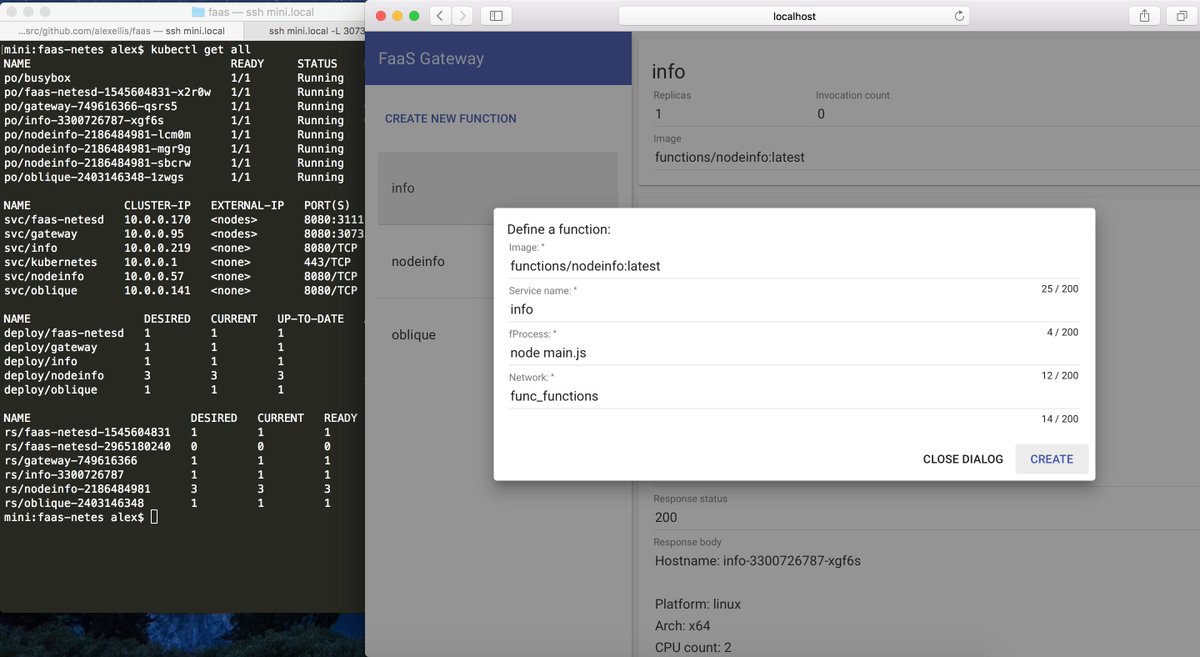
If you've ever used the Kubernetes dashboard then this UI is a similar concept. You can list, invoke and create new functions.
Get involved
Please Star the FaaS and FaaS-netes Github repo.
Contributions are welcome - see the contributing guide for FaaS.
The FaaS complete walk-through on Kubernetes Video shows how to use Prometheus and the auto-scaling in action.
Tag summary
Content type
Image
Digest
Size
258.6 MB
Last updated
about 9 years ago
docker pull functions/faas-netes