fybre/thereforereportgenerator
Provides a summary email for Therefore workflows
Image
Monitoring & observability
0
937
fybre/thereforereportgenerator repository overview
Therefore Report Generator
Features:
- Runs as a cloud service but could be deployed internally for a client (it is deployed as a docker image). NOTE: it is only designed for Therefore online systems
- Can be configured with multiple reports, for multiple clients, and for multiple report types for each client.
- Can summarise all workflow processes, or just particular ones (such as only creating a report for Accounts Payable workflow process, and not for a docusign workflow for example)
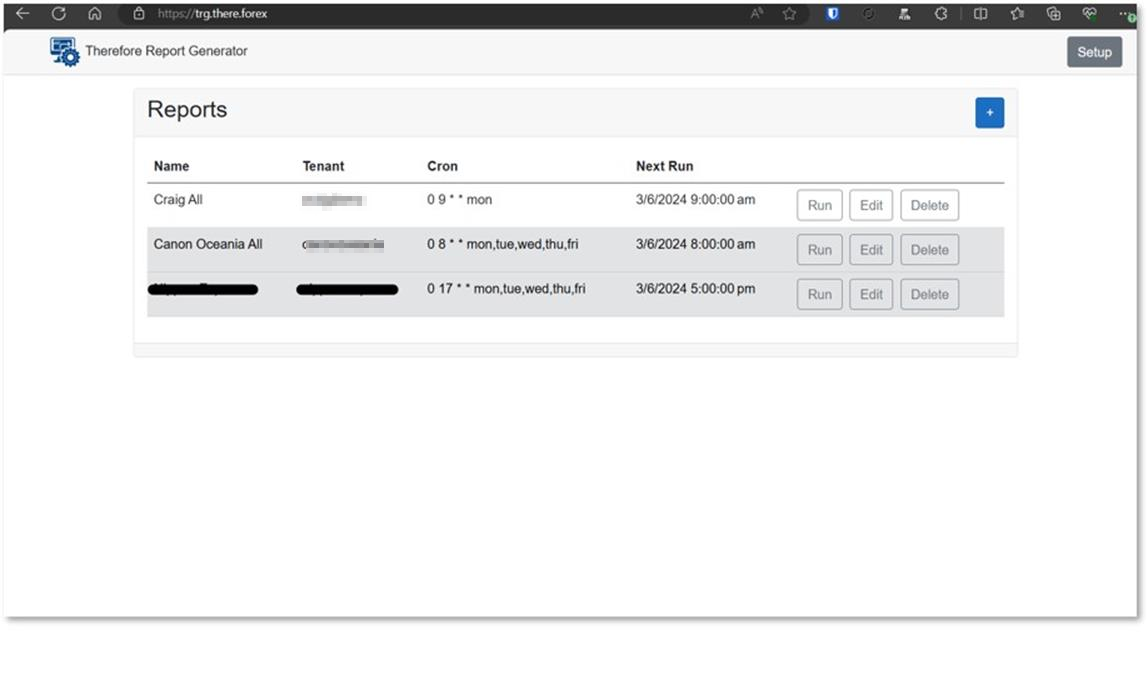
- Summary reports can be scheduled for practically any timeframe – daily, weekly, monthly, only weekdays, during business hours, after business hours etc.
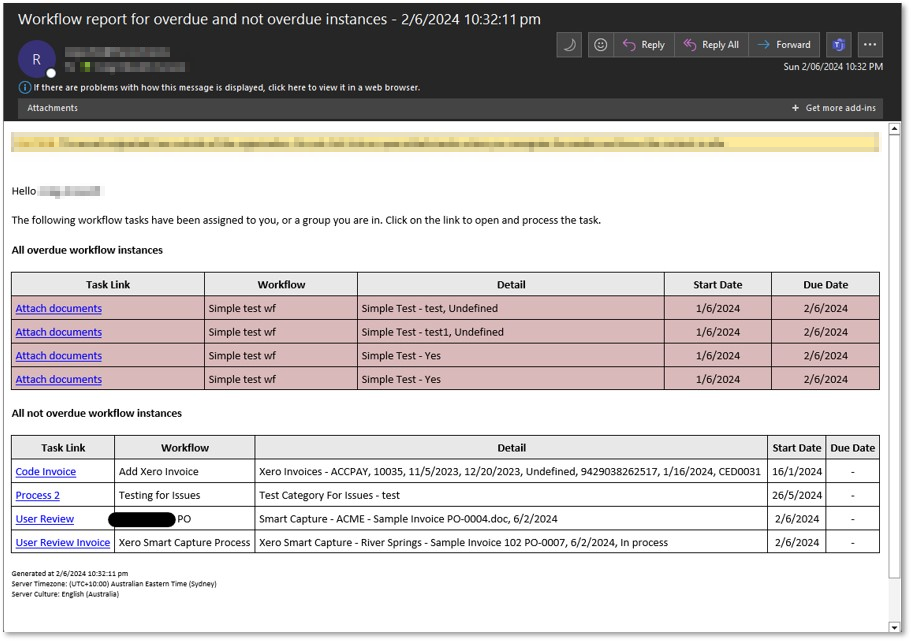
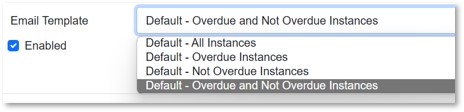
- Several built in reports (a summary table for all instances (both overdue and not overdue), a summary table for only overdue instances and summary table for only not overdue instances) are available.
- Formatting of the emails can be totally altered/customised with macros able to be inserted for many data points, such as Task name, process name, task start date, task due date, process start date, index value summary etc
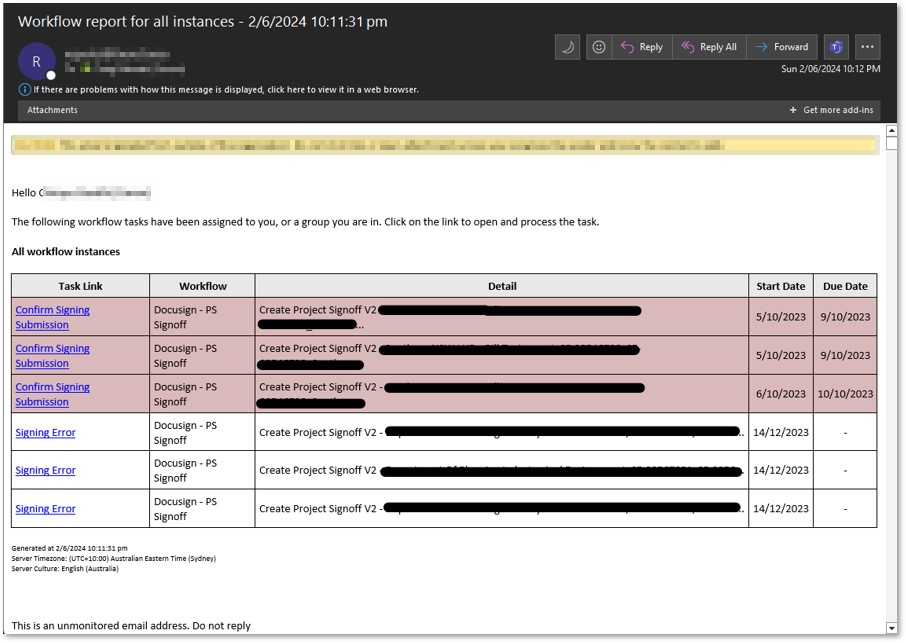
- Clicking on the task link will open up Therefore web client so the user can process the workflow task immediately.
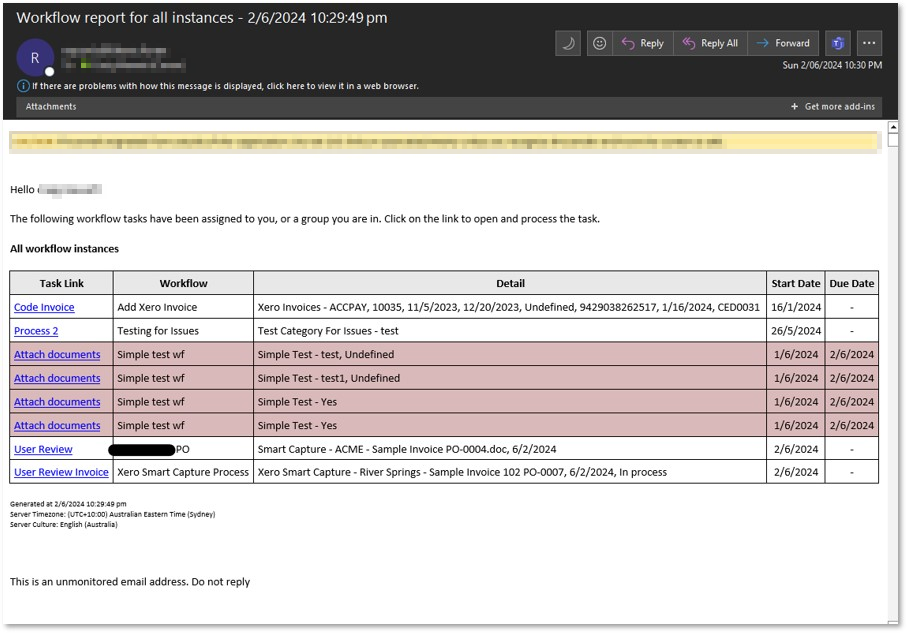
- Overdue workflow tasks are highlighted in red.
- Suggested implementation would be to disable the inbuilt Therefore emails sent for a workflow and utilise this consolidated report instead.
Screenshots of Reports/Configuration
Some examples of the emails and how the content is presented is shown below.
Consolidated view of all workflow tasks in 1 table
Report that separates the overdue instances into its own table for more clarity
Note the admin pages are NOT user-friendly, and not meant for an end-client to access.
This page shows a summary of reports that are currently configured:
This page shows setting up a report:
 ]
]
Email Template types:
 ]
]
Docker Compose
Using shared network (when setup with cloudflare tunnel)
thereforereportgenerator:
    image: fybre/thereforereportgenerator:latest
    container_name: thereforereportgenerator
    restart: 'unless-stopped'
    environment:
      - TZ=Australia/Sydney
      - LC_ALL=en_AU.UTF-8
    volumes:
      - /local/path/to/Data:/app/Data
    networks:
      - shared-network
Directly mapping ports
thereforereportgenerator:
    image: fybre/thereforereportgenerator:latest
    container_name: thereforereportgenerator
    restart: 'unless-stopped'
    environment:
      - TZ=Australia/Sydney
      - LC_ALL=en_AU.UTF-8
    volumes:
      - /local/path/to/Data:/app/Data
    ports:
      - 80:8080
Tag summary
Content type
Image
Digest
sha256:1823a8aa5…
Size
121.4 MB
Last updated
over 2 years ago
docker pull fybre/thereforereportgenerator