galaxyeye88/browser4
Browser4: a lightning-fast, coroutine-safe browser for your AI.
10K+
galaxyeye88/browser4 repository overview
🤖 Browser4



Table of Contents
🌟 Introduction
💖 Browser4: a lightning-fast, coroutine-safe browser engine for your AI 💖
✨ Key Capabilities
- 👽 Browser Agents — Autonomous agents that reason, plan, and act within the browser.
- 🤖 Browser Automation — High-performance automation for workflows, navigation, and data extraction.
- ⚙️ Machine Learning Agent - Learns field structures across complex pages without consuming tokens.
- ⚡ Extreme Performance — Fully coroutine-safe; supports 100k ~ 200k page visits per machine per day.
⚡ Quick Example: Agentic Workflow
// Give your Agent a mission, not just a script.
val agent = AgenticContexts.getOrCreateAgent()

// The Agent plans, navigates, and executes using Browser4 as its hands and eyes.
val result = agent.run("""
    1. Go to amazon.com
    2. Search for '4k monitors'
    3. Analyze the top 5 results for price/performance ratio
    4. Return the best option as JSON
""")
🎥 Demo Videos
🎬 YouTube:
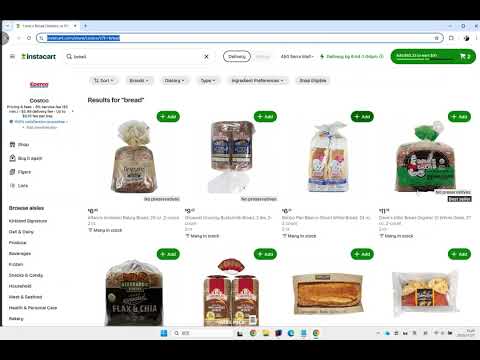
📺 Bilibili: https://www.bilibili.com/video/BV1fXUzBFE4L
🚀 Quick Start
Prerequisites: Java 17+ and Maven 3.6+
-
Clone the repository
git clone https://github.com/platonai/browser4.git cd browser4 -
Configure your LLM API key
Edit application.properties and add your API key.
-
Build the project
./mvnw -DskipTests -
Run examples
./mvnw -pl pulsar-examples exec:java -D"exec.mainClass=ai.platon.pulsar.examples.agent.Browser4AgentKt"If you have encoding problem on Windows:
./bin/run-examples.ps1Explore and run examples in the
pulsar-examplesmodule to see Browser4 in action.
For Docker deployment, see our Docker Hub repository.
💡 Usage Examples
Browser Agents
Autonomous agents that understand natural language instructions and execute complex browser workflows.
val agent = AgenticContexts.getOrCreateAgent()

val task = """
    1. go to amazon.com
    2. search for pens to draw on whiteboards
    3. compare the first 4 ones
    4. write the result to a markdown file
    """

agent.run(task)
Workflow Automation
Low-level browser automation & data extraction with fine-grained control.
Features:
- Direct and full Chrome DevTools Protocol (CDP) control, coroutine safe
- Precise element interactions (click, scroll, input)
- Fast data extraction using CSS selectors/XPath
val session = AgenticContexts.getOrCreateSession()
val agent = session.companionAgent
val driver = session.getOrCreateBoundDriver()

// Open and parse a page
var page = session.open(url)
var document = session.parse(page)
var fields = session.extract(document, mapOf("title" to "#title"))

// Interact with the page
var result = agent.act("scroll to the comment section")
var content = driver.selectFirstTextOrNull("#comments")

// Complex agent tasks
var history = agent.run("Search for 'smart phone', read the first four products, and give me a comparison.")

// Capture and extract from current state
page = session.capture(driver)
document = session.parse(page)
fields = session.extract(document, mapOf("ratings" to "#ratings"))
LLM + X-SQL
Ideal for high-complexity data-extraction pipelines with multiple-dozen entities and several hundred fields per entity.
Benefits:
- Extract 10x more entities and 100x more fields compared to traditional methods
- Combine LLM intelligence with precise CSS selectors/XPath
- SQL-like syntax for familiar data queries
val context = AgenticContexts.create()
val sql = """
select
  llm_extract(dom, 'product name, price, ratings') as llm_extracted_data,
  dom_first_text(dom, '#productTitle') as title,
  dom_first_text(dom, '#bylineInfo') as brand,
  dom_first_text(dom, '#price tr td:matches(^Price) ~ td, #corePrice_desktop tr td:matches(^Price) ~ td') as price,
  dom_first_text(dom, '#acrCustomerReviewText') as ratings,
  str_first_float(dom_first_text(dom, '#reviewsMedley .AverageCustomerReviews span:contains(out of)'), 0.0) as score
from load_and_select('https://www.amazon.com/dp/B08PP5MSVB -i 1s -njr 3', 'body');
"""
val rs = context.executeQuery(sql)
println(ResultSetFormatter(rs, withHeader = true))
Example code:
- X-SQL to scrape 100+ fields from an Amazon's product page
- X-SQLs to crawl all types of Amazon webpages
High-Speed Parallel Processing
Achieve extreme throughput with parallel browser control and smart resource optimization.
Performance:
- 100,000+ page visits per machine per day
- Concurrent session management
- Resource blocking for faster page loads
val args = "-refresh -dropContent -interactLevel fastest"
val blockingUrls = listOf("*.png", "*.jpg")
val links = LinkExtractors.fromResource("urls.txt")
    .map { ListenableHyperlink(it, "", args = args) }
    .onEach {
        it.eventHandlers.browseEventHandlers.onWillNavigate.addLast { page, driver ->
            driver.addBlockedURLs(blockingUrls)
        }
    }

session.submitAll(links)
🎬 YouTube:

📺 Bilibili: https://www.bilibili.com/video/BV1kM2rYrEFC
Auto Extraction
Automatic, large-scale, high-precision field discovery and extraction powered by self-/unsupervised machine learning — no LLM API calls, no tokens, deterministic and fast.
What it does:
- Learns every extractable field on item/detail pages (often dozens to hundreds) with high precision.
- Open source when browser4 has 10K stars on GitHub.
Why not just LLMs?
- LLM extraction adds latency, cost, and token limits.
- ML-based auto extraction is local, reproducible, and scalable to 100k+ ~ 200k pages/day.
- You can still combine both: use Auto Extraction for structured baseline + LLM for semantic enrichment.
Quick Commands (PulsarRPAPro):
curl -L -o PulsarRPAPro.jar https://github.com/platonai/PulsarRPAPro/releases/download/v4.3.0/PulsarRPAPro.jar
Integration Status:
- Available today via the companion project PulsarRPAPro.
- Native Browser4 API exposure is planned; follow releases for updates.
Key Advantages:
- High precision: >95% fields discovered; majority with >99% accuracy (indicative on tested domains).
- Resilient to selector churn & HTML noise.
- Zero external dependency (no API key) → cost-efficient at scale.
- Explainable: generated selectors & SQL are transparent and auditable.
👽 Extract data with machine learning agents:

(Coming soon: richer in-repo examples and direct API hooks.)
📦 Modules Overview
| Module | Description |
|---|---|
pulsar-core | Core engine: sessions, scheduling, DOM, browser control |
pulsar-rest | Spring Boot REST layer & command endpoints |
pulsar-client | Client SDK / CLI utilities |
browser4-spa | Single Page Application for browser agents |
browser4-agents | Agent & crawler orchestration with product packaging |
pulsar-tests | Heavy integration & scenario tests |
pulsar-tests-common | Shared test utilities & fixtures |
📜 SDK
Python/Node.js SDKs are on the way.
📜 Documentation
🔧 Proxies - Unblock Websites
Set the environment variable PROXY_ROTATION_URL to the URL provided by your proxy service:
export PROXY_ROTATION_URL=https://your-proxy-provider.com/rotation-endpoint
Each time the rotation URL is accessed, it should return a response containing one or more fresh proxy IPs. Ask your proxy provider for such a URL.
✨ Features
AI & Agents
- Problem-solving autonomous browser agents
- Parallel agent sessions
- LLM-assisted page understanding & extraction
Browser Automation & RPA
- Workflow-based browser actions
- Precise coroutine-safe control (scroll, click, extract)
- Flexible event handlers & lifecycle management
Data Extraction & Query
- One-line data extraction commands
- X-SQL extended query language for DOM/content
- Structured + unstructured hybrid extraction (LLM & ML & selectors)
Performance & Scalability
- High-efficiency parallel page rendering
- Block-resistant design & smart retries
- 100,000+ pages/day on modest hardware (indicative)
Stealth & Reliability
- Advanced anti-bot techniques
- IP & profile rotation
- Resilient scheduling & quality assurance
Developer Experience
- Simple API integration (REST, native, text commands)
- Rich configuration layering
- Clear structured logging & metrics
Storage & Monitoring
- Local FS & MongoDB support (extensible)
- Comprehensive logs & transparency
- Detailed metrics & lifecycle visibility
🤝 Support & Community
- 💬 WeChat: galaxyeye
- 🌐 Weibo: galaxyeye
- 📧 Email: [email protected], [email protected]
- 🐦 Twitter: galaxyeye8
- 🌍 Website: platon.ai
For Chinese documentation, refer to 简体中文 README.
Tag summary
Content type
Image
Digest
sha256:e0c53a0a2…
Size
601.8 MB
Last updated
about 23 hours ago
docker pull galaxyeye88/browser4