genexy/cli
Genexy CLI - AI-powered development, code generation and remote workspaces.
531
genexy/cli repository overview
Genexy CLI
Architecture-first development in your terminal, in containers and in remote workspaces.
Genexy combines AI-assisted development, code generation from contracts and project tooling in one environment. This image contains the Genexy CLI (gnx) for local development, CI/CD and self-hosted workspaces.
The image stays small: instead of bundling every language and AI agent, it ships mise, which installs the toolchains each project asks for, in the versions it asks for.
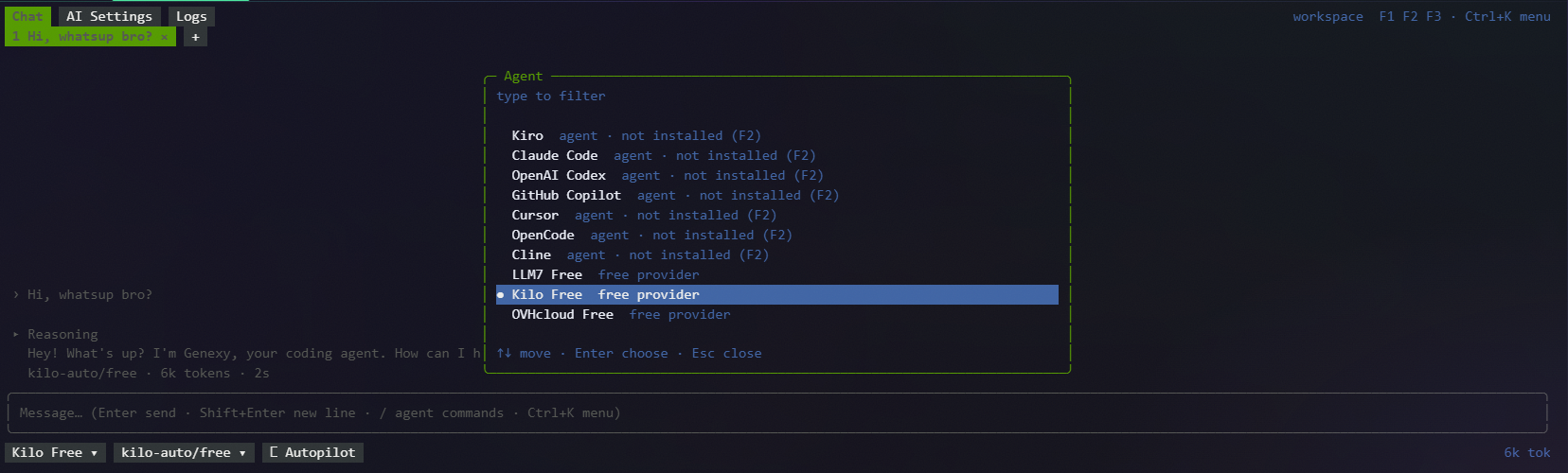
Quick start
Print the CLI version:
docker run --rm genexy/cli version
Open Genexy CLI in the current project.
Bash, zsh (Linux, macOS, WSL):
docker run --rm -it \
  -v "$PWD:/workspace" \
  -v gnx-home:/home/gnx \
  genexy/cli
PowerShell:
docker run --rm -it -v "${PWD}:/workspace" -v gnx-home:/home/gnx genexy/cli
Start a shell or any other program in the container instead of gnx:
docker run --rm -it -v "$PWD:/workspace" -v gnx-home:/home/gnx genexy/cli bash
When the first argument is a program on the PATH (bash, git, mise, node, …), the container runs it. Any other arguments go to gnx (docker run … genexy/cli version).
Docker Compose: a workspace ready to code
A real setup for a project: Java, Node.js and the Kiro agent, all kept between runs.
1. compose.yaml in the project root:
services:
  gnx:
    image: genexy/cli:latest      # pin a version in a team setup, e.g. genexy/cli:0.9.1-beta
    working_dir: /workspace
    stdin_open: true
    tty: true
    env_file:
      - path: .env                # API keys, optional
        required: false
    volumes:
      - .:/workspace              # the project
      - gnx-home:/home/gnx        # settings, toolchains, agents, logins

volumes:
  gnx-home:
2. mise.toml next to it, with the toolchains the project needs:
[tools]
java = "temurin-21"
node = "22"
pnpm = "10"
3. Install and sign in to Kiro (once, it stays in the gnx-home volume):
docker compose run --rm gnx gnx ai agents install kiro
docker compose run --rm gnx gnx ai agents login kiro
The login asks in the terminal. Without a browser, use an API key instead:
echo "$KIRO_API_KEY" | docker compose run --rm -T gnx gnx ai agents keys add kiro
4. Start working:
docker compose run --rm gnx              # Genexy CLI with AI chat
docker compose run --rm gnx bash         # a shell with java, node, pnpm and kiro-cli
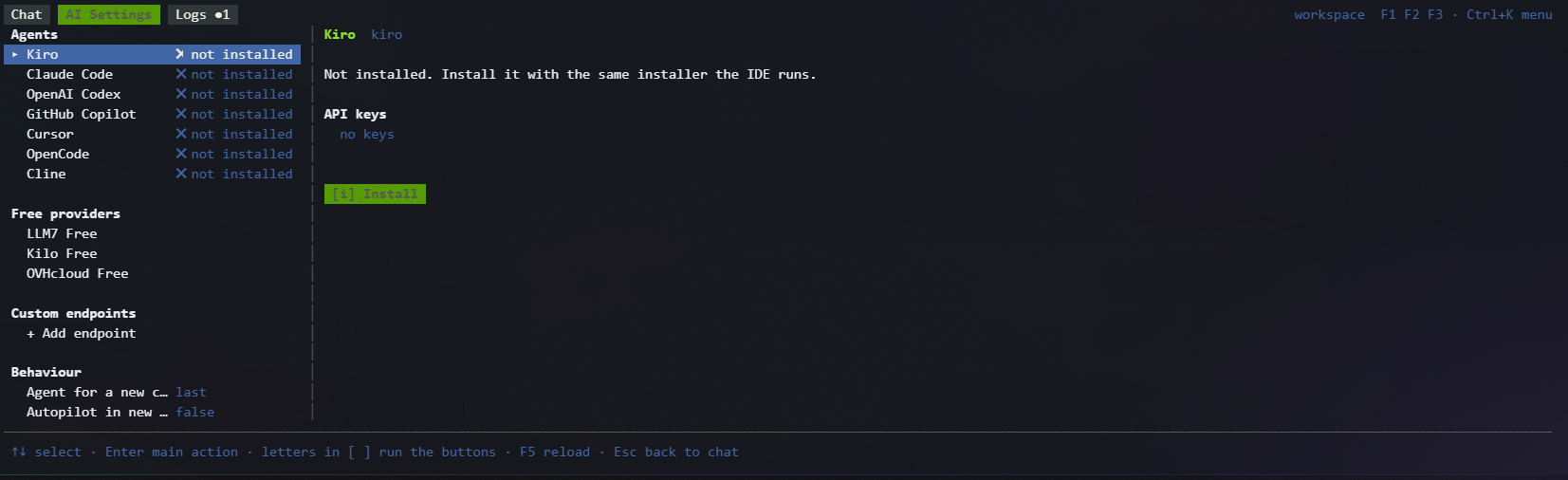
The first start installs Java, Node.js and pnpm from mise.toml into the volume; later starts are immediate. gnx ai agents list shows which agents are installed and ready; Claude Code, Codex, Copilot, Cursor, OpenCode and Cline are installed the same way.
Add .env to .gitignore. To start from scratch, remove the volume: docker compose down -v.
What it is for
- Development containers: a project workspace with Genexy CLI, Git, SSH and the project's own toolchains.
- CI/CD: generate code, build and test in a clean, reproducible environment.
- Self-hosted workspaces: run Genexy on your own server as a persistent development environment.
- AI-assisted development: connect an OpenAI-compatible provider or install the CLI agents you use.
Tags and variants
Every image is published for linux/amd64 and linux/arm64.
| Tag | Contents | Best for |
|---|---|---|
latest, <version> | Ubuntu 24.04, gnx, Git, SSH, curl, tini, mise | General development; toolchains installed per project |
latest-minimal, <version>-minimal | Static gnx binary and CA certificates (scratch) | Smallest image; Genexy Shell and API-based AI |
latest-node, <version>-node | base + Node.js 22, pnpm 10 | Node.js, NestJS, frontend |
latest-jvm, <version>-jvm | base + Temurin 21, Maven 3, Gradle 9 | Java, Kotlin, Spring Boot |
latest-go, <version>-go | base + Go 1.27 | Go |
latest-full, <version>-full | base + build-essential, Node.js 22, pnpm, Java 21, Maven, Gradle, Go 1.27, Python 3.13, Rust 1.94, .NET 10 | CI and offline environments with no downloads at start |
Pin a <version> tag in CI. The available versions are on the Tags page.
minimal has no shell, Git, SSH, mise or package manager: it always runs gnx and uses the Genexy Shell built into the CLI.
docker run --rm -it -v "$PWD:/workspace" genexy/cli:latest-minimal
Project toolchains
Add a mise.toml to your project:
[tools]
java = "temurin-21"
node = "22"
pnpm = "10"
On start, the container finds the mise configuration in the working directory (mise.toml, .tool-versions, …) and runs mise install. The toolchains are stored under /home/gnx, so with the gnx-home volume they are downloaded only on the first start.
Turn the installation off:
docker run --rm -it -e GNX_TOOLS_AUTO_INSTALL=0 -v "$PWD:/workspace" genexy/cli bash
Security: the image trusts mise configurations in
/workspacewithout asking, and a mise configuration can run commands (hooks, tasks, environment templates). For a project you do not trust, start the container with-e GNX_TOOLS_AUTO_INSTALL=0 -e MISE_TRUSTED_CONFIG_PATHS=and review itsmise.tomlfirst.
AI agents and credentials
Agents are not part of the image. Install the ones you need with mise; npm-based agents need Node.js:
mise use -g node@22 npm:@anthropic-ai/claude-code npm:@openai/codex
With the gnx-home volume they stay installed between runs.
Pass API keys at run time with -e or --env-file, never in a Dockerfile or an image:
docker run --rm -it \
  --env-file .env \
  -v "$PWD:/workspace" \
  -v gnx-home:/home/gnx \
  genexy/cli
Keep .env out of version control. Whether an agent works and how it signs in depends on its provider.
Files, user and settings
| Path / variable | Meaning |
|---|---|
/workspace | Working directory; mount your project here |
/home/gnx | CLI settings, caches, toolchains and agents; mount a named volume here |
GNX_TOOLS_AUTO_INSTALL | 1 (default) runs mise install on start, 0 skips it |
MISE_TRUSTED_CONFIG_PATHS | Trusted mise configurations, default /workspace |
MISE_DATA_DIR | Installed toolchains, default /home/gnx/.local/share/mise |
The container runs as the unprivileged user gnx (UID/GID 12345). On Linux, a bind-mounted project must be writable for this user, for example through group permissions or ACLs.
A new named volume is filled with the contents of /home/gnx from the image on first use and is not updated afterwards. After switching to another variant or a newer image with different preinstalled tools, use a new volume (for example gnx-home-jvm) or run mise install.
Your own image
Build an image with your team's stack on top of Genexy CLI:
FROM genexy/cli:<version>

RUN mise use -g java@temurin-17 maven@3 node@20
The tools land in /home/gnx of the new image. Give containers of this image their own home volume, otherwise an existing gnx-home volume hides them.
Links
Genexy CLI is part of the Genexy development platform. Features and access depend on the Genexy license terms.
Tag summary
Content type
Image
Digest
sha256:62a8f0c19…
Size
132.2 MB
Last updated
about 16 hours ago
docker pull genexy/cli