ghostserverd/tautulli
Config wrapper around linuxserver/tautulli
Image
0
100K+
ghostserverd/tautulli repository overview
docker-tautulli-ghost
Config wrapper around linuxserver/docker-tautulli
Steps for setting up scripts to kill transcoding
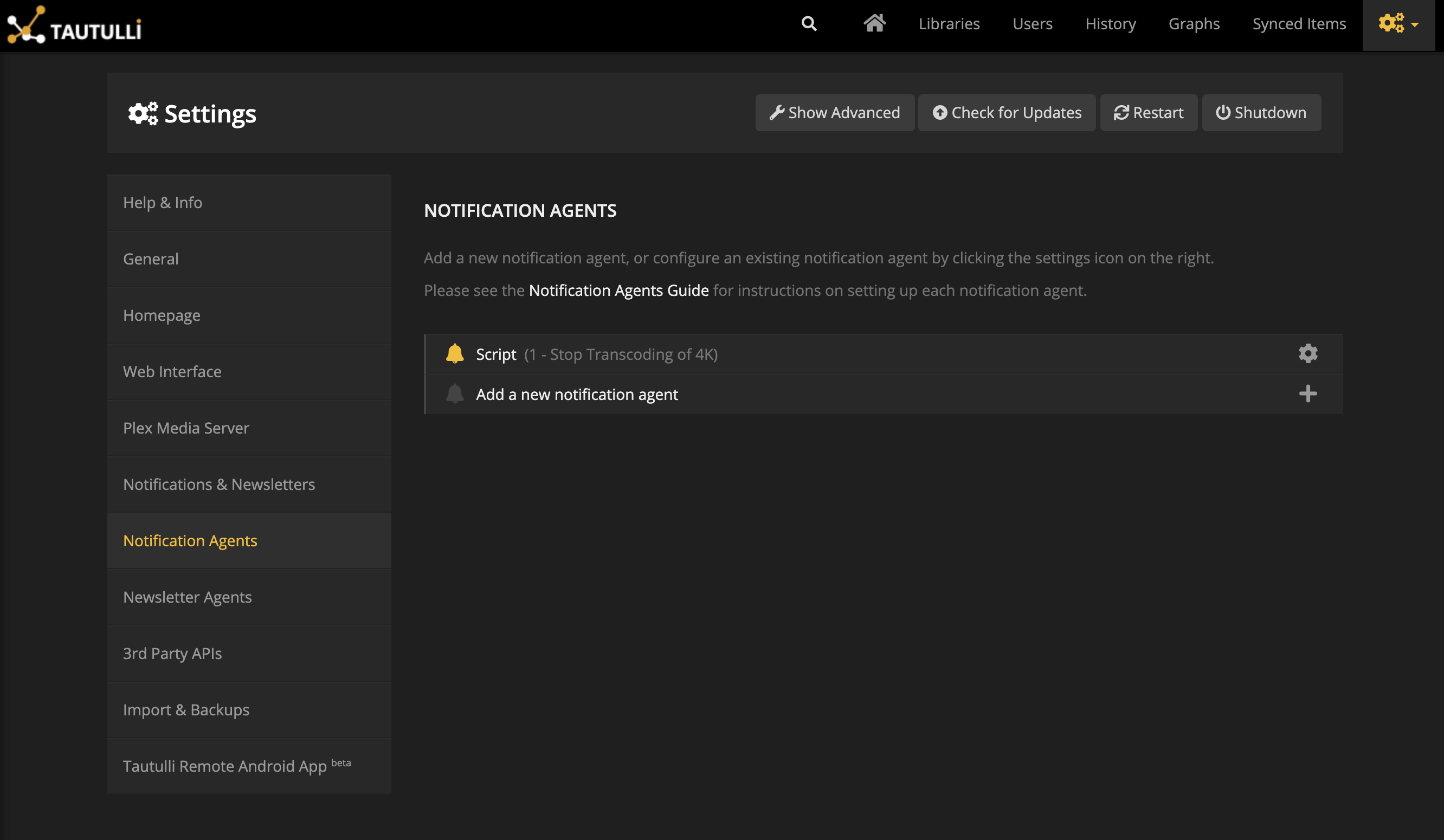
Click add new notification.
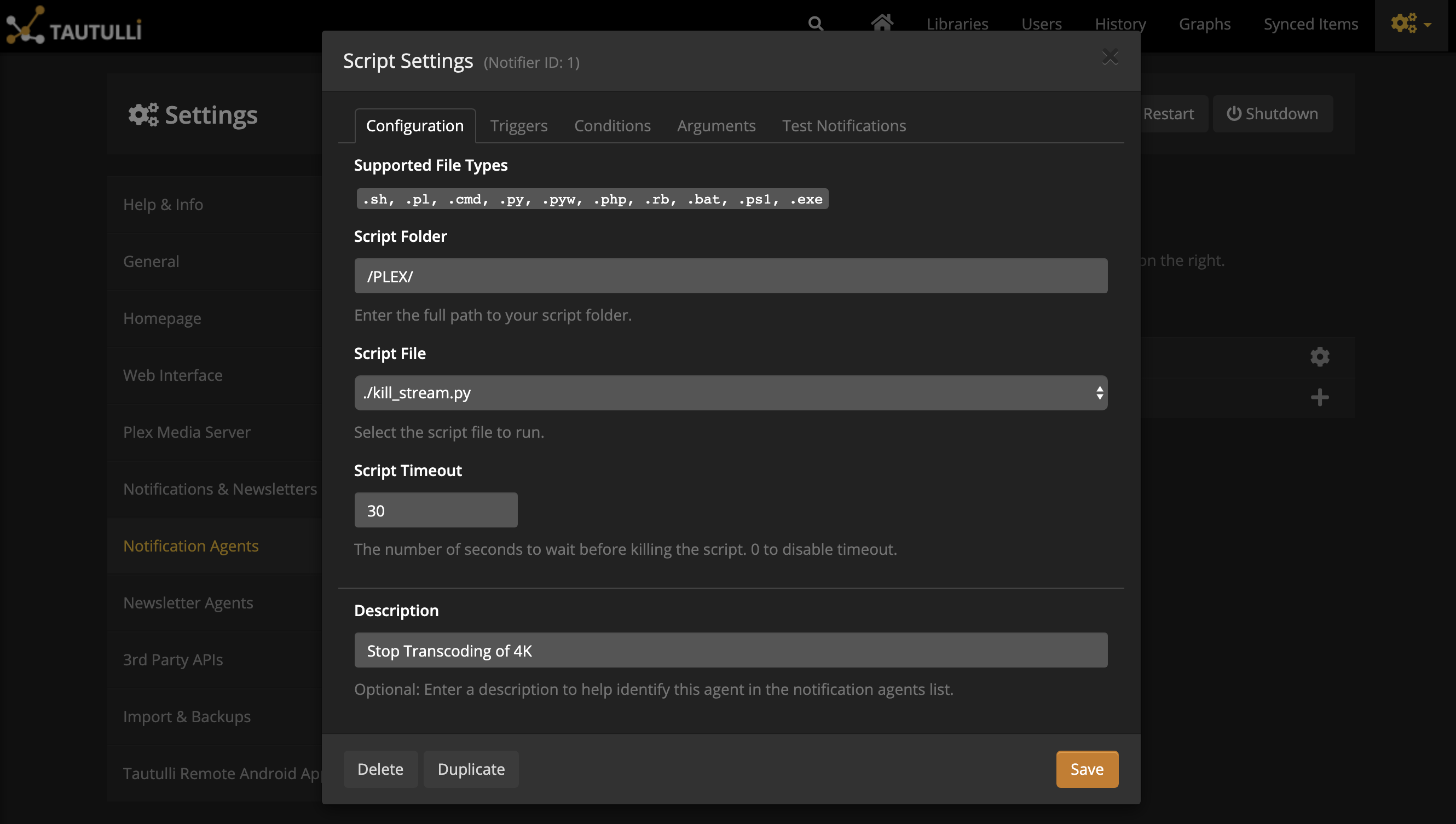
In the script settings, under Script Folder specify the path to your killstream.py. The Script File is a dropdown that will populate with all valid files Tautulli can run for you from that directory.
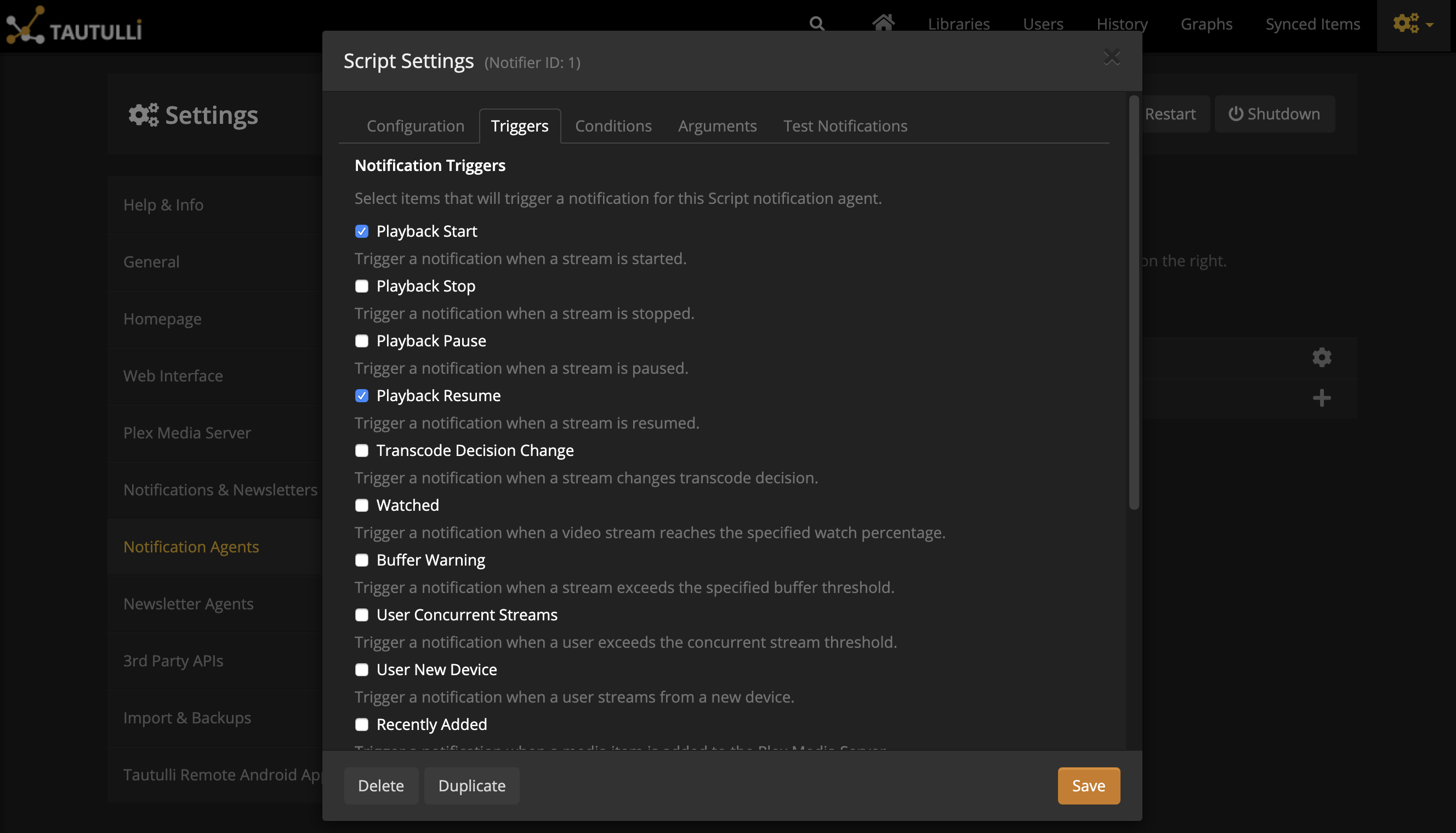
Select your triggers. I went with Playback Start and Playback Resume. You should probably also choose Transcode Decision Change. The Script will be run on these events.
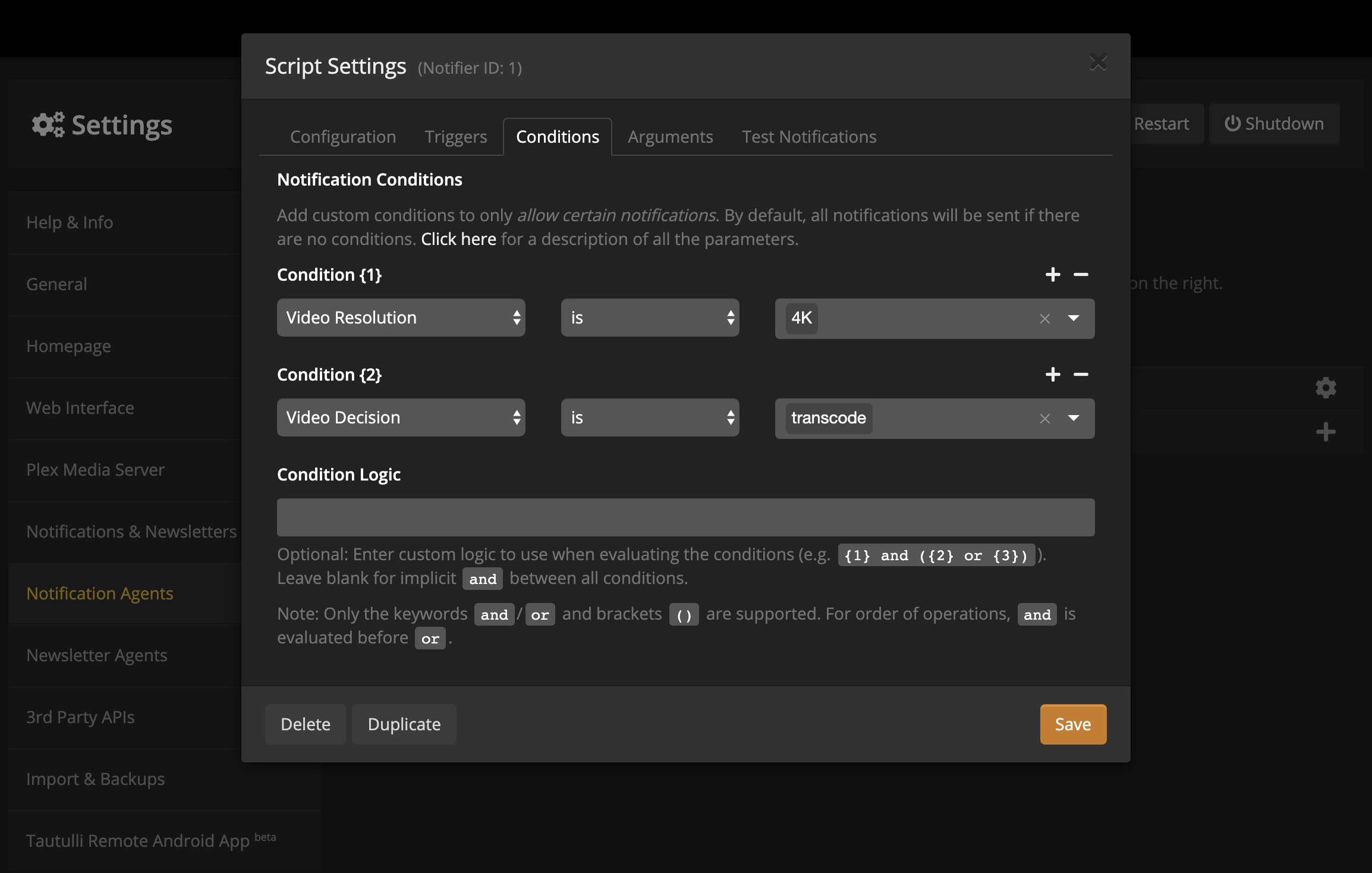
Here is where we set our conditions. If you’ve not clicked Save, do so now. It will not close the popup. I save on each tab to prevent having to retype things…
I created two conditions. No need to fill out your Condition Logic if you’re doing something where you want all of the conditiones to be anded together; that’s the default behavior.
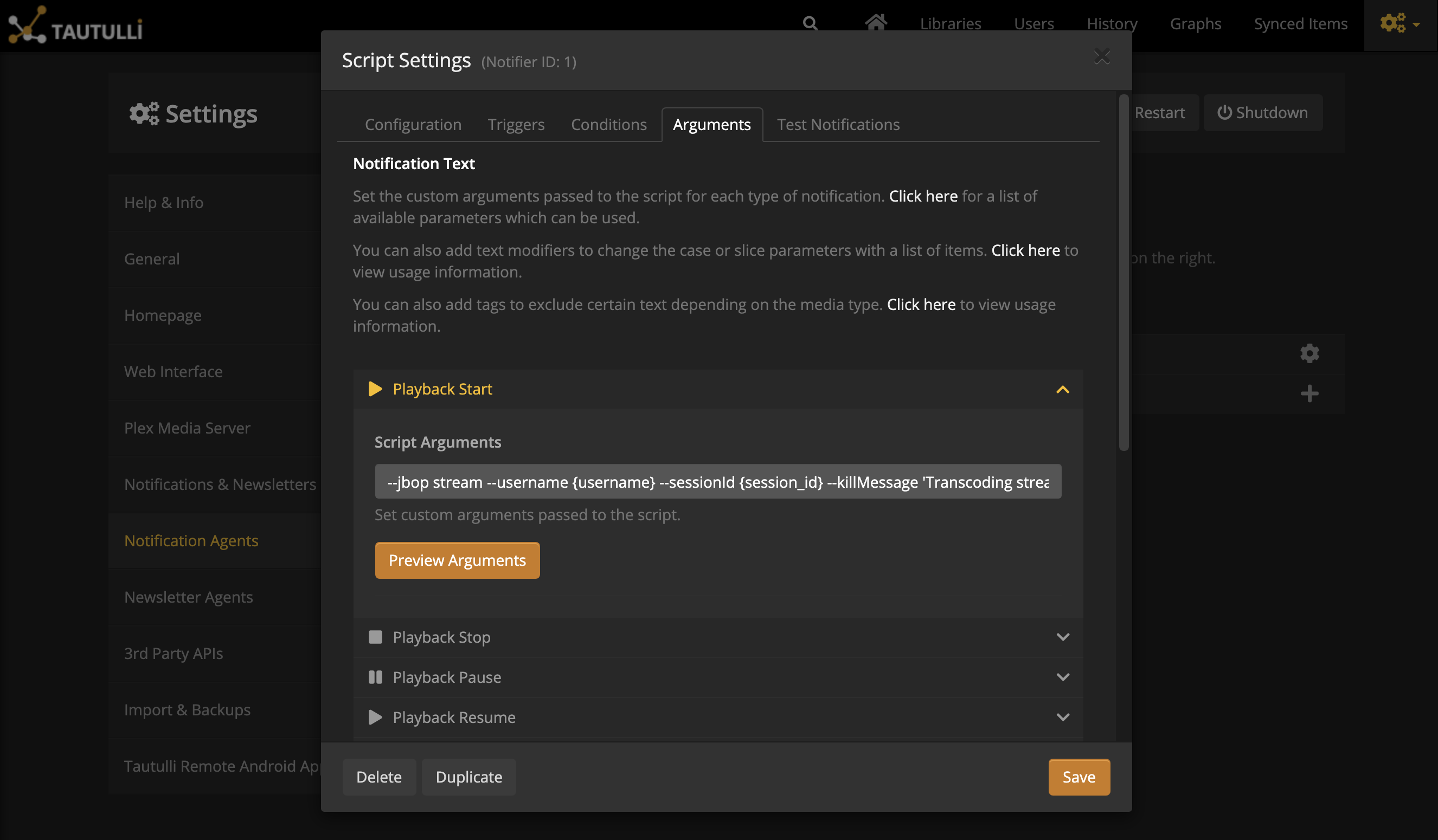
For each of the Trigger events you had selected earlier, pass in the killstream.py arguments you want. I’m going to kill the stream with the same message – see below:
--jbop stream --username {username} --sessionId {session_id} --killMessage 'Transcoding is not allowed.'
Tag summary
Content type
Image
Digest
sha256:10ed6790f…
Size
56.7 MB
Last updated
about 15 hours ago
docker pull ghostserverd/tautulli