gjergjk/netlens
A dashboard for UniFi networks: traffic per device and app, Wi-Fi, equipment, threats.
3.1K
gjergjk/netlens repository overview
NetLens
A dashboard for UniFi networks. Self-hosted, it shows who used how much, of what, and when, how good each device's Wi-Fi is, how your access points, switches and gateway are doing, and what your firewall and intrusion prevention blocked — and it keeps that history, which UniFi itself deletes after a day or a week.
Not affiliated with, endorsed by, or sponsored by Ubiquiti Inc. UniFi is a trademark of Ubiquiti Inc.
Source, issues and full documentation: https://github.com/GeorgeAL78/netlens
Screenshots
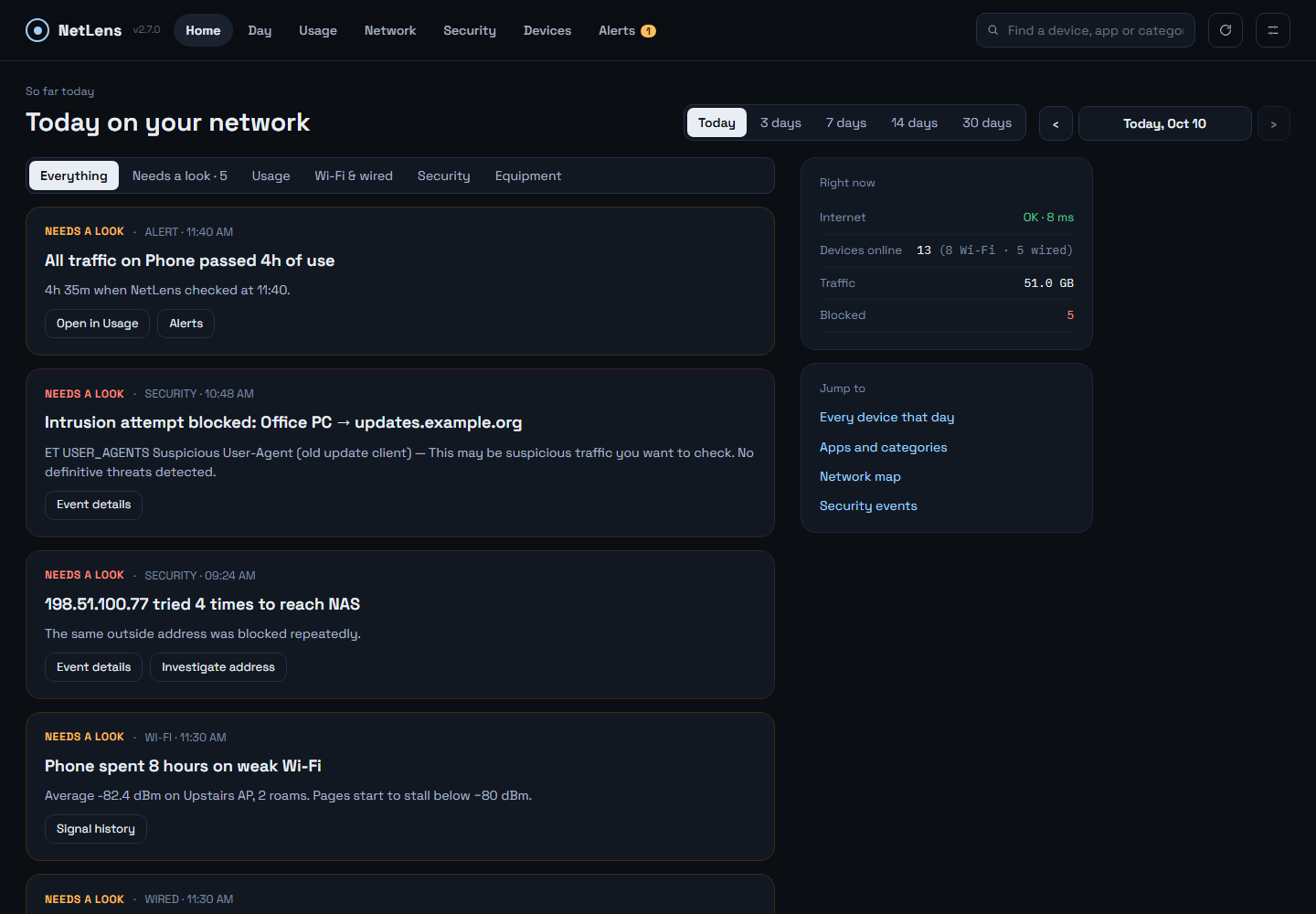 | 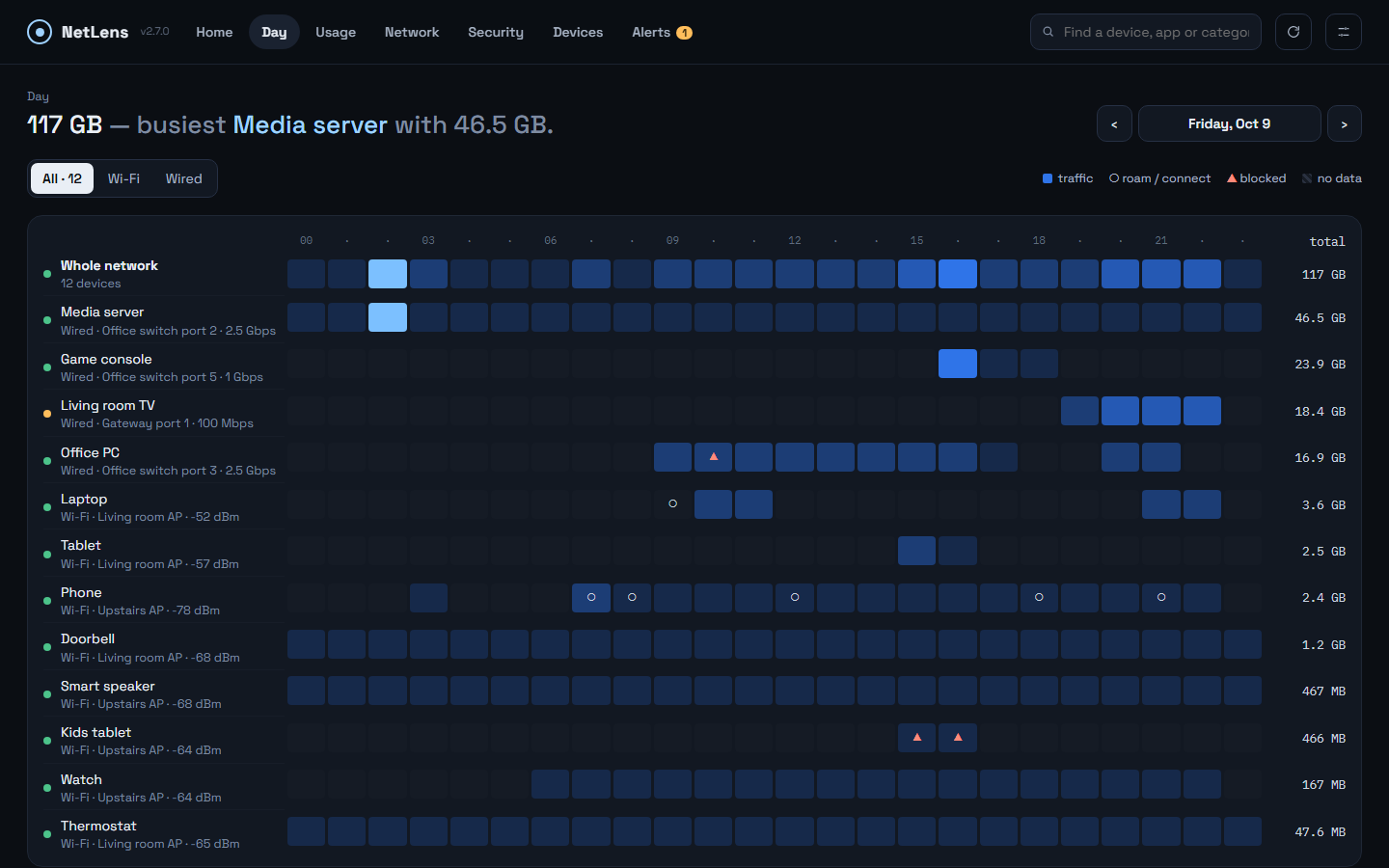 |
| Home — findings in plain language, alerts on top | Day — every device by hour |
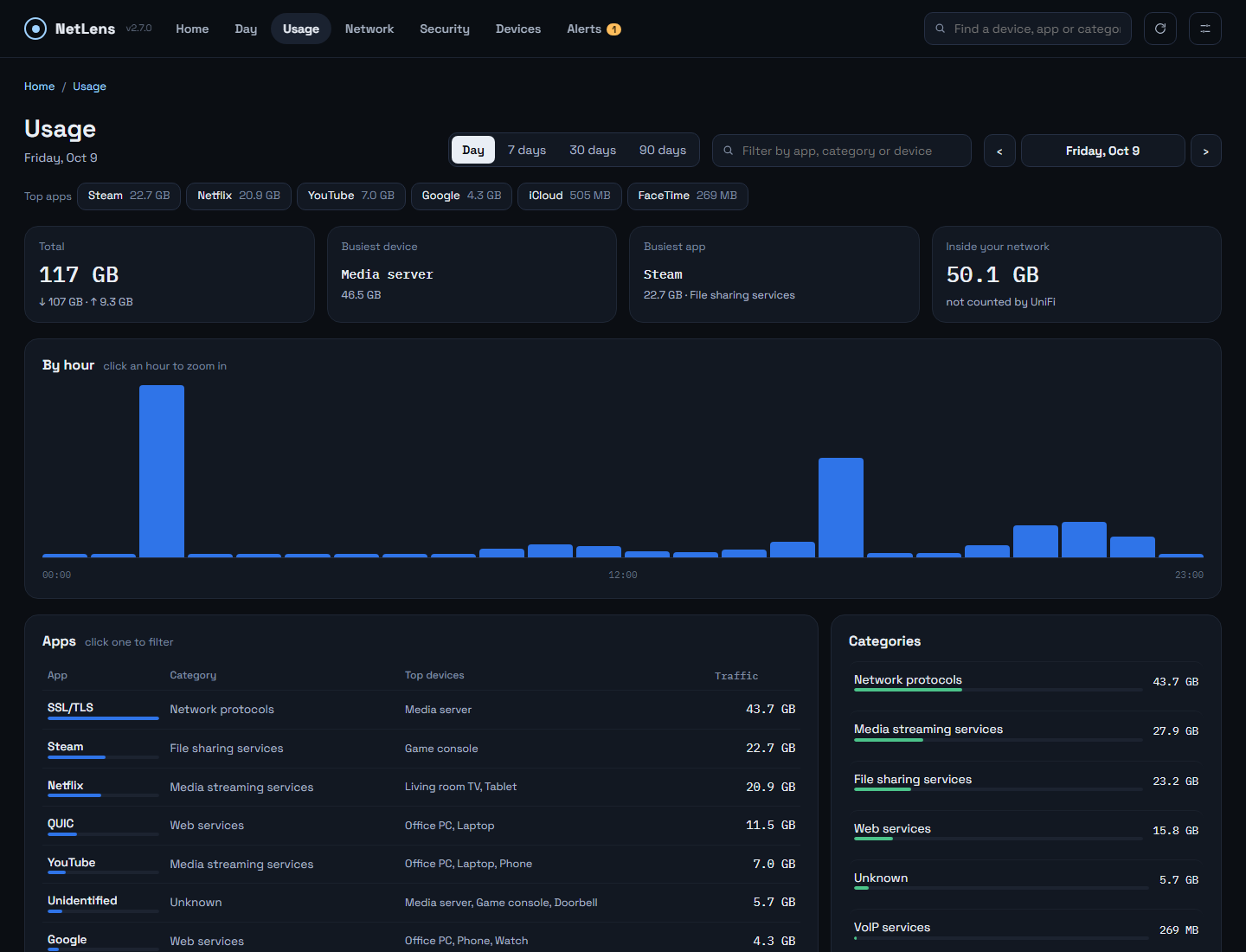 | 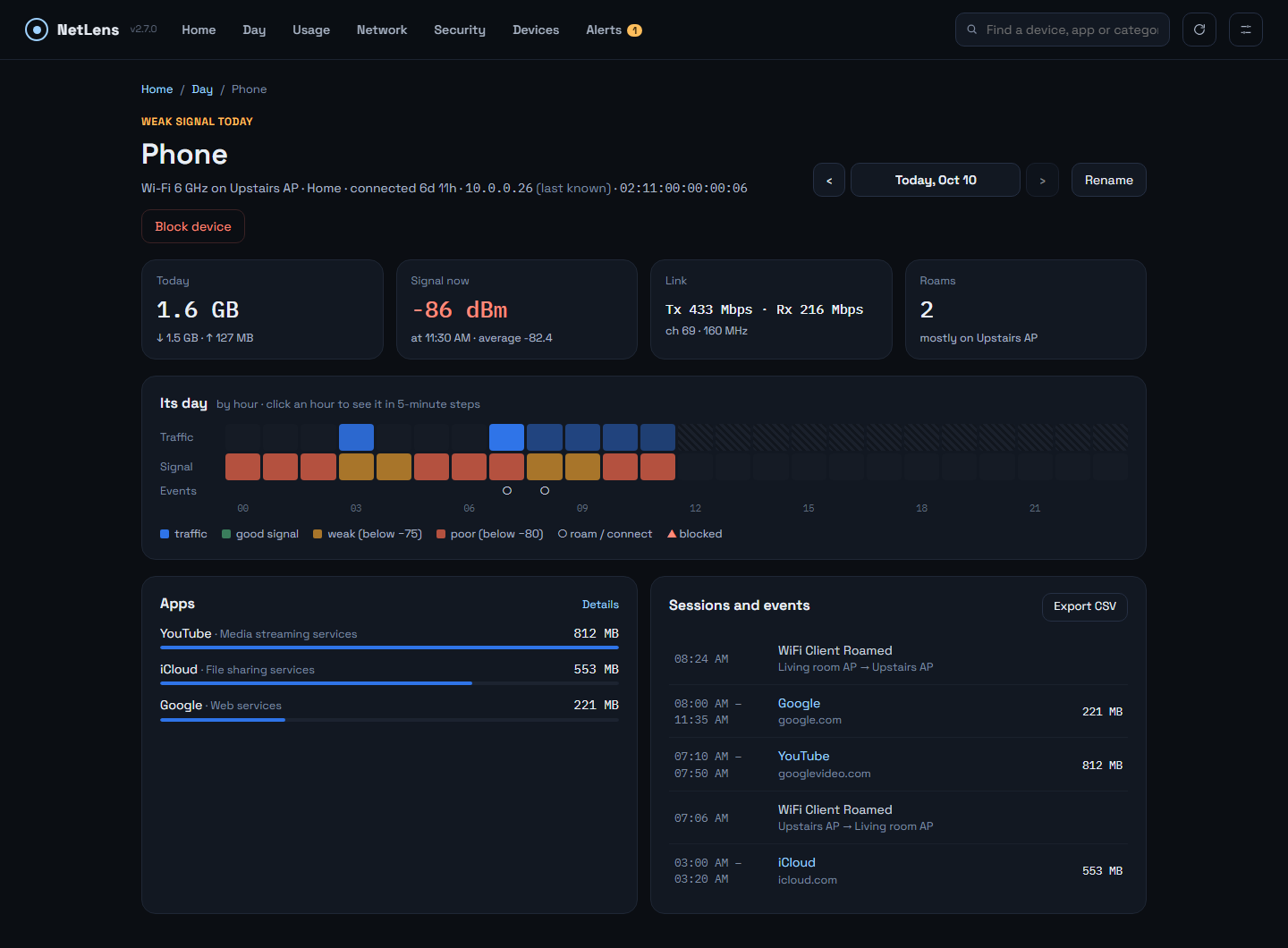 |
| Usage — top apps, search by app, category or device | Device — its day, apps, sessions and events |
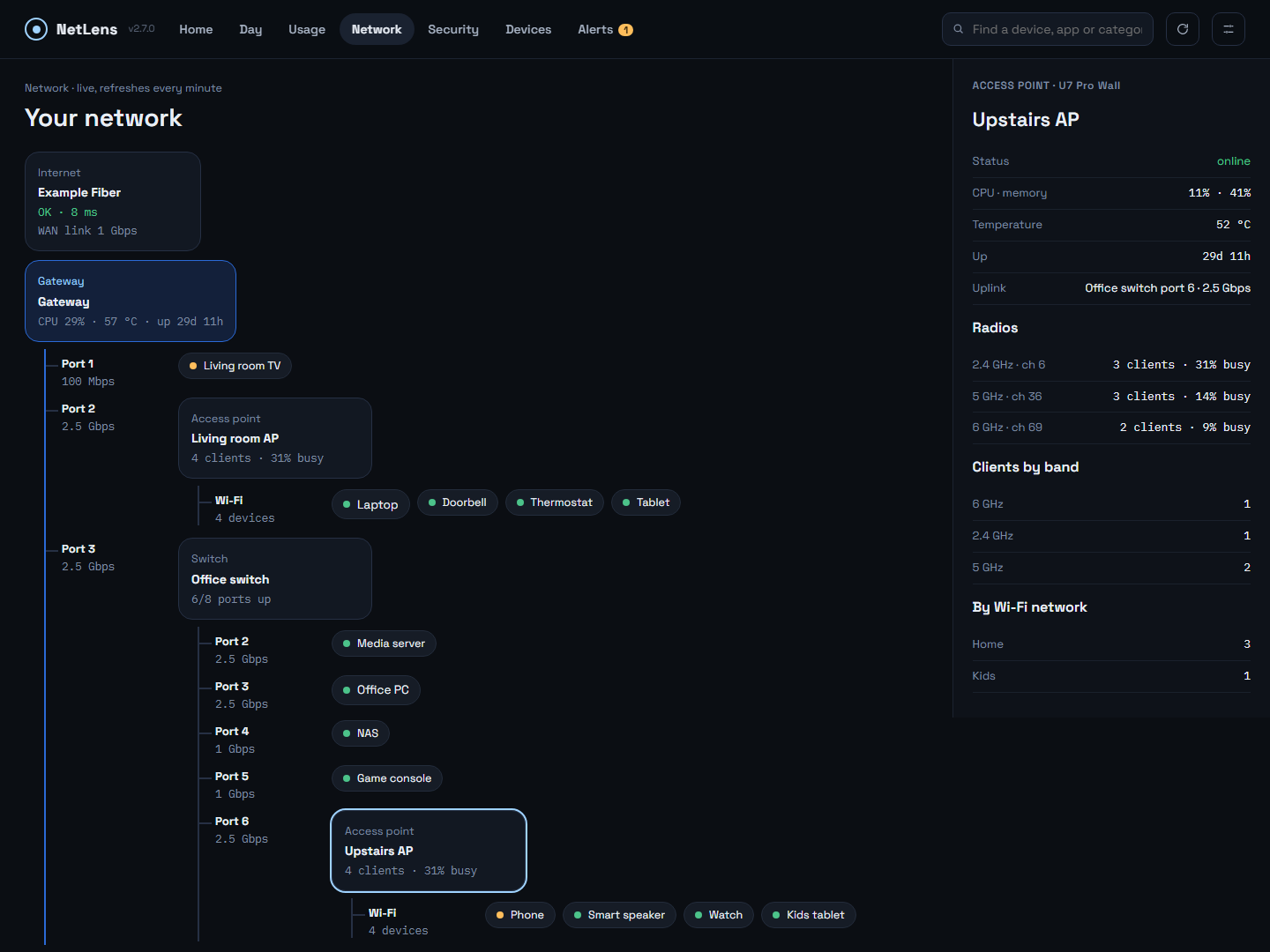 | 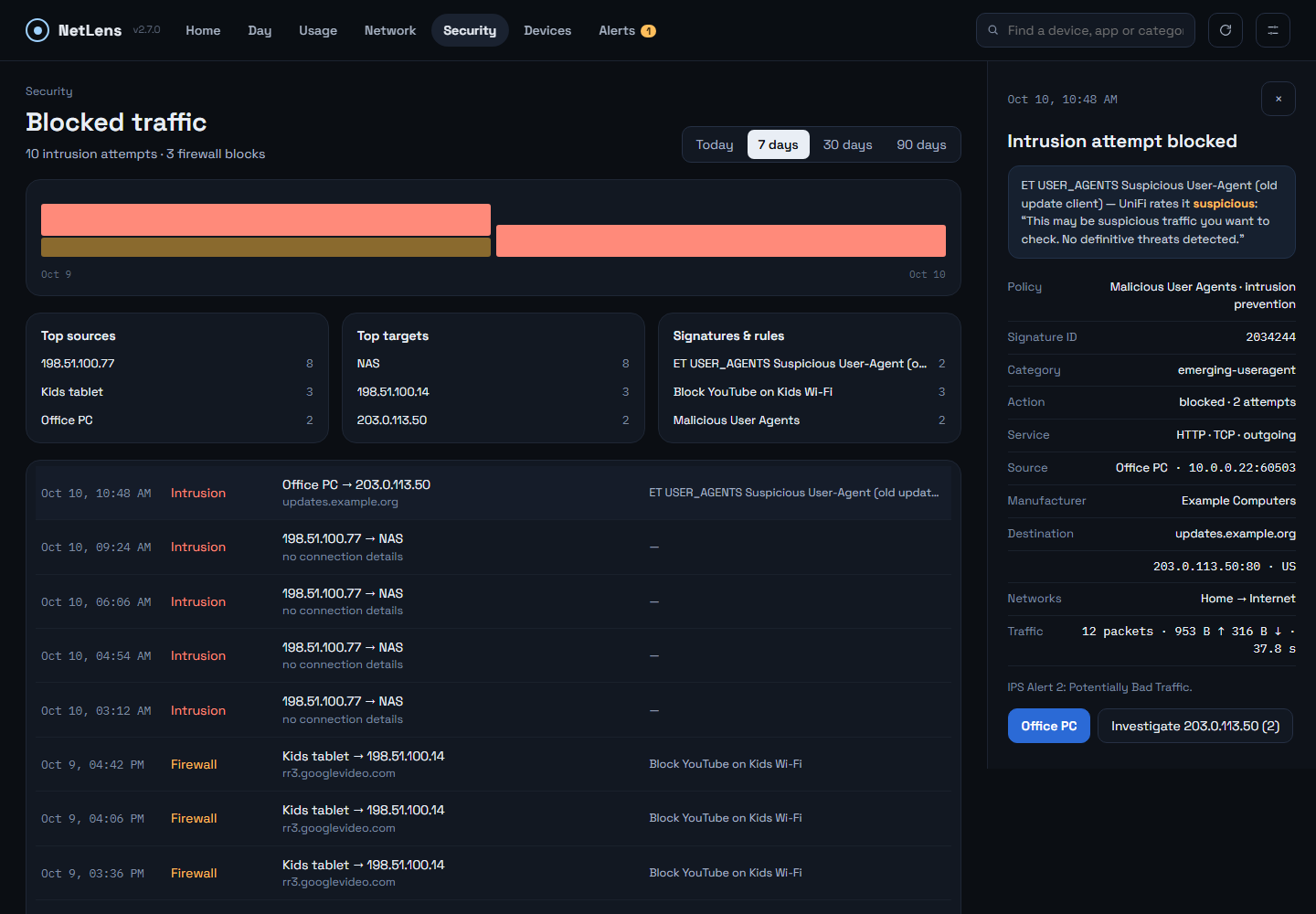 |
| Network — live map, access point selected | Security — blocked intrusion with its full record |
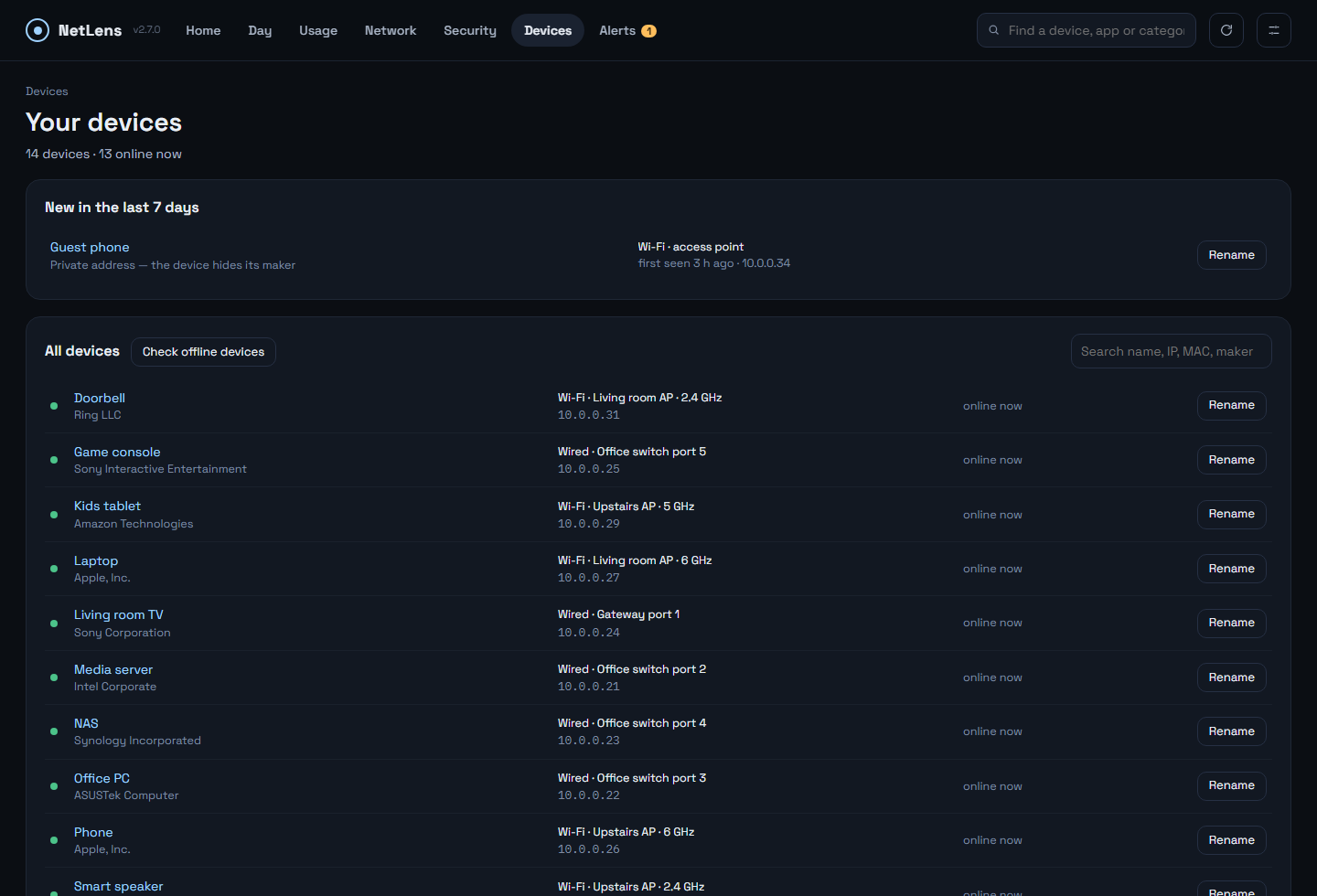 | 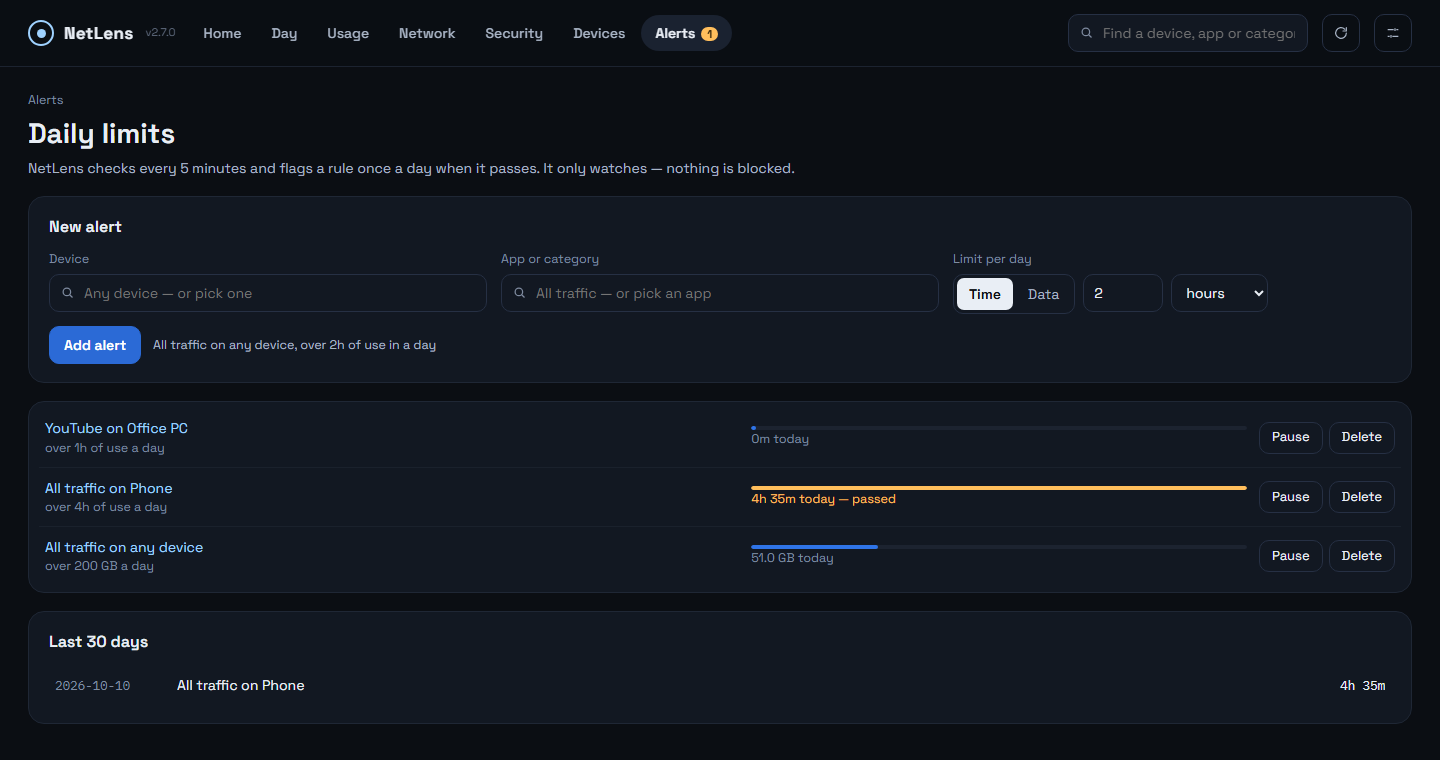 |
| Devices — new devices, maker, switch port or access point, rename | Alerts — daily limits per app and device |
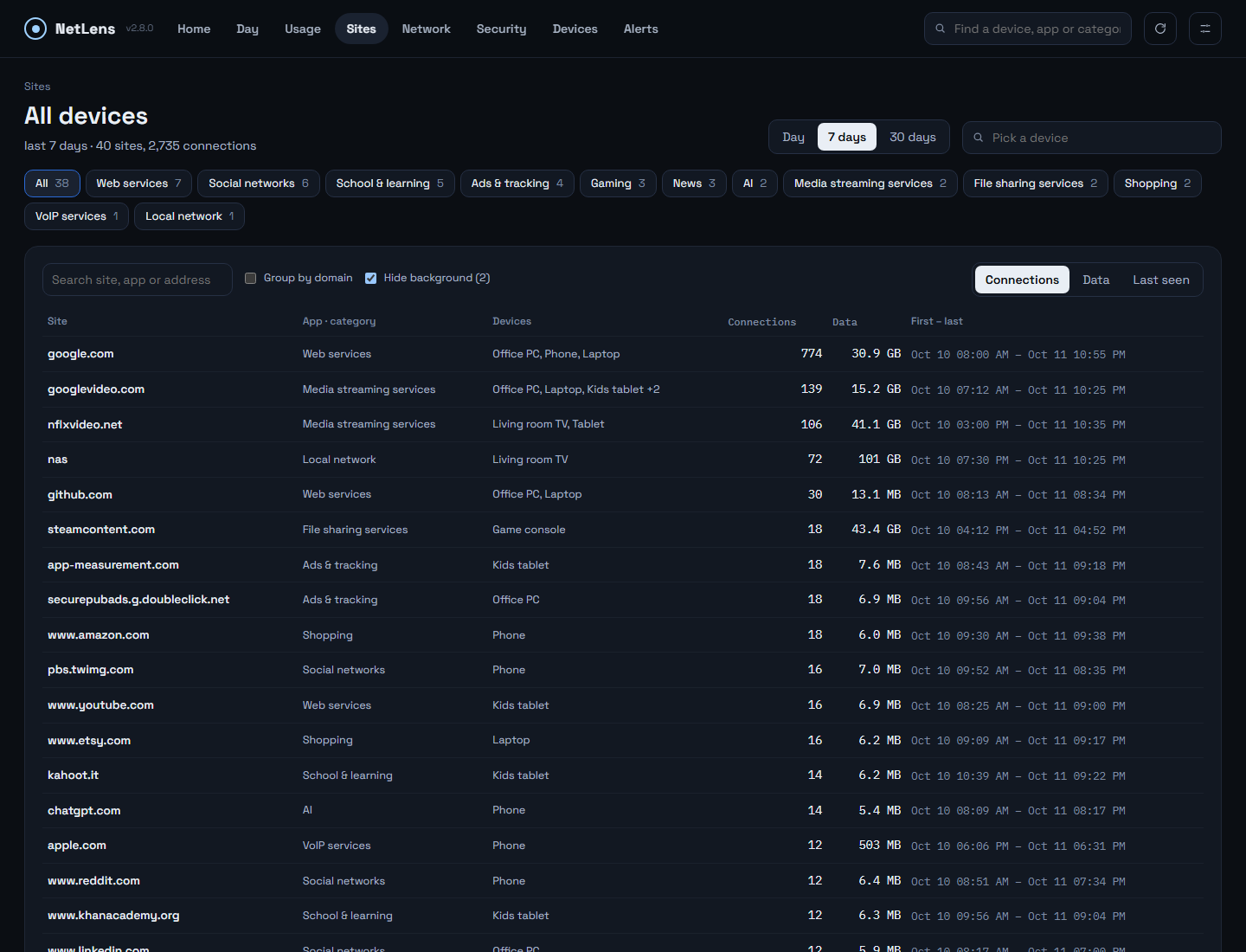 | |
| Sites — every site each device connected to, filtered by category |
Screenshots use a made-up demo network, not real data.
Features
- Home — today's findings in plain language: big transfers, weak Wi-Fi, slow links, blocked threats, new devices, equipment problems.
- Day — devices × hours: when each device was busy, roamed or got blocked.
- Network — live map of gateway, switches, access points and devices, with radio and port details.
- Device — traffic, signal or link speed, apps, sessions, events, online history, block / unblock.
- Devices — new devices first, with maker and switch port or access point; rename (saved in UniFi); offline devices checked on the network every 5 minutes; blocked devices listed with Unblock.
- Sites — every site each device connected to (30 days), filtered by category; addresses hidden by secure DNS named when they belong to a watched site.
- Alerts — daily limits on time or data for an app on a device, flagged on Home.
- Security — blocked intrusions and firewall hits with the full connection record.
- Usage — apps, categories and devices for a day, an hour or 90 days, one search box for all three; every number adds up.
- Local-network traffic shown separately; missing data marked, never shown as a quiet hour.
Requirements
- A UniFi OS console (UDM, UDM Pro/SE, UCG Ultra/Max/Fiber, UDR, Cloud Key Gen2+).
- A local API key: UniFi Network → Settings → Control Plane → Integrations → Create API Key.
- The container must be able to reach the console.
Run
docker run -d --name netlens --restart unless-stopped \
  -p 3780:3780 \
  -v /path/to/netlens-data:/data \
  gjergjk/netlens:latest
Open http://<host>:3780. A short setup asks for the console address, the API key, the site,
your timezone and a login password; everything can be changed later in Settings.
Unraid: search NetLens in Community Applications.
Tags
| Tag | |
|---|---|
latest | newest release |
X.Y.Z | a specific release |
beta | test builds |
Platforms: linux/amd64, linux/arm64. Also on GHCR: ghcr.io/georgeal78/netlens.
Data
Everything lives in /data: settings, history (SQLite) and logs. Keep it on persistent
storage so updates never lose history. Settings → History exports everything to one file
and imports such a file — for backups, restores or moving to another server.
| Port | |
|---|---|
3780/tcp | web UI |
5514/tcp+udp | syslog listener for ad-block counts (on by default; point UniFi's SIEM server here) |
Forgot the password? Start once with NETLENS_RESET_PASSWORD=1, set a new one in the
browser, then remove the variable.
Security
Meant for your LAN — do not expose it to the internet; use a VPN to reach it remotely. The API key never leaves the server. Passwords are stored as scrypt hashes; five wrong attempts lock that address out for five minutes.
License
GPL-3.0 — https://github.com/GeorgeAL78/netlens/blob/main/LICENSE
Tag summary
Content type
Image
Digest
sha256:e32899bce…
Size
65.2 MB
Last updated
1 day ago
docker pull gjergjk/netlens