gjovanov/roomler repository overview
Roomler
Roomler.Live - Live video conferencing & collaboration tool using WebRTC (Janus Gateway)
It's like Slack on Crack and Microsoft Teams on Steroids. All that fully free and open source.
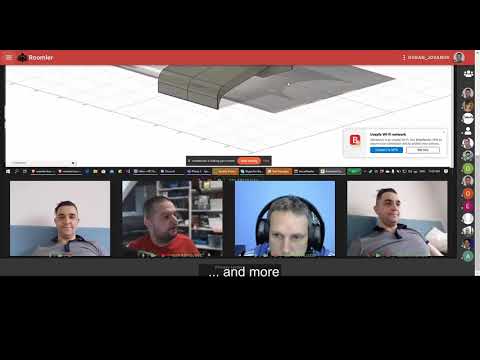
Features
| MULTI PARTY CALLS | POWERFUL CHAT | ORGANIZED ROOMS |
|---|---|---|
|
|
|
Technology stack
- Janus Gateway
- Coturn
- Fastify
- PM2
- MongoDB
- Redis
- VueJS
- NuxtJS
- VuetifyJS
- Tiptap
- ProseMirror
- Nginx
- Docker
Architecture

Prerequisites
Roomler requires:
- docker engine being installed on your host machine
- two docker networks being created
- environment variables being setup
- serveral micro services up and running
before we can start Roomler (both in development and production environemnt)
Docker network
Besides the default host Docker network, we need to create two addition bridge networks:
docker network create frontend(used by containersroomler,nginx)docker network create backend(used by containersroomler,mongo,redis)- on the existing
hostnetworkjanusandcoturnwill be attached
Microservice dependencies
- Janus Gateway
- Coturn
- MongoDB
- Redis - optional in development, but recommended in production!
- Nginx - optional in development, but recommended in production!
Environment variables
You need to setup all your Required (even Optional if desired) environment variables, before you can run Roomler
Start Roomler App
Start in development mode
# install dependencies
$ npx lerna bootstrap

# Start API server (localhost:3001)
$ yarn run dev:api

# Start UI server (localhost:3000)
$ yarn run dev:ui
Start in production mode
# install dependencies
$ npx lerna bootstrap --scope roomler.ui

# build for production and launch server
$ yarn run build
$ yarn run start
Start in production mode using docker
Docker build
.scripts/build.sh
Docker release
.scripts/release.sh
Docker run
docker run -d --name roomler \
    --hostname roomler \
    --network backend \
    --restart always \
    -v /path_to_your_uploads_folder:/roomler/packages/ui/static/uploads \
    -e API_URL=https://roomler.live \
    -p 8082:3000 \
    -e DB_CONN=YOUR_DB_CONN \
    -e WS_SCALEOUT_ENABLED=true \
    -e WS_SCALEOUT_HOST=redis \
    -e SENDGRID_API_KEY=YOUR_SEND_GRID_KEY \
    -e FACEBOOK_ID=YOUR_FACEBOOK_ID \
    -e FACEBOOK_SECRET=YOUR_FACEBOOK_SECRET \
    -e GOOGLE_ID=YOUR_GOOGLE_ID \
    -e GOOGLE_SECRET=YOUR_GOOGLE_SECRET \
    -e GITHUB_ID=YOUR_GITHUB_ID \
    -e GITHUB_SECRET=YOUR_GITHUB_SECRET \
    -e LINKEDIN_ID=YOUR_LINKEDIN_ID \
    -e LINKEDIN_SECRET=YOUR_LINKEDIN_SECRET \
    -e MICROSOFT_ID=YOUR_MICROSOFT_ID \
    -e MICROSOFT_SECRET=YOUR_MICROSOFT_SECRET \
    -e TURN_URL=YOUR_TURN_URL \
    -e TURN_USERNAME=YOUR_TURN_USERNAME \
    -e TURN_PASSWORD=YOUR_TURN_PASSWORD \
    -e GIPHY_API_KEY=YOUR_GIPHY_KEY \
    -e GOOGLE_ANALYTICS_ID=YOUR_GOOGLE_ANALYTICS_ID \
    -e SUPER_ADMIN_EMAILS='["[email protected]"]' \
    -e WEB_PUSH_CONTACT="mailto: [email protected]" \
    -e WEB_PUSH_PUBLISH_KEY=YOUR_VAPID_PUBLIC_KEY \
    -e WEB_PUSH_PRIVATE_KEY=YOUR_VAPID_PRIVATE_KEY \
    -e NUXT_TELEMETRY_DISABLED=1 \
    gjovanov/roomler

# attach roomler container to backend network
docker network connect backend roomler
Start in production mode using docker-compose
docker-compose up - this will start the whole docker stack of services
Testing
Run API tests
# makes sure MongoDB is reachable based on /config/index.js (dbSettings)
$ yarn run test:api
Run E2E tests (TODO)
Tag summary
Content type
Image
Digest
sha256:e5bea3257…
Size
207.2 MB
Last updated
over 1 year ago
docker pull gjovanov/roomler