goatlab/firebase-emulator
Ready to use Firebase emulator base image.
50K+
goatlab/firebase-emulator repository overview
Goat - Firebase Emulator
Ready to use Firebase emulator base image. Check the source files
How to use
Docker
If you don't need any custom configurations for any of the services, just go ahead and run it with docker run. By default, this image has all emulators enabled with the default configuration, so it has lots of port mappings.
docker run goatlab/firebase-emulator:latest -p 5000:5000 -p 5002:5001 -p 8080:8080 -p 8085:8085 -p 9099:9099 -p 9000:9000 -p 4500:4500 -p 4400:4400 -p 4001:3000 -p 4000:4000
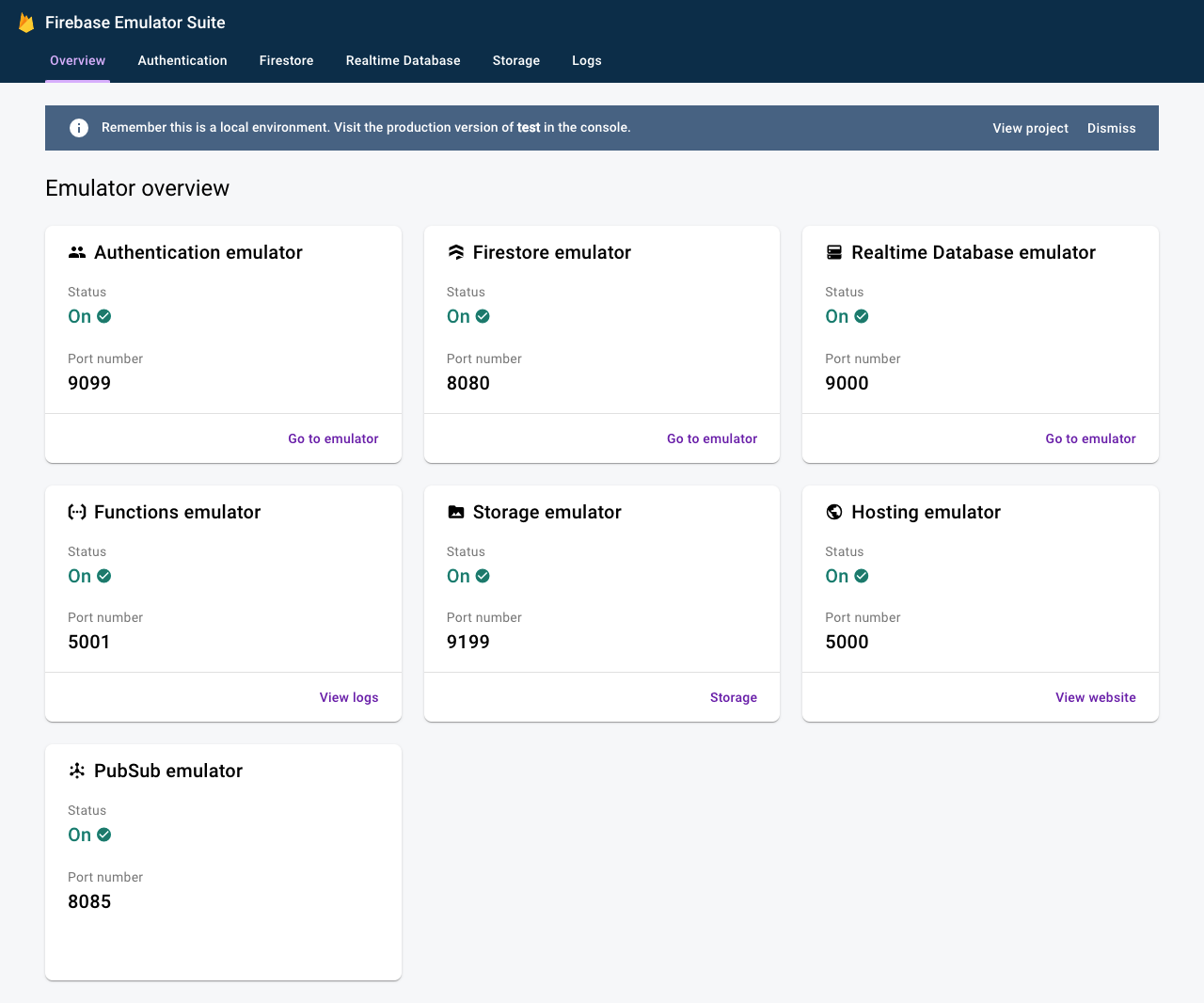
Result
Now you should be able to navigate to localhost::4000 and see the UI
Docker-compose
You can use this docker-compose example to run the emulator.
version: '3.1'
services:
  #######################################################
  #  Firebase
  #######################################################
  firebase:
    image: goatlab/firebase-emulator:latest
    ports:
      - 5000:5000 # Firebase Hosting
      - 5002:5001 # Cloud Functions
      - 8080:8080 # Cloud Firestore
      - 8085:8085 # Cloud Pub/Sub
      - 9000:9000 # Realtime Database
      - 4001:3000 # UI
      - 4000:4000 # UI
    command: 'firebase emulators:start --project test'
    tty: true
    restart: unless-stopped
    networks:
      - fire-network
networks:
  fire-network:
    driver: bridge
docker-compose up --build firebase
Custom Configuration
Create your own Dockerfile and use this as the base image. Then you can Copy your own rules to the /app folder inside your container or attach a volume to /app (whatever works for you)
FROM goatlab/firebase-emulator:latest

COPY ./startfirebase.json /app/firebase.json
COPY ./firestore.indexes.json /app/firestore.indexes.json
COPY ./firestore.rules /app/firestore.rules
COPY ./firestore.rules /app/database.rules.json
COPY ./storage.rules /app/storage.rules
COPY ./functions /app/functions
COPY ./public /app/public
Then you can run your Dockerfile with either docker or docker-compose
Docker-compose custom image
If you use docker-compose, remember to change the image: to your own build.
firestore:
    build:
      context: .
      dockerfile: ./Dockerfile
    ports:
   .
   .
   .
Tag summary
Content type
Image
Digest
sha256:e0c6a792c…
Size
727.6 MB
Last updated
7 months ago
docker pull goatlab/firebase-emulator