gobansource/fcmtester repository overview
FCM Tester
A developer tool for testing Firebase Cloud Messaging (FCM) push notifications to iOs and Android devices. Supports both Data Only Messages and Notification Messages.

Overview
FCM Tester helps developers validate notification delivery, configure payload structures, and test various notification types without requiring a complete app deployment. Key Features that not available in other FCM Tester tools:
- Supports Data Only Messages
- FCM request payload and response payload are clearly visible
Screenshot
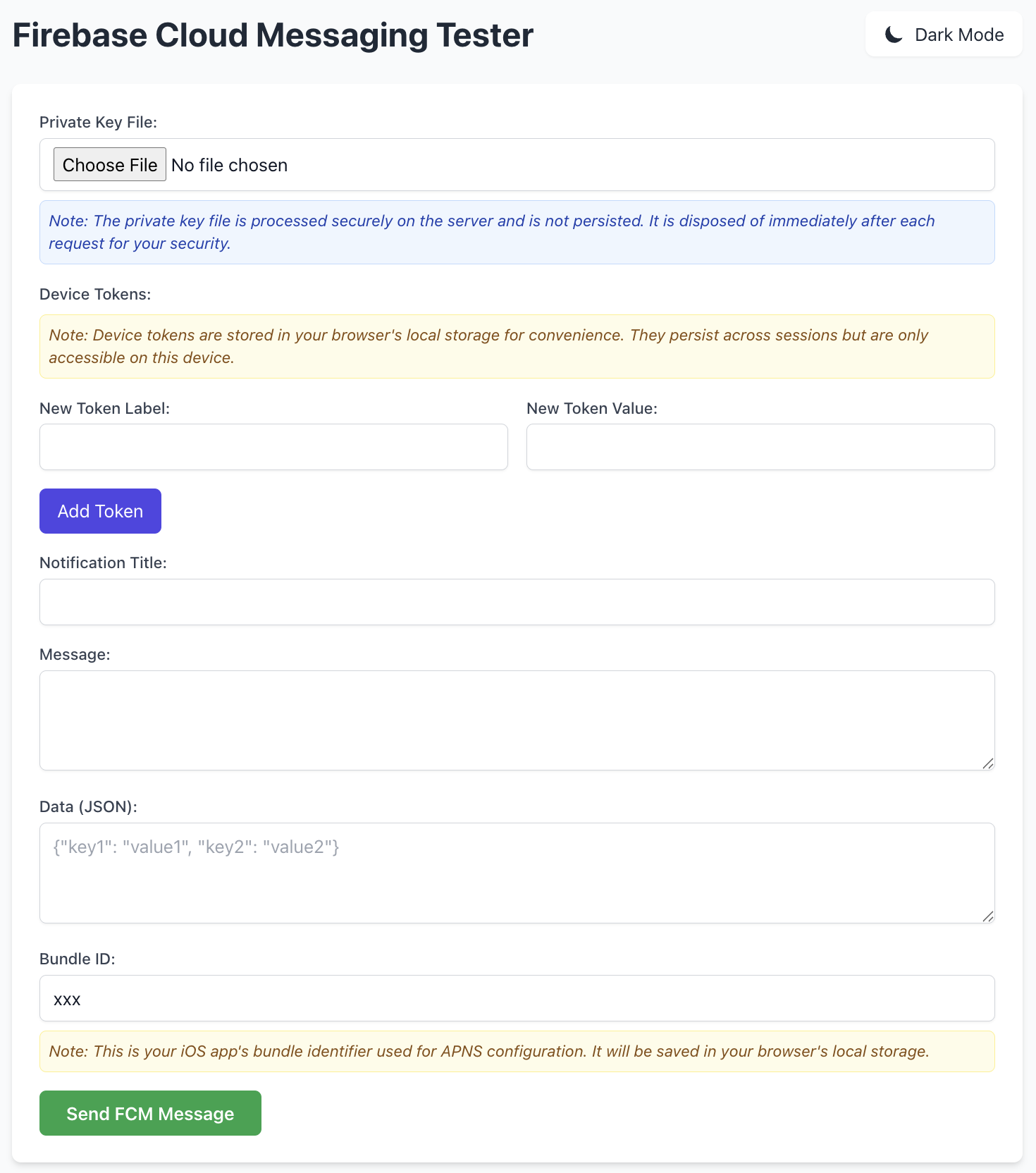
FCM Tester interface showing the notification configuration panel and response history.
Features
- Multiple Notification Types: Send both visual notifications and silent data-only messages
- Custom Payload Support: Define custom JSON data payloads for your notifications
- Token Management: Save and manage multiple device tokens for testing
- iOS APNS Support: Configure Bundle IDs for Apple Push Notification Service
- Response History: View detailed logs of previous notification attempts
- Dark Mode Support: Toggle between light and dark themes
- Secure Credential Handling: Firebase private keys are processed only for the active request and never stored
- Docker Support: Easy deployment with Docker
Getting Started
Hosted Version
The easiest way to use FCM Tester is through our hosted version at https://fcmtester.com - no installation required.
Prerequisites
- Docker (for containerized deployment)
- OR:
- .NET 9.0 SDK (for backend)
- Node.js and npm (for frontend)
Installation
Using Pre-built Docker Image
The easiest way to get started is using our pre-built Docker image:
# Pull the image from DockerHub
docker pull gobansource/fcmtester:latest

# Run the container
docker run -p 8080:8080 gobansource/fcmtester:latest

# Access FCM Tester at http://localhost:8080
Building Docker Image Locally
# Clone the repository
git clone https://github.com/gobansource/fcmtester.git
cd fcmtester

# Build the frontend
cd frontend
npm install
npm run build

# Build and run with Docker
docker build -t fcmtester .
docker run -p 8080:8080 fcmtester
Manual Setup
# Backend setup
cd backend
dotnet restore
dotnet run

# Frontend setup (in another terminal)
cd frontend
npm install
npm run dev
Usage
- Upload Firebase Private Key: Select your Firebase service account private key (JSON format)
- Add Device Tokens: Enter registration tokens from your test devices
- Configure Notification:
- For visual notifications: Add a title and message
- For data-only messages: Define a JSON data payload
- For iOS: Configure the Bundle ID
- Send and Monitor: Send the notification and view the detailed response
Development
The application consists of:
- Frontend: React with TypeScript, Vite, and Tailwind CSS
- Backend: ASP.NET Core 9.0 with Firebase Admin SDK
Security Considerations
- Firebase private keys are processed only for the duration of a request and not persisted
- Device tokens are stored in browser local storage for convenience but never transmitted to servers
- No analytics or tracking is implemented in the application
Contributing
Contributions are welcome! Feel free to open issues or submit pull requests.
License
This project is licensed under the terms of the MIT license. See the LICENSE file for details.
Related Projects
- Push To Display — Send real-time updates to any screen via API, CLI, MCP, or GitHub Actions. Turn any device into a programmable display board.
Acknowledgments
- Built and maintained by Goban Source
- Powered by Firebase Admin SDK
Tag summary
Content type
Image
Digest
sha256:4d5eddbf3…
Size
51.5 MB
Last updated
5 months ago
docker pull gobansource/fcmtester