gpdm/nut-webui
This is the nut-webui docker image, which implements the web-based UI for Network UPS Tools (NUT)
50K+
gpdm/nut-webui repository overview
nut-webui
This is the nut-webui docker image, which implements the web-based UI for the upsd daemon from https://networkupstools.org/.
how to use
pull as usual:
docker pull gpdm/nut-webui[:<tag>]
tags:
- latest for most recent (but potentially most broken / unstable) build
- other version-specific tags (if any) for frozen / stable builds
then run it as follows:
docker run -d \
   -p 80:80 \
   -v /path/to/nut-config:/etc/nut \
   [-p 443:443 -v /path/to/ssl-certs:/etc/ssl -e SSL_PRIVATE_KEY=ssl-cert-snakeoil.key -e SSL_CERTIFICATE=ssl-cert-snakeoil.pem] \
   gpdm/nut-webui[:<tag>]
configuration
ports
This docker runs nginx, and thus exposes the following ports:
- TCP/80 for plain http
- TCP/443 for tls-secured http (see also section below for enabling TLS/SSL)
main config for upsstats
For the upsstats CGI tools, you need these configuration files:
These files cannot be provided through environment variables, you have to use a config volume as shown:
- create the upsset.conf, hosts.conf, upsstats.html and upsstats-single.html config files with your favorite editor
- store them into a permanent config directory, e.g.
/data/dockers/nut-webui/config - when running the container, point it mount the config directory as a volume into /etc/nut, e.g.
-v /data/dockers/nut-webui/config:/etc/nut
The container will fail to start when no volume is mounted, or not all needed files are present!
Some sample config files are provided for your conventience in the master repository. You may use them as a starting point, however I recommed to have a indepth look at the official Network UPS Tools documentation.
enabling TLS/SSL
For the nginx web server, TLS/SSL can be optionally enabled as well:
- create a SSL private key and a certificate
- store them into a permanent config directory, e.g.
/data/dockets/nut-webui/certs - when running the container, point it mount the config directory as a volume into /etc/ssl, e.g.
-v /data/dockers/nut-webui/certs:/etc/ssl - Pass the SSL_PRIVATE_KEY environment variable, and point it at the private key file.
Always use a relative path, i.e.
ssl-cert-snakeoil.keyrather than an absolute path, i.e./etc/ssl/ssl-cert-snakeoil.keyThe permissions on the private must be set to0600, 0400 or 0640. - Pass the SSL_CERTIFIVATE environment variable, and point it at the certificate file.
Always use a relative path, i.e.
ssl-cert-snakeoil.crtrather than an absolute path, i.e./etc/ssl/ssl-cert-snakeoil.crt
The container will treat an absent ssl config volume as non-critical error, and resume with internal self-signed certificates.
When you provide a config volume, and both the vars for the private key and the certificate are set, any failure during startup validation (wrong file mode, wrong path, wrong modulus, etc) will be treated as critical error.
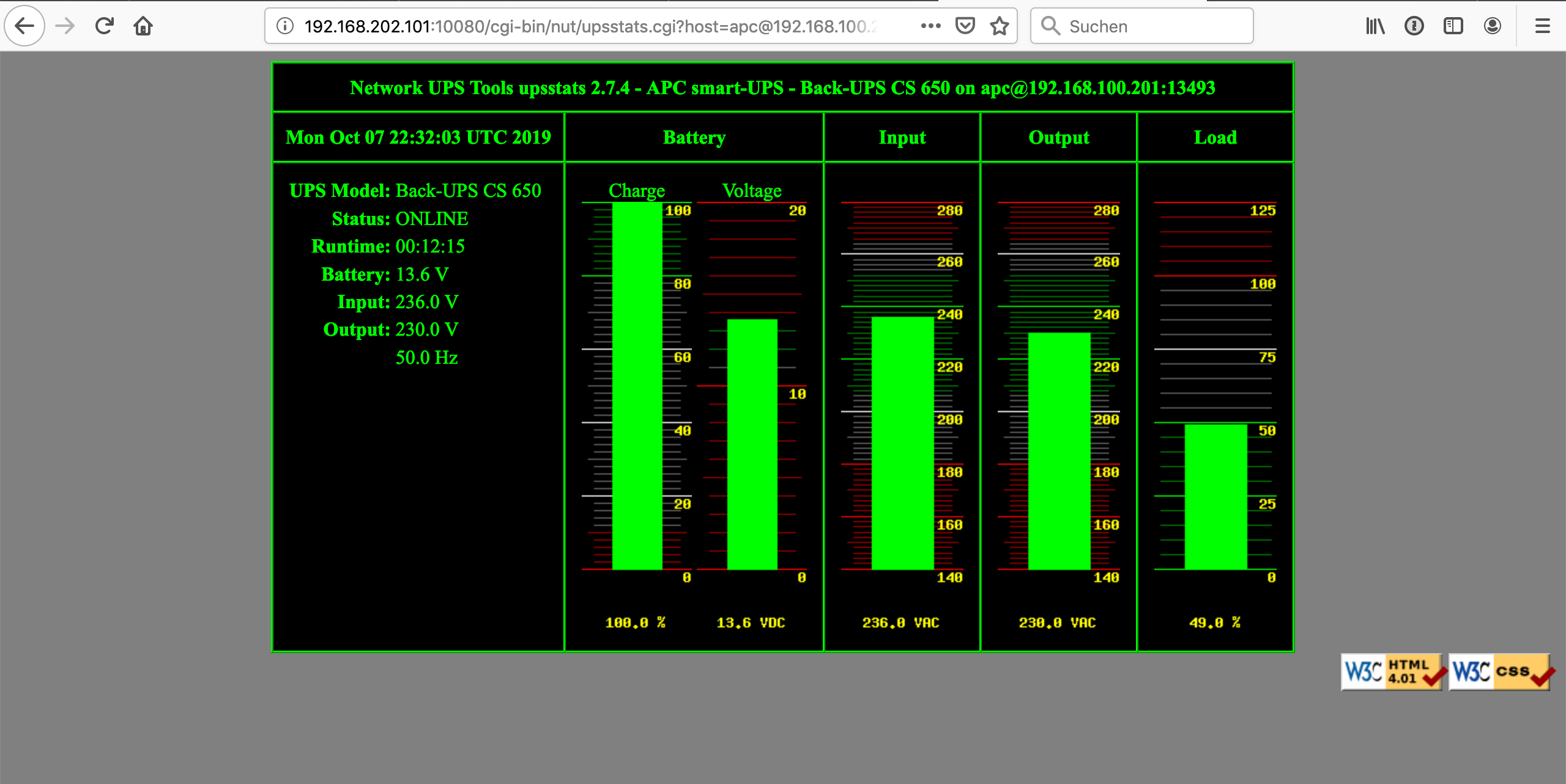
Screenshots

TO DO
- rebuild with Alpine to reduce footprint
Tag summary
Content type
Image
Digest
sha256:fa0ed2e4b…
Size
97.2 MB
Last updated
10 months ago
docker pull gpdm/nut-webui