groupdocs/annotation
GroupDocs.Annotation for Java 25.6 demo (Spring & Dropwizard)
873
groupdocs/annotation repository overview
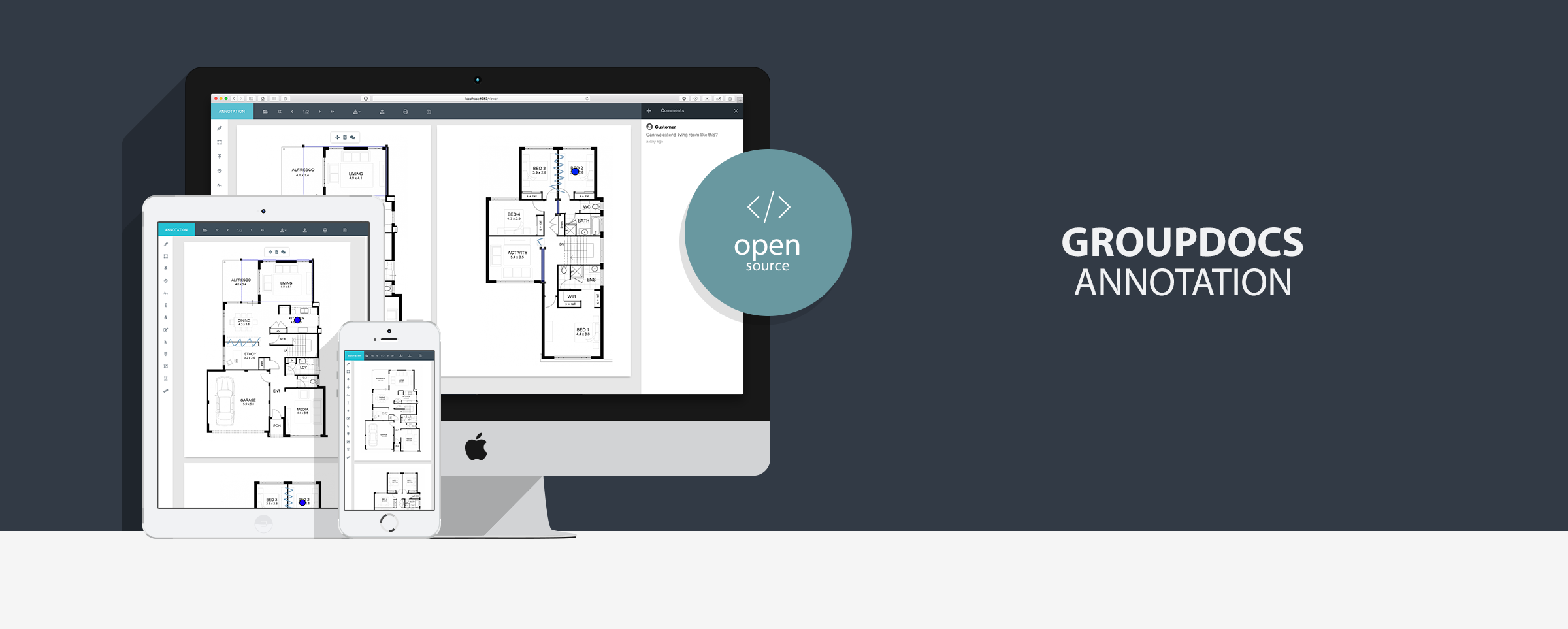
GroupDocs Document Annotation API
Product Page | Docs | Demos | API Reference | Examples | Blog | Free Support | Temporary License
GroupDocs.Annotation Demos are applications that demonstrate powerful features of GroupDocs.Annotation for Java distributed as Docker images. Annotate PDF, DOCX, PPT, XLS, and over 90 document formats without external dependencies or additional conversions (such as DOCX to PDF or PPT to PDF). Write on documents using arrow, text, freehand drawing, and other annotation tools. Use these images as-is or customize and integrate them into your own project.
Note: without a license the application runs in trial mode. Purchase a license or request a temporary license.
Demo Video

Security Notice
These Docker images ship sample/demo applications — not production-ready services.
- Intended for local development and evaluation only
- Demo defaults enable upload, browse, and download; no authentication is included
- Do not expose port
8080to untrusted networks without authentication, a reverse proxy, path validation, and other controls required by your organization - For production, use the GroupDocs.Annotation library and implement your own secure document storage and API layer
Source code: GroupDocs.Annotation-for-Java
Supported Document Formats
GroupDocs.Annotation for Java supports over 50 document and image formats including Microsoft Office, PDF, images, CAD, and more.
Document Annotation Demo Features
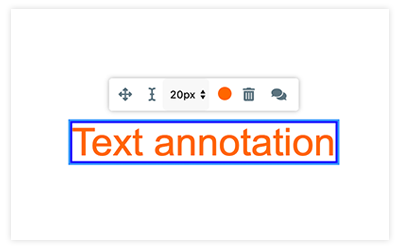
Text annotation
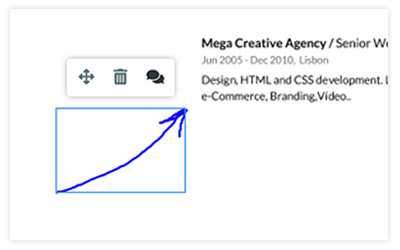
Freehand Drawing

Blackout & Redaction
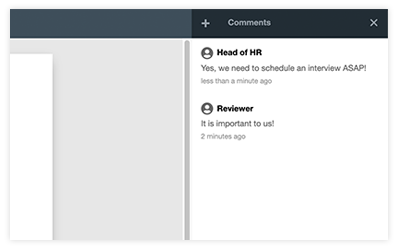
Comments
More features
- Clean, modern and intuitive design with easily switchable colour theme
- Responsive design and mobile support
- Image mode and fully customizable navigation panel
- Annotate password-protected documents
- Add, edit, and remove annotations with comments and replies
- Download original and annotated documents; upload and print documents
- Draw annotations over the document page
- Zoom, fit width, thumbnails, smooth page navigation and scrolling
- Preload pages for faster document rendering
- Multi-language support for displaying errors
- Cross-browser support (Safari, Chrome, Opera, Firefox)
- Cross-platform support (Windows, Linux, macOS)
Annotation types
- Text – highlights and comments selected text
- Area – marks an area with a rectangle and adds notes to it
- Point – sticks comments to any point in a document
- TextStrikeout – marks text with strikethrough styling
- Polyline – draws shapes and freehand lines
- TextField – adds a rectangle with text inside
- Watermark – horizontal textual watermark
- TextReplacement – replaces original text with user text
- Arrow – draws an arrow on a document
- TextRedaction – fills a black rectangle to hide text
- ResourcesRedaction – fills a black rectangle with fixed position
- TextUnderline – marks text with underline styling
- Distance – measures distance between objects in a document
Available Docker Images
Six images are published for each GroupDocs.Annotation for Java release: three Spring and three Dropwizard variants.
Tag format: {version}-java-{jdk}-bullseye-{framework}
Example: 25.6-java-openjdk8-bullseye-dropwizard — GroupDocs.Annotation for Java 25.6, Eclipse Temurin 8, Debian Bullseye, Dropwizard.
| Tag | JDK (runtime) | Framework |
|---|---|---|
25.6-java-openjdk8-bullseye-dropwizard | Eclipse Temurin 8 | Dropwizard |
25.6-java-openjdk11-bullseye-dropwizard | Eclipse Temurin 11 | Dropwizard |
25.6-java-openjdk18-bullseye-dropwizard | Eclipse Temurin 21 | Dropwizard |
25.6-java-openjdk8-bullseye-spring | Eclipse Temurin 8 | Spring |
25.6-java-openjdk11-bullseye-spring | Eclipse Temurin 11 | Spring |
25.6-java-openjdk18-bullseye-spring | Eclipse Temurin 21 | Spring |
The latest tag points to the 25.6-java-openjdk18-bullseye-spring variant when published with the latest workflow option.
Applications are compiled for Java 8 and run on the JDK version shown in the image tag.
How to Run
Pull and run a Spring image (recommended):
docker run -p 8080:8080 --name annotation --rm \
  --env HOST_ADDRESS=localhost \
  groupdocs/annotation:25.6-java-openjdk18-bullseye-spring
# Open http://localhost:8080/annotation/ in your browser.
Pull and run a Dropwizard image:
docker run -p 8080:8080 --name annotation --rm \
  --env HOST_ADDRESS=localhost \
  groupdocs/annotation:25.6-java-openjdk8-bullseye-dropwizard
# Open http://localhost:8080/annotation/ in your browser.
Bind volumes for sample files and license:
mkdir DocumentSamples Licenses
docker run -p 8080:8080 --name annotation --rm \
  --env HOST_ADDRESS=localhost \
  -v "$(pwd)/DocumentSamples:/home/groupdocs/app/DocumentSamples" \
  -v "$(pwd)/Licenses:/home/groupdocs/app/Licenses" \
  groupdocs/annotation:25.6-java-openjdk18-bullseye-spring
The sample reads license files from the mounted Licenses directory and lists documents from DocumentSamples. Put your GroupDocs license file into the Licenses folder or set LIC_PATH to another directory inside the container.
To change annotation types, preload, fonts, and other advanced settings, mount a custom configuration.yml to /home/groupdocs/app/configuration.yml.
Annotation Configuration Options
Environment variables
| Variable | Description | Default |
|---|---|---|
LIC_PATH | Path to directory with license file | Licenses |
HOST_ADDRESS | Host name or IP for the server instance | (empty) |
PORT | HTTP port (embedded server) | 8080 |
FILES_DIR | Directory for uploaded and sample files | DocumentSamples |
DOWNLOAD_ON | Enable download button in UI | true |
UPLOAD_ON | Enable file upload | true |
PRINT_ON | Enable print | true |
BROWSE_ON | Enable document browse dialog | true |
RIGHTCLICK_ON | Enable right-click context menu | false |
REWRITE | Replace uploaded file when name already exists | true |
configuration.yml options
| Option | Type | Default | Description |
|---|---|---|---|
filesDirectory | String | DocumentSamples | Path to uploaded and predefined files (absolute or relative) |
fontsDirectory | String | Path to custom fonts directory | |
defaultDocument | String | Absolute path to document loaded automatically on start | |
preloadPageCount | Integer | 1 | Pages to preload; set 0 to load all pages at once |
textAnnotation | Boolean | true | Enable/disable Text annotation |
areaAnnotation | Boolean | true | Enable/disable Area annotation |
pointAnnotation | Boolean | true | Enable/disable Point annotation |
textStrikeoutAnnotation | Boolean | true | Enable/disable TextStrikeout annotation |
polylineAnnotation | Boolean | true | Enable/disable Polyline annotation |
textFieldAnnotation | Boolean | true | Enable/disable TextField annotation |
watermarkAnnotation | Boolean | true | Enable/disable Watermark annotation |
textReplacementAnnotation | Boolean | true | Enable/disable TextReplacement annotation |
arrowAnnotation | Boolean | true | Enable/disable Arrow annotation |
textRedactionAnnotation | Boolean | true | Enable/disable TextRedaction annotation |
resourcesRedactionAnnotation | Boolean | true | Enable/disable ResourcesRedaction annotation |
textUnderlineAnnotation | Boolean | true | Enable/disable TextUnderline annotation |
distanceAnnotation | Boolean | true | Enable/disable Distance annotation |
downloadOriginal | Boolean | true | Enable/disable original document download |
downloadAnnotated | Boolean | true | Enable/disable annotated document download |
zoom | Boolean | true | Enable/disable zoom |
fitWidth | Boolean | true | Enable/disable fit-width zoom |
GroupDocs Annotation on Other Platforms
- Java Spring Document & PDF annotator
- Java Dropwizard Document & PDF annotator
- .NET MVC Document & PDF annotator
- .NET WebForms Document & PDF annotator
See Also
- View documents with GroupDocs.Viewer
- Compare documents with GroupDocs.Comparison
- Sign documents with GroupDocs.Signature
Product Page | Docs | Demos | API Reference | Examples | Blog | Free Support | Temporary License
Tag summary
Content type
Image
Digest
sha256:a9caa1d34…
Size
337.3 MB
Last updated
5 months ago
docker pull groupdocs/annotation