gryphius/powerdns-admin
https://github.com/ngoduykhanh/PowerDNS-Admin
Image
0
593
gryphius/powerdns-admin repository overview
PowerDNS-Admin
A PowerDNS web interface with advanced features.



Features:
- Multiple domain management
- Domain template
- User management
- User access management based on domain
- User activity logging
- Support Local DB / SAML / LDAP / Active Directory user authentication
- Support Google / Github / Azure / OpenID OAuth
- Support Two-factor authentication (TOTP)
- Dashboard and pdns service statistics
- DynDNS 2 protocol support
- Edit IPv6 PTRs using IPv6 addresses directly (no more editing of literal addresses!)
- Limited API for manipulating zones and records
Running PowerDNS-Admin
There are several ways to run PowerDNS-Admin. Following is a simple way to start PowerDNS-Admin using Docker
Step 1: Update the configuration
Edit the docker-compose.yml file to update the database connection string in SQLALCHEMY_DATABASE_URI. Other environment variables are mentioned in the legal_envvars.
Step 2: Start docker container
$ docker-compose up
You can now access PowerDNS-Admin at url http://localhost:9191
NOTE: For other methods to run PowerDNS-Admin, please take look at WIKI pages.
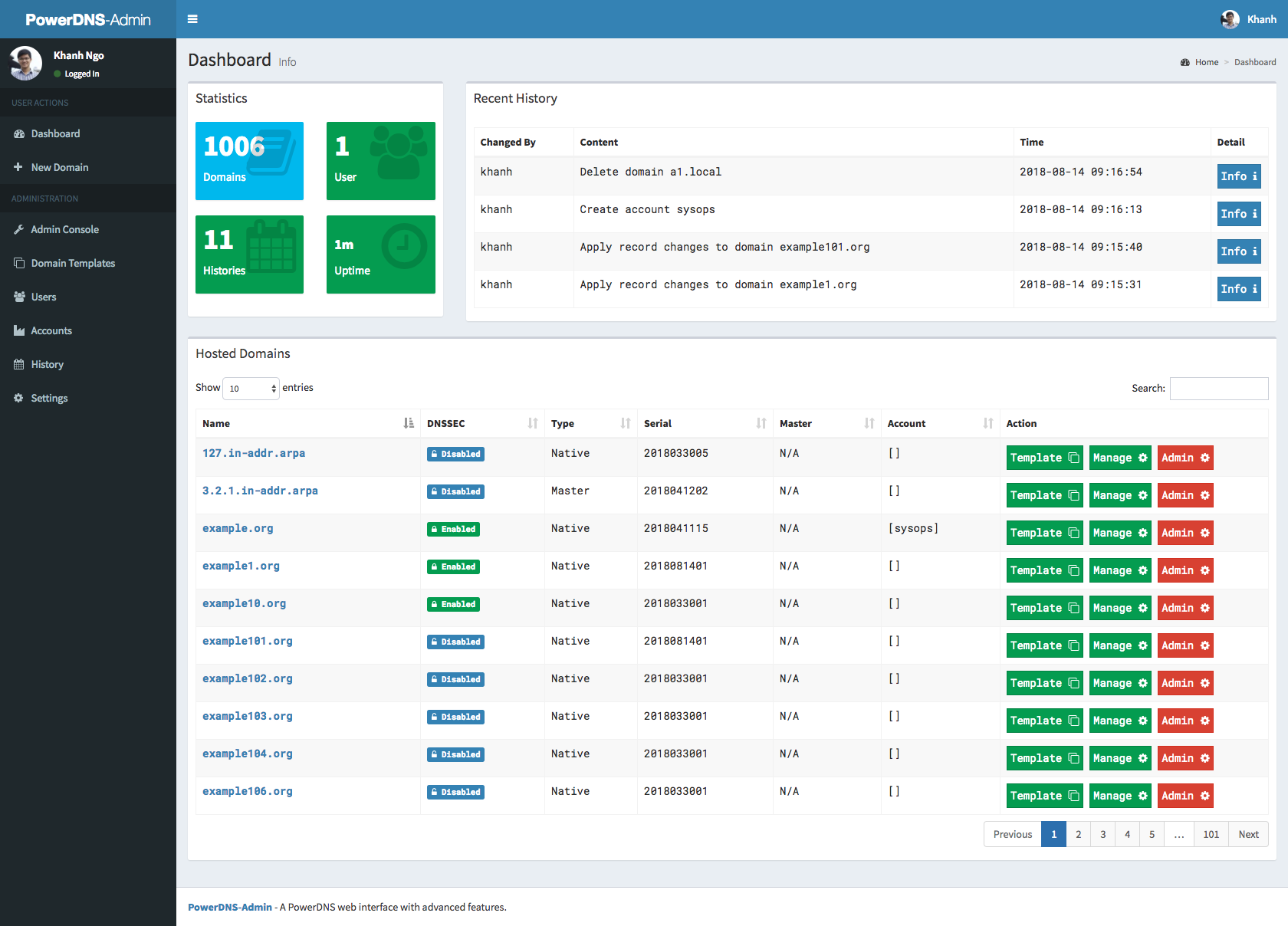
Screenshots
Tag summary
Content type
Image
Digest
Size
360.5 MB
Last updated
over 7 years ago
docker pull gryphius/powerdns-admin