gtunesdev/fspulse
fsPulse - Filesystem state capture and analysis tool
10K+
gtunesdev/fspulse repository overview

fsPulse
Filesystem monitoring and integrity verification
Documentation • Getting Started • Docker Hub • Releases


New: MCP Support (Experimental) fsPulse now includes a built-in Model Context Protocol server, allowing AI assistants like Claude Desktop and Claude Code to query your filesystem data, explore scan history, and investigate integrity issues through natural conversation. Set up MCP →
⚠️ Early Development Notice fsPulse is under active development and is not yet feature-complete. Core functionality is stable, but expect continued evolution and occasional breaking changes. Feedback and issue reports are welcome as we work toward a 1.0 release.
Read-Only Guarantee. fsPulse never modifies your files. It requires only read access to the directories you configure for scanning. Write access is required only for fsPulse's own database, configuration files, and logs — never for your data.
Local-Only Guarantee. fsPulse makes no outbound network requests. All functionality runs entirely on your local system, with no external dependencies or telemetry.
What is fsPulse?
fsPulse is a comprehensive filesystem monitoring and integrity tool that gives you complete visibility into your critical directories. Track your data as it grows and changes over time, detect unexpected modifications, and catch silent threats like bit rot and corruption before they become disasters. fsPulse provides continuous awareness through automated scanning, historical trend analysis, and a dedicated integrity view for reviewing issues.
Your filesystem is constantly evolving—files are added, modified, and deleted. Storage grows. But invisible problems hide beneath the surface: bit rot silently corrupts data, ransomware alters files while preserving timestamps, and you don't realize directories have bloated.
fsPulse gives you continuous awareness of both the visible and invisible:
Monitor Change & Growth:
- Track directory sizes and growth trends over time
- Visualize file additions, modifications, and deletions
- Understand what's changing and when across all scans
Detect Integrity Issues:
- Content Hashing (SHA2): Catches when file contents change even though metadata stays the same—the signature of bit rot or tampering
- Format Validation: Reads and validates file structures to detect corruption in FLAC, JPEG, PNG, PDF, and more
Whether you're managing storage capacity, tracking project evolution, or ensuring data integrity, fsPulse provides the visibility and peace of mind that comes from truly knowing the state of your data.
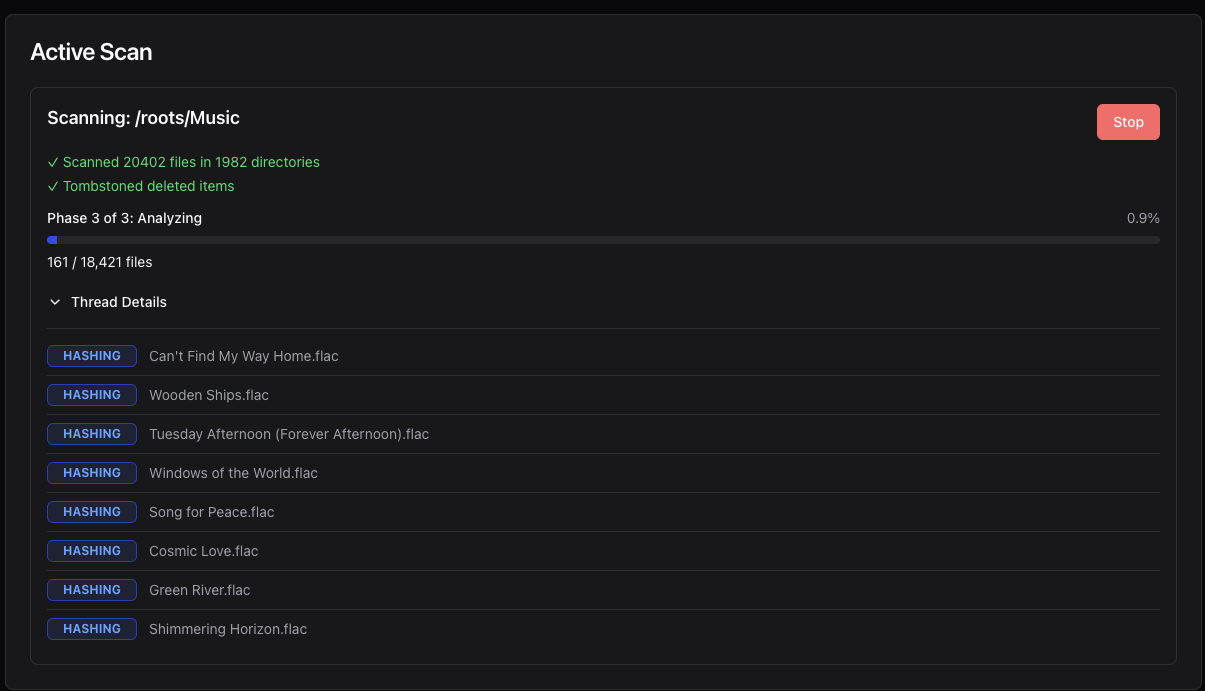
Web UI showing real-time scan progress with live statistics
🚀 Key Capabilities
- Health-at-a-Glance Overview — See the status of all monitored directories immediately: integrity issues, last scan times, and overall health
- Continuous Monitoring — Schedule recurring scans (daily, weekly, monthly, or custom intervals) to track your filesystem automatically
- Temporal Versioning — Every item's state is tracked over time; browse your filesystem as it appeared at any past scan
- Size & Growth Tracking — Monitor directory sizes and visualize storage trends over time with dual-format units
- Change Detection — Track all file additions, modifications, and deletions through version history
- Integrity Verification — SHA2 hashing detects bit rot and tampering; format validators catch corruption in supported file types
- Integrity Management — Dedicated Integrity page surfaces suspect hashes and validation failures with review tracking
- Historical Trends — Interactive trend charts show how your data evolves: sizes, counts, changes, and integrity metrics
- Powerful Query Language — SQL-inspired syntax for filtering, sorting, and analyzing across four data domains
- Web-First Design — Elegant web UI for all operations including scanning, browsing, querying, and configuration
📚 Documentation
Quick start instructions are below, but full documentation is available in book form:
Key sections:
- Getting Started — Installation, Docker deployment, and first steps
- Interface — Complete guide to Home, Browse, Integrity, Trends, History, Roots, Schedules, Data Explorer, and Settings
- Scanning Concepts — How scans work, hashing, and validation
- Query Syntax — Powerful filtering and data exploration
- Configuration — Customizing fsPulse behavior
🐳 Quick Start with Docker
docker run -d \
  --name fspulse \
  -p 8080:8080 \
  -v fspulse-data:/data \
  -v ~/Documents:/roots/documents:ro \
  gtunesdev/fspulse:latest
Access the web UI at http://localhost:8080
The Docker Deployment Guide provides complete coverage including Docker Compose examples, NAS deployments, and detailed configuration options.
⚡ Running fsPulse
Start the fsPulse server:
fspulse
Or explicitly:
fspulse serve
Open http://127.0.0.1:8080 in your browser to access the web interface.
All functionality is available through the web UI:
- Health overview with root status and integrity summaries at a glance
- Configure and manage scan roots and schedules
- Monitor task progress in real-time
- Browse your filesystem with tree, folder, and search views
- Filter by integrity status: hash state, validation state, and change type
- Review suspect hashes and validation failures on the Integrity page
- View point-in-time snapshots and compare across scans
- Query and explore your data across four domains
Configuration
fsPulse is configured through environment variables or a config file:
# Example: Change port and enable debug logging
export FSPULSE_SERVER_PORT=9090
export FSPULSE_LOGGING_FSPULSE=debug
fspulse
See the Configuration Guide for all available settings.
🖥️ Interface Highlights
The interface is organized into two navigation groups — primary pages for everyday use, and utility pages for configuration and advanced analysis:
Primary:
- Home — Health overview showing root status, active tasks, recent activity with integrity summaries
- Browse — Navigate your filesystem with tree, folder, and search views, integrity filters, inline detail panels, and side-by-side comparison across scans or roots
- Integrity — Review suspect hashes and validation failures with filtering by issue type, file type, and review status
- Trends — Interactive charts tracking file sizes, counts, change activity, and integrity metrics over time
Utility:
- History — Complete scan and task activity log with filtering
- Roots — Add, remove, and scan monitored directories
- Schedules — Create and manage automated scan schedules
- Data Explorer — Visual query builder and free-form query interface across four data domains
- Settings — Edit configuration, view database stats and system info
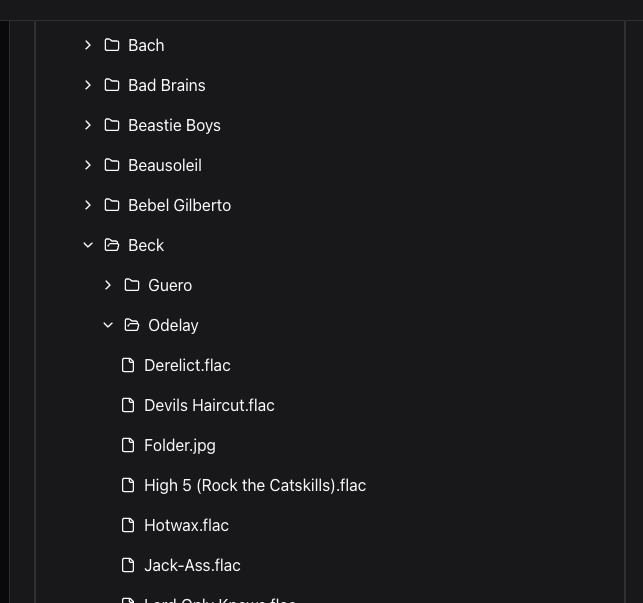
Browse page showing filesystem hierarchy navigation
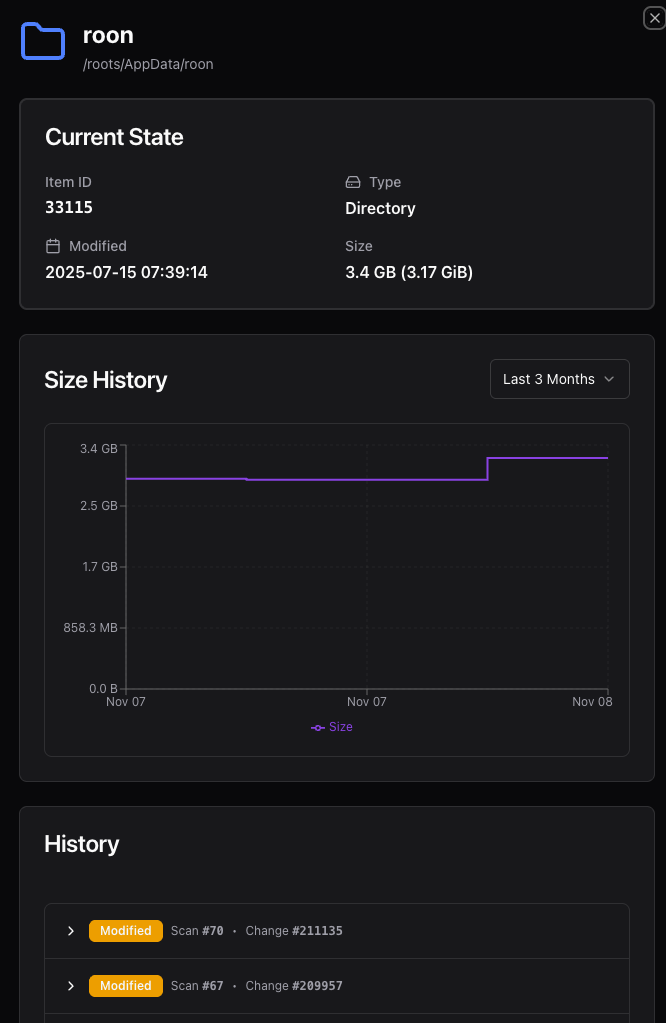
Item detail panel showing metadata, validation status, and version history
📦 Installation Options
fsPulse can be installed in several ways depending on your preferences and environment:
Docker Hub (Recommended)
Pull the official image and run:
docker pull gtunesdev/fspulse:latest
docker run -d --name fspulse -p 8080:8080 -v fspulse-data:/data gtunesdev/fspulse:latest
Multi-architecture support: linux/amd64, linux/arm64
See the Docker Deployment Guide for complete instructions.
Cargo (crates.io)
Install via Rust's package manager:
cargo install fspulse
Requires Rust toolchain installed on your system.
Pre-built Binaries
Download platform-specific binaries from GitHub Releases.
Available for: Linux, macOS, Windows
macOS builds include both Intel (x86_64) and Apple Silicon (ARM64) binaries.
Note: All web UI assets are embedded in the binary—no external files or dependencies required.
Build from Source
Clone the repository and use the build script:
git clone https://github.com/gtunes-dev/fspulse.git
cd fspulse
./scripts/build.sh
./target/release/fspulse --help
Prerequisites: Node.js (with npm) and Rust (via rustup) must be installed.
See the Building from Source Guide for detailed build instructions including manual steps and troubleshooting.
💬 Getting Help
- Report issues: GitHub Issues
- Documentation: fsPulse Book
- Docker Hub: gtunesdev/fspulse
🤝 Contributions
fsPulse is under active development, but is not currently accepting external contributions. This may change in the future — see our Development Guide for details.
📄 License
Released under the MIT License. See LICENSE for details.
Tag summary
Content type
Image
Digest
sha256:8343491fa…
Size
39.5 MB
Last updated
7 months ago
docker pull gtunesdev/fspulse