gutmensch/dmarc-report
Docker Image to automate DMARC report parsing and visualization.
1M+
gutmensch/dmarc-report repository overview
docker-dmarc-report 
This image is intended to combine a dmarc report parser (see https://github.com/techsneeze/dmarcts-report-parser by TechSneeze.com and John Bieling) with a report viewer (see https://github.com/techsneeze/dmarcts-report-viewer/ by the same people) into a runnable docker image / microservice.
It fetches dmarc report mails regularly from an IMAP server, stores them into a MySQL DB and visualizes them via Webserver/PHP module.
Howto
- Create a _dmarc.example.com TXT DNS record for your domain, containg an IMAP postbox, e.g.
17:18 $ dig TXT _dmarc.schumann.link +short
"v=DMARC1\; p=quarantine\; fo=1\; rua=mailto:[email protected]\; ruf=mailto:[email protected]\; adkim=s\; aspf=s\;"
- Create a MySQL Database and a user for this service
- Run this docker image with below mentioned env vars
- Access port 80 on the container (or 443) or put it behind a reverse proxy to view reports
docker pull gutmensch/dmarc-report
docker run -e ... -ti gutmensch/dmarc-report
New dmarc reports will be fetched every 15 minutes past the hour, every hour. Therefore it can take up to one hour for the first report to be fetched.
Versions for last build latest and version 1.0
dmarcts report viewer: 2021-07-04
dmarcts report parser: 2021-07-04
CAUTION: The old gutmensch/dmarc-report:latest image (older alpine, php5, etc.) is available still as gutmensch/dmarc-report:0.5. The current latest (and 1.0) uses the latest alpine version, newer MySQL client libraries, newer OpenSSL, etc. and improves compatibilitiy with MySQL 8+. For full compatibility the upstream parser should merge https://github.com/techsneeze/dmarcts-report-parser/pull/103/files too.
Frontend Screenshot
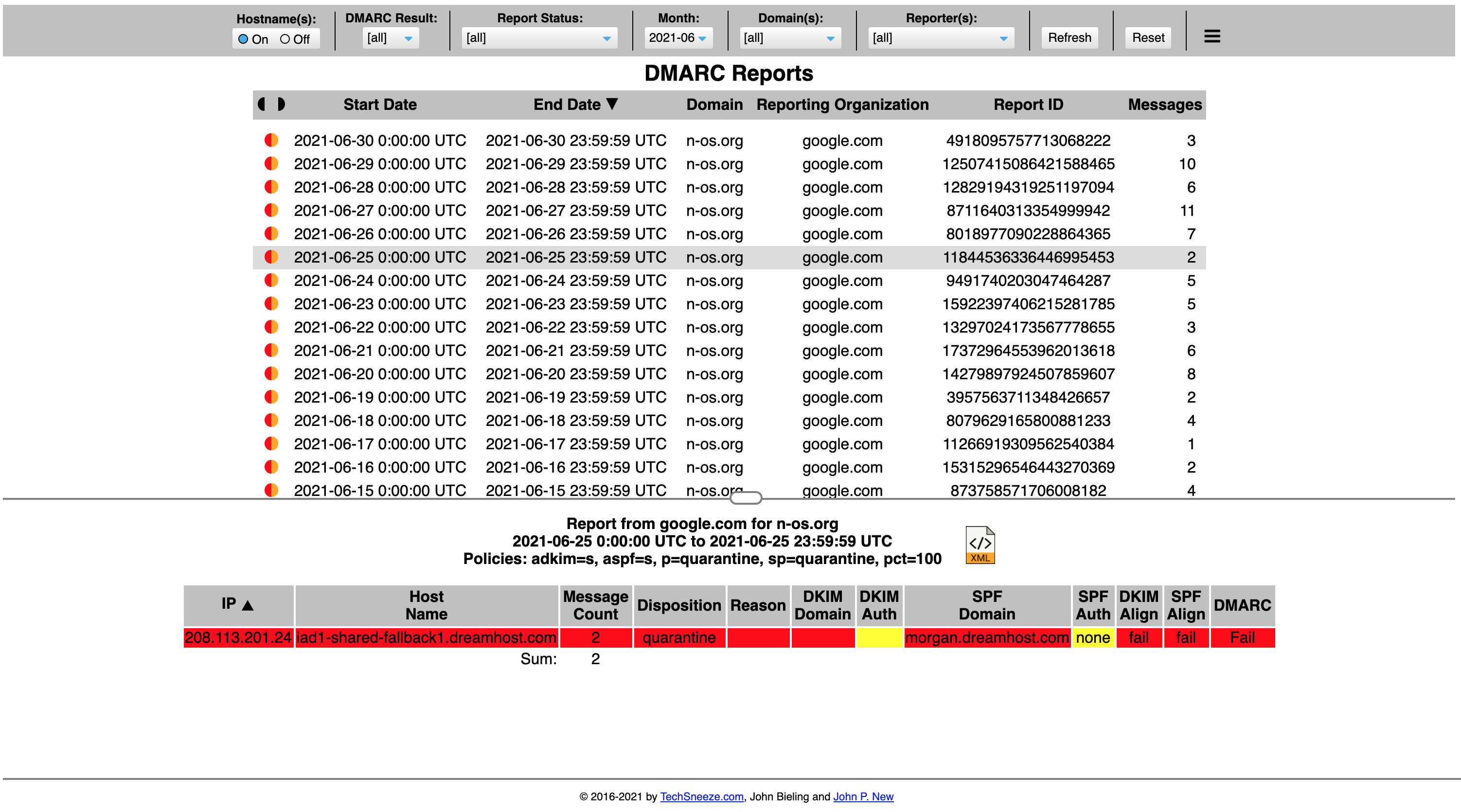
Sample docker compose / Environment variables
The variables should be self-explanatory. Make sure to create the IMAP folders before the cron job runs!
docker-compose.yml
version: '3.6'

services:
  dmarc-report:
    image: "gutmensch/dmarc-report:latest"
    hostname: dmarc-report
    container_name: dmarc-report
    depends_on:
      - db
    ports:
      - "80:80"
    environment:
      - "REPORT_DB_HOST=db"
      - "REPORT_DB_PORT=3306"
      - "REPORT_DB_NAME=dmarc_report"
      - "REPORT_DB_USER=dmarc_report"
      - "REPORT_DB_PASS=dbpassword"
      - "PARSER_IMAP_SERVER=mail"
      - "PARSER_IMAP_PORT=143"
      - "[email protected]"
      - "PARSER_IMAP_PASS=foobar"
      - "PARSER_IMAP_READ_FOLDER=Inbox"
      - "PARSER_IMAP_MOVE_FOLDER=processed"
      - "PARSER_IMAP_MOVE_FOLDER_ERR=error"

  db:
    image: mariadb:10
    command: --skip-innodb-read-only-compressed
    environment:
      - "MYSQL_ROOT_PASSWORD=dbrootpassword"
      - "MYSQL_DATABASE=dmarc_report"
      - "MYSQL_USER=dmarc_report"
      - "MYSQL_PASSWORD=dbpassword"
Optional extended configuration
Use SSL instead of default TLS. Set both to 0 to turn off encryption. (not recommended)
    - "PARSER_IMAP_SSL=1"
    - "PARSER_IMAP_TLS=0"
Tag summary
Content type
Image
Digest
sha256:4cb1c0928…
Size
127.5 MB
Last updated
over 2 years ago
docker pull gutmensch/dmarc-report