hemi131/pierside
Docker Desktop-style container UI for Rancher Desktop, with remote engines over SSH and AI access
146
hemi131/pierside repository overview
Pierside
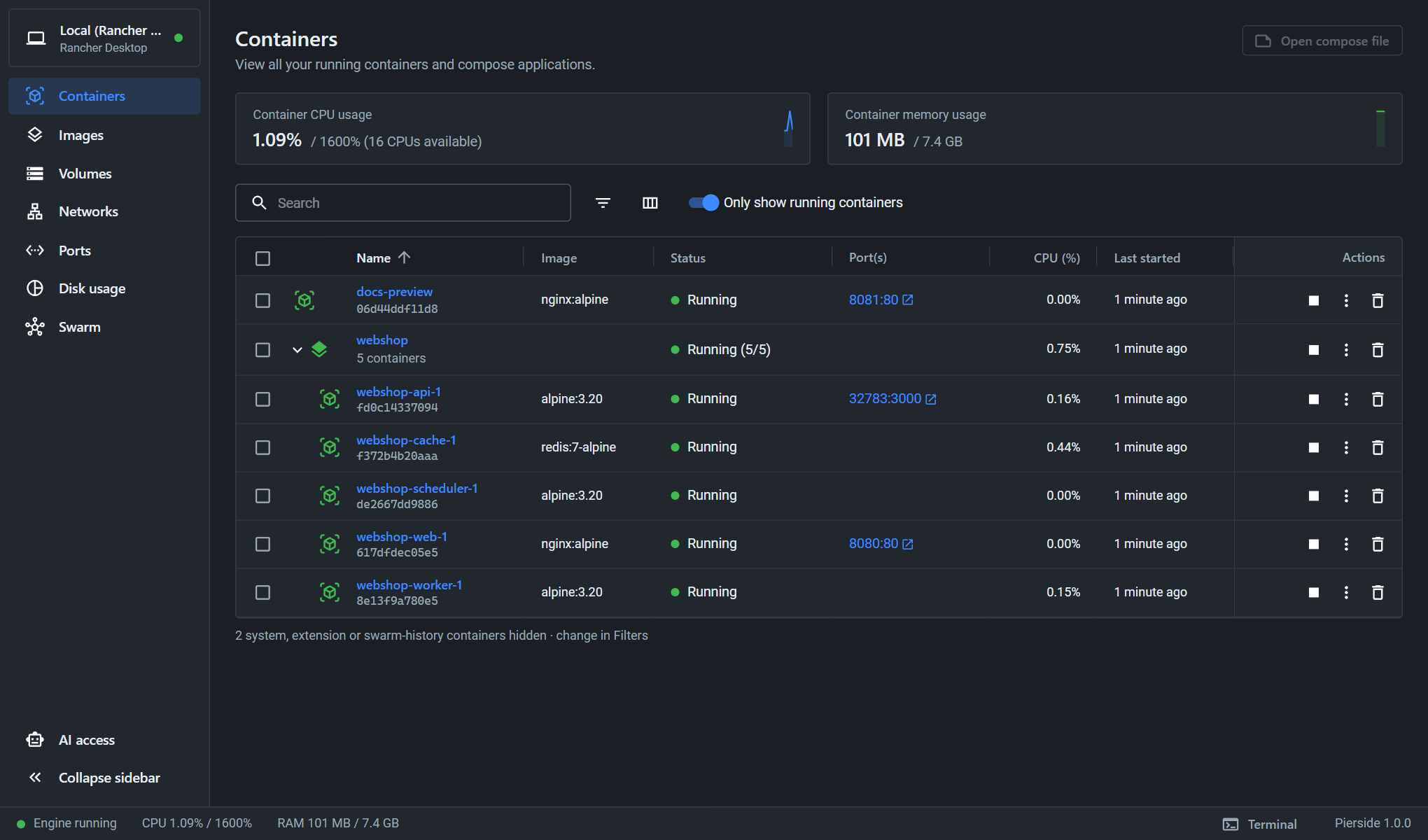
A Docker Desktop–style container UI for Rancher Desktop. Containers, Compose projects, images, volumes and remote Docker engines over SSH, in one tab of Rancher Desktop.
Quick reference
- Website and documentation: pierside.dev
- Source: github.com/Hemi131/Pierside
- Issues and questions: GitHub issues
- Changelog: pierside.dev/changelog
- Architectures:
amd64,arm64 - License: Apache-2.0
Supported tags
| Tag | What it is |
|---|---|
latest | The newest release |
X.Y.Z (e.g. 1.4.3) | A specific release, for pinning. The five newest are kept. |
edge | The current development build. Not for everyday use. |
How to use this image
This image is a Rancher Desktop extension, not a container you run yourself. It needs Rancher Desktop 1.23 or newer with the dockerd (moby) engine.
Install:
rdctl extension install hemi131/pierside:latest
Then open Pierside in Rancher Desktop's sidebar.
Update (Rancher Desktop doesn't download a newer latest by itself, hence the pull):
docker pull hemi131/pierside:latest
rdctl extension uninstall hemi131/pierside:latest
rdctl extension install hemi131/pierside:latest
Your engines, SSH keys and settings are kept. Pierside also tells you in its footer when a new release is out.
What you get
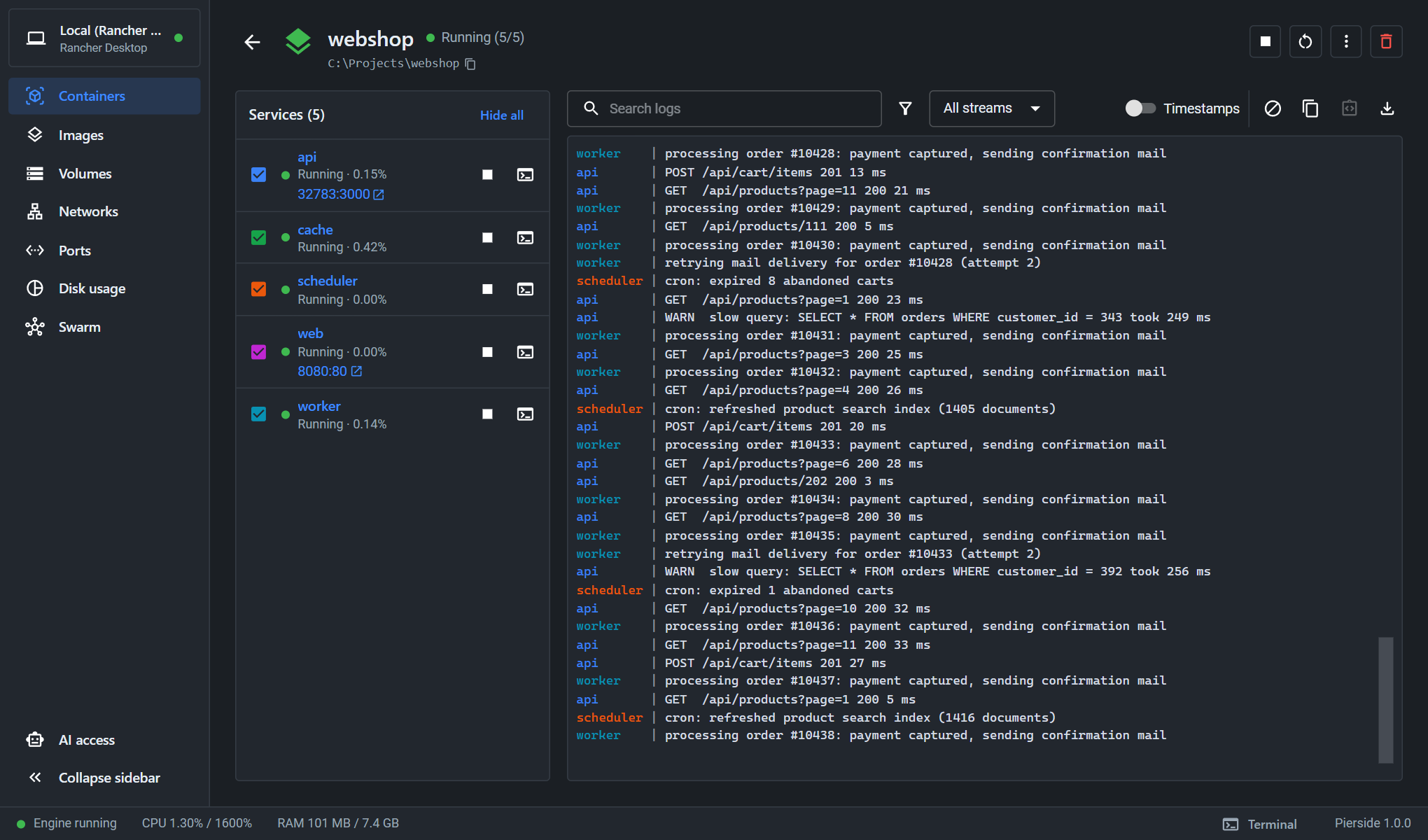
- Containers grouped by Compose project, with live logs (merged per project), shell, file browser and editor, stats and inspect
- Images, volumes and networks: pull, run, prune, browse and edit volume contents
- Remote engines over plain SSH: nothing to install on the server; files, disk usage, live performance and alerts for the server itself
- AI access: a built-in MCP server for Claude Code and other assistants, with per-container and per-action permissions you approve in Pierside
Full documentation is on pierside.dev.
Pierside is an independent open-source project, not affiliated with Docker, Inc. or SUSE. "Docker" and "Rancher Desktop" are trademarks of their respective owners.
Tag summary
Content type
Image
Digest
sha256:30dd68981…
Size
74.8 MB
Last updated
5 minutes ago
docker pull hemi131/pierside