hisashin/ninjapcr repository overview
Source of http://ninjapcr.tori.st
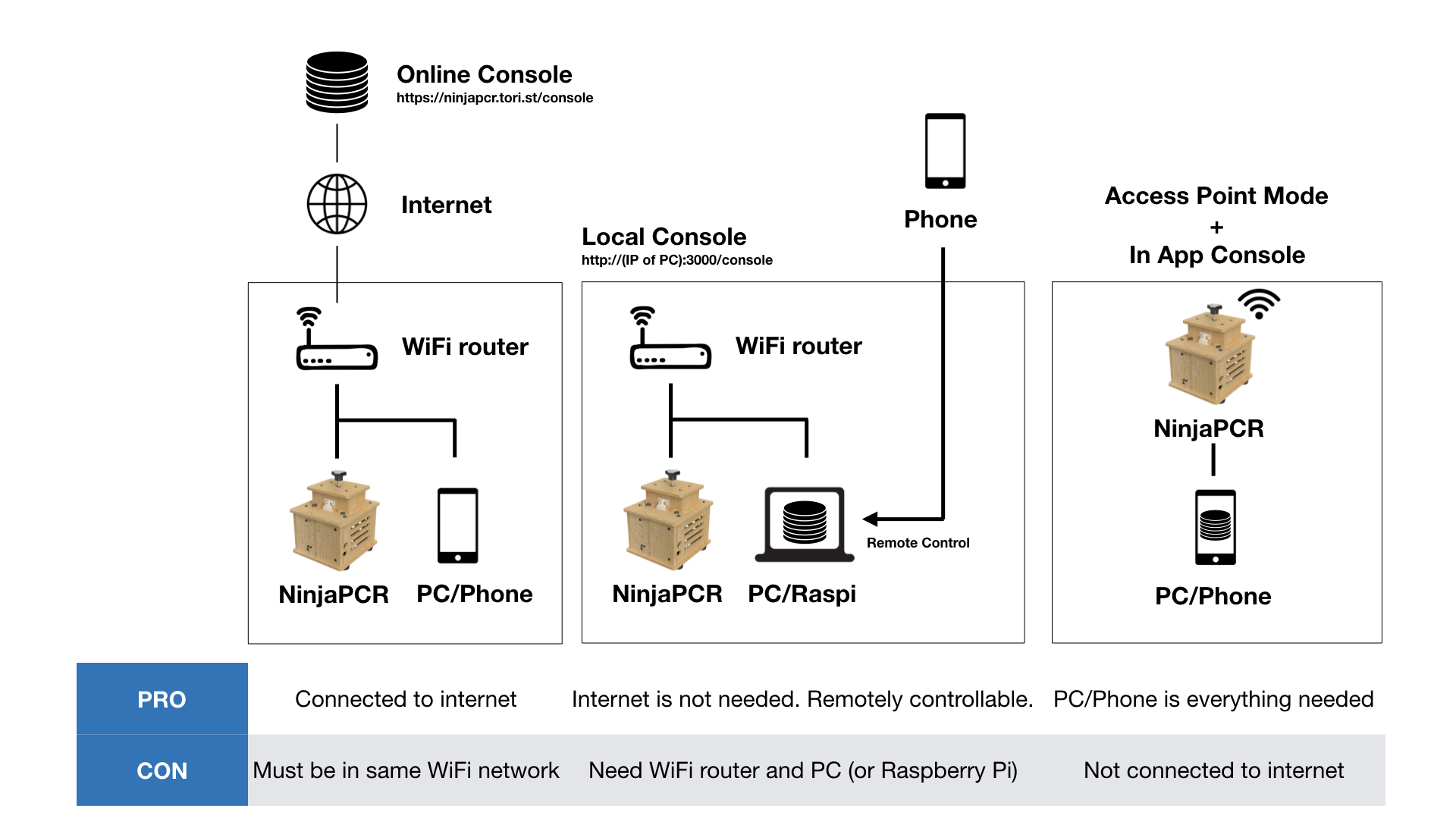
NinjaPCR needs WiFi, but that doesn't mean it have to be connected to internet.
You can run console localy without our online console for private network in few commands.
$10 wifi router, $35 Raspberry Pi 3 with $3 8GB micro sd card and PC, iOS or Android phone are everything you need.
You can choose $10 Raspberry Pi Zero W but HypriotOS is needed instead of Raspbian to run Docker for now.
Run by Docker
- Install Docker
Raspberry Pi and most of Linux
curl -fsSL get.docker.com -o get-docker.sh && sh get-docker.sh
Others including Mac, Windows
- Run
Raspberry Pi 2 and 3 (Dockerfile)
docker run --restart=always -it --name ninjapcr -d -p 3000:3000 hisashin/ninjapcr-rpi
Raspberry Pi Zero W (Dockerfile)
docker run --restart=always -it --name ninjapcr -d -p 3000:3000 hisashin/ninjapcr-rpi-zero
Others including Mac, Windows and Linux (Dockerfile)
docker run --restart=always -it --name ninjapcr -d -p 3000:3000 hisashin/ninjapcr
Run by Manual
- Clone or download this project to your pc by hitting "Clone or download" button on top-right of github page.
- Install Node.js if not yet installed.
- Open terminal and change directory to the one you copied at step1.
- Run
npm install
npx gulp
node app.js
Either way, access http://localhost:3000/console.
Any devices in same network can use that console at http://(ip of your pc):3000/console if port 3000 is open.
Tag summary
Content type
Image
Digest
Size
123.7 MB
Last updated
over 7 years ago
docker pull hisashin/ninjapcr