homebridge/homebridge
Docker Homebridge - HomeKit support for the impatient using Docker on x86_64 and rPi arm / aarch64.
10M+
homebridge/homebridge repository overview




Homebridge Docker Image
This Ubuntu Linux based Docker image allows you to run Nfarina's Homebridge on your home network which emulates the iOS HomeKit API.
This is a multi-arch image and will run on x86_64, Raspberry Pi 2, 3, 4, Zero 2 W, or other Docker-enabled ARMv7/8 devices. Docker will automatically pull the correct image for your system.
| Image Tag | Architectures | Base Image |
|---|---|---|
| latest, ubuntu | amd64, arm32v7, arm64v8 | Ubuntu 24.04 |
Step-By-Step Guides
- Running Homebridge with Docker on Linux
- Running Homebridge on a Synology NAS
- Running Homebridge on Unraid
Compatibility
Homebridge requires full access to your local network to function correctly which can be achieved using the --net=host flag.
This image will not work when using Docker for Mac or Docker for Windows due to this and this.
Usage
Command Line:
docker run --net=host --name=homebridge -v $(pwd)/homebridge:/homebridge homebridge/homebridge:latest
Using Docker Compose (recommended):
version: '2'
services:
  homebridge:
    image: homebridge/homebridge:latest
    restart: always
    network_mode: host
    volumes:
      - ./volumes/homebridge:/homebridge
    logging:
      driver: json-file
      options:
        max-size: "10mb"
        max-file: "1"
Parameters
The parameters are split into two halves, separated by a colon, the left hand side representing the host and the right the container side.
--net=host- Shares host networking with container, required-v /homebridge- The Homebridge config and plugin location, required
Optional Settings:
-e TZ- for timezone information e.g.-e TZ=Australia/Canberra-e ENABLE_AVAHI- default is1; set to0to prevent the Avahi mDNS service running in the container
Homebridge UI
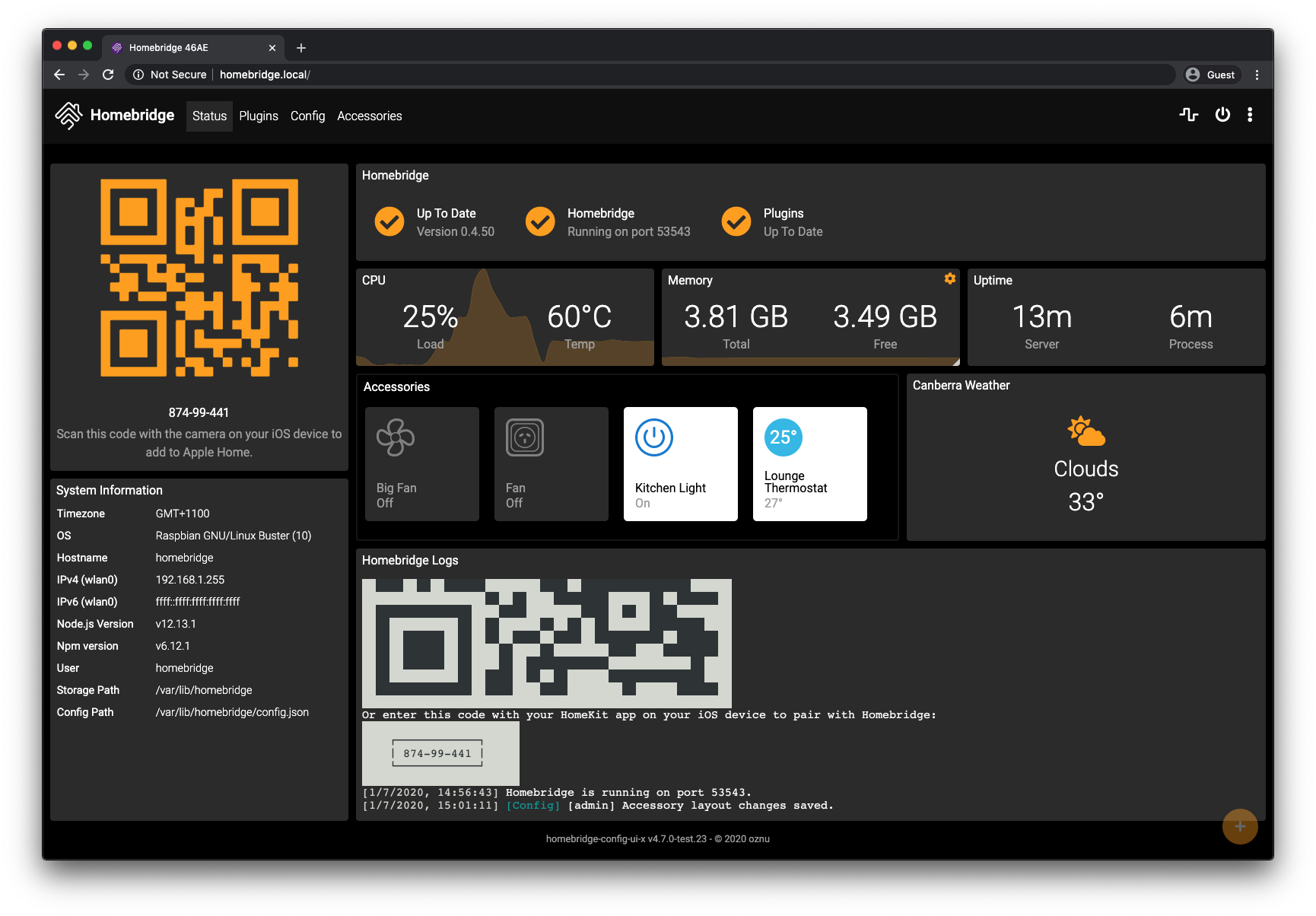
This image comes with the Homebridge UI pre-installed and is the easiest way to manage all aspects of Homebridge.
To manage Homebridge go to http://<ip of server>:8581 in your browser. For example, http://192.168.1.20:8581. From here you can install, remove and update plugins, modify the Homebridge config.json and restart Homebridge.
Automated Updates
Automated updates of the Homebridge Docker Image using tools such as Watchtower or similar are strongly discouraged and are done so at your own risk. You can update Homebridge, the Homebridge UI and the Node.js runtime from inside the container.
Troubleshooting
1. Need ffmpeg?
ffmpeg, with libfdk-aac audio support is included in this image.
2. Container will not start on older versions of Raspbian
If you're seeing errors like the following, your host operating system needs to be updated.
See #434 and #441 for potential solutions.
Node.js[445]: ../src/util.cc:188:double node::GetCurrentTimeInMicroseconds(): Assertion `(0) == (uv_gettimeofday(&tv))' failed.
Aborted (core dumped)
homebridge_1  | s6-svscan: warning: unable to iopause: Operation not permitted
homebridge_1  | s6-svscan: warning: executing into .s6-svscan/crash
homebridge_1  | s6-svscan crashed. Killing everything and exiting.
homebridge    | # Fatal error in , line 0
homebridge    | # unreachable code
3. Ask on Discord
Join the Official Homebridge Discord community and ask in the #docker channel.
License
Copyright (C) 2023 homebridge Copyright (C) 2017-2022 oznu
This program is free software: you can redistribute it and/or modify it under the terms of the GNU General Public License as published by the Free Software Foundation, either version 3 of the License, or (at your option) any later version.
This program is distributed in the hope that it will be useful, but WITHOUT ANY WARRANTY; without even the implied warranty of MERCHANTABILITY or FITNESS FOR A PARTICULAR PURPOSE. See the GNU General Public License for more details.
Tag summary
Content type
Image
Digest
sha256:22cdfca31…
Size
410.4 MB
Last updated
1 day ago
docker pull homebridge/homebridge