houbystudio/fridgora
The office fridge, run like a tiny shop: snacks at cost, pay later by QR. Self-hosted.
1.6K
houbystudio/fridgora repository overview
Fridgora
The office fridge, run like a tiny shop — at cost, with no cash box and no spreadsheet.
Colleagues grab a drink, tap Buy and settle up later with a QR bank transfer.
GitHub · Deployment guide · Releases & changelog · Issues
What it is
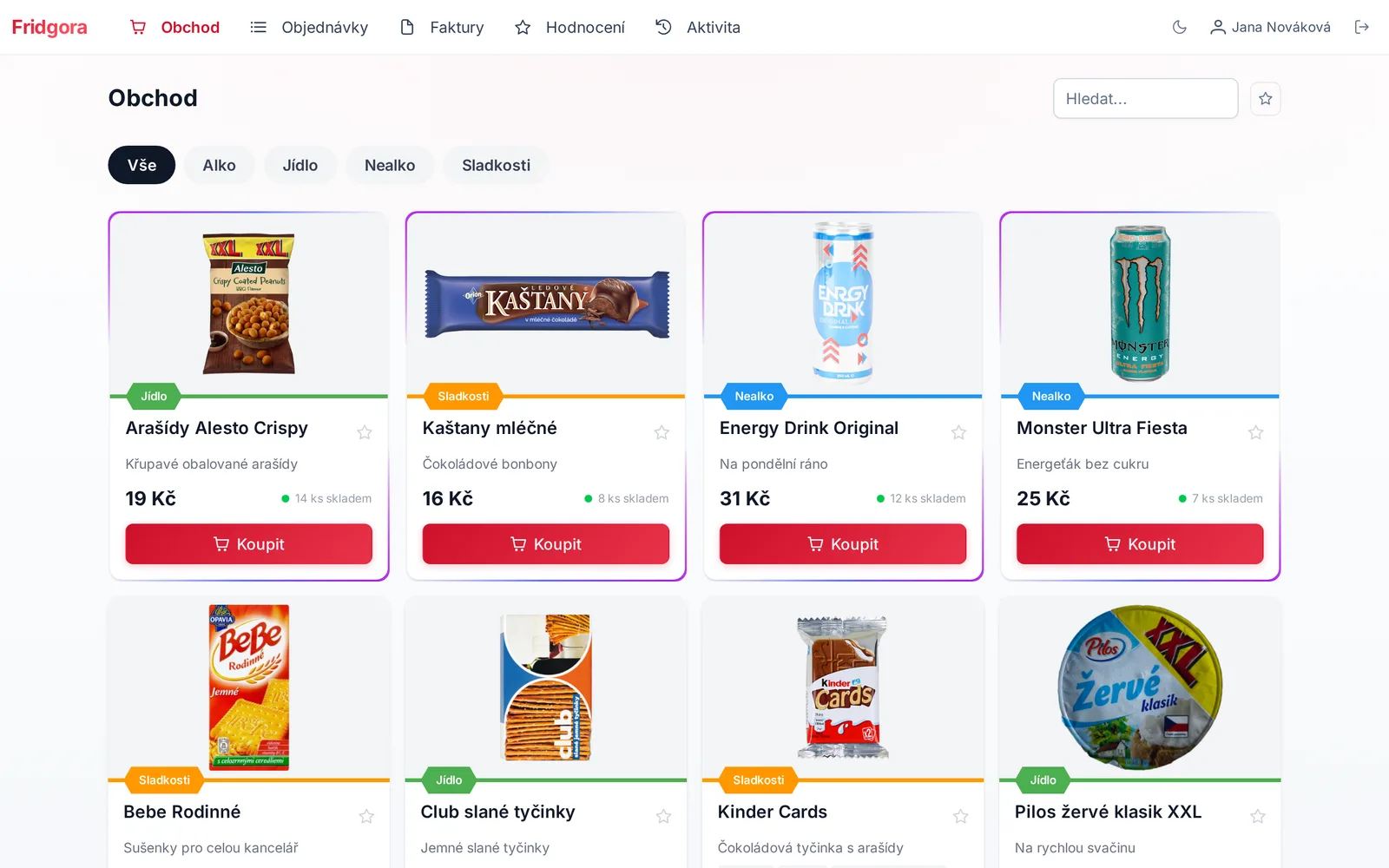
A self-hosted web app for sharing snacks and drinks with colleagues at cost. A supplier stocks the fridge, colleagues buy in one click — on the web, a phone, a touchscreen kiosk, the REST API or an AI assistant over MCP — and pay later from an invoice with a QR bank-transfer code.
Single sign-on (Microsoft Entra ID, Discord), a full audit log, Czech and English, light and dark mode. MIT licensed. Full feature list on GitHub.
Quick start
The image needs PostgreSQL. The ready-made compose.yaml wires up the app, the scheduler
(reminders, reports) and the database:
wget https://raw.githubusercontent.com/houby-studio/fridgora/refs/heads/master/compose.yaml
wget https://raw.githubusercontent.com/houby-studio/fridgora/refs/heads/master/.env.example -O .env
# fill in APP_KEY, APP_URL and DB_PASSWORD in .env
docker compose up -d
Open http://localhost:3000; the first visit creates the admin account. Generate APP_KEY with:
docker run --rm houbystudio/fridgora node ace generate:key --show
Tags
| Tag | What it is |
|---|---|
X.Y.Z | A release. Pin this in production, so rollbacks are exact. |
latest | The newest release — never a branch build. |
master | The tip of master, for testing what comes next. |
<sha> | One exact commit, immutable. |
Images are multi-arch: linux/amd64 and linux/arm64 (Raspberry Pi 4/5, ARM servers,
Apple Silicon).
Configuration
| What | Where |
|---|---|
| Port | 3000 inside the container |
| Uploaded images | /app/storage/uploads — mount a volume |
| Required variables | APP_KEY, APP_URL, DB_HOST, DB_PASSWORD (plus DB_USER, DB_DATABASE) |
| Everything else | .env.example documents every option |
| Secrets | Passwords and keys can come from Docker secrets |
Verify before you run it
Every image is built only from a commit that passed the full test suite, and carries a signed SLSA build provenance attestation. Check that an image really comes from this repository's CI:
gh attestation verify oci://docker.io/houbystudio/fridgora:<version> \
  --repo houby-studio/fridgora \
  --signer-workflow houby-studio/fridgora/.github/workflows/docker-image.yml \
  --source-ref refs/tags/<version>
Moving from houbystudio/sbf
Fridgora was called Small Business Fridge until 3.2.1, published as
houbystudio/sbf. Change the image name in your
compose.yaml — data, volumes and configuration stay as they are.
This page is generated from docker/README.md on every release.
Tag summary
Content type
Image
Digest
sha256:206558509…
Size
201.1 MB
Last updated
about 1 month ago
docker pull houbystudio/fridgora